September 6, 2026
11 min read
What Is a Content Calendar and How to Build One
Learn what is a content calendar, why it matters, and how to build one that keeps your publishing consistent across every channel.
A content calendar is a shared schedule that maps what content will publish, when it will publish, and where it will appear, with an owner and status to turn ideas into execution. It connects topics, assets, approvals, and distribution so publishing becomes a repeatable workflow instead of a daily scramble.
You've got a strong blog idea in one document, a half-written caption in a chat thread, a video waiting in someone's laptop folder, and a launch date nobody has added to the team's schedule. Then publishing day arrives. Someone asks who owns the post, the designer needs the final copy, and the social manager starts creating something from scratch.
That pattern is common because content work has many moving parts. A team may plan a newsletter, blog article, Instagram carousel, LinkedIn post, TikTok video, YouTube upload, and email promotion around one campaign. Without a shared operating view, each item can drift into a separate workflow.
A calendar brings those pieces into one place. A useful calendar does more than list dates. It shows what needs to be created, who is responsible, what stage it's in, how it can be repurposed, and what result it should support.
The sections below move from the basic definition to the production-system view, then compare common formats and walk through a practical setup you can use for a four-week planning cycle.
Table of Contents
- Introduction Why Publishing Feels Chaotic Without a Plan
- What a Content Calendar Really Is
- Why a Content Calendar Matters for Consistent Growth
- Core Components Every Content Calendar Needs
- Common Content Calendar Formats Compared
- How to Set Up a Simple Content Calendar That Works
Introduction Why Publishing Feels Chaotic Without a Plan
Content chaos rarely starts with a lack of ideas. It starts when ideas, deadlines, people, and platforms live in different places.
A consultant might outline a useful article in a notes app, promise a related newsletter for later, and save several social ideas in Instagram drafts. A teammate may know that a product announcement is coming, but the designer doesn't know which visual is approved. Meanwhile, the person responsible for publishing assumes someone else has checked the caption.
The result is familiar: last-minute posts, missed handoffs, repeated topics, and quiet gaps in the publishing rhythm. Even when the team works hard, effort gets spent searching for information rather than producing useful content.
A content calendar helps by giving the team a shared view of upcoming work. It can show a campaign's main article, the email that supports it, the short video derived from it, and the platform-specific posts that extend its reach. Each entry becomes a visible work item instead of an isolated idea.
The historical roots of the editorial calendar are in print publishing, where publication teams used controlled schedules to coordinate newspapers, magazines, newsletters, and other recurring output. As digital publishing expanded, the calendar developed into a cross-channel coordination system for blogs, email, social media, and multimedia distribution, as described in the background of editorial calendar history.
The practical shift: Stop treating the calendar as a list of things to remember. Treat it as the place where content moves from idea to published asset.
A well-built system can make planning calmer without making it rigid. You'll learn what belongs in a calendar, why cadence and timing matter, which format fits your workflow, and how to connect one source piece to several channel-ready assets.
What a Content Calendar Really Is
Think of a television programming schedule. It doesn't merely say that a show exists. It tells viewers what will appear, when it will air, and which channel will carry it. A content calendar applies the same logic to marketing, then adds the production details a team needs to get the work finished.
At its simplest, the calendar answers three questions:
- What will be published? This might be a blog article, newsletter, carousel, video, podcast clip, or customer email.
- When will it go live? The entry records the planned date and, when relevant, the publishing time.
- Where will it appear? The channel could be a website, Instagram, LinkedIn, TikTok, YouTube, Facebook, or email.
A functional calendar adds two operational questions: who owns the work and what is its current status. Those fields turn a planned post into a trackable workflow object.
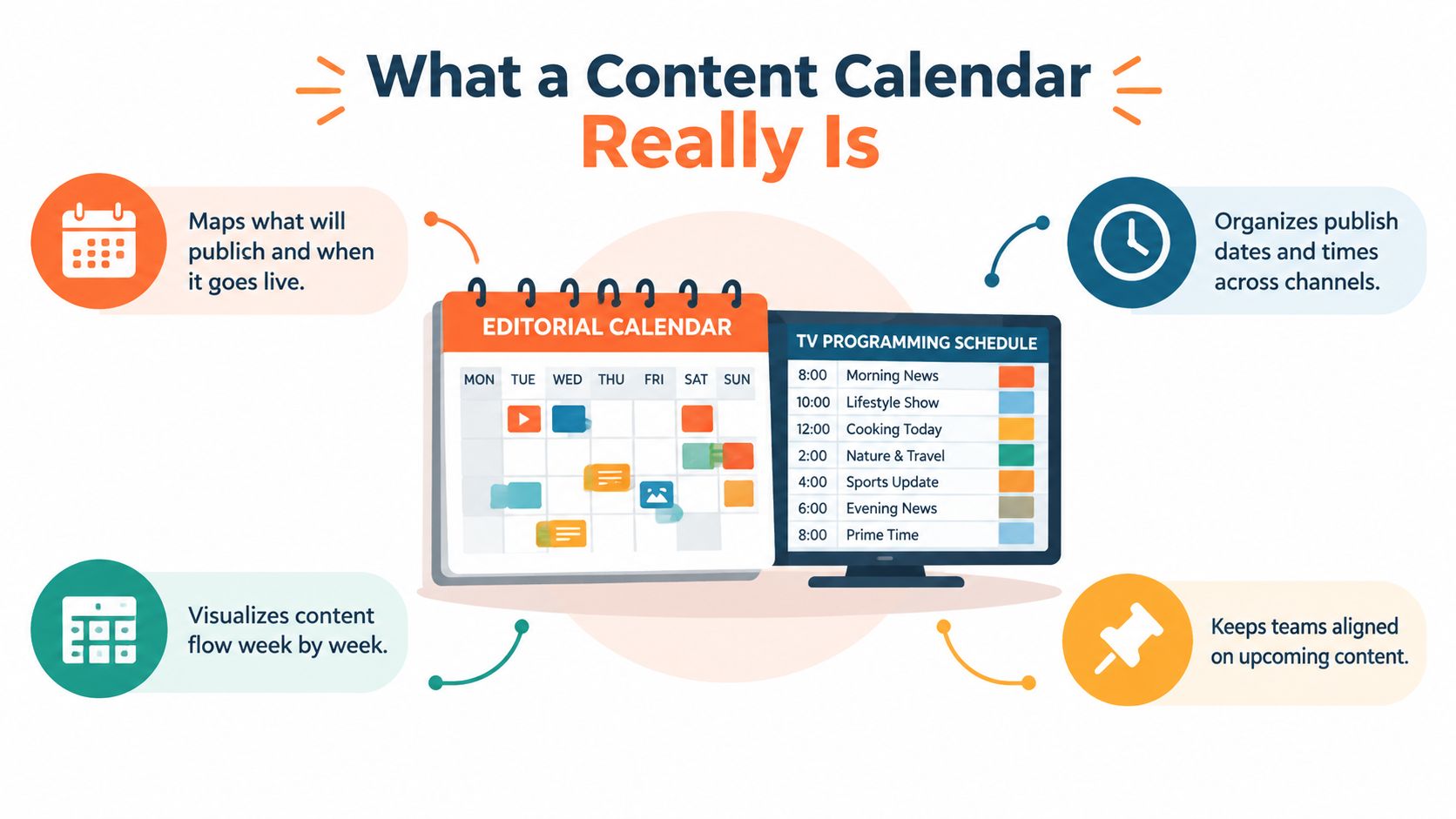
Core definition: A content calendar is a shared planning and production system that organizes content by topic, format, channel, timing, ownership, status, and campaign context.
Calendar versus strategy
A strategy explains why you're publishing. It identifies the audience, business objective, themes, positioning, and channels worth prioritizing.
The calendar explains how the strategy becomes visible work. It translates a theme such as audience education into specific entries, such as an article, a short video, an email, and a platform-specific post. It also gives each item a place in the workflow.
That distinction prevents a common mistake. A team can have an excellent strategy document and still publish inconsistently if nobody has assigned the work or set a production sequence. Conversely, a team can fill a calendar with posts that have no connection to an audience need or business goal.
Editorial and content calendars are often used interchangeably, but the planning level can differ. An editorial calendar may hold broad campaign themes and publication priorities, while a detailed content calendar tracks the individual assets and handoffs. Many teams combine both views in one working system.
The calendar therefore acts as the control layer between planning and execution. It keeps the strategic direction visible while giving writers, designers, reviewers, and publishers the information they need to act.
Why a Content Calendar Matters for Consistent Growth
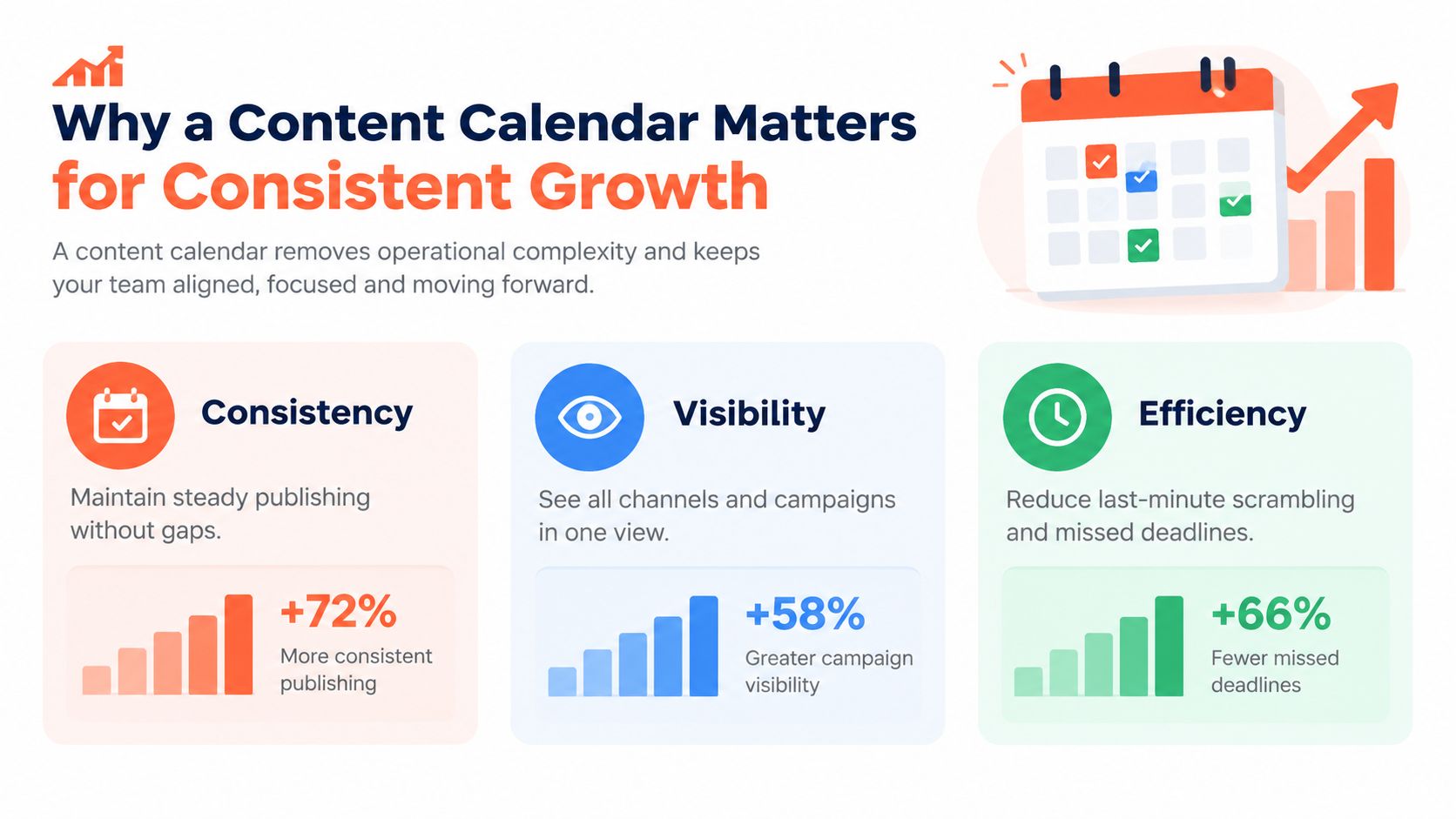
Consistency is easier when the team can see the work before publication day. A calendar exposes gaps, crowded campaign periods, missing assets, and unclear ownership while there's still time to fix them.
It also creates cross-channel visibility. A social manager can see that a newsletter is scheduled, a content marketer can see the supporting video, and a campaign owner can check whether the planned messages tell a coherent story. This shared view reduces the chance that several people publish similar ideas or that an important announcement gets buried beneath unrelated posts.
Cadence affects the opportunity to engage
A calendar isn't only an administrative tool. It helps a team maintain a publishing rhythm and make timing decisions deliberately.
A large creator study summarized by Buffer's content calendar research reported that creators who posted in 20 or more weeks of a 26-week window saw around 450% more engagement per post than creators who posted in four weeks or fewer. Creators posting in 5 to 19 weeks saw around 340% more engagement per post than the least consistent group. These figures don't prove that a calendar alone creates engagement, but they show why cadence deserves a place in the planning system.
Timing can matter, too. Academic guidance summarized in the same source recommends scheduling Instagram posts in the morning and before the first work interruption because audience-active hours are associated with higher engagement. A calendar lets you record those platform-specific windows instead of relying on memory.
That doesn't mean publishing more content automatically solves a marketing problem. A consistent schedule still needs useful topics, suitable formats, clear calls to action, and review based on performance. The calendar gives the team a structure for delivering those elements repeatedly.
A good system also lowers the cost of being consistent. When upcoming work is visible, the team can prepare assets in batches, identify reusable source material, and reserve space for timely ideas rather than starting from zero every day.
Core Components Every Content Calendar Needs
A date and a headline aren't enough for a production team. They tell someone what might happen, but not whether the copy is ready, where the visual lives, or who must approve the final version.
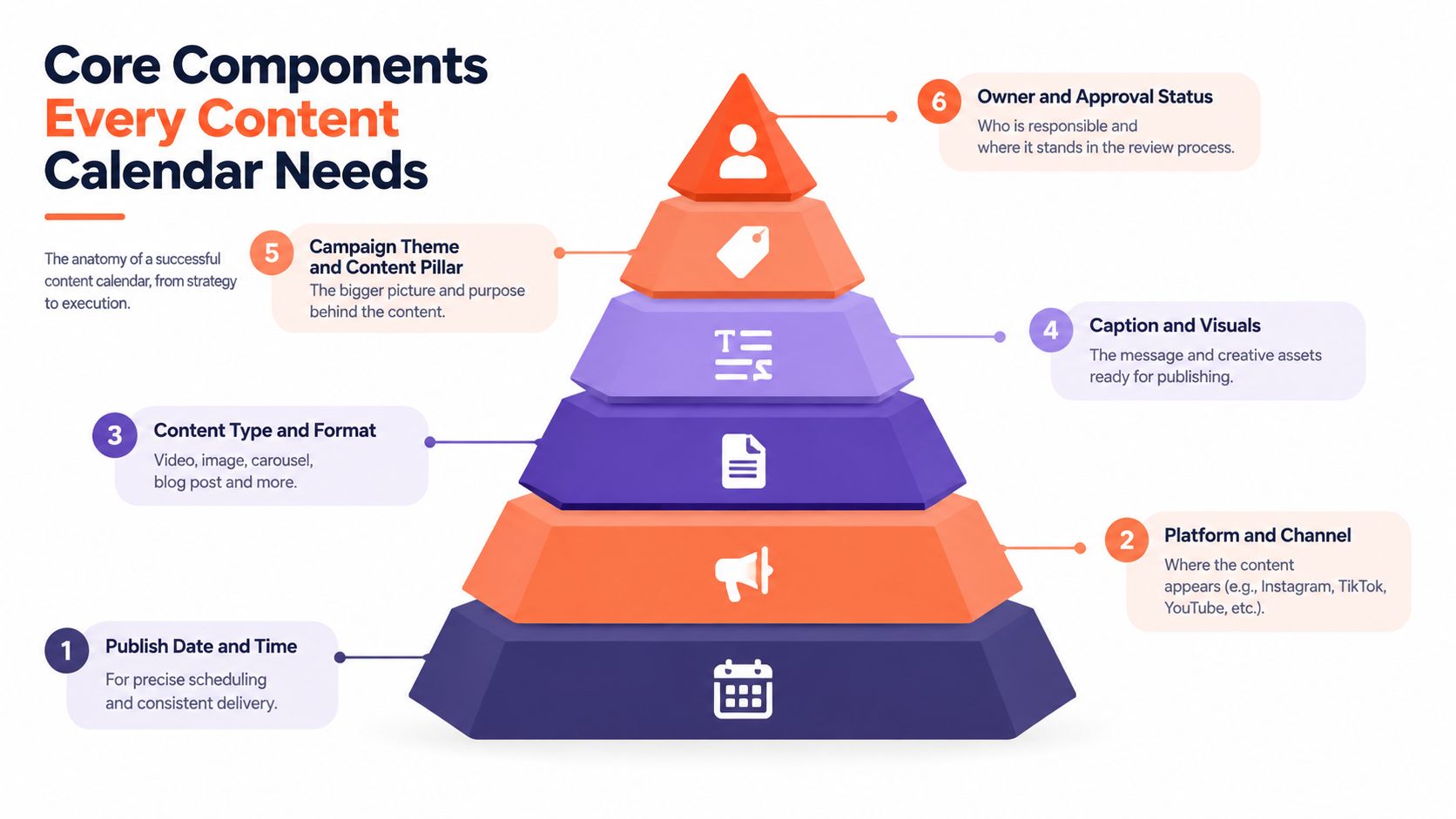
The strongest calendars turn each content idea into a workflow record. The record contains the information needed to create, review, adapt, schedule, and measure the asset.
The fields that make work visible
- Publish date and time: This creates a clear deadline and helps the team plan around timing windows.
- Platform and channel: Instagram, LinkedIn, YouTube, Facebook, email, and a blog each have different requirements. Naming the destination prevents accidental copy-pasting.
- Topic and title: A working headline gives the creator a defined subject rather than a vague instruction to “post something.”
- Content type and format: Record whether the item is an article, carousel, short video, email, image, or another format. Format affects production effort and approvals.
- Caption, copy, and visuals: Keep the draft text, creative direction, asset link, or final file connected to the entry. This avoids searching across disconnected folders and messages.
- Campaign and content pillar: These fields show the larger purpose of the item and help balance recurring themes across the calendar.
- Owner: Assign one person who is accountable for moving the item forward. Contributors can still support the work, but ownership shouldn't be ambiguous.
- Status: Use practical stages such as idea, drafting, design, review, approved, scheduled, and published. Status makes blocked work visible before it becomes a missed deadline.
- CTA and success metric: State the next action you want the audience to take and the signal you'll inspect afterward.
A digital asset library can support this workflow by keeping approved images, videos, logos, and brand files organized alongside production references. Teams that need a more specific planning foundation can also study a proven custom content strategy before deciding which fields belong in their system.
For teams producing across several channels, connect each source item to its derivative assets. One article may generate a newsletter, a LinkedIn post, a short video script, and a carousel. The calendar should show those relationships, not hide them in separate rows with no shared source.
You can store the assets in a dedicated digital asset library, then add the relevant file or folder reference to each calendar entry. That small connection reduces handoff friction and helps the team reuse approved material without recreating it.
Common Content Calendar Formats Compared
The right format depends on the number of people involved, the number of channels, and how much approval or automation the workflow requires. A solo creator often needs visibility and speed, while an agency may need permissions, client review, asset management, and publishing controls.
A visual calendar view works well when timing and campaign flow matter most. Cards arranged by date make gaps and crowded periods easy to spot. It's useful for editorial meetings and campaign reviews, though detailed production notes can become awkward if every card holds long copy and several asset links.
A spreadsheet is a flexible starting point. Columns can hold dates, channels, formats, owners, statuses, captions, links, and metrics. It's inexpensive and familiar, but teams need discipline around naming conventions, version control, and updates.
A dedicated editorial or social publishing tool adds workflow features such as approvals, notifications, content previews, analytics, and direct scheduling. It suits teams managing multiple brands or frequent cross-channel production, but setup and subscription decisions require more planning.
| Format | Best For | Strengths | Limitations |
|---|---|---|---|
| Visual calendar view | Campaign planning and editorial reviews | Makes timing, gaps, and themes easy to scan | Can become crowded with detailed production information |
| Spreadsheet or sheet template | Solo creators and small teams | Flexible fields, familiar collaboration, quick to customize | Requires manual status updates and careful version control |
| Dedicated editorial tool or software | Multi-channel teams and agencies | Supports approvals, scheduling, asset links, and reporting | Needs setup, training, and a workflow that justifies the added complexity |
A practical progression is to start with a spreadsheet, then move to a dedicated tool when handoffs, approvals, or publishing volume create repeated friction. A structured editorial calendar template can help you define the fields before you choose software.
Don't choose based on the tool's appearance alone. Choose the format that your team will update consistently and that exposes the decisions needed before publication.
How to Set Up a Simple Content Calendar That Works
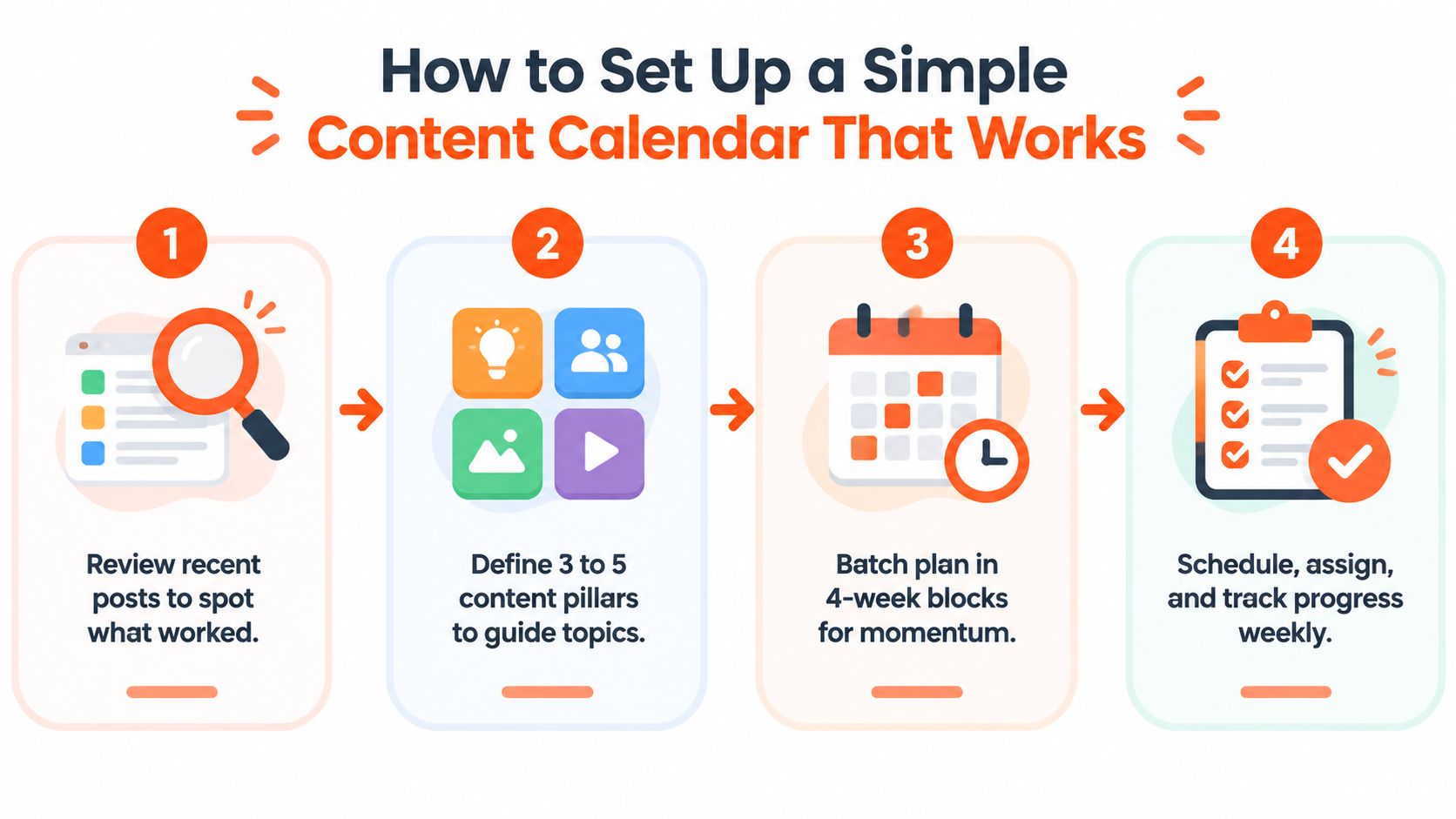
Start with evidence from your own publishing history. Review the last 60 to 90 days of posts before planning forward, as recommended in a 2026 social media calendar guide. Note recurring topics, formats, channels, audience responses, unfinished ideas, and gaps that deserve attention.
Next, define 3 to 5 content pillars. These are durable subject areas that guide topic selection, such as education, customer questions, behind-the-scenes work, product use, or industry commentary. Pillars stop the calendar from becoming a random collection of disconnected posts.
Then plan in 4-week blocks. Give each block a central campaign or editorial focus, map the source content first, and add the derivative assets around it. One detailed article could become a newsletter, a short video, a carousel, a quote card, and several platform-specific captions. This is the point where the calendar becomes a repurposing system rather than a list of independent tasks.
Leave room for reality
Don't fill every available slot. A 2026 planning guide recommends leaving 15% to 20% of slots open for reactive posts, timely commentary, and unexpected opportunities, as outlined in current content calendar planning guidance. Open space also gives the team room to move a post when a campaign changes or a review takes longer than expected.
Assign an owner and status to every planned item. During a weekly review, check what is blocked, confirm that assets are ready, and adjust the next publishing window. If you're building a repeatable workflow to streamline your Instagram posting, keep the platform-specific caption, visual, CTA, and approval status attached to the same entry.
For broader planning guidance, use a social media content planning framework alongside the calendar. WaveGen.ai can then turn source material such as an article, newsletter, podcast script, or YouTube transcript into platform-specific social assets, with brand settings, editing, scheduling, and publishing in one workflow.
WaveGen.ai helps you connect a content calendar to repeatable distribution by turning one source piece into carousels, short videos, quote cards, and captions for multiple channels. Visit WaveGen.ai to organize repurposing and scheduling without creating every social asset from scratch.
what is a content calendar
content calendar guide
editorial calendar
content planning
social media calendar
Turn this kind of writing into a week of social content.
Paste a blog post, newsletter, or rough draft — WaveGen turns it into publish-ready carousels, captions, and slideshows for every channel.
No credit card · First posts in 2min