July 3, 2026
16 min read
How to Plan Social Media Content: A Practical Framework
Learn how to plan social media content with our step-by-step framework. From audience research to content calendars and repurposing, get expert tips.
You sit down to post, open three tabs, stare at an empty caption field, and realize the same thing happened yesterday. Social media doesn't usually fail because people lack ideas. It fails because the process is loose, reactive, and too dependent on last-minute energy.
That's why learning how to plan social media content matters. A real plan gives you something better than inspiration. It gives you a repeatable system. You know what each post is for, which platform it belongs on, how it should be formatted, and when it should go live. This structure ensures you stop rebuilding your workflow every morning.
For consultants, coaches, educators, advisors, and small marketing teams, the biggest shift is this. You probably don't need more ideas from scratch. You need a better way to turn the knowledge you already have into a steady stream of platform-ready posts. That means starting with goals, narrowing your audience, defining a few useful content pillars, building a calendar that includes formatting requirements, and setting up a review loop so the plan improves over time.
Table of Contents
- From Social Media Chaos to Content Clarity
- First Things First Your Goals Audience and Platforms
- Developing Your Core Content Pillars
- Building Your Content Calendar and Workflow
- The Repurposing-First Workflow for Maximum Efficiency
- Measuring What Matters and Refining Your Plan
From Social Media Chaos to Content Clarity
Monday starts with good intentions. By Wednesday, the team is pulling quotes from an old webinar, rewriting a caption five minutes before publish, and arguing about whether a trend is worth chasing. Content still goes out, but the week is running the team instead of the other way around.
That pattern is common for experts with plenty to say and no repeatable way to turn it into social content. The problem is rarely a lack of ideas. It is the lack of a planning system that turns existing assets into publishable posts without rebuilding everything from scratch.
A better approach is simpler. Start with material you already have, then decide how it should be broken apart, adapted by platform, and scheduled with enough structure to keep the machine running. For consultants, coaches, and subject-matter experts, this is what closes the execution gap. One strong article, workshop, podcast, or client FAQ can do far more work than a blank content calendar ever will.
Practical rule: If your team decides what to post after opening the scheduler, you do not have a content plan. You have a posting habit.
The teams that stay consistent ask operational questions before they write a single post:
- What business result matters most: awareness, leads, trust-building, client education, or retention?
- Who needs to care: new prospects, warm leads, existing clients, referral partners, or hiring candidates?
- Which channels deserve effort: not every platform earns the same level of attention.
- What source material already exists: newsletters, webinars, podcasts, blog posts, FAQs, presentations, and sales calls.
- What production rhythm the team can sustain: batch creation beats daily scrambling.
That last point matters more than many teams expect. A plan should reduce daily decision-making, not add another layer of admin. In practice, that means fewer original concepts, more reuse of strong source material, and a calendar built around what the team can produce every week without burning out.
Planning does not make content rigid. It gives you room to react without derailing the month. When the baseline is already mapped from core assets, you can publish a timely post, adjust for news, or test a new angle without starting from zero. If you need a simple framework for defining what the plan is supposed to achieve, MicroPoster's goal setting guide is a useful reference.
First Things First Your Goals Audience and Platforms
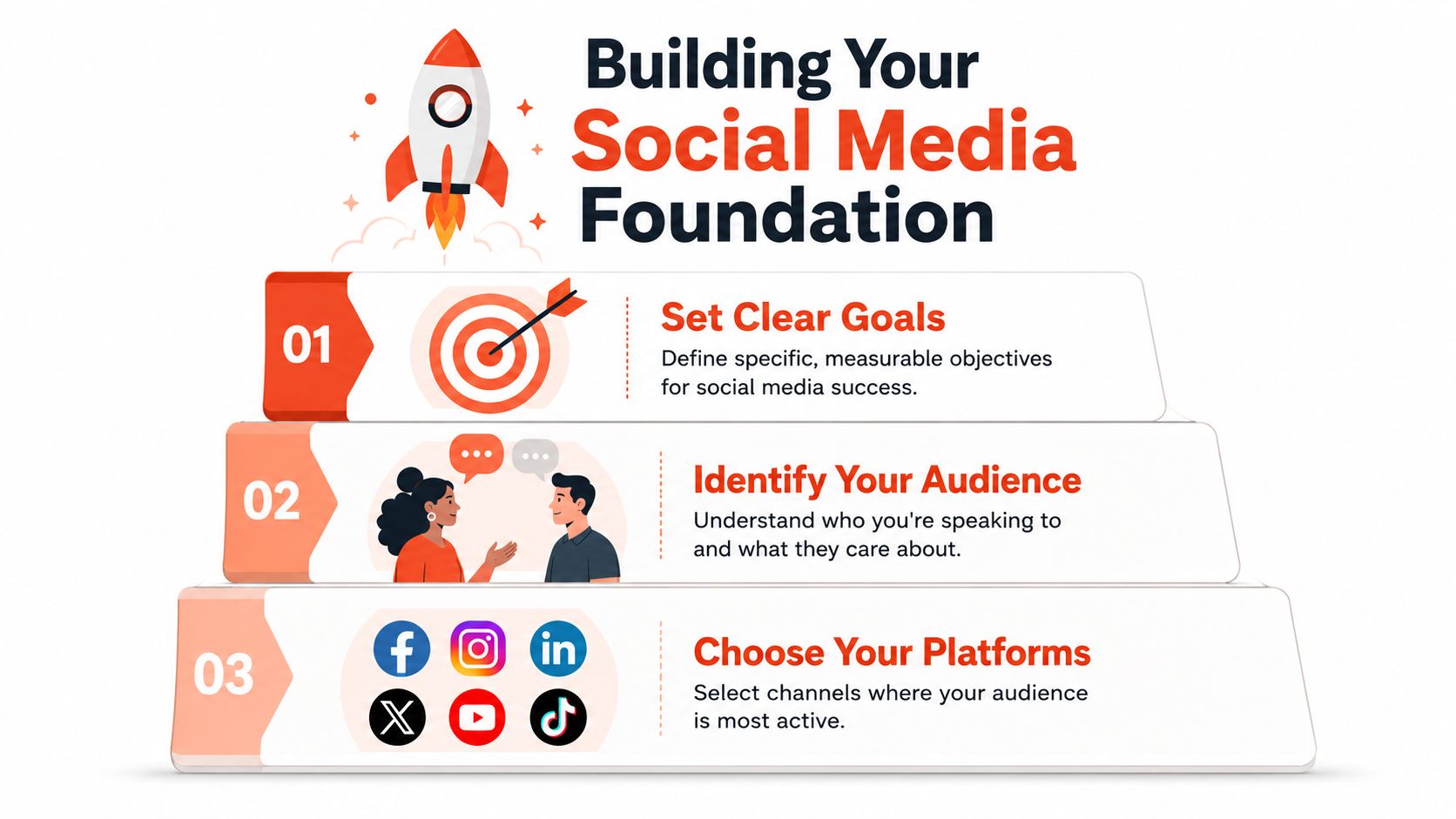
Most weak social strategies break before the first post is written. The usual mistake is jumping straight into content ideas without deciding what the account is supposed to do. If your goal is unclear, everything downstream gets fuzzy. Your topics drift, your call to action changes every week, and you end up measuring whatever metric happens to be easy to see.
Start with one business outcome
Pick one primary outcome for the next planning cycle. That could be booked calls, newsletter signups, stronger brand recall in a niche, or more trust with existing leads. Keep it singular. Social media can support many things, but your plan should have a clear center.
If you need a simple framework for writing goals that are specific enough to guide content decisions, MicroPoster's goal setting guide is a useful reference. It's especially helpful if you tend to write goals like “grow the brand” and then struggle to turn that into a posting plan.
A practical way to pressure-test your goal is to ask: what would make us say this month worked? If you can't answer that in a sentence, the goal still needs tightening.
Build an audience profile you can actually use
You don't need a giant persona document. You need a working profile that helps you choose topics, tone, examples, and calls to action.
Focus on these five fields:
Role
What does this person do all day? A founder, advisor, in-house marketer, lawyer, or coach sees different value in the same content.Problem pressure
What's urgent for them right now? Not general interests. Actual pressure. Lack of leads, inconsistent posting, low trust, long sales cycles, limited time.Decision style
Do they respond to analysis, examples, checklists, opinion, or quick wins?Objections
Why might they ignore your post? They've heard it before, it feels too basic, it sounds too complex, or it doesn't look relevant to their platform.Next step
After reading, what should they do? Comment, save, click, subscribe, or book?
Your audience profile should help you reject content, not just approve it.
That's the test. If a post idea doesn't match the audience's pressure or next step, it probably doesn't belong in the plan.
Choose fewer platforms and format for them properly
You don't need to be everywhere. You need to show up well where your audience already pays attention and where your team can maintain quality.
Platform choice should follow the intersection of three things:
- Audience presence: where your buyers or followers already spend time
- Content fit: whether your material works as text, video, carousels, stories, or long-form clips
- Operational capacity: what your team can produce consistently without burning out
Once you choose platforms, respect native behavior. Statistical analysis summarized by the AMA's social media marketing strategy article notes that posting frequency is platform-specific, including benchmarks such as 17 stories per month, at least one YouTube video weekly, and 1 to 3 daily posts on X. The same source says 74% of top-performing profiles optimize for native formats, and opening TikTok videos with a compelling hook in the first 3 seconds increases viewer retention by 25% compared with videos that delay the hook.
That's why one generic asset copied everywhere usually underperforms. A LinkedIn post may need a stronger professional framing. A TikTok version needs a fast opening. An Instagram carousel needs a slide-by-slide narrative, not a pasted paragraph.
Developing Your Core Content Pillars
Once the foundation is clear, you need a repeatable answer to a simple question: what do we talk about consistently? That's where content pillars come in. A pillar is a recurring theme that sits at the overlap of your business goals, your audience's problems, and your actual expertise.
Weak pillars are broad labels like “marketing,” “mindset,” or “business tips.” Those don't help a writer, a designer, or a scheduler. Strong pillars are specific enough to generate useful posts without sounding repetitive.
What a good pillar actually looks like
A solid content pillar usually has three qualities:
It solves a recurring audience problem
Example: “How to explain complex financial topics to clients” is sharper than “finance education.”It reflects what you can speak on with depth
If you can only produce two decent posts from a theme, it's not a pillar. It's a one-off topic.It supports a business objective
A pillar should move trust, authority, consideration, or conversion in some way.
Here's a good gut check. If a pillar sounds like a conference track, narrow it. If it sounds like a repeated client question, you're closer.
For teams that want more examples before committing to a theme set, Sift AI's content strategies can help spark category ideas. Once those themes are set, it also helps to review different social media content types so each pillar can support more than one format.
Use this pillar-building table
| Business Goal | Audience Question/Pain Point | Your Expertise Area | Resulting Content Pillar | Sample Post Idea |
|---|---|---|---|---|
| Generate consultation calls | “I know I should post, but I don't know what belongs on LinkedIn.” | B2B advisory marketing | LinkedIn thought leadership for service firms | A post comparing educational posts, opinion posts, and client-framing posts |
| Build trust before sales conversations | “I don't understand the legal risk in this decision.” | Small business law | Plain-English legal guidance for founders | A carousel breaking down one contract clause people often misread |
| Increase newsletter subscribers | “I'm overwhelmed by content creation.” | Creator workflow systems | Repurposing long-form content efficiently | A post showing how one newsletter becomes several social assets |
Examples by profession
A consultant might choose pillars like client mistakes, decision frameworks, and behind-the-scenes delivery process. Those pillars show expertise without sounding self-promotional.
A lawyer often does better with plain-language education, common misconceptions, and risk awareness in everyday business decisions. People don't usually want abstract legal theory on social media. They want clarity.
A creator or educator can build around teaching moments, system breakdowns, and audience questions answered. The more your pillar sounds like an actual conversation with your audience, the easier it becomes to create consistently.
Don't choose pillars based on what sounds impressive. Choose pillars your audience would save, share, or come back to.
Three to five pillars is usually enough. More than that and the plan loses focus. Fewer than that and the feed can start to feel narrow.
Building Your Content Calendar and Workflow
A content calendar should do more than hold dates. If all it tells you is that a post goes out on Tuesday, it's incomplete. A useful calendar acts like a production sheet. It tells the team what the post is about, what format it takes, what source asset it comes from, who owns each step, and how the idea changes across platforms.
That distinction matters because many teams aren't stuck on ideas. They're stuck on execution. A 2024 Social Media Examiner report found that 65% of marketers struggle less with idea generation and more with the time it takes to reformat one asset for Instagram carousels, TikTok scripts, LinkedIn text, and YouTube captions. That's the planning gap most calendars ignore.
A calendar is not a list of dates
If you only plan topics, you create friction later. Someone still has to decide whether the Instagram version is a carousel or a reel, how many slides it needs, which line becomes the hook, whether LinkedIn gets a stronger opinion angle, and what caption length makes sense on each channel.
That's why I prefer a calendar with operational fields, not just editorial ones.
What to include in each calendar entry
For each planned post, include:
Core idea
The single point the content should communicate.Source asset
Link the blog post, webinar, podcast transcript, newsletter, or video segment it comes from.Platform versions
List exactly which channels get adaptations of that idea.Format notes
Carousel outline, short-form video talking points, text post angle, quote card line, or story prompt.Status and owner
Drafting, design, approval, scheduled. Name who handles each stage.Call to action
Save, comment, click, reply, subscribe, or book.
A simple spreadsheet can handle this. Airtable works well if you want filters and multiple views. Notion can work if the team already lives there. Dedicated schedulers are useful once the process is stable. If you need a deeper walkthrough on the publishing side, this guide on how to schedule social media posts covers the operational handoff well.
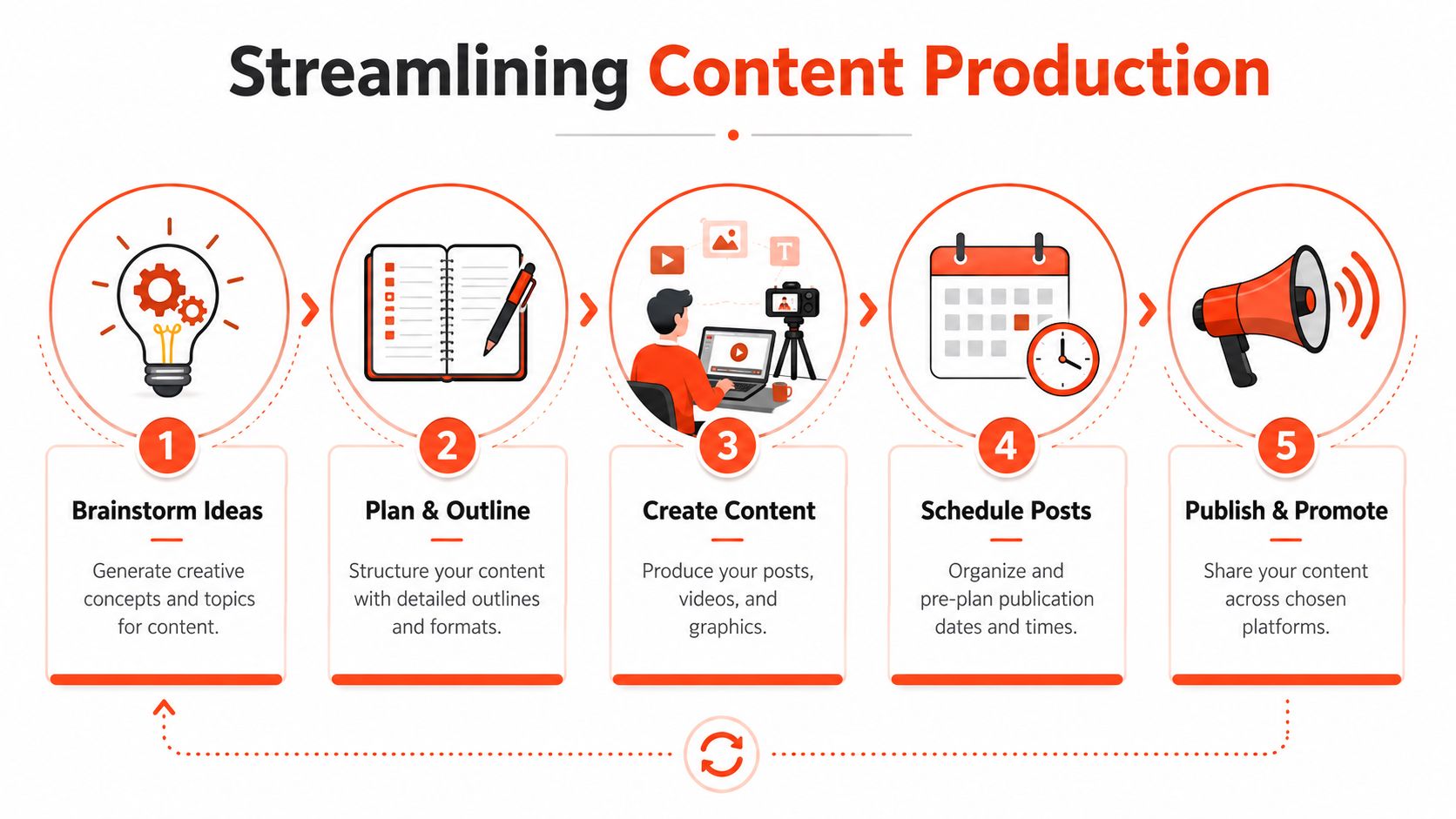
A simple weekly production flow
Here's a lean workflow that works for solo operators and small teams:
Choose one source asset on Monday
Don't start with seven empty boxes. Start with one strong piece of source material.Map platform adaptations in one sitting
Decide the Instagram carousel angle, LinkedIn framing, short video script, and supporting captions before anyone designs anything.Batch creation by task, not by post
Write all hooks together. Draft all captions together. Design all visuals together. Switching tasks less often usually means fewer mistakes.Schedule with room for live moments
Leave one or two open slots each week for timely responses or lighter posts.
Scheduled content that ignores platform behavior creates a quiet failure. The post goes live, but it never really fits the feed it lands in.
That's the core trade-off. Broad efficiency is helpful, but native formatting is what keeps repurposed content from looking recycled.
The Repurposing-First Workflow for Maximum Efficiency
For experts with a backlog of useful material, brainstorming from scratch is often the slowest possible way to plan social media. You already have the raw material. Your job is extraction and adaptation.
That shift is more than a personal preference. Data from a 2025 industry shift shows that 78% of professional content marketers now prioritize repurposing existing owned content over AI-generated original copy. The problem is that most tutorials still stop at “repurpose your content” and never show the actual mechanics.
Start with one source asset
Use one substantial piece of content as the weekly anchor. Good candidates include:
- A webinar or workshop recording
- A podcast episode or transcript
- A newsletter with a strong argument
- A blog post that solves one clear problem
- A client FAQ document or presentation deck
This works especially well for professionals. Consultants, advisors, lawyers, and coaches often have deep expertise but not much time. Repurposing-first planning respects that reality. Instead of inventing more ideas, it asks a better question. What already exists that deserves more distribution?
Turn one long-form piece into a week of posts
Take a single source asset and break it apart by function, not by platform first.
One section may become a short opinion post. Another may become a “3 mistakes” carousel. A strong line can become a quote card. A practical explanation can become a short video script. A nuanced point can become a longer LinkedIn caption.
A simple extraction pass looks like this:
Pull the thesis
What's the main argument or lesson?Highlight 3 to 5 sub-points
These often become carousel slides, text-post bullets, or short clips.Mark memorable lines
Look for phrases that can stand alone in visual posts.Find one tactical example
This gives the week substance. General advice gets ignored fast.Assign each extracted piece a platform-native format
Not every idea needs every platform.
LinkedIn's own strategic guidance recommends meaningfully repurposing your best pieces and creating many posts from one central idea. That advice is sound. The missing part is the operational layer, where you decide format, angle, and packaging before creation starts.
Where tools fit without replacing judgment
Automation helps once the source material and content judgment are clear. Tools can speed up extraction, draft captions, create visual variants, and standardize formatting. But they don't replace editorial decisions about what matters to your audience.
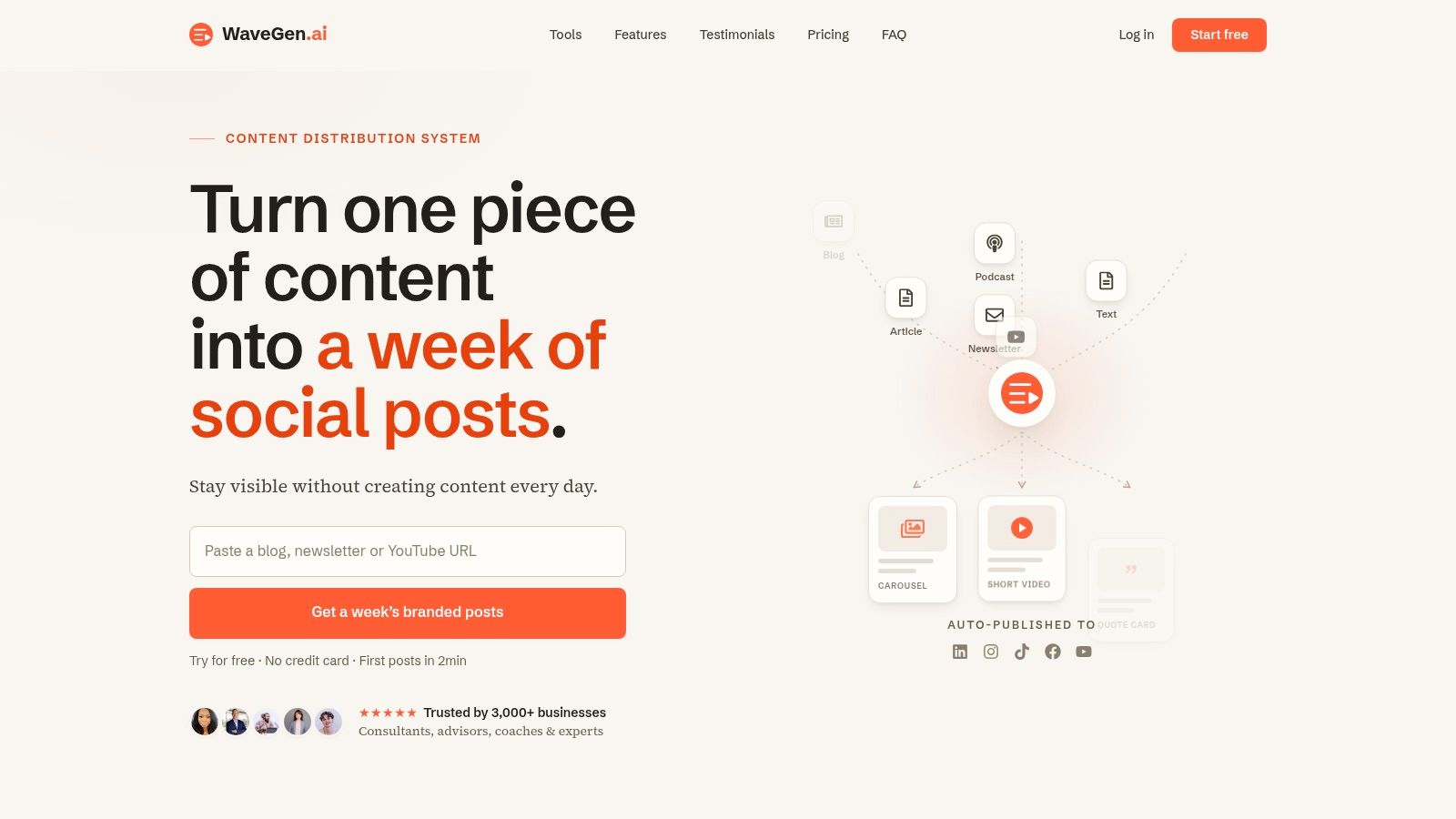
A tool like WaveGen.ai naturally fits into the workflow. It turns one article, newsletter, transcript, or script into platform-specific social assets such as carousels, short videos, quote cards, and captions, then lets you edit and schedule them inside the same system.
A quick product walkthrough helps if you want to see that style of workflow in action:
The practical lesson is simple. Don't build the week by asking for seven fresh ideas. Build it backward from one asset that already contains seven usable pieces.
Measuring What Matters and Refining Your Plan
Monday starts with a familiar problem. Last month's posts are out, the calendar needs updating, and the team is already arguing about what “worked.” One person points to reach. Another points to comments. The consultant cares about booked calls. Without a shared scorecard, the review turns into opinion.
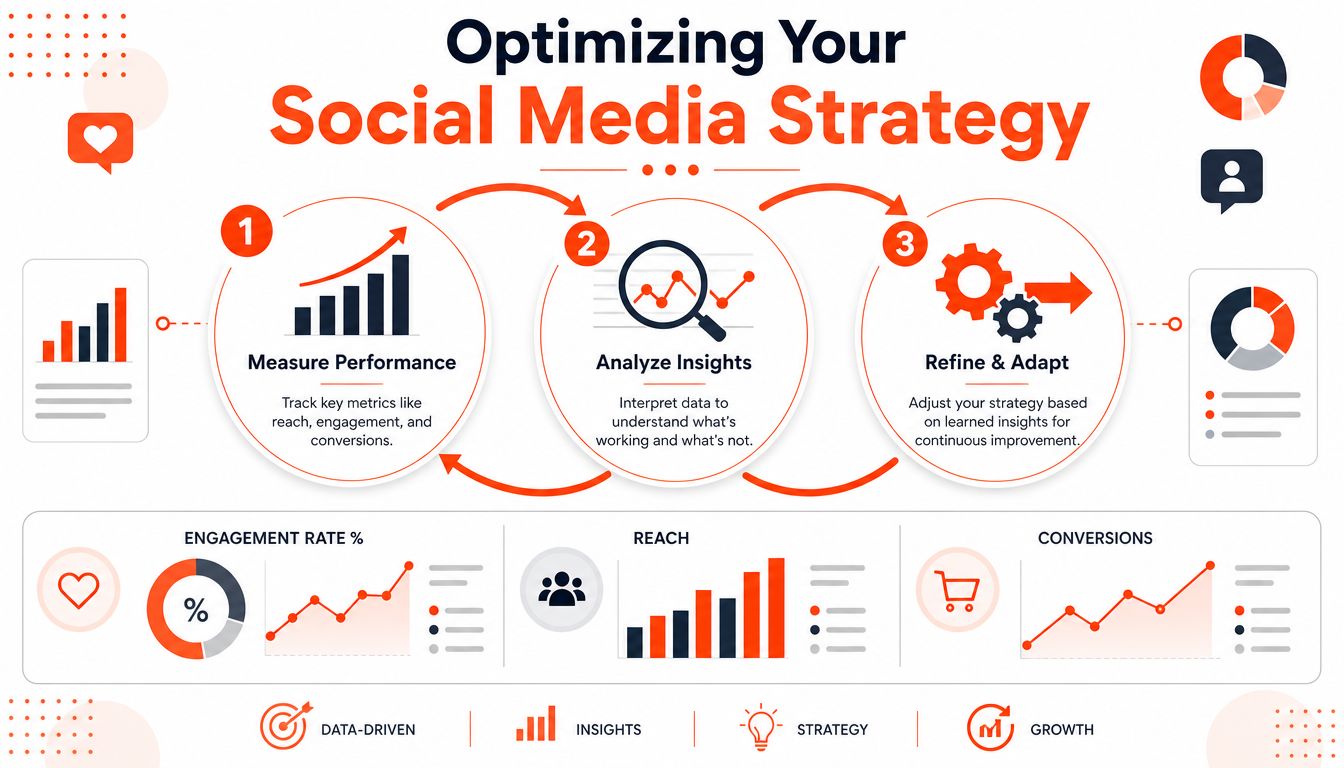
A content plan improves when each post is judged against the job it was meant to do. That matters even more in a repurposing-first workflow, because one source asset can produce posts with very different roles. A short video clipped from a webinar might exist to widen reach. A carousel built from the same webinar might exist to earn saves. A follow-up post with a clear CTA might exist to drive inquiries.
Match metrics to the job of the post
Different posts do different work, so the measurement model needs to stay tied to intent.
Awareness metrics
Reach, impressions, profile visits, and video views show whether the content got in front of people.Engagement metrics
Comments, shares, saves, replies, and watch-through behavior show whether people found it useful enough to respond to or keep.Conversion metrics
Clicks, signups, inquiries, booked calls, and attributed leads show whether social media contributed to business activity.
The guide to choosing a content distribution platform helps here because distribution affects interpretation. A solid post with weak distribution setup can underperform for reasons that have nothing to do with the idea itself.
A post with modest reach can still be a strong result if the right buyers save it, reply to it, or click through.
That's why vanity metrics create bad decisions. They are easy to spot and easy to report, but they often flatten the difference between attention, trust, and action.
Run a monthly review that changes the next month
For a small team, monthly review is frequent enough to catch patterns without creating reporting overhead. Quarterly reviews still matter for bigger shifts like platform mix, campaign themes, and production budget, but month to month, the goal is simpler. Find what to repeat, what to cut, and what to repackage differently.
Use a short review checklist:
- Which posts performed best against their stated goal
- Which content pillars started to feel weak, repetitive, or forced
- Which formats were efficient to produce versus time-heavy
- Which calls to action were ignored
- Which platform-specific versions outperformed the original adaptation
Keep those notes beside the calendar, not buried in a slide deck. If the learning sits next to the plan, the next round of scheduling gets easier.
Keep a longer planning horizon
Reactive posting creates extra work because the same decisions get remade every week. Stronger teams map themes, campaigns, seasonal opportunities, and source-content priorities in advance, then use monthly reviews to adjust the tactical layer. That planning window matters. As noted earlier, longer-range planning tends to outperform constant improvisation because it reduces daily decision fatigue and leaves more room for better packaging.
For experts working from long-form material, the process now becomes practical. Don't review individual posts as isolated ideas. Review the source asset and ask which formats traveled well, which angles stalled, and which excerpts created the best downstream results. One article may produce a weak quote card but a strong opinion post. One podcast episode may underperform on LinkedIn clips but perform well as a carousel series.
The teams that stay consistent aren't posting more out of sheer discipline. They've cut the number of decisions required each day.
If you already have articles, newsletters, podcast scripts, or transcripts and want a faster way to turn them into platform-ready social posts, WaveGen.ai is built for that workflow. It helps teams repurpose one source asset into branded carousels, short videos, quote cards, and captions, then edit and schedule them without rebuilding the process from scratch every time.
how to plan social media content
content calendar
social media strategy
content repurposing
social media marketing
Turn this kind of writing into a week of social content.
Paste a blog post, newsletter, or rough draft — WaveGen turns it into publish-ready carousels, captions, and slideshows for every channel.
No credit card · First posts in 2min