June 29, 2026
15 min read
How to Schedule Social Media Posts Efficiently
Discover how to schedule social media posts. Master batching, repurposing, optimal timing, & automation for efficient content in 2026.
You already have content. The problem is that it keeps dying in draft folders, half-finished Canva files, and “I'll post this later” tabs.
That's where most social media scheduling advice falls short. It treats scheduling like the final click in a publishing tool. In practice, the hard part happens earlier. You publish a newsletter, a blog post, a podcast, or a webinar, then you need to turn that one asset into LinkedIn posts, Instagram carousels, short videos, captions, and platform-specific versions that still sound like you. By the time you've adapted everything manually, the week is gone.
A working scheduling system fixes that bottleneck. It gives you a repeatable way to turn one core idea into a full publishing queue, assign dates and platforms, leave room for timely posts, and keep your presence consistent without creating from scratch every day.
Table of Contents
- Building Your Social Media Scheduling Foundation
- Designing Your Sustainable Content Calendar
- Optimizing Your Posting Cadence and Timing
- The Smart Way to Repurpose Content for Each Platform
- Advanced Scheduling and Automation Strategies
- Your Action Plan for Consistent Social Media
Building Your Social Media Scheduling Foundation
If you want to learn how to schedule social media posts efficiently, start before the calendar. Scheduling breaks down when every post begins as a blank page.
Teams that feel “bad at social” often aren't short on ideas. They're short on structure. They publish useful long-form content, then scramble to invent fresh social posts around it instead of building a system that pulls from the same source material every week.
Start with themes, not random post ideas
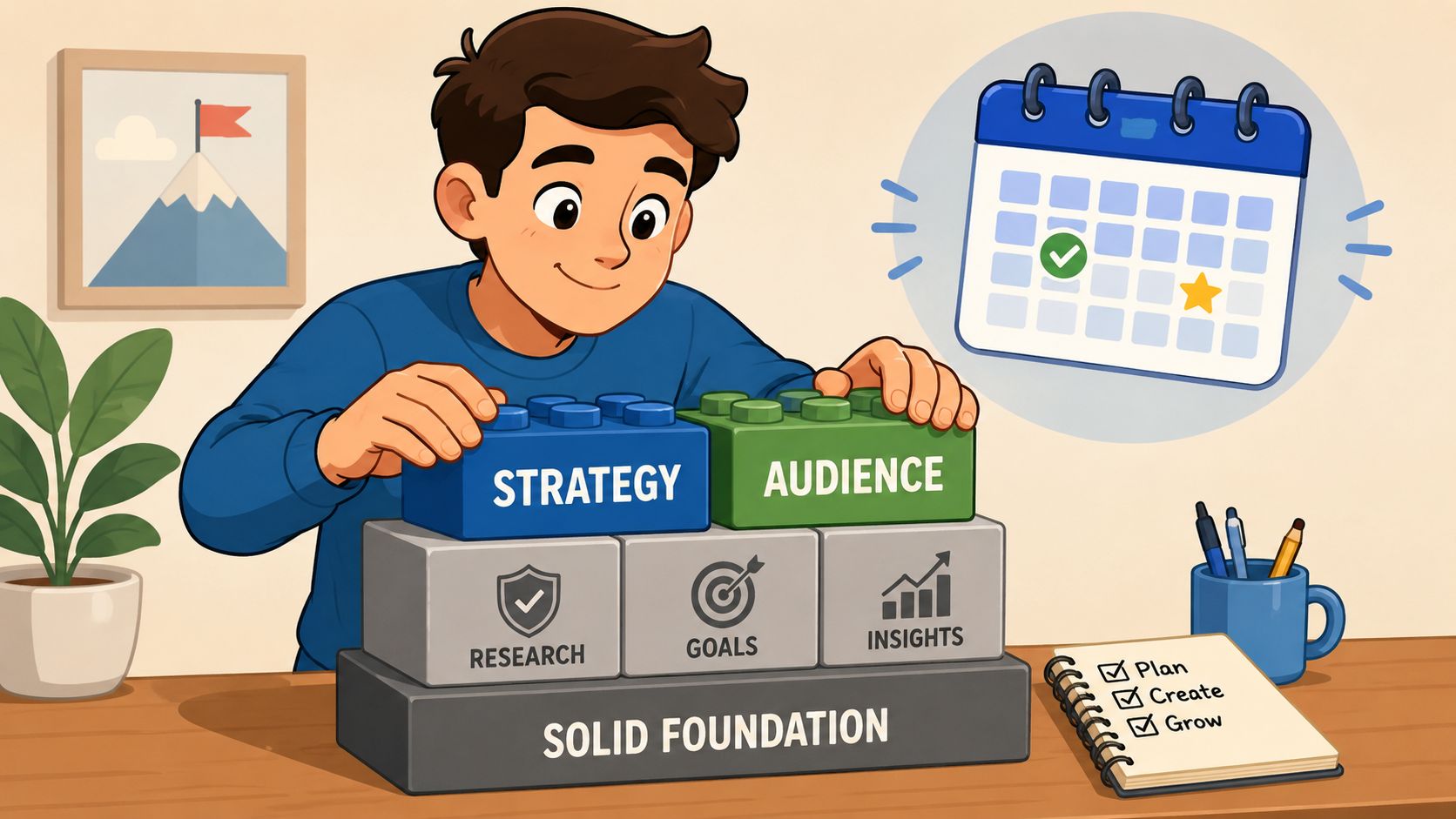
A stable workflow begins with content pillars. Pick a small set of recurring themes that connect your expertise to what your audience needs. For a consultant, that might be client education, objections, case-based lessons, and point-of-view content. For a coach, it could be mindset, process, wins, mistakes, and offers.
This does two things. First, it removes decision fatigue. Second, it makes repurposing easier because every long-form asset can be broken into smaller angles that already fit your existing categories.
A simple foundation usually includes:
- Core expertise: The material you want to be known for.
- Audience friction points: Questions, hesitations, or misconceptions your buyers keep bringing up.
- Proof and perspective: Stories, examples, lessons, and strong opinions that separate you from generic advice.
- Offer-adjacent content: Posts that connect your free content to what you sell.
Practical rule: If a post doesn't fit a clear theme, it usually won't fit a repeatable schedule either.
If your positioning still feels loose, it helps to tighten the message first. Secta Labs has a useful playbook for a strong social media presence that's worth reviewing before you start filling a calendar.
Choose a tool stack that matches the workflow
A scheduler alone won't solve the time drain. The bigger issue is the handoff between source content, asset creation, approvals, and publishing.
The stack needs to cover four jobs:
Source capture
Your starting point is a blog post, newsletter, podcast transcript, webinar outline, or YouTube transcript.Repurposing
Repurposing transforms one source into multiple assets. That may include carousel drafts, short-form video scripts, quote cards, and channel-specific captions.Editing and review
Someone still needs to tighten copy, swap weak visuals, and check whether the post fits the platform.Scheduling and publishing
Only after that should the content be assigned to dates, times, and channels.
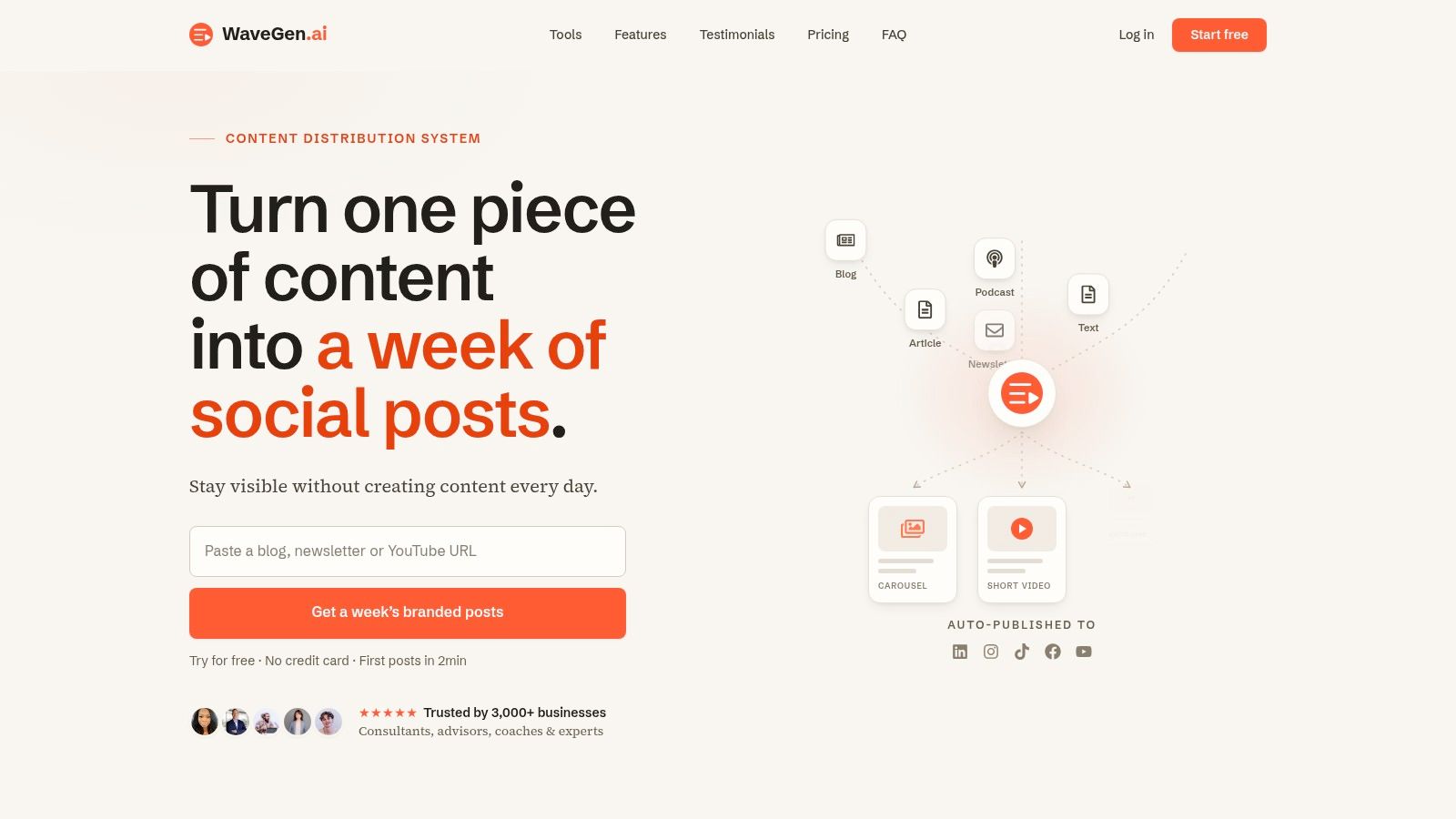
Some teams patch this together with Google Docs, Canva, and a scheduler. That can work for a while. It usually becomes messy once content volume grows or multiple people touch the process. A repurposing-first tool such as WaveGen.ai fits this workflow because it turns one long-form asset into platform-specific posts, keeps branding consistent with saved brand kits, and lets you edit before scheduling.
What doesn't work is treating every platform as a separate content factory. That setup creates more tabs, more rewrites, and more formatting mistakes. A better system starts from one source and branches out with intention.
Designing Your Sustainable Content Calendar
A content calendar should reduce stress, not create a second full-time job. If your calendar is just a spreadsheet filled with dates and vague ideas, it won't hold up once client work, meetings, and reactive content start competing for attention.
The practical version is a calendar that shows what's being published, why it exists, what format it takes, and how it connects back to a larger content source.
Use a two-week planning rhythm
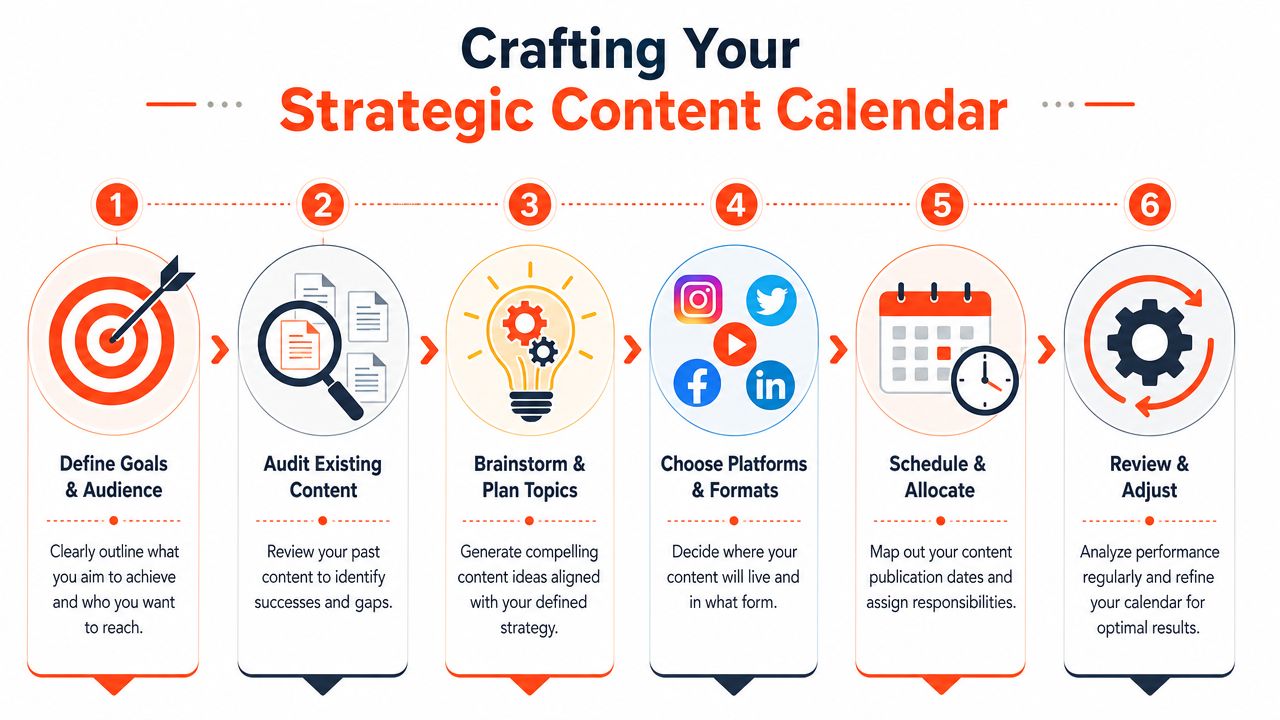
Sprout Social notes that the most effective scheduling methodology requires a two-week advance planning cycle and recommends reserving 15–20% of the calendar for reactive posts in its guide to a social media calendar. That balance matters because over-scheduling kills flexibility.
A two-week cycle is long enough to batch content and short enough to adapt when something changes. That might be a timely industry conversation, a product update, or a post that unexpectedly opens a useful discussion thread you want to follow up on.
A good planning rhythm looks like this:
- Week one builds the queue: Pull source content, extract post angles, assign formats, and draft the core assets.
- Week two tightens execution: Review visuals, refine captions, finalize publishing slots, and hold back open space for reactive posts.
- Daily management stays light: You check comments, make small swaps, and add native posts when a timely idea is worth publishing outside the queue.
A full calendar is not the goal. A usable calendar is.
Build the calendar by asset type and purpose
Most calendars fail because they only answer “when.” They should also answer what kind of post this is and what job it's doing.
That means tagging each post by format and goal. For example, one week might include a short video for reach, a carousel for education, a text post for authority, and a proof-based post that supports conversion. That mix prevents the feed from becoming repetitive.
A simple planning view can include:
| Field | What to track |
|---|---|
| Format | Carousel, short video, text post, quote card, poll |
| Goal | Awareness, education, engagement, lead generation |
| Source asset | Newsletter, blog post, podcast, webinar |
| Platform version | LinkedIn, Instagram, TikTok, Facebook |
| Status | Draft, editing, approved, scheduled |
If you want a stronger software setup for this process, this guide to content calendar software is a useful reference point for evaluating what your calendar should handle.
The key trade-off is simple. A rigid calendar keeps you organized but can make the content feel lifeless. A loose calendar preserves spontaneity but usually leads to inconsistency. The sustainable middle is planned structure with deliberate empty space.
Optimizing Your Posting Cadence and Timing
A scheduling system breaks down fast when every repurposed post gets pushed live the moment it is finished. One blog excerpt goes out on Tuesday morning, the carousel version sits in drafts until Friday, and the short video never gets posted at all. The issue is not only timing. It is workflow drift.
Cadence works best when it supports repurposing. The goal is to give each source asset a repeatable release pattern across channels, so your team is not re-deciding publish times every time a blog post, podcast, or webinar gets turned into social content.
Use timing benchmarks as a baseline, then tighten with your own data
Sprout Social's analysis of 3,000+ businesses found that broad engagement windows cluster around Tuesdays and Wednesdays between 11 a.m. and 6 p.m. local time. The same analysis also found stronger Facebook engagement on Tuesdays and Wednesdays from 12 to 8 p.m., plus strong Instagram windows on Tuesdays from 1 to 7 p.m. and Wednesdays from 12 to 9 p.m. You can review the full findings in Sprout Social's guide to the best times to post on social media.
That is a starting point, not a publishing rule.
A B2B consultant repurposing a newsletter into LinkedIn posts may see stronger weekday midday performance. A local business turning customer FAQs into Facebook posts may get better results later in the day. A creator clipping video highlights for Instagram may find that content format matters more than the exact hour.
Use a simple testing sequence:
- Pick two or three high-activity windows per platform.
- Schedule the same content type into those windows for four weeks.
- Review reach, saves, clicks, comments, and watch time by format.
- Keep the time slots that perform well for each post type.
That last point matters. A text post, a carousel, and a short video often behave differently even on the same platform.
Good timing gives strong repurposed content a better chance to travel. It does not fix weak framing or poor platform fit.
Set posting frequency around production capacity
Cadence is where teams usually overcommit. They build a schedule around ideal publishing volume, then miss it because each asset still needs rewriting, resizing, captioning, and approval.
A better approach is to set frequency from the top of your repurposing workflow downward. Start with the long-form assets you can produce consistently, then assign realistic social outputs to each one.
Monday.com's guide to a social media posting schedule pulls together common benchmark ranges, including 3 to 5 Instagram posts per week, 1 to 2 Facebook posts per day, 3 to 4 posts daily on X, 2 to 5 LinkedIn posts per week, 2 to 5 TikTok posts weekly, 15 to 25 pins daily on Pinterest, 1 YouTube video per week, and 1 to 3 YouTube Shorts weekly.
Here is a practical starting table for scheduling repurposed content.
| Platform | Starting Frequency | Best Days | Best Times (Local) |
|---|---|---|---|
| 1 to 2 posts per day | Tuesdays and Wednesdays | 12 to 8 p.m. | |
| 3 to 5 posts per week | Tuesdays and Wednesdays | Tuesday 1 to 7 p.m., Wednesday 12 to 9 p.m. | |
| 2 to 5 posts per week | Weekdays | Test midday first | |
| TikTok | 2 to 5 posts per week | Midweek is a useful test starting point | Test afternoon first |
| 15 to 25 pins daily | Test by audience behavior | Test late morning first | |
| YouTube | 1 video per week | Test by audience behavior | Test by audience behavior |
| YouTube Shorts | 1 to 3 times weekly | Test by audience behavior | Test by audience behavior |
| X | 3 to 4 posts daily | Test by audience behavior | Test by audience behavior |
The trade-off is straightforward. Higher frequency gives you more surface area for discovery, but it also increases the adaptation load on your team. If one weekly article turns into four social assets, your schedule can stay full without forcing your team to invent new ideas every day.
That is why I usually recommend building cadence by content family. One source asset might produce a LinkedIn post on Tuesday, an Instagram carousel on Wednesday, a short video on Thursday, and a Facebook variation on Friday. The schedule stays consistent, and the production work stays contained.
If you need a tighter system for planning those derivatives, this guide on how to create social media content from a core asset is a useful companion. Video-heavy teams can also maximize video content for social channels by assigning clips to fixed posting slots instead of editing and publishing ad hoc.
Use benchmarks as guardrails. Keep the cadence your team can maintain. A schedule that survives busy weeks will outperform an ambitious one that collapses after two.
The Smart Way to Repurpose Content for Each Platform
This is the part most scheduling guides miss. The upload step isn't what consumes your time. The adaptation step does.
Teams spend 47% of their time manually adapting one article into Instagram carousels, TikTok captions, and LinkedIn posts, which exposes the underlying workflow problem for anyone publishing long-form content regularly. If you're a consultant, educator, advisor, or creator, that number will feel familiar.
Treat one long-form asset like a source file
The efficient model is simple. You don't create seven unrelated social posts. You create one substantial piece of content, then derive multiple platform-native assets from it.
A single newsletter issue, podcast transcript, or blog post can usually yield:
- A LinkedIn text post built from the strongest opinion or lesson
- An Instagram carousel that breaks the argument into steps
- A short video script that turns one point into a quick talking-head clip
- A quote card built from one sharp sentence
- A Facebook post with a more conversational framing
That is what people really mean when they ask how to schedule social media posts efficiently. They're not asking how to click “schedule.” They're asking how to keep showing up without rebuilding the wheel every day.
One helpful reference on this side of the workflow is Unfloppable's guide on how to maximize video content for social channels, especially if your source material includes webinars, interviews, or YouTube videos.
The strongest systems also keep the visual identity locked in. Brand kits matter because they remove repetitive design decisions. Colors, fonts, layout patterns, and tone should already be set before content enters the scheduling stage.
Edit for native behavior before scheduling
Repurposing only works if the final posts still feel native to the platform. A LinkedIn post pasted into Instagram rarely lands. A TikTok caption copied to Facebook usually feels off. Good repurposing preserves the idea but changes the packaging.
That's why the editing step matters:
Tighten the hook
Lead with the point that earns attention on that platform.Adjust the structure
Short paragraphs for LinkedIn. Slide logic for carousels. Spoken rhythm for video.Trim platform mismatch
Remove references that only make sense in the original format.Refine the call to action
Ask for a comment where discussion matters. Push to profile or link where that behavior fits.
If you want a closer look at the mechanics, this walkthrough on how to create social media content maps the repurposing side more directly than most scheduling tutorials do.
Later in the workflow, video becomes especially valuable because it extends one source into multiple short clips. This demo shows the type of publishing pipeline many teams now use:
The larger point is that repurposing improves quality when it's done well. It forces you to clarify the strongest parts of your message and match them to the channels where they'll travel best.
Advanced Scheduling and Automation Strategies
Once your basic system works, automation can remove even more manual effort. It can also create sloppy output if you hand too much over to the machine.
That tension is where advanced scheduling gets interesting.
Where automation helps and where it hurts
The best use of automation is upstream. Let tools pull new source material into your queue, generate initial asset drafts, and maintain recurring publishing patterns. RSS monitoring is useful here because it can catch a newly published blog post or video and move it into your content pipeline without someone remembering to do it manually.
Automation gets weaker when it replaces judgment. The common mistake is setting a month of posts, walking away, and assuming consistency equals quality.
That concern isn't imaginary. Some social media managers report scheduled posts get 18–25% less initial reach, and Meta's 2024 research confirms third-party schedulers can trigger lower priority unless posts include native engagement hooks like polls or location tags. That's the key lesson behind the “scheduling penalty” debate. Automation isn't bad, but purely generic scheduled posts can lose edge.
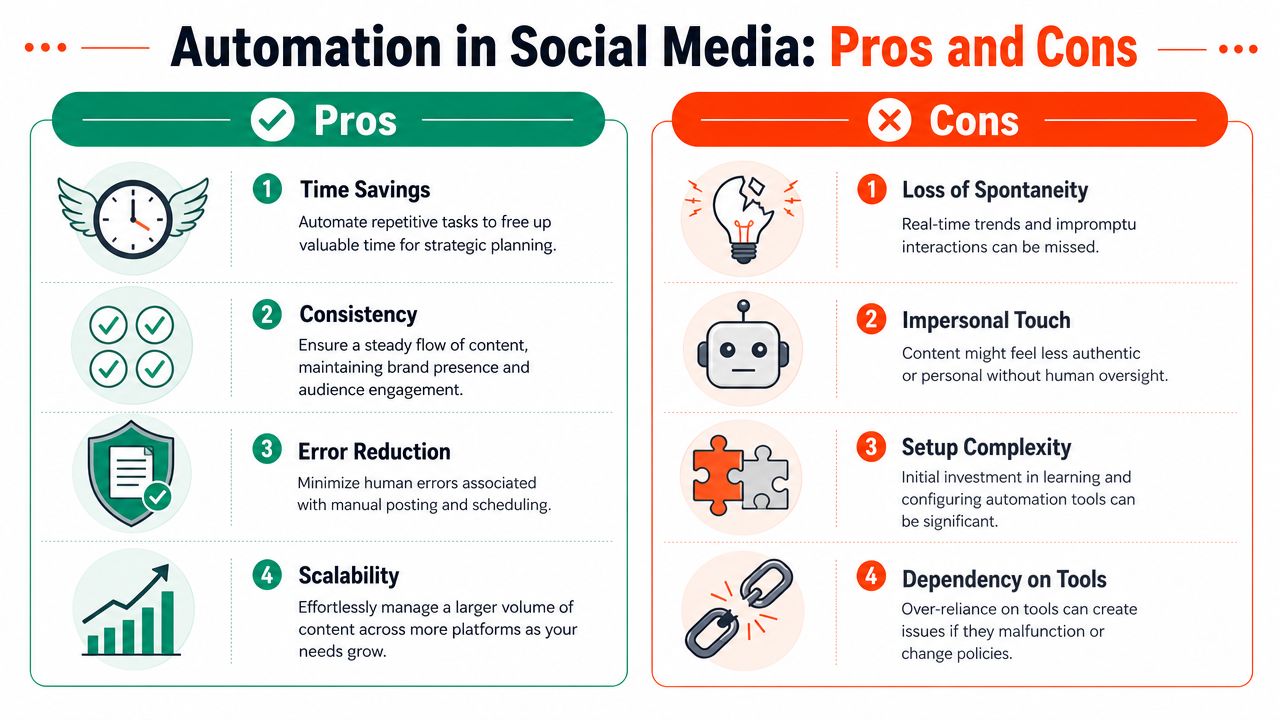
A few mitigation tactics work well:
- Add native features where relevant: Polls, tags, location data, and platform-specific interactions help scheduled posts feel less sterile.
- Stay present after publishing: Scheduling the post is only half the job. Early replies and comment management still matter.
- Leave room for live posts: Scheduled content builds consistency. Native posting keeps the account current and responsive.
If you're comparing different systems for this level of workflow, this overview of how to compare marketing automation tools is useful because it frames the decision beyond simple scheduling features.
Scheduled content should carry the baseline. Human intervention should create the spikes.
Use smart scheduling without going fully hands-off
Advanced tools now do more than place a post at a fixed time. Some use audience activity data to delay publishing until your followers are most active. That matters because timing varies by audience, even within the same platform.
Sendible reports that posts scheduled during audience peak activity windows achieve 25% higher engagement than those posted at generic times, and warns that ignoring time zones and seasonal moments can lead to 15–20% lower engagement rates in its guide to social media scheduling. The same guide also notes that tools with recurring schedules aligned to optimal windows can reduce manual workload by 50% while maintaining consistency.
That kind of automation is useful, but it still needs oversight. Time zones can skew your schedule. Campaign context changes. A post that looked fine on Monday may feel tone-deaf by Thursday.
A stronger setup uses automation for queue management and timing suggestions, then keeps a human in the loop for final review. This breakdown of scheduling apps for social media is helpful if you're evaluating tools based on that balance instead of just looking for a publishing calendar.
Your Action Plan for Consistent Social Media
A durable scheduling system is built backward from your source content.
Start with one long-form asset you already publish consistently. That could be a newsletter, blog post, podcast transcript, workshop, or video. Break it into a small set of repeatable social formats that match your main channels. Then assign those assets into a two-week calendar, not a month-long content prison.
Use posting benchmarks to set the first version of your schedule. After that, let your own audience behavior refine the plan. Keep the cadence realistic. Consistency beats ambition when the ambition only lasts ten days.
Before you schedule anything, run each post through a quick filter:
- Does it fit a clear content pillar?
- Does it match the platform's format and tone?
- Does it support a specific purpose, such as reach, education, or engagement?
- Does the calendar still leave room for reactive posts and live interaction?
That's the practical answer to how to schedule social media posts without burning out. Build from one source. Repurpose with intention. Schedule with enough structure to stay visible and enough flexibility to stay relevant.
If you want a cleaner way to turn one article, newsletter, podcast script, or transcript into a week of ready-to-schedule social posts, WaveGen.ai is built for that workflow. It helps you generate branded platform-specific assets, edit them before publishing, and manage scheduling from the same pipeline so your content doesn't stall between creation and distribution.
how to schedule social media posts
social media scheduling
content repurposing
social media workflow
content marketing
Turn this kind of writing into a week of social content.
Paste a blog post, newsletter, or rough draft — WaveGen turns it into publish-ready carousels, captions, and slideshows for every channel.
No credit card · First posts in 2min