How to Automate Your Social Media Marketing — Without Losing Your Voice
Each week, you’ll have a week of social posts ready to approve.
“Automating social media” usually means one of two disappointments. Scheduling tools automate the posting — but the content still has to come from somewhere, so Sunday night is still you, staring at Canva. AI post generators automate the writing — and a few weeks in, your feed sounds like everyone else’s AI feed, because everyone is running roughly the same “write me a LinkedIn post about X” prompt. One platform, one format, one increasingly generic voice.
The fix is automating the right things. Judgment and opinions stay yours. Everything else — finding the ideas in your week, drafting in your voice, reformatting for every platform, scheduling — is automatable. The system:
- Your writing layer mines your real work — meeting notes, your inbox, your take on industry news — for things worth saying. Substance nobody else has.
- Your writer drafts a content blob in your voice — not a finished post. A few hundred words of real material.
- WaveGen turns the blob into platform-native content everywhere — a LinkedIn carousel, an Instagram carousel, a TikTok slideshow, YouTube shorts, Facebook posts, Pinterest pins — in your brand style.
- You review and schedule the week in one sitting.
The result: a week of posts queued in one sitting, sounding like you wrote them — because the substance is yours.
Every prompt below works with Claude, ChatGPT, Gemini, another assistant, a freelancer, or your own first draft. Claude appears in a few tested screenshots, but it is not a requirement.
Why a “content blob” and not a finished post
This is the one design decision that makes the system work, so it gets its own section.
A finished LinkedIn post is a consumable: written in one platform’s shape, posted once, gone. It’s the wrong length for TikTok, the wrong format for Instagram, the wrong everything for Pinterest — so even after “automating your content,” you still owe every other platform its own version, and there’s nothing to come back to tomorrow.
A content blob is an asset: 400–800 words of substance — your story, your numbers, your quotable lines — with no platform formatting at all. Because the substance and the formatting are separate, the same blob becomes every platform’s version at once: a LinkedIn carousel, a TikTok slideshow, a Pinterest pin, each in that platform’s native shape and style rather than a cross-posted copy.
And it keeps paying after publish day. When one of the posts performs, you go back to the blob and cut it again — a different angle, a different format, a quote card from the line people screenshotted, a follow-up thread. A 150-word finished post has nothing left to cut; the substance was never captured. The blob is where it lives.
The source brief is the substance layer. WaveGen is the format and distribution layer. Keep them separate and both get easier.
What you’ll need
- A writing layer. Use any AI assistant, a human writer, or your own first draft.
- A WaveGen account — free to start.
- ~30 minutes of setup, once. After that: ~15 minutes a week of review.
Point your writer at something real
The difference between AI slop and posts people read is the input. Never “write me a post about leadership.” Three input sources that work (each gets a deep-dive guide — coming in this series):
- Your meeting notes. Decisions, client conversations, things that surprised you this week.
- Your inbox and support threads. The questions people actually ask you are the posts your audience actually needs.
- Industry news + your take. Your writing assistant can scan what’s happening in your niche, then interview you for the opinion.
The mining prompt:
Prompt — mine your week
Here are my raw notes from this week: [paste meeting notes / emails /
anything].

Find the 5 most post-worthy ideas in here. For each: the idea in one
sentence, why my audience would care, and which detail makes it
concrete (a number, a mistake, a surprising moment). Rank them.
Don't invent anything that isn't in the notes.
Pick one idea. Then the interview — fifteen minutes of answering questions gives your writer more usable material than any prompt engineering:
Prompt — the interview
Interview me about: [the idea]. Ask one question at a time, 8–12
questions. Push past my first answers: the specific example, the
number, the moment I changed my mind. Mark quotable lines QUOTABLE
and keep them verbatim. Then say INTERVIEW COMPLETE and output the
full transcript.
One-time setup — your voice, and your look
Two things get set up once and then quietly shape everything the system produces: your writer learns how you sound, WaveGen learns how you look.
Your voice. Two small reference docs your writer uses every time they write.
- In an AI writing app: create a reusable project or workspace (“Content engine”) and add both docs to its reference material.
- With another tool or writer: share the same two documents as markdown files or a brief.
Voice guide — paste 3–5 things you actually wrote (posts, long emails), then:
Prompt — build your voice guide
Read these writing samples. Extract a reusable voice guide: sentence
rhythm, vocabulary I favor and avoid, how I open and close, how I
sound when I'm being direct. Rules and examples, not compliments.
Where the samples can't support a rule, say UNSUPPORTED instead of
inventing one.
Style guide — what your content must contain: how concrete, banned phrases (“game-changer”, “delve”, “in today’s fast-paced world”), how you use numbers.
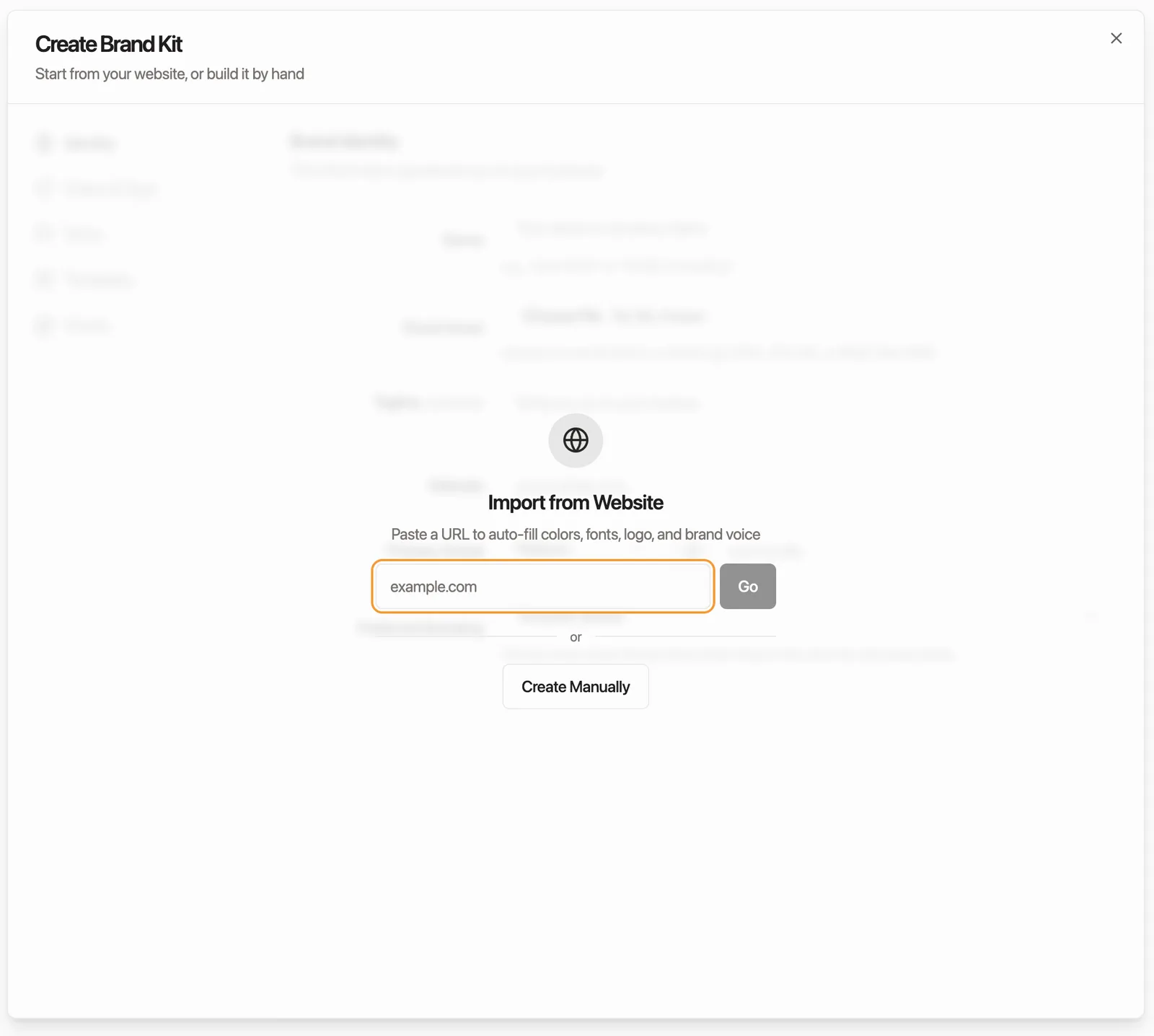
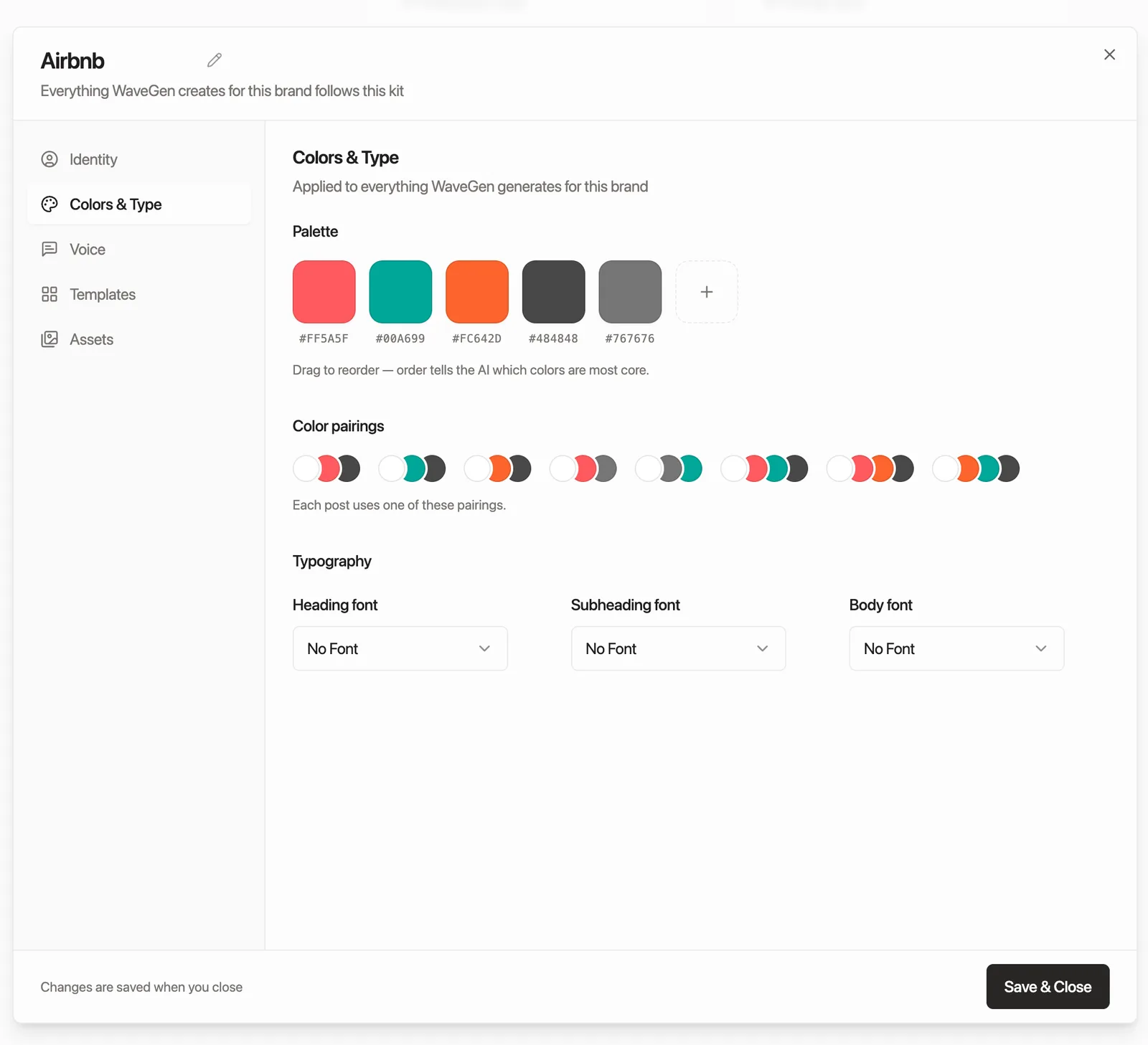
Your look (WaveGen). In WaveGen, set up your brand kit — colors, fonts, logo. Two ways: enter everything yourself, or just give it your website and it drafts the kit for you — then you review and adjust until it’s right. Either way it’s yours to edit, and from then on every carousel, slideshow, and pin comes out already on-brand instead of in some template’s idea of your brand.
Draft the blob
Prompt — draft the content blob
Using my voice guide and style guide, draft a content blob from the
interview transcript below. NOT a social media post — 400–800 words
of substance in my voice.

Rules:
- My QUOTABLE lines verbatim — they carry it.
- Missing a fact? Write [GAP: question for me] instead of inventing.
- Structure: the story or argument in full, concrete numbers, and my
  sharpest line somewhere in the first three sentences.

[paste transcript]
Answer the [GAP]s — that’s your two-minute review, and it’s what keeps invented facts out of your feed.
Feed it to WaveGen — one blob, every platform
Two ways to hand the blob over:
- Paste it. Copy the blob, paste it into WaveGen. Fastest, zero setup.
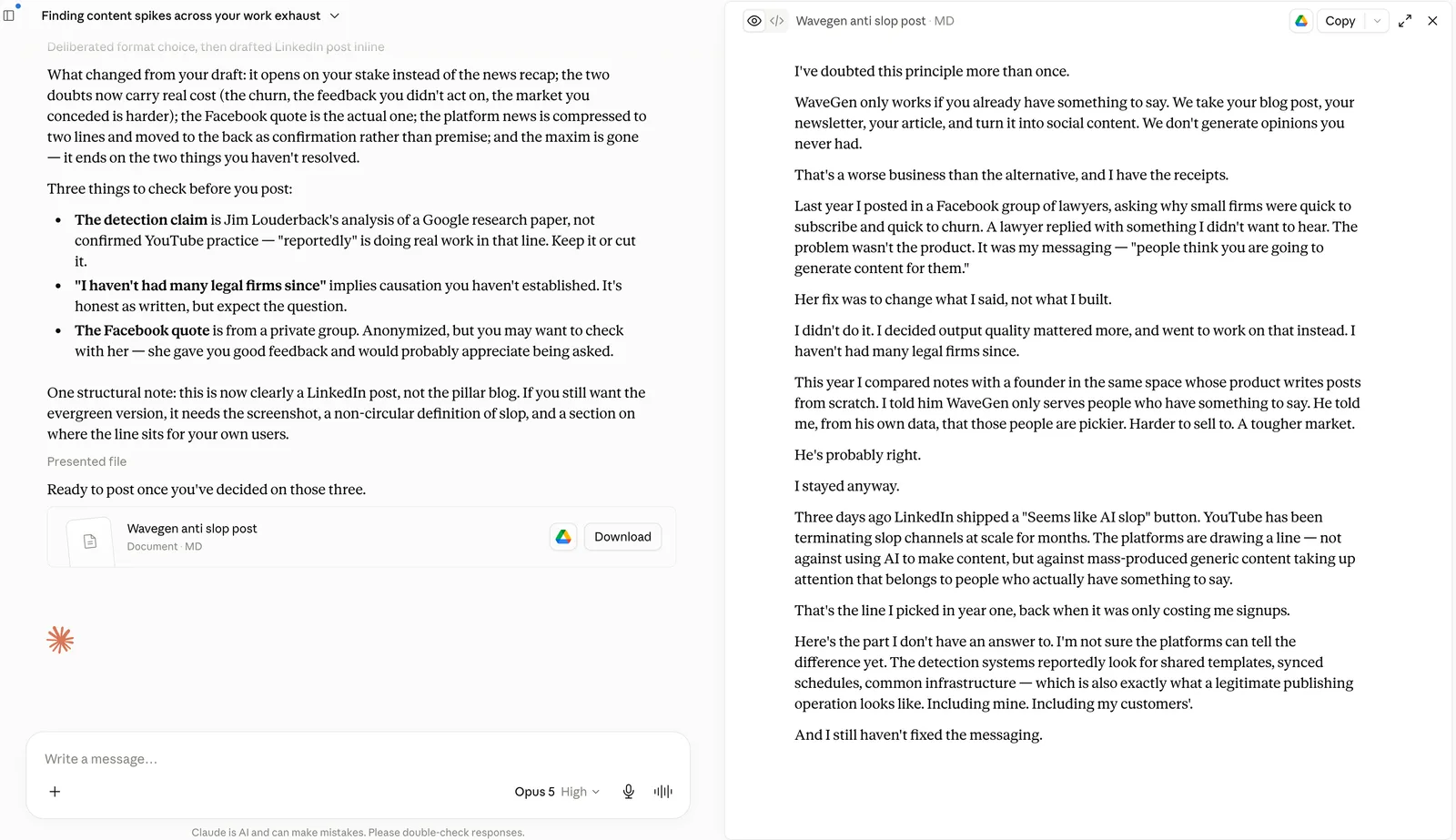
- Or skip the copy-paste entirely: if you’ve connected Google Drive to Claude, end the drafting prompt with “save this to a Google Doc named [date] blob” — then set the doc’s link sharing to “anyone with the link” and paste the doc URL into WaveGen. Your blobs archive themselves in Drive as a bonus, one doc per post. (More on the doc path: Google Doc to carousel.)
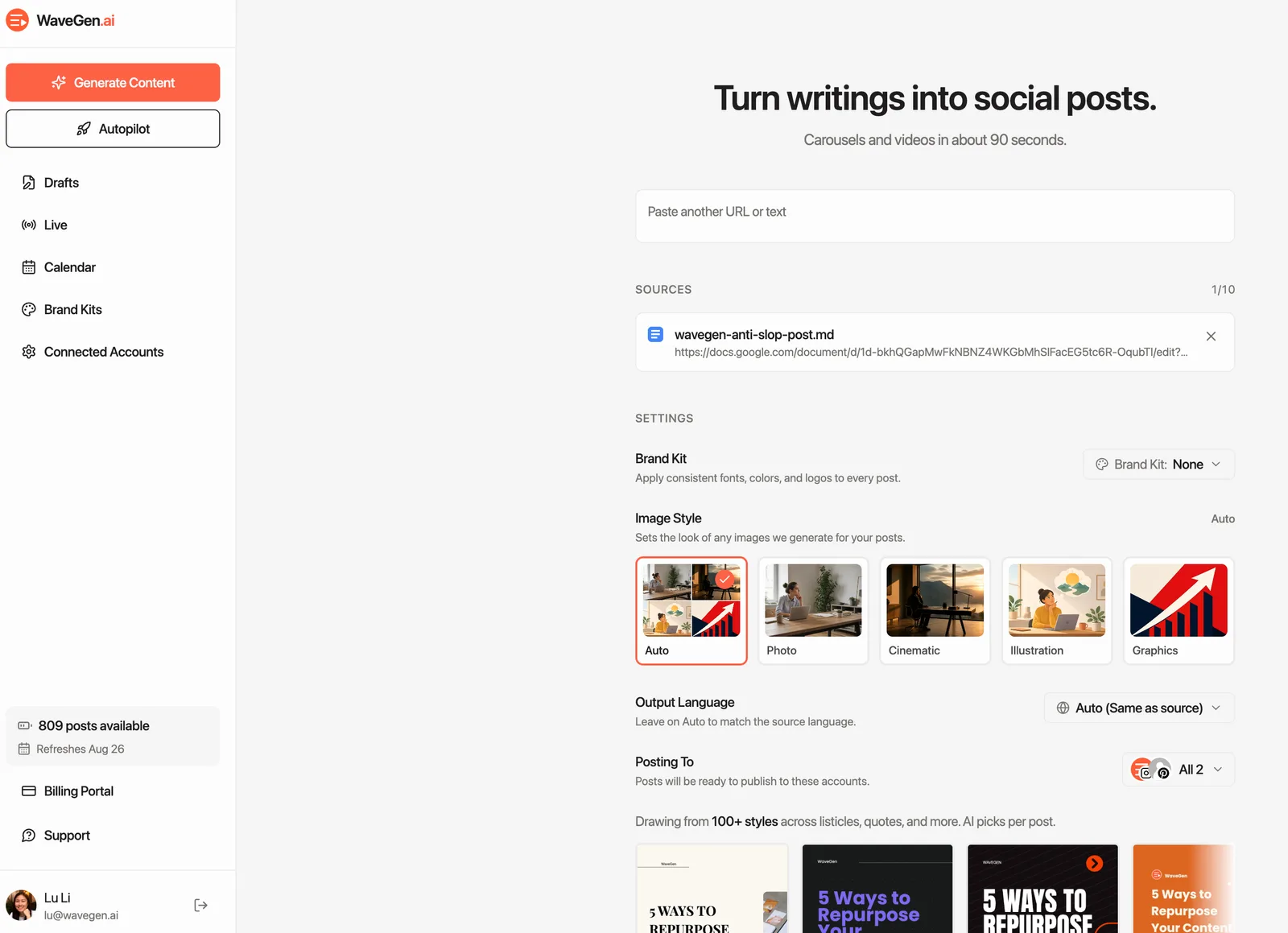
Either way, the blob becomes platform-native drafts: a LinkedIn carousel, an Instagram carousel, a TikTok slideshow, YouTube shorts, Facebook posts, Pinterest pins — each built for how that platform actually works, styled by the brand kit you set up in Step 2.
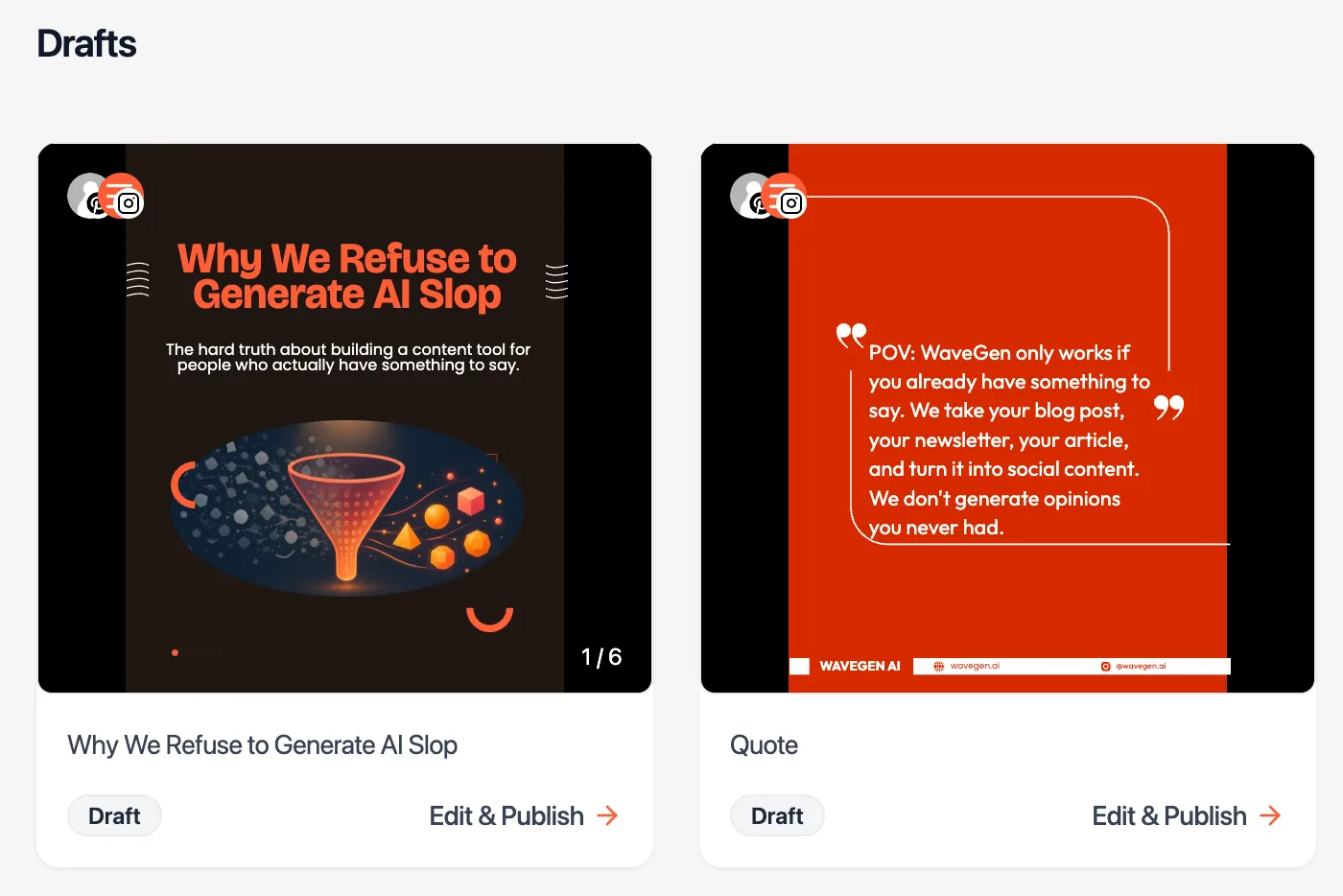
Paste your first blob and see the drafts.
Free to start · No credit card · First drafts in 2min
The important part: connect your accounts and schedule from WaveGen rather than downloading and posting by hand. The system works when the whole week is queued in one sitting — download-and-post-manually is how automation quietly turns back into a chore.
The weekly sitting — consistency without the burnout (~15 min)
- Run the mining prompt on the week’s notes. Pick one idea, do the interview, approve the blob.
- Open WaveGen, review the generated drafts — the hook check: does the first line sound like your voice guide’s calibration sentences? Your sharpest QUOTABLE line usually is the hook. Tweak, then schedule the week across platforms.
Guardrails
The [GAP] rule. The writing layer flags missing facts, never invents them. Answer or cut; never delete unanswered.
Voice files are the moat. Ten minutes on your voice guide does more than any model upgrade. Revisit monthly.
If a draft reads like nobody in particular wrote it, the input was too thin — go back to Step 1, not to a fancier prompt.
Don't publish what you wouldn't say. The interview keeps the opinions yours; the writing layer just does the typing.
Get your weekly social posts by industry
Each guide shows how to create a week of social posts ready to approve, with the review gates that industry needs.
Real estate social media automation
Paste a live listing URL into WaveGen, or turn an AI interview about your local market into a Google Doc, then review and schedule five posts.
Dental social media automation
Paste an approved public page into WaveGen, or turn a clinician interview into a reviewed Google Doc, then review and schedule five patient-friendly posts.
Law firm social media automation
Paste an approved public page into WaveGen, or turn an attorney interview into a reviewed Google Doc, then approve and schedule five posts.
Financial services social media automation
Paste an approved public source into WaveGen, or turn an expert interview into a reviewed Google Doc, then send five posts through compliance.
FAQ
What should I post if I feel like I have nothing to share?
You almost certainly do — you're just too close to it. The decision you made Tuesday, the question three clients asked this month, the thing that surprised you in a project: that's the content your audience wants, and it's invisible to you because it feels ordinary. That's what the mining prompt in Step 1 is for — it reads your week and finds the posts you can't see.
Is it OK to use AI to write social media posts?
Using AI is not the problem; publishing substance-free output as-is is. In this system, a tool or writer handles drafting and reformatting, while the opinions, examples, and final approval remain yours. That is the same division of labor as a good editor or ghostwriter.
Can people tell when posts are AI-written?
Usually, yes — most audiences believe they can spot it, and they're reacting to something real: generic prompts produce generic posts, and sameness reads as AI even when the grammar is perfect. What people are actually detecting is missing substance and missing voice. Posts built from your real stories and numbers, in a voice extracted from your own writing, don't trip that wire — there's nothing generic to detect.
What should I automate, and what should stay manual?
Automate the mechanical layers: mining your week for ideas, drafting from your answers, reformatting for each platform, scheduling. Keep the human layers: which idea runs, what your actual take is (the interview), and final approval. That split is the whole architecture of this guide.
Why not just ask an AI tool to write the LinkedIn post directly?
Because a finished post is single-use and single-platform — see the blob section. You’d automate one platform’s post and still owe the rest, with nothing left to repurpose when it performs.
What inputs work best?
Whatever contains decisions and surprises. Meeting notes beat journals; support threads beat brainstorms; a strong opinion about this week’s industry news beats all of it when it’s genuinely yours. And if your best material is already published — a blog, a newsletter — run the blog-centric version of this loop instead: same system, but every cycle also compounds your SEO.
What does it cost?
Your preferred writing setup + WaveGen. The free plan includes 10 AI-generated posts, one brand kit, one connected account, and publishing or scheduling. Paid plans add more accounts and posts plus watermark-free file downloads.
Can I run this for clients?
Yes — per client: their voice files, their brand kit, their connected accounts. One person, several brands.
Your week already has the posts. Queue them in one sitting.
Paste one content blob and it becomes platform-native drafts for every channel — in your brand style, waiting for your review.
Free to start · No credit card