AI Content Repurposing
AI Content Repurposing: Turn One Piece Into Many — Automatically
WaveGen is an AI content repurposing tool that turns written content — blogs, newsletters, articles, transcripts — into ready-to-publish social media posts in under 2 minutes. Outputs include Instagram carousels, LinkedIn PDF carousels, TikTok slideshows, short-form videos, and platform-tailored captions. When available, WaveGen also tries to reuse relevant article images, YouTube thumbnails, and public preview frames. Free to start, no credit card required.
Start repurposingBlog
Carousel
Video
Aa
Threads
Under 2 min
From URL to first draft
5+ source formats
Blog, newsletter, article, transcript, text
5+ output formats
IG carousel, LI PDF, TikTok slideshow, video, post copy
Free
No credit card required
How do you automate content repurposing from long-form articles to social posts?
Connect your blog or newsletter to WaveGen once. Each new article you publish is detected automatically and turned into platform-native carousels, slideshows and captions in your brand voice. You review the drafts, then schedule or publish them to Instagram, LinkedIn, TikTok, Facebook, YouTube and Pinterest — no copy-pasting, no redesigning.
What Is AI Content Repurposing?
AI content repurposing uses artificial intelligence to take one long-form asset and adapt it into multiple formats tailored for different platforms. It's about adaptation—not duplication. The goal is to extend the reach of your ideas while preserving the intent and personality of the original.
Instead of copying a blog everywhere, AI extracts structure, language and visuals and recreates them as videos, carousels, threads and emails that feel native to each channel. Done well, a single strong idea can fuel 10–20 touchpoints across platforms—extending the lifespan of your content from a day or two to weeks or even months.
Examples of repurposing
Blog → LinkedIn carousel + tweets
Long video → clips with captions for vertical platforms
Podcast → summaries, quote cards and email copy
Newsletter → short social posts and carousels
What repurposing is not
Copy-pasting the same text to every channel
Generating generic "AI" fluff without context
Ignoring brand voice and visuals
Publishing without any human review
Key takeaway: True repurposing adapts content to the platform and audience. AI is a powerful assistant— but only if you define your voice and review outputs.
Why AI Content Repurposing Matters Now
The content landscape has exploded. You're expected to be on LinkedIn, X, Instagram, YouTube Shorts, podcasts and newsletters—but you still have the same number of hours in a week. Creating bespoke content for each channel is unsustainable and copy-pasting doesn't cut it. AI-powered content repurposing bridges that gap by automating the adaptation process so one idea can reach every platform without extra headcount.
More platforms
Each with their own formats, algorithms and audiences.
More volume
Consistency matters for reach and engagement.
Less time
Small teams can't write, design and edit everything by hand.
Higher expectations
Audiences demand quality and authenticity, not spam.
AI repurposing allows you to scale distribution and creativity by turning one great idea into many on-brand expressions.
Mindset shift: Most teams think they have a content problem when they actually have a distribution and repurposing problem. The shift from a campaign mindset (publish once, move on) to an asset mindset (treat every piece as something with a lifespan) is what separates teams that burn out from teams that compound reach over time.
Why Most Content Repurposing Tools Fail
Many so-called content repurposing tools simply generate text templates. They don't understand the structure of your source, they ignore your brand guidelines and they can't design or export publish-ready assets. That's why repurposing often gets a bad rap.
Common frustrations
Outputs sound generic or off-brand
No awareness of visuals, charts or screenshots
Still requires heavy manual formatting and editing
Cross-posting instead of adapting the message and style
Limited language support
What real repurposing requires
Understanding the source's structure and key messages
Adapting content per format (carousel ≠ video ≠ caption)
Applying your brand voice, tone, fonts and colours
Reusing existing visuals and creating new ones where needed
Supporting multiple languages
Exporting assets that are ready to post
In short: most tools generate words. True repurposing generates context-aware, on-brand assets.
AI Content Repurposing Workflow and Strategies
A good AI content repurposing strategy isn't magic; it follows a structured workflow. To leverage AI-based content repurposing effectively you need three ingredients: a high-quality source, clear guidelines and the right prompts. Here's what that looks like:
Start with a strong asset
Choose a blog post, video, webinar or podcast that has clear structure and resonates with your audience. This becomes your "source of truth."
Define your outputs
Decide which micro-content you want—LinkedIn posts, X threads, reels, carousels, emails—and how each should feel and perform.
Engineer prompts and guidelines
Create prompts per format that specify tone, structure and any facts that need updating. Document your brand voice, visuals and compliance rules so AI can follow them.
Generate and iterate
Use an AI system to extract key points, rewrite and redesign for each output. Then review the drafts yourself—AI can handle 90% of the work but a human ensures accuracy and authenticity.
Export and schedule
Once the assets look and sound right, export them in the proper aspect ratios and file types, add captions or descriptions and schedule them for publication.
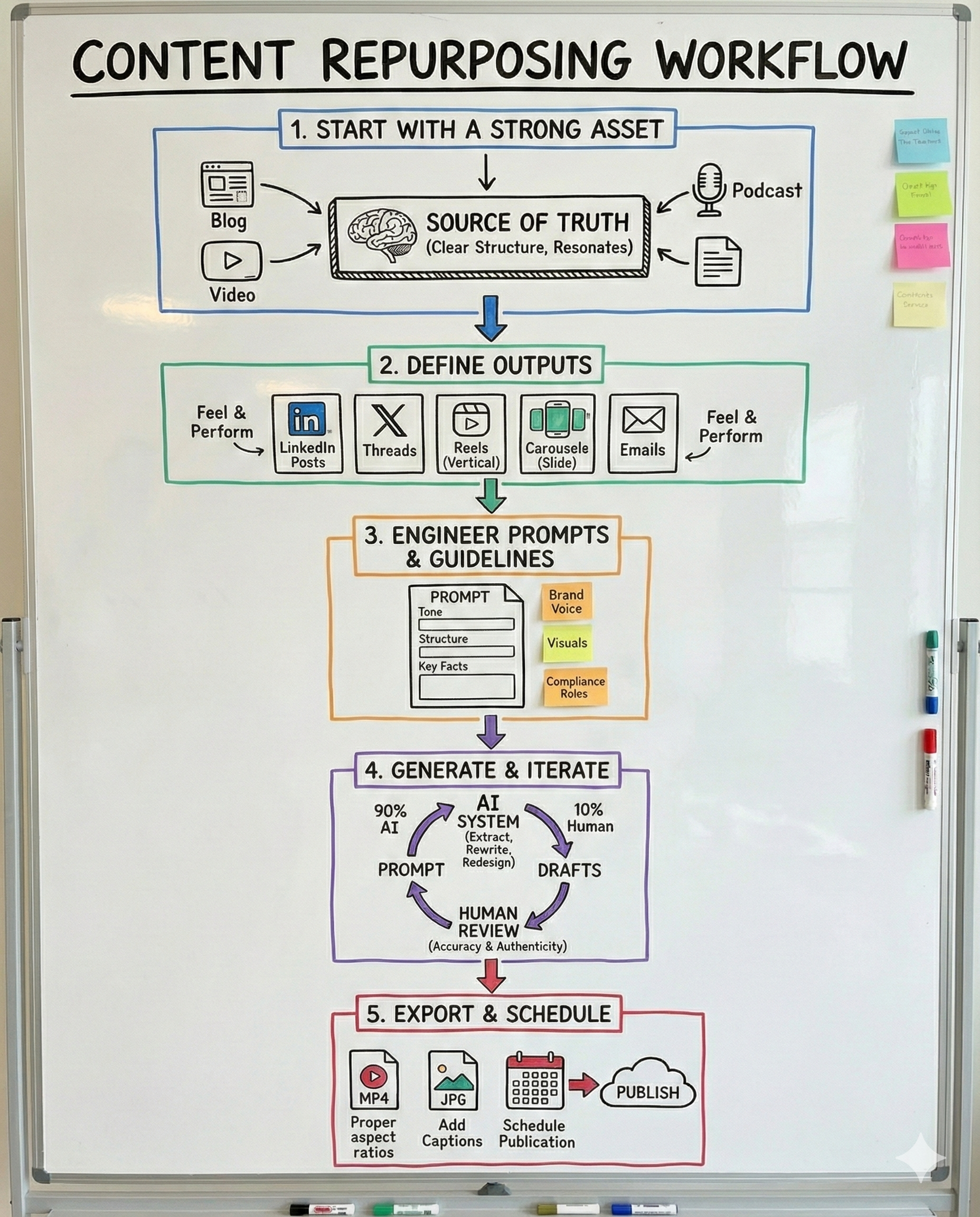
Pro tip: Repurposing is most effective when you treat it as a system—starting from a great idea, defining the outputs and prompts, and refining until the assets are truly ready. Skipping strategy or human review leads to off-brand spam.
Distribution best practices
Serve different stages
Each reuse should serve a different purpose: first exposure to introduce the idea, validation to build credibility and reminder to stay top of mind. Avoid blindly atomising everything into every format.
Space your distribution
Resist posting everything at once. Spacing repurposed pieces across days or weeks gives each one room to breathe and lets reach compound instead of cannibalising itself.
Use performance data to guide the next round
After the first wave of repurposed posts, revisit your analytics. Angles or sub-topics that resonated particularly well can fuel another round of content with fresh framing.
Start with strong, structured originals
Structured long-form content—guides, how-tos, research—repurposes best because it already has clear sub-topics to extract. If the core idea is vague, repurposing just multiplies noise.
Turn Long-Form Content Into Short-Form Posts
The highest-leverage repurposing workflow is long-form to short-form: taking one deep asset and breaking it into the bite-sized posts social feeds reward. Long-form content holds your depth; short-form is where your audience actually scrolls. AI tools for turning long-form content into short-form posts bridge that gap by extracting the strongest insights from the source and reshaping them into formats built for distribution.
A single 2,000-word blog post or a 45-minute webinar typically contains 5–10 self-contained ideas. Each one can stand alone as a carousel, a caption or a quote card—so one production effort feeds weeks of publishing.
What counts as long-form
- Blog posts & articles
- Podcast episodes & transcripts
- Webinars & recorded talks
- Whitepapers & research reports
- Newsletters
- Any web page or article URL
Each link above is a dedicated workflow page with its own step-by-step guide and live input.
The short-form WaveGen produces
Carousels — swipeable slide posts for Instagram, LinkedIn (PDF) and TikTok
Captions — platform-tailored post copy for every channel
Quote cards — single-image posts built from your most quotable lines
Animated slideshow videos — slides with transitions and on-screen captions, no filming or voice-over needed
Long-form to short-form, step by step
Pick one long-form source
Paste a blog, newsletter or article URL—or paste the transcript of a podcast, webinar or talk. Structured pieces with clear sub-topics convert best.
Let AI extract the short-form angles
WaveGen reads the source and pulls out the strongest insights, hooks and quotes—each one a candidate for its own post. Everything stays anchored to your material, so the source's voice carries through.
Review in the editor
Check the generated carousels, captions and quote cards, adjust wording and apply your brand kit. Your brand voice is fully editable—define it yourself or auto-draft it from your website.
Schedule and space the posts
Publish directly to Instagram, LinkedIn, TikTok, Facebook, YouTube and Pinterest, spacing the short-form posts across days or weeks so one long-form piece keeps working for you.
Why this works: long-form earns trust, short-form earns reach. A content distribution system that converts one into the other lets you publish daily without creating daily—your depth does the heavy lifting.
Common AI Content Repurposing Use Cases
Whether you're looking for AI tools for social media content repurposing or a full AI content repurposing workflow, the goal is the same: a repeatable system that turns one idea into multiple platform-ready posts. Below are some of the most popular scenarios.
Repurpose social media content with AI
Turn one core idea into multiple angles and formats. AI helps you explore different perspectives without repeating yourself.
One article → multiple LinkedIn posts, X threads and carousels
One post → "remix" variants for different audiences
Repurposing video content
Video is high leverage but expensive to produce. AI can extract the best moments, add captions and format them for vertical or square feeds.
Auto-generate hooks and overlays to grab attention
Convert aspect ratios for TikTok, Instagram, YouTube Shorts and LinkedIn
Long-form writing → slides, carousels and videos
Blogs, guides, ebooks and newsletters can become educational assets such as carousels and videos. AI tools for repurposing blog content into slides make this especially effective for evergreen thought leadership.
Podcast and audio content repurposing
Audio content repurposing with AI turns podcast episodes, webinars and interviews into written and visual formats—without manual transcription or rewriting.
Webinar recording → highlight carousels
Browse All Workflows
Each workflow has its own dedicated page with a step-by-step guide, competitor comparison, FAQ, and a live input so you can try it immediately.
Blog
Carousel
Blog to Carousel
Paste a blog URL and generate ready-to-publish carousel slides for Instagram, LinkedIn, TikTok, and Pinterest.
Newsletter
Social Posts
Newsletter to Social Posts
Turn any newsletter into carousels, Reels, and captions across LinkedIn, Instagram, TikTok, Facebook, YouTube, and Pinterest, with an image or carousel Pin for Pinterest.
Blog
Video
Blog to Video
Convert any blog post into short-form video for YouTube Shorts, LinkedIn, TikTok, and Reels — no filming required.
Article
Carousel
Article to Carousel
Turn any article into a swipeable carousel that drives readers back to the full piece.
Newsletter
Carousel
Newsletter to Carousel
Turn a newsletter into an Instagram or LinkedIn carousel in one paste. Keep your newsletter voice, gain new subscribers.
Transcript
Carousel
Transcript to Carousel
Paste a transcript from your podcast, webinar, or interview and get carousel slides designed for LinkedIn and Instagram.
Text
Carousel
Text to Carousel
Paste any text — notes, outlines, LinkedIn drafts, course material — and get carousel slides with AI-generated images.
YouTube Video
Carousel
YouTube to Carousel
Paste a YouTube link and turn the video into ready-to-publish carousel slides for LinkedIn, Instagram, TikTok, and Pinterest.
URL
Carousel
URL to Carousel
Paste any web page URL and turn it into ready-to-publish carousel slides for Instagram, LinkedIn, TikTok, and Pinterest.
Blog
Social Posts
Blog to Social Posts
Turn one blog post into a week of social content — carousels, captions, and quote cards for every platform.
Podcast
Carousel
Podcast to Carousel
Paste an episode transcript (or YouTube link) and get carousel slides built from your best moments and quotes.
Webinar
LinkedIn Posts
Webinar to LinkedIn Posts
Paste your webinar transcript and turn one session into weeks of LinkedIn posts and carousels.
LinkedIn Post
Carousel
LinkedIn Post to Carousel
Paste a LinkedIn post that performed well and turn it into a swipeable carousel that performs again.
Case Study
Carousel
Case Study to Carousel
Paste a case study URL and get a results-first carousel that makes prospects stop scrolling.
Whitepaper
Social Posts
Whitepaper to Social Posts
Paste key sections of your whitepaper and get a launch campaign of LinkedIn posts, carousels, and stat cards.
Substack
Social Posts
Substack to Social Posts
Paste your Substack post URL and turn it into carousels and captions that bring new readers back to subscribe.
Medium Article
Carousel
Medium to Carousel
Paste a Medium article link and get carousel slides that tease the story and drive reads.
Ebook
Carousel
Ebook to Carousel
Paste a chapter or key takeaways from your ebook and get a carousel that sells the full download.
Press Release
Social Posts
Press Release to Social Posts
Paste a press release URL and turn the announcement into social posts people actually want to read.
Google Doc
Carousel
Google Doc to Carousel
Paste a public Google Doc link and turn drafts, notes, and guides into polished carousel slides.
Carousel
PDF to Carousel
Drop in a PDF — report, guide, deck export — and turn it into carousel slides. Parsed in your browser, never uploaded.
Blog
TikTok Slideshow
Blog to TikTok Slideshow
Paste a blog URL and get a captioned photo slideshow for TikTok and Instagram — your writing on camera-free video, no face required.
Blog
YouTube Shorts
Blog to YouTube Shorts
Turn a blog post into vertical YouTube Shorts with animated text and captions — publish to a video channel without ever filming.
Blog
Pinterest Pins
Blog to Pinterest Pins
Turn one blog post into a set of Pinterest pins — multiple angles on the same article, each linking back to the post.
Text
TikTok Slideshow
Text to TikTok Slideshow
Paste a script, a list, or notes and get a captioned photo slideshow for TikTok photo mode — no URL, no blog, no filming.
YouTube Video
TikTok Slideshow
YouTube to TikTok Slideshow
Paste a YouTube link and turn what was said into a captioned photo slideshow — the transcript's key points as slides, not a clip of the footage.
Text
YouTube Shorts
Text to YouTube Shorts
Paste a script or notes and get a captioned 1080x1920 vertical Short — build a YouTube channel from writing, without a camera.
See It In Action
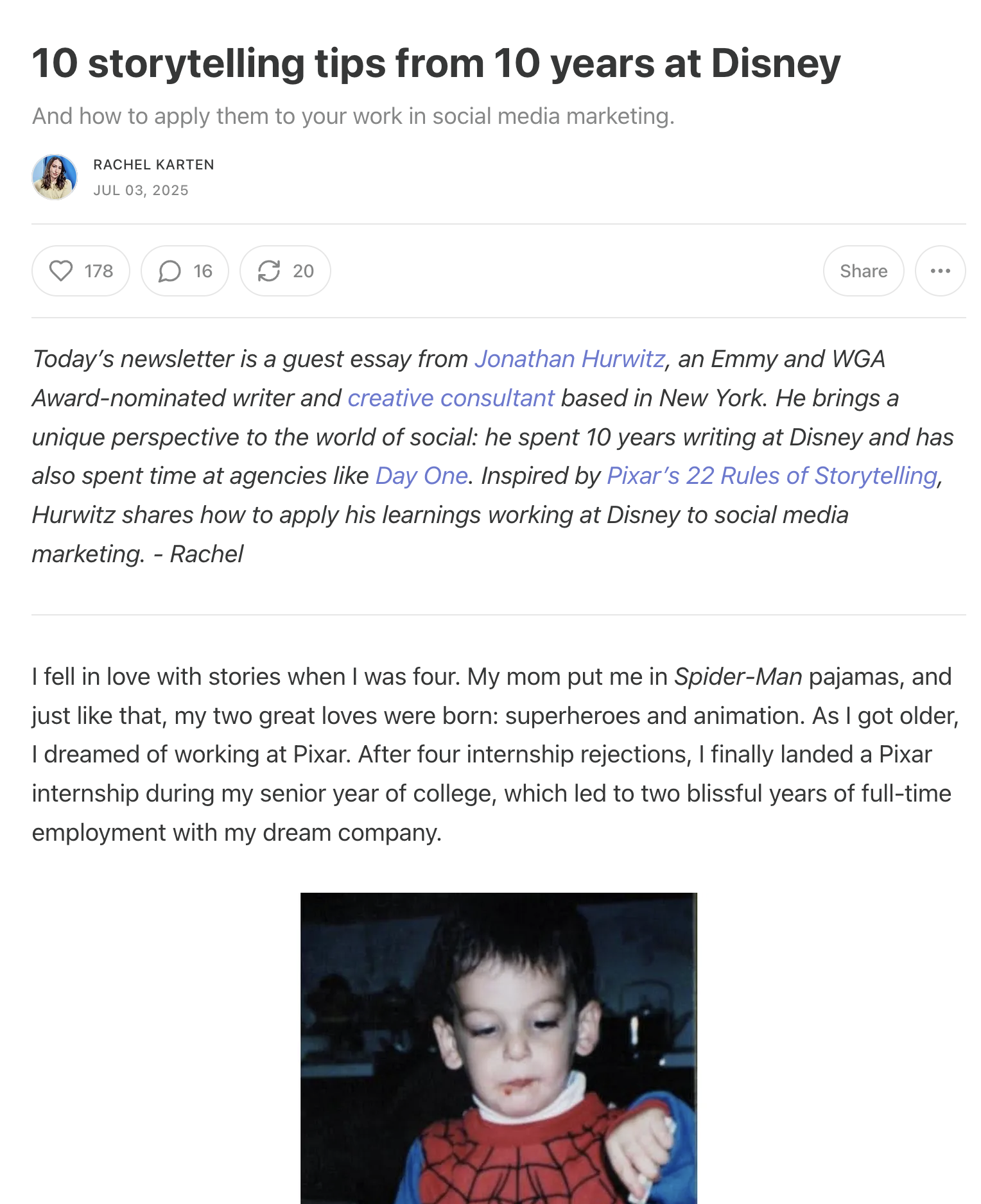
Source: Blog Post
WaveGen
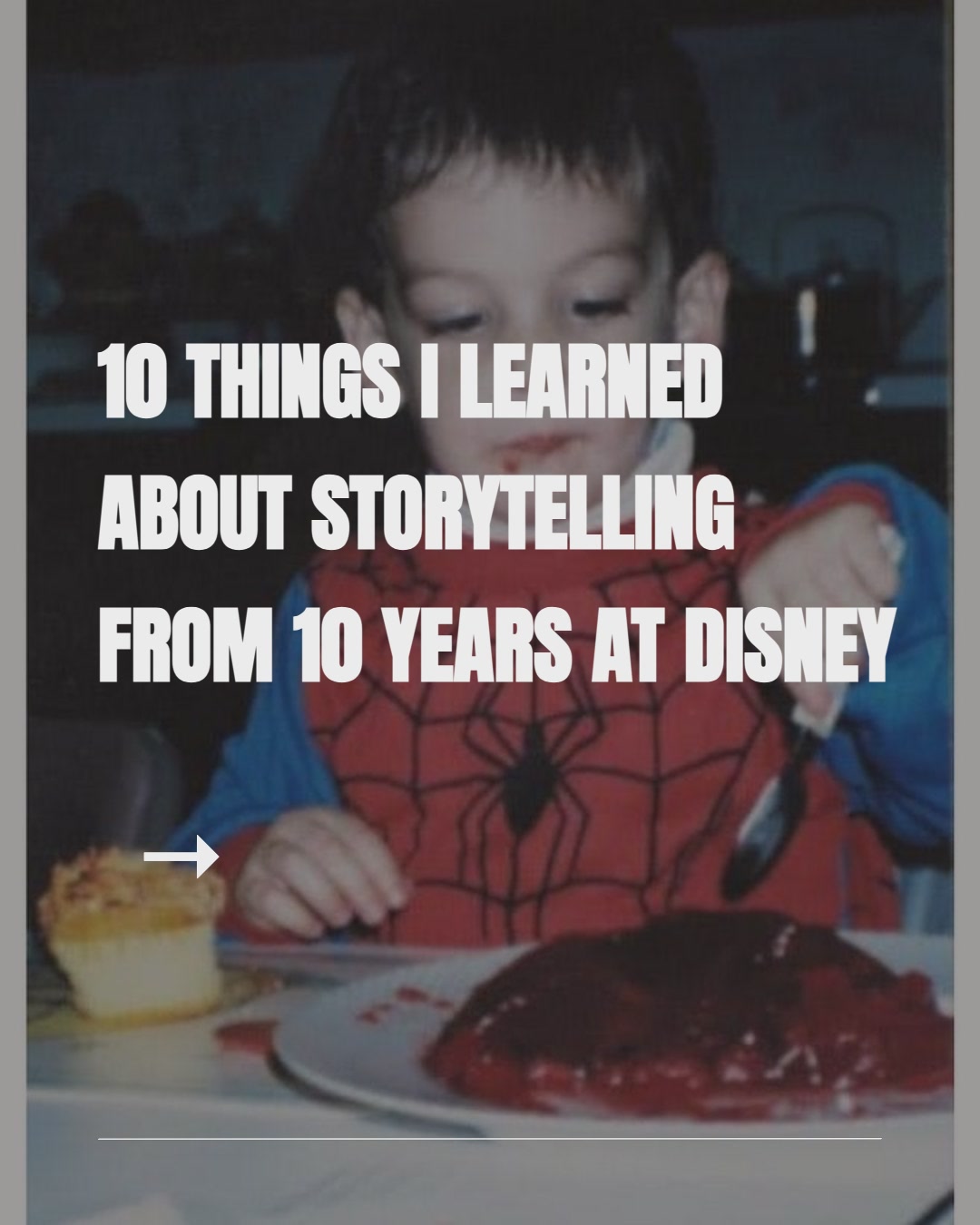
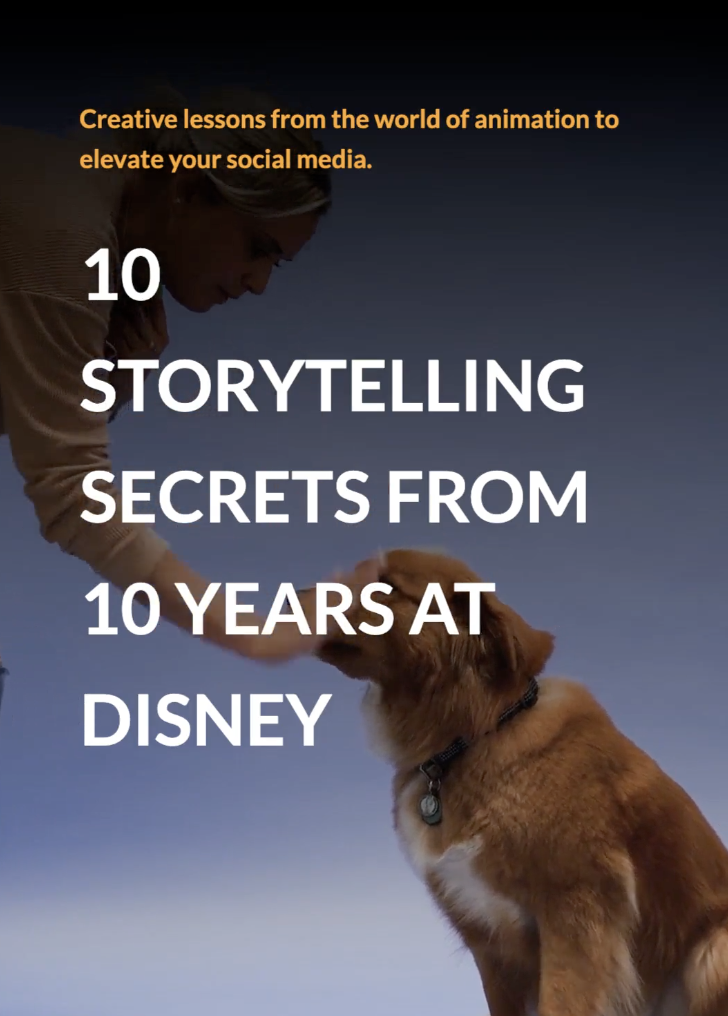
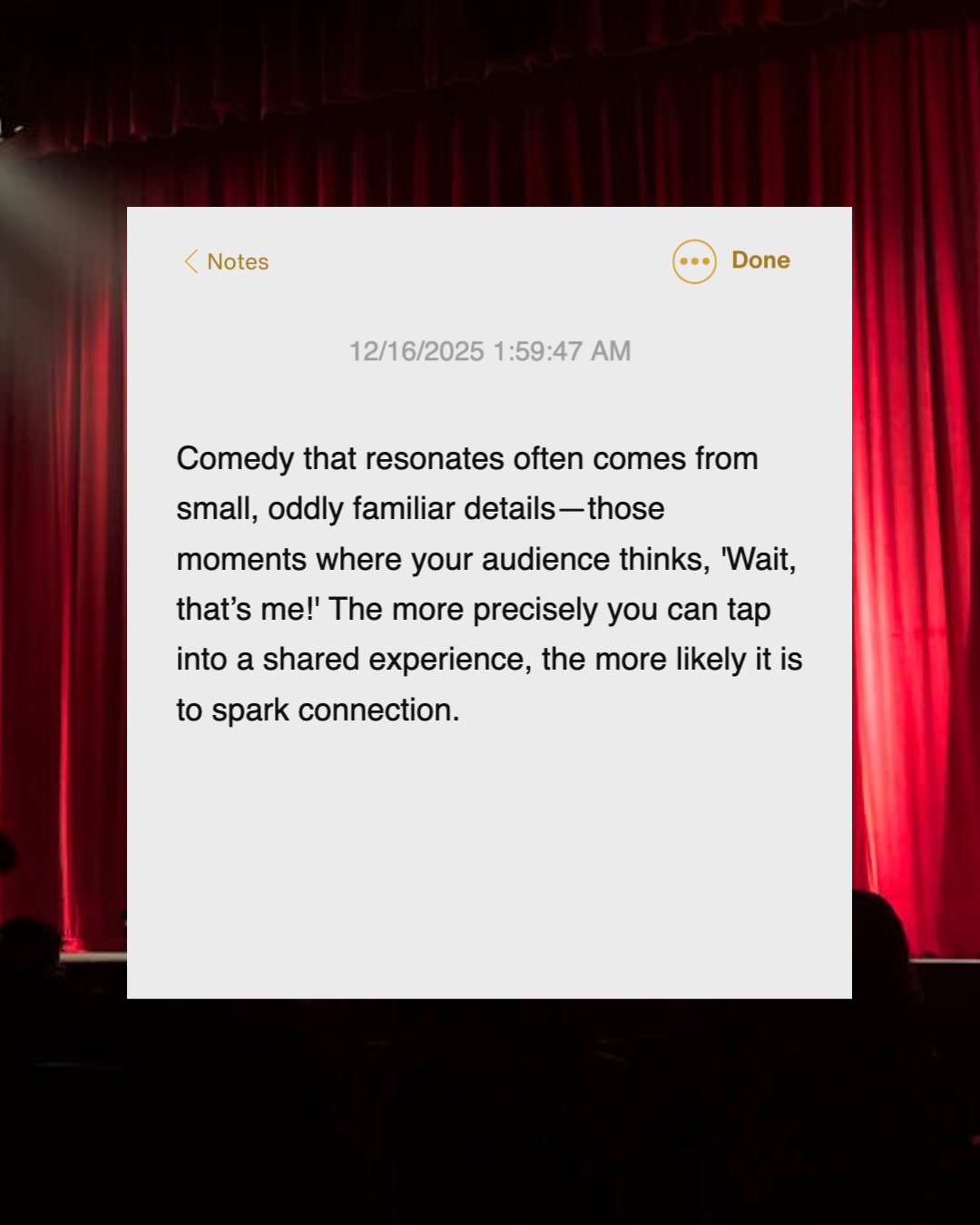
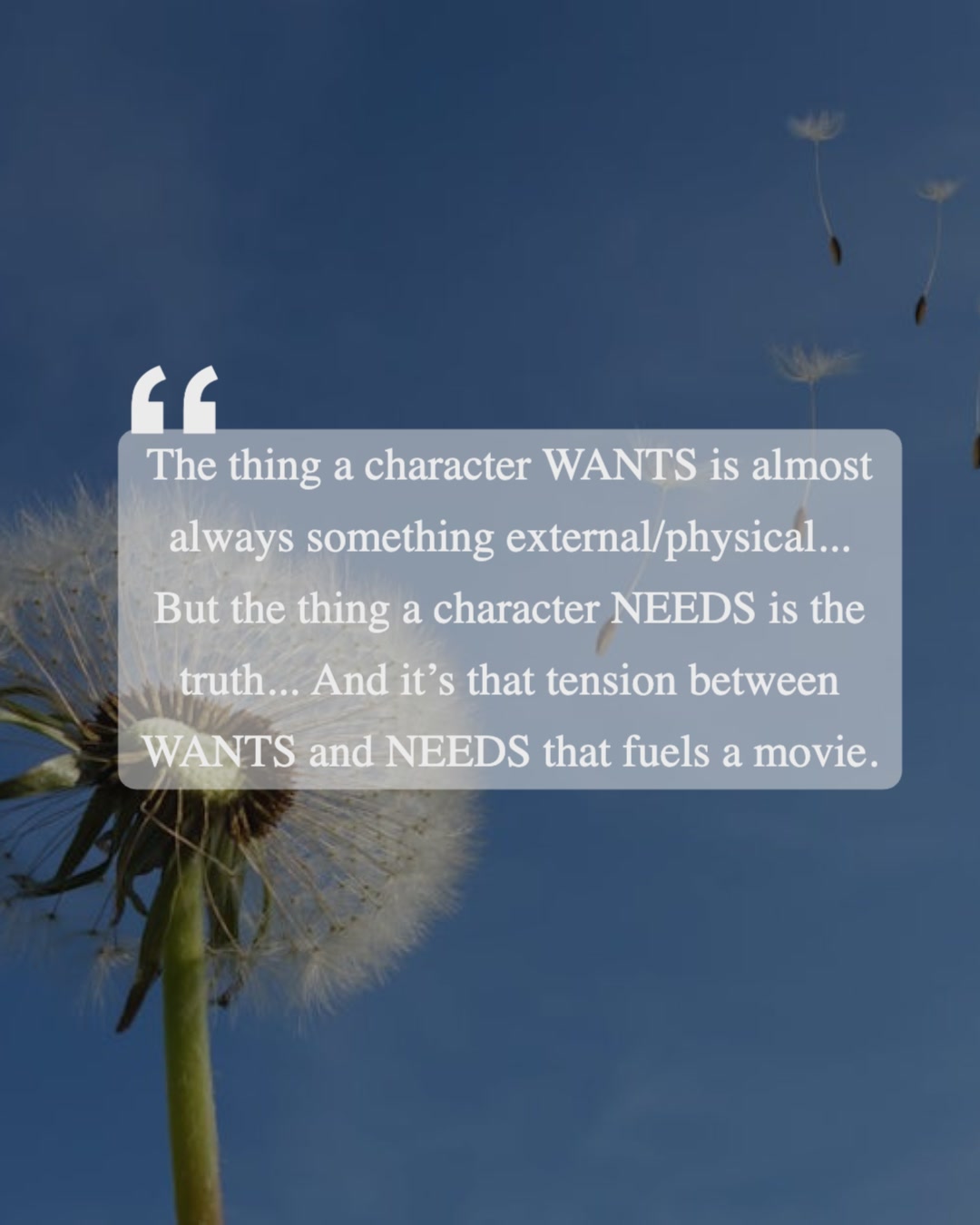
Output: Week of Content
Real example: One blog post → 1X carousel post, 1X video post, 2X static posts
Related Guides
Newsletter to Social Posts →
Turn your newsletter into social media posts — paste text or a URL and get carousel slides, captions, and quote cards for every platform.
Blog to Social Posts →
Turn a blog post into social media posts with AI — paste a URL and get carousels, captions, and quote cards for LinkedIn, Instagram, and more.
Webinar to LinkedIn Posts →
Turn webinar recordings into LinkedIn posts with AI. Paste the transcript and get weeks of posts and carousels from one session.
AI Content Repurposing vs Manual Repurposing
4-8 hrs
per piece of content
1-2
outputs/week
100%
manual effort
Manual Repurposing
Rewrite everything line by line
Design from scratch each time
Hard to keep brand voice consistent
Many formats to juggle manually
100 % human effort; easy to burn out
5 min
per piece of content
10-20
outputs/week
90%
automated
AI-Assisted repurposing
Adapt automatically, preserve structure
Brand voice applied via prompts & kits
Outputs are publish-ready
Carousels, videos, captions in one click
90 % automated with AI; human final review for accuracy and nuance
AI amplifies your creativity rather than replacing it. Let the machine do the tedious work while you focus on strategy, storytelling and distribution.
AI Content Repurposing With WaveGen
WaveGen automates the entire repurposing workflow. It combines AI writing, visual design and brand management so you can turn one asset into many high-quality outputs without juggling multiple tools.
WaveGen — Paste a URL/text, customize your brand kit, generate and export publish-ready content
What WaveGen does
Imports your source content (articles, videos, transcripts)
Extracts key ideas and structures from the source
Adapts the narrative and design for carousels, videos, and captions
Applies your brand kit: voice, tone, colors, fonts and layouts
Supports multiple languages, input and output
Exports platform-ready assets so you can post immediately
How it ensures generation quality
Anchored to your actual content—no generic hallucinations
Reuses images, charts and screenshots when relevant
Identifies viral moments and uses prompts that spark engagement
Handles multiple languages for international audiences
Offers you final edit controls to ensure accuracy and compliance
Already have strong blogs, podcasts or client deliverables? Start there. WaveGen works best when your source content answers real questions and provides value.
Who AI Content Repurposing Is Best For
Great fit for
Consultants and coaches publishing thought leadership
Founders building in public and personal brands
Small teams running content marketing for SaaS or service businesses
Agencies managing multiple client accounts
Creators who care about quality and consistency, not spam
Educators and non-profits that need to localise content across languages
Not a great fit if
You want to mass-generate low-effort posts with no human input
You have no source content yet (repurposing multiplies what already exists)
You're unwilling to define your brand guidelines or review outputs
AI is leverage. It won't fix a weak strategy or build your brand for you—but it will help you scale a strong one.
AI Content Repurposing FAQs
WaveGen vs other repurposing tools
See how WaveGen compares to other AI content repurposing tools.

WaveGen vs Repurpose.io
Cross-posts existing video. WaveGen transforms one source into new social formats.

WaveGen vs Opus Clip
Clips long videos into shorts. WaveGen turns transcripts into savable carousels.

WaveGen vs Descript
Text-based video editor. WaveGen turns recording transcripts into carousels.

WaveGen vs Gamma
AI presentation builder. WaveGen builds the social content workflow.
See the full roundup: Best AI Content Repurposing Tools 2026
Turn One Idea Into a Week of Content
AI content repurposing isn't about spamming more; it's about squeezing every drop of value from your best ideas. Start with one high-quality piece, define your outputs and let AI handle the heavy lifting while you focus on storytelling and strategy.
Ready to expand your reach without burning out? Pick your favourite article or video and see what it becomes.