September 4, 2026
15 min read
Best Social Media Scheduling Tools for 2026 Compared
Compare the best social media scheduling tools of 2026 with real pricing, features, pros, cons, and clear picks for creators, SMBs, and agencies.

At 8:47 a.m., your Slack notifications are piling up, the content calendar still has gaps, and five platform tabs are open. LinkedIn needs a post, Instagram needs a Reel, TikTok needs a caption that doesn't sound like LinkedIn, and a client is waiting for approval. You're not short on ideas. You're short on a publishing system that can keep content moving without creating avoidable risk.
The best social media scheduling tools for 2026 aren't interchangeable. Buffer solves a different problem from Sprout Social. Later is built around visual planning, while Planable is built around review and approval. Hootsuite is designed for broader operational control, and SocialBee is more useful when evergreen content needs structured recycling.
This guide treats scheduling as a workflow decision, not a leaderboard. The right choice depends on your team profile, channel mix, approval process, reporting requirements, and ability to stop or revise content when circumstances change. For planning fundamentals, Bazzly's posting schedule is a useful reference, while WaveGen's guide to multi-channel content management adds context for teams coordinating content across platforms.
Table of Contents
- Finding the Right Scheduling Stack for Your Team
- Why Scheduling Tools Are Now Core Workflows
- Head-to-Head Comparison of the Leading Platforms
- Tool-by-Tool Breakdown and Best-Fit Profiles
- The Hidden Layer of Scheduling Risk and Governance
- When Scheduling Helps and When It Hurts Performance
- Choosing Your Stack and Getting Started This Week
Finding the Right Scheduling Stack for Your Team
Start with the people who touch a post before it goes live. A solo creator may write, design, approve, and publish alone. An in-house marketer may need a manager or subject-matter expert to review claims. An agency may have a strategist, designer, account lead, client, and sometimes legal reviewer involved in one campaign.
Those workflows require different tools, even when the publishing task looks identical.
Three buyer profiles matter most
Solo creators usually need a clean calendar, quick setup, affordable channel coverage, and enough analytics to understand which themes deserve more attention. Approval workflows can add clutter when there's no second reviewer. A scheduler should reduce administrative work, not turn a simple post into a project-management exercise.
Small and mid-sized in-house teams need stronger coordination. They're often balancing brand consistency, product updates, customer questions, and campaign deadlines with limited staff. Shared drafts, approval steps, platform-specific editing, and a unified view of the publishing calendar matter more than an enormous feature list.
Agencies need account separation, client review, permissions, reporting, and reliable offboarding. A tool that feels inexpensive for one brand can become costly when pricing is calculated per channel, profile, workspace, or seat. Agencies also need a fast way to identify every scheduled item owned by a departing client or affected by a sudden issue.
Match the tool to your main friction
Use this sequence before comparing plans:
- List every active channel. Include the formats you publish, not just the networks you may test later.
- Map the approval path. If more than one person reviews content, treat approvals and permissions as core requirements.
- Define the reporting question. Do you need simple post analytics, client-ready reports, competitor context, or deeper performance analysis?
- Test the failure path. Ask how quickly your team can pause, edit, recall, or identify scheduled posts during a crisis.
- Normalize the price. Compare the cost of the complete workflow, not the entry-level number displayed on a pricing page.
Practical rule: Choose the platform that removes your most expensive source of friction. More channels call for better coverage. More reviewers call for governance. More performance questions call for deeper analytics.
Why Scheduling Tools Are Now Core Workflows
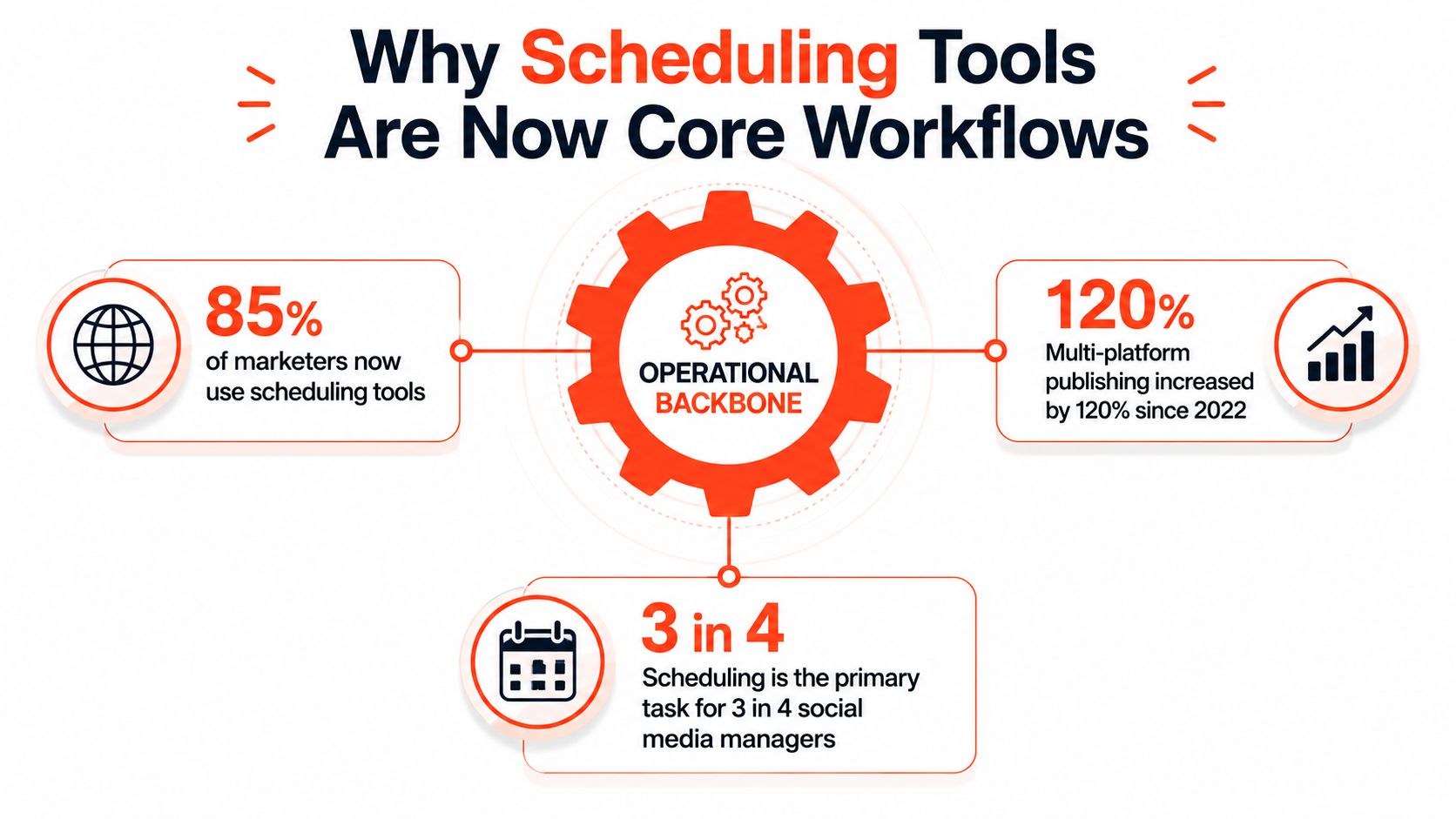
Scheduling moved from convenience to infrastructure because social publishing became a multi-channel operating task. Teams now adapt one campaign across different formats, audiences, and platform expectations. Manual publishing makes that process fragile, especially when the same people are also responsible for community management, creative production, reporting, and campaign coordination.
One independent 2026 industry summary reports that 73% of social media marketers use dedicated scheduling tools, up from 61% in 2024 and 47% in 2022. The same summary says 87% of scheduling-tool users plan content at least one week ahead, 34% maintain a buffer of two weeks or longer, and users save an average of 6.3 hours per week compared with manual posting. These figures are reported in ScheduleWave's social media scheduling statistics.
The commercial market reflects the same professionalization. A 2025 market report places the global social media scheduling tools market at USD 2.54 billion in 2024 and projects it to reach USD 7.50 billion by 2033, representing a projected 14.2% CAGR. North America accounted for more than 38% of global revenue in 2024, according to the 2025 social media scheduling tools market report.
The implication is practical. A scheduler now holds campaign timing, approvals, assets, channel adaptations, and performance feedback in one operational layer. That makes the buying decision more consequential than selecting a convenient calendar. You're choosing where your team creates accountability, where it stores publishing decisions, and how it responds when automation needs to stop.
Head-to-Head Comparison of the Leading Platforms
The table below focuses on the criteria that affect daily operations: entry pricing, bulk publishing, channel breadth, approvals, and analytics. Pricing structures vary by channel, profile, workspace, and seat, so treat the figures as starting points rather than a final quote. Independent 2026 comparison data reports Buffer at about $5 to $6 per month per channel, Pallyy at $15 per month, SocialPilot at $17 per month for five profiles, Later at $18.75 to $25 per month for six to eight profiles, Hootsuite at about $99 per month, and Sprout Social at roughly $199 per seat per month. The 2026 scheduling software comparison from Distribb explains why billing-unit normalization matters.
| Tool | Starting Price | Bulk Upload | Channels | Approvals | Analytics |
|---|---|---|---|---|---|
| Buffer | About $5 to $6 per channel/month | Available | Broad major-network coverage | Available, stronger on team workflows | Basic to moderate |
| Hootsuite | About $99/month | Strong | Broad multi-network coverage | Available, plan dependent | Deep |
| Sprout Social | Roughly $199/seat/month | Available | Broad major-network coverage | Strong | Advanced reporting and monitoring |
| Later | About $18.75 to $25/month | Limited in cited comparisons | Visual-first network coverage | Limited by workflow | Basic to moderate |
| SocialPilot | About $17/month for five profiles | Available | Broad multi-profile coverage | Available | Moderate |
| Sendible | Plan dependent | Available on suitable plans | Broad agency-oriented coverage | Available | Moderate to deep |
| Meta Business Suite | Free | Limited native workflow | Facebook and Instagram | Limited | Native Meta analytics |
| X scheduler | Free or included with platform access | Limited | X | Limited | Native X analytics |
Buffer delivers the most value when low cost and ease of use matter more than advanced reporting or complex governance. Hootsuite earns its premium when bulk publishing, broad coverage, inbox work, and reporting live in the same workflow. Sprout Social fits organizations prepared to pay for deeper management and reporting rather than simple scheduling.
Later is the strongest choice for visual planning, but teams that rely on bulk queueing should validate the exact plan capabilities before committing. SocialPilot is compelling for teams managing several profiles on a constrained budget, particularly when per-profile economics work in its favor. Sendible is worth considering for agencies that need client-oriented publishing and reporting in one environment.
Meta Business Suite remains the rational free option when Facebook and Instagram are the only required channels. Native X scheduling can cover basic publishing on X, but it won't replace a cross-network calendar, approval system, or unified reporting layer. For a broader independent roundup, compare these criteria with the scheduling tools recommended by ProdShort, then verify current plan limits directly before purchase.
Tool-by-Tool Breakdown and Best-Fit Profiles
A feature list won't tell you whether a platform will survive your team's real workflow. The better question is whether the tool's strengths align with the work that repeatedly slows you down.
| Tool | Starting Price | Best For | Standout Feature | Main Trade-off |
|---|---|---|---|---|
| Buffer | About $5 to $6 per channel/month | Solo creators and small teams | Simple calendar and queue | Lighter analytics and governance |
| Hootsuite | About $99/month | Mid-market teams | Bulk publishing and broad management | Premium pricing |
| Sprout Social | Roughly $199/seat/month | Agencies and reputation-sensitive brands | Unified inbox and advanced reporting | Significant budget commitment |
| Later | About $18.75 to $25/month | Visual-first brands | Media-first planning | Less suited to heavy bulk workflows |
| SocialBee | Mid-tier pricing | Lean evergreen-content teams | Category-based recycling | Setup and review effort |
Buffer
Buffer is the easiest recommendation for a solo creator who wants to stop jumping between platform tabs. The interface is approachable, the calendar is clear, and the workflow encourages batching without demanding extensive onboarding. It works particularly well when one person owns the content from draft to publication.
The trade-off is depth. Lower-cost plans are less suitable when you need detailed reporting, social listening, or advanced agency permissions. Buffer's per-channel structure can also become less attractive as your channel footprint expands.
Pick Buffer if you're a creator, consultant, or small team that values speed and clarity over enterprise governance.
Hootsuite
Hootsuite makes sense for teams that publish at volume and need more than a queue. Its bulk scheduling, broader management environment, inbox capabilities, and reporting support a mature publishing operation. It's a better fit than Buffer when several people manage multiple profiles and the team needs a central control point.
The cost is substantial for smaller teams, especially when each additional user or advanced workflow affects the total plan. Don't buy Hootsuite because it has many features. Buy it when your team will use bulk publishing, monitoring, collaboration, and reporting consistently.
Pick Hootsuite if your in-house team has enough publishing volume to justify a full management platform.
Sprout Social
Sprout Social is built for organizations where scheduling sits beside reputation management, engagement, and reporting. Agencies and compliance-heavy brands benefit from unified inbox workflows, structured approvals, and client or leadership reporting that goes beyond basic post counts.
The price requires real budget commitment, and smaller businesses may pay for capabilities they don't need. It's also not the right first purchase for a team still trying to establish a reliable content cadence.
Pick Sprout Social if brand risk, high-volume conversations, and advanced reporting justify a premium system.
Later
Later is the specialist choice for visual-first brands working heavily across Instagram, TikTok, Pinterest, and short-form video channels. Its media-first planning approach makes it easier to organize creative assets and judge how a visual feed will look before publication.
That focus is also the boundary. Teams that need substantial bulk upload, complex approvals, or deep cross-channel reporting should test Later against those requirements rather than assume visual polish covers every operational need. A separate guide to a viral posting time scheduler can help with timing considerations, but timing recommendations shouldn't replace platform-specific creative judgment.
Pick Later if your content strategy is visual-led and feed presentation matters more than enterprise governance.
SocialBee
SocialBee is useful for lean teams with a dependable library of evergreen ideas. Category-based queues help separate educational content, promotions, curated material, and recurring themes, so the calendar doesn't become a random sequence of posts. AI-assisted writing can accelerate drafts, but human review remains necessary before recycled content returns to the queue.
The system takes more effort to configure than a basic scheduler. Recycling also creates responsibility. Every evergreen item needs an expiration rule or periodic review so an old offer, claim, or cultural reference doesn't reappear at the wrong time.
Pick SocialBee if you publish recurring evergreen content and want structure around reuse without adopting an enterprise platform.
The Hidden Layer of Scheduling Risk and Governance
Most comparisons ask how many posts a tool can schedule. That's the wrong first question for a team managing sensitive brands, regulated claims, or multiple clients. The more important question is what happens when a scheduled post becomes inappropriate because of breaking news, a product issue, a regulatory change, or a brand-safety concern.
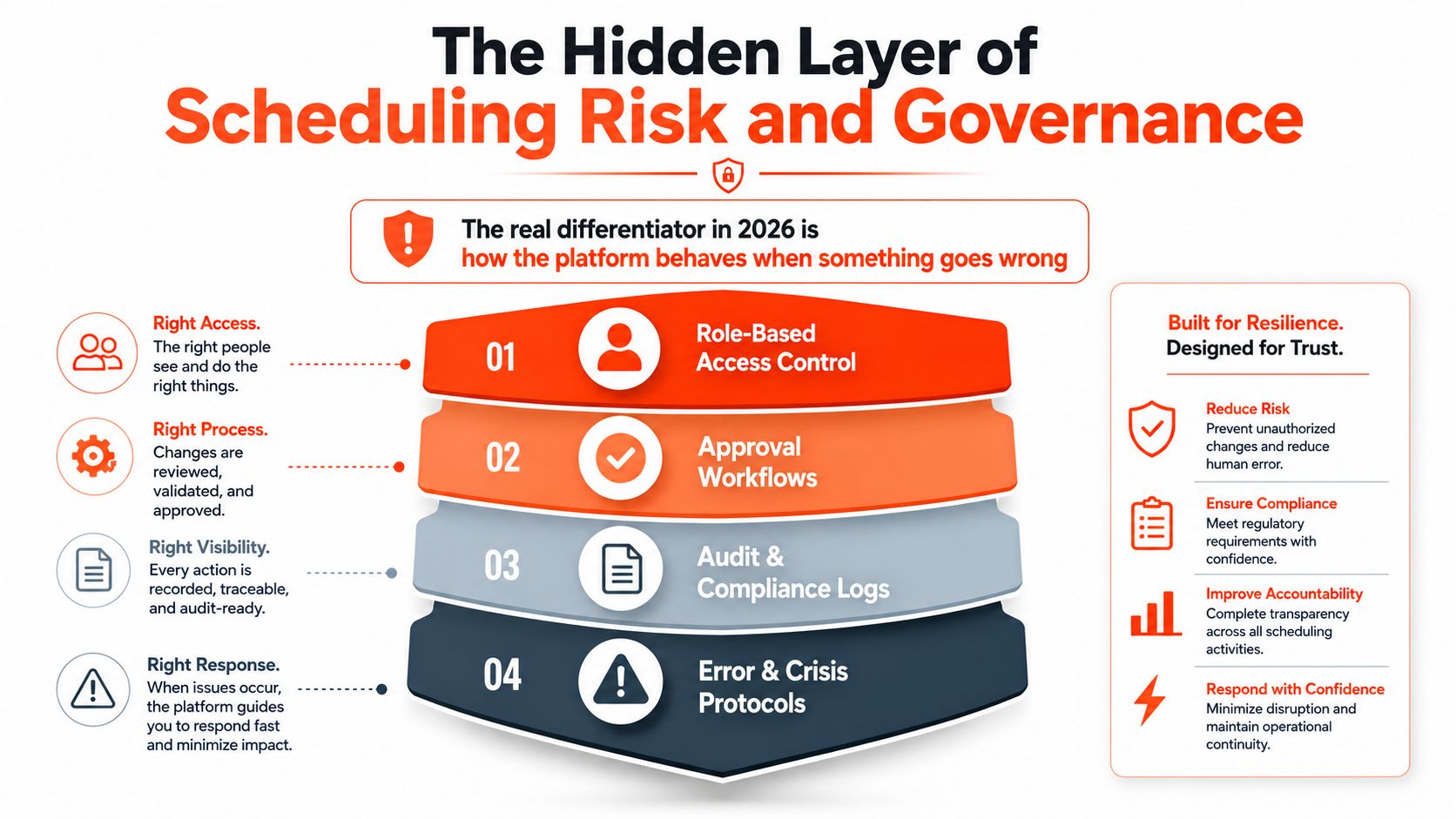
Four controls define a resilient workflow
Role-based access separates ownership. An agency should be able to give a client visibility without giving every stakeholder permission to publish. When a client relationship ends, the agency needs to revoke access cleanly without disrupting unrelated accounts.
Approval workflows create a deliberate stopping point. A draft should move through the right reviewers before it reaches the queue, especially when claims, pricing, safety, financial information, or customer promises are involved. WaveGen's content approval workflow guide provides useful context for structuring that review process.
Audit logs answer the question that appears after an error: who changed the copy, who approved it, and when did the post enter the schedule? Without that record, teams are forced to reconstruct events from chat messages, spreadsheets, and memory.
Crisis controls protect the brand when conditions change. Look for mass pause, post recall, restricted posting windows, and a clear way to identify affected campaigns. A retail brand may need to halt promotional content after a public incident. An agency may need to pause one client's queue without stopping publication for every other account.
The DesignRush guidance on social media management tools highlights the operational need for pause protocols, scheduled engagement windows, and quality assurance before bulk publishing. In practice, governance depth varies sharply. Hootsuite and Sprout Social are better positioned for mature controls, while lighter tools may require a shared approval board, manual checks, or third-party workflows.
Risk test: During a crisis, ask whether one authorized person can stop the right content quickly, prove what happened afterward, and restart the unaffected schedule safely.
When Scheduling Helps and When It Hurts Performance
Scheduling is a consistency engine, not a creativity engine. It helps teams publish dependable evergreen content, protect production time, and avoid the quality drop that arrives when someone writes every post minutes before publication. It doesn't automatically make a topic relevant, a hook compelling, or a platform adaptation native.
The performance risk appears when teams confuse an organized queue with a complete social strategy. Identical cross-posts can feel lazy. Recycled captions can lose context. A scheduled response to a breaking event can look insensitive within minutes, especially on fast-moving feeds.
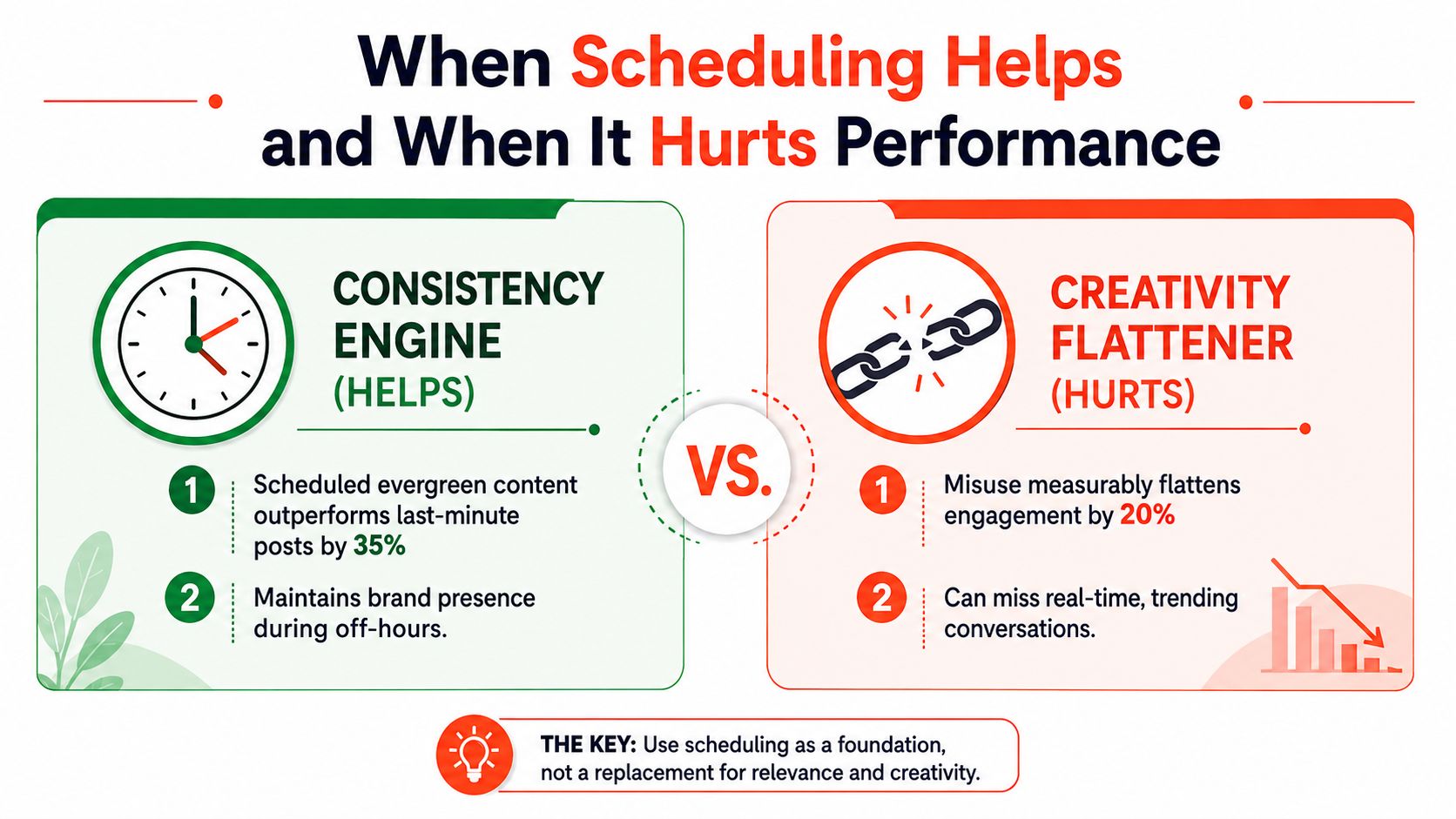
One independent 2026 summary reports that posts published at algorithm-optimized times can see 28% higher engagement, which supports using timing recommendations as an input rather than treating them as a guarantee. The same source reports average time savings of 6.3 hours per week versus manual posting. Those gains create room for better creative review and community interaction, but only if the team uses the recovered time intentionally.
Use a planned and reactive mix
A practical working heuristic is to schedule roughly 70% of the calendar and reserve roughly 30% for reactive content. This isn't a universal formula, and it shouldn't become another rigid publishing rule. It's a way to protect space for news, trends, customer questions, product changes, and ideas that emerge after the calendar is drafted.
Watch for warning signs:
- Comment rates decline: Posts still publish, but fewer people respond meaningfully.
- Unfollows rise after a campaign: The problem may be repetition, frequency, or poor audience fit.
- Engagement flattens across reporting cycles: The queue may be stable while the creative has stopped evolving.
- Reactive opportunities disappear: The team has filled every available slot too far in advance.
Run a weekly content audit, hold back open slots, and check platform trends before locking the next batch. A scheduler should make room for judgment, not remove it.
Choosing Your Stack and Getting Started This Week
Choose the smallest system that handles your actual risk. A solo creator doesn't need the same governance layer as an agency serving regulated clients, and a visual brand shouldn't sacrifice creative planning merely to gain a longer bulk-upload limit.
| Buyer Profile | Recommended Tool | Paid Tier | Start Channels | First 3 Post Types |
|---|---|---|---|---|
| Solo creator | Buffer or Later | Entry paid plan that matches channel needs | Primary discovery channel, professional network, visual channel | Educational tip, personal insight, offer or newsletter |
| Small business | Hootsuite or Sprout Social | Team-appropriate plan with inbox and reporting | Facebook, Instagram, LinkedIn | Customer question, product explanation, proof-based post |
| Agency | SocialPilot, Planable, or Hootsuite | Multi-profile or workspace plan with approvals | One channel set per client | Approved evergreen post, campaign asset, community prompt |
Use a five-day rollout
Day one, audit. Review the last batch of posts, identify manual steps, note missed publishing windows, and list every person who approves or edits content.
Day two, connect selectively. Add one channel per audience or persona first. Confirm permissions, publishing formats, notification behavior, and account ownership before connecting every profile.
Day three, draft a week of content. Start with one evergreen educational post, one audience or customer question, and one commercial or campaign post. Adapt the copy for each network instead of sending identical text everywhere.
Day four, set reporting baselines. Record the metrics your team already uses, then decide which tool reports them reliably. Don't choose analytics features that nobody will review.
Day five, tighten the cadence. Remove weak slots, reserve space for reactive posts, and set a review time before the next queue is approved. For the mechanics of building and publishing a queue, use WaveGen's guide to how to schedule social media posts.
Add guardrails before automation
- Two-eyes approval: Require a second reviewer for claims, promotions, and sensitive topics.
- Banned-phrase filter: Maintain a short list of language that needs revision or legal review.
- Posting blackout windows: Block publication during launches, announcements, incidents, or other sensitive periods.
- Crisis pause protocol: Name the person authorized to pause content and define how the team identifies what must be reviewed.
WaveGen.ai is one option for teams that want to turn long-form content into platform-specific social assets, edit them in a visual workspace, and schedule or publish them across connected channels. It's most relevant when content repurposing and consistent multi-channel distribution are as important as the calendar itself.
If your team is losing time adapting one article into platform-ready posts, visit WaveGen.ai to see how its content distribution workflow can generate, edit, schedule, and publish social assets from your existing material. Start with one source piece and one week of content, then use the resulting workflow to decide whether it fits your publishing and approval process.
social media scheduling
scheduling tools
content marketing
social media management
Buffer alternatives
Turn this kind of writing into a week of social content.
Paste a blog post, newsletter, or rough draft — WaveGen turns it into publish-ready carousels, captions, and slideshows for every channel.
No credit card · First posts in 2min