August 30, 2026
19 min read
8 Repurpose Examples to Build a Content System
Explore 8 repurpose examples for turning blogs, podcasts, newsletters, and emails into practical social content with repeatable templates.
One strong idea can feed a week of content, but only if you stop treating repurposing as copying. Publishing the same paragraph, clip, or graphic everywhere saves a little production time, yet it often ignores how people behave on each platform. Effective repurposing keeps the original insight and redesigns its entry point, pacing, context, and call to action for a different audience experience.
That distinction matters because repurposing is already standard practice. A 2023 survey reported that 94% of marketers repurpose content, while 60% reuse content between two and five times to extend reach and engagement. The same survey found that 46% identified content repurposing as the best-performing content marketing strategy. (Industry survey data on content repurposing)
The practical lens for the examples below is simple: identify the source content, choose derivative formats that match audience behavior, understand the strategic advantage and the risk, then use a compact production template to move the idea into distribution. You'll see workflows for pillar articles, newsletters, video, email, interviews, LinkedIn publishing, and educational material. The central principle is also reflected in this content repurposing workflow guide: build a system around the idea, not a pile of mechanically duplicated assets.
Table of Contents
- 1. The Pillar Content Strategy
- 2. Newsletter-to-Social Atomization
- 3. Video Content Fragmentation
- 4. Blog-to-Visual Asset Conversion
- 5. LinkedIn Article-to-LinkedIn Posts Distribution
- 6. Podcast Guest Circuit Content Repurposing
- 7. Email-to-Social Content Migration
- 8. Educational Content Series Expansion
- 8 Repurposing Strategies Compared
- Turn the Best Example Into Your Next Workflow
1. The Pillar Content Strategy
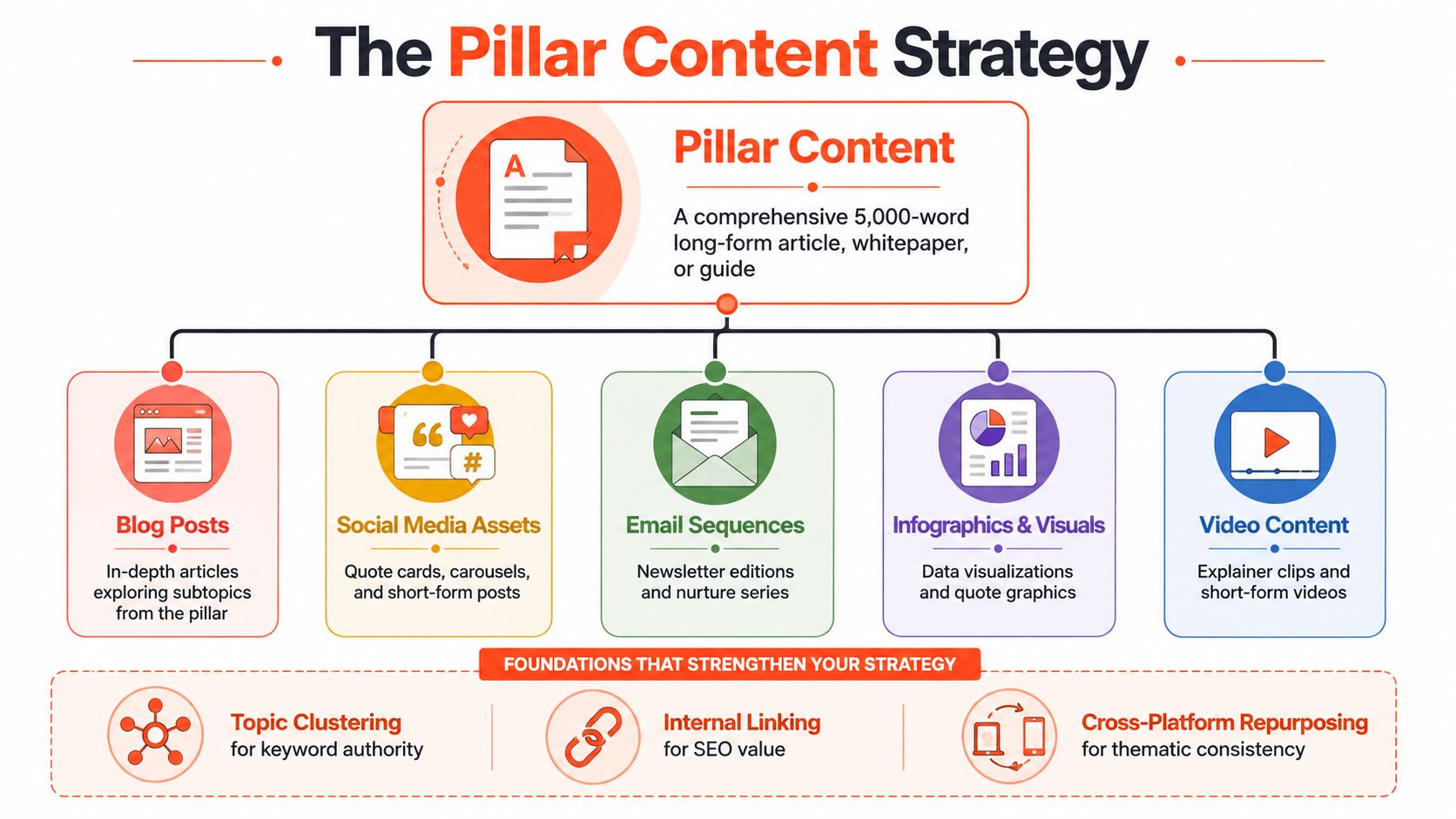
A pillar asset gives your team one substantial source to develop across formats. Its architecture, meaning the way it is structured to serve different audience needs, determines its usefulness more than its length. A detailed guide, research report, whitepaper, or strategic article can answer a broad question while supporting narrower assets for specific objections, use cases, and buyer stages.
The first task is to design those routes before drafting. Map the core promise, supporting arguments, examples, objections, and calls to action. Then assign each idea to a format that matches its job and the audience's likely context.
- Core argument: Keep it in the pillar article or guide, where nuance and internal links can carry the explanation.
- Practical framework: Convert it into a carousel or downloadable worksheet.
- Contrarian insight: Shape it into a short video or text post with one clear tension.
- Definitions and comparisons: Use an infographic or visual explainer.
- Frequently asked objections: Turn them into email responses, sales enablement content, or follow-up articles.
Each derivative needs a fresh opening, enough context to stand alone, and a clear path back to the original resource. A section written for someone already engaged with the full article may confuse a LinkedIn reader or overwhelm a carousel viewer. Preserve the underlying idea, then rebuild the presentation around the new format.
The resulting system supports a broader content distribution strategy. WaveGen.ai can generate social angles from a source article, apply a saved brand kit, and prepare platform-specific variations. Human review remains necessary when technical qualifications or claims could lose meaning during compression.
Practical rule: Give every derivative a distinct angle, context, or action. Removing sentences alone produces fragments, not useful assets.
The main trade-off is depth versus cadence. A pillar-first system creates consistency and search-friendly topical coverage, yet repeated wording can make the content feel recycled. Space derivatives across the calendar, vary the hooks, and decide which assets should stand alone and which should direct readers to the full resource.
2. Newsletter-to-Social Atomization
A newsletter contains several possible social posts, but readers don't encounter those ideas in the same order or with the same intent. Inbox subscribers accepted the newsletter as a complete editorial package. Social followers need a sharper reason to stop scrolling, and many won't know the surrounding story.
Start by creating a social map before the newsletter goes live. Mark the strongest observation, the most useful process, the most debatable statement, and the clearest action. Treat each as a separate seed rather than attempting to publish the entire newsletter in miniature.
A practical sequence might look like this:
- Lead insight: Publish a text post built around the newsletter's strongest tension.
- Multi-step section: Turn a framework or list into a carousel.
- Supporting explanation: Record a short video that explains one idea in conversational language.
- Reader objection: Write a follow-up post that answers the question a subscriber might ask.
- Conversion point: Invite people to join the newsletter, download a resource, or read the complete issue.
This workflow works because the newsletter remains the source of authority while social content becomes discovery. It also gives your team a way to test hooks. The opening sentence that works in an email may not be the strongest social lead, so write a new one rather than copying the subject line or first paragraph.
WaveGen.ai's multi-platform publishing workflow can support this process by turning source material into captions, carousels, and short videos while retaining brand settings. An RSS-based workflow can also reduce the delay between publishing a newsletter and preparing its derivatives, but automation shouldn't decide which claims need qualification or which customer examples require permission.
The main risk is audience fatigue. Publishing every section on the same day makes the social feed feel like an inbox mirror and gives followers little reason to subscribe. Release the ideas over several days, change the framing, and reserve the most complete explanation for the newsletter itself.
3. Video Content Fragmentation
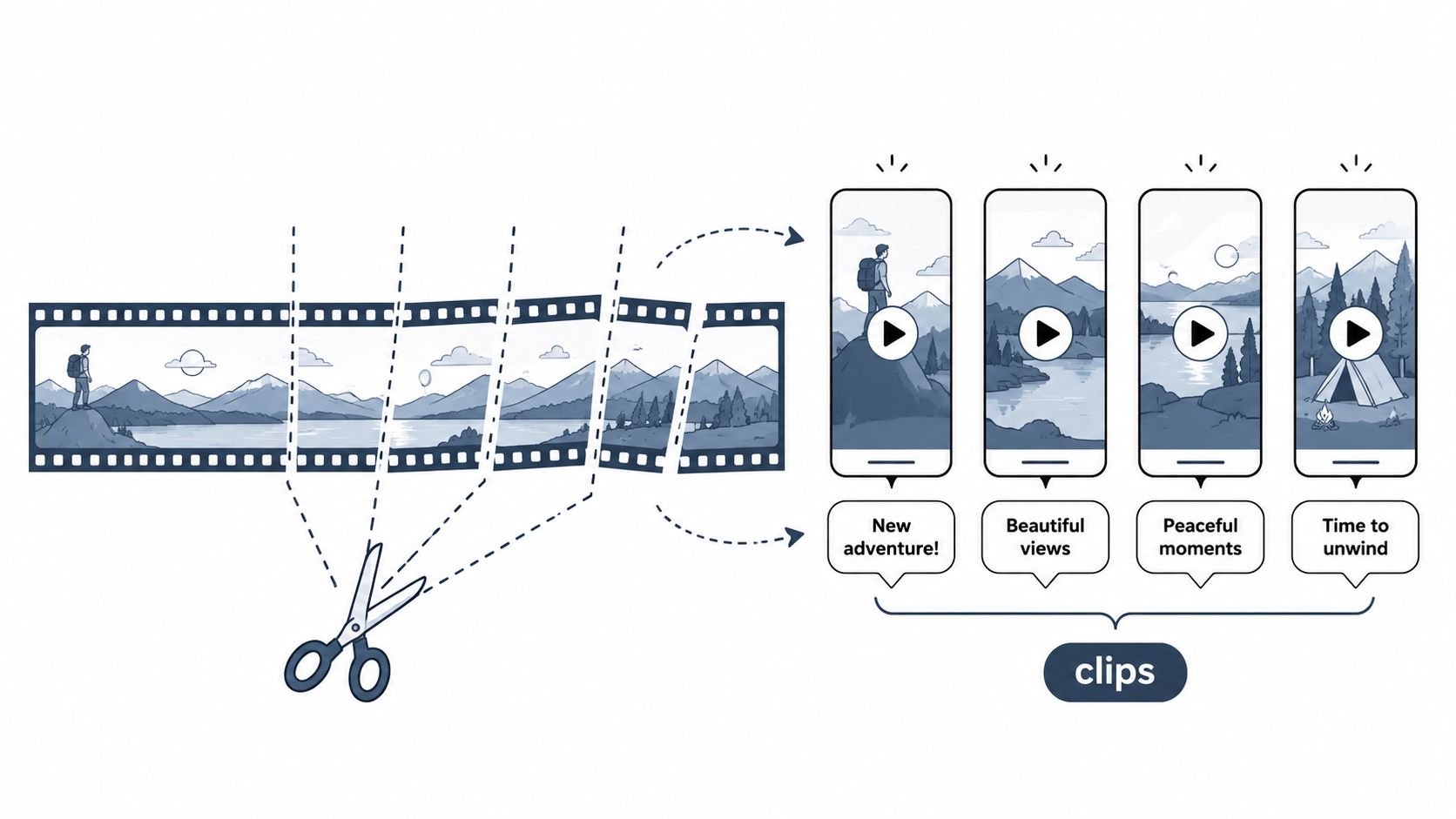
A long-form video becomes a useful content library only after each segment receives a clear purpose. A webinar, interview, podcast episode, or training session produces distinct moments. An answer resolves a common question, a claim creates discussion, a framework teaches a method, and a story builds trust. Select the purpose first, then edit the clip around it.
Record with future cuts in mind. Ask for complete answers, clear sentences, visible reactions, and deliberate pauses. If the speaker refers to a chart or slide, retain enough visual context for the short version to make sense without the full recording.
Use a compact brief for each selected clip:
- Moment: Mark the exact answer, story, or framework.
- Hook: Rewrite the opening so viewers understand the point without watching the episode.
- Edit: Remove throat-clearing, add captions, and set the required aspect ratio.
- Context: Identify the speaker, topic, or conclusion when the clip lacks that information.
- Next step: Direct viewers to the full episode, transcript, newsletter, or relevant offer.
One source clip often needs different edits by platform. LinkedIn can support a more analytical explanation, while TikTok or Instagram may require a faster opening and an earlier visual change. YouTube Shorts can serve search and discovery, whereas a LinkedIn version may be structured to start a professional conversation. The trade-off is production speed versus platform fit, so create a master cut first, then adjust the opening, captions, framing, and call to action.
WaveGen.ai can assist with transcript-based selection, caption generation, brand application, and short-form assembly. Its video editing workflow for social media helps prepare several platform-ready versions from one recording. Editorial review remains necessary. A polished clip can still fail if the point arrives late or depends on information from the unedited discussion.
Add the full video link to the caption when it gives viewers a clear next step. Otherwise, make the short clip deliver a complete idea instead of functioning as an advertisement for content they have not seen.
The transcript creates a second workflow. After selecting clips, extract written takeaways for a blog, newsletter, or text post. This sequence converts spoken expertise into searchable, skimmable formats and gives people a way to consume the idea without watching the entire recording.
4. Blog-to-Visual Asset Conversion
A blog post contains ideas, but a visual asset needs a reading path. The reader should know where to begin, what to notice next, and what action the graphic supports. Placing blog paragraphs on slides creates a document, not a useful carousel.
Before designing, reduce the article to its essential claims. Identify the central promise, the supporting steps, the strongest example, and the conclusion. Then choose the visual format based on the information structure.
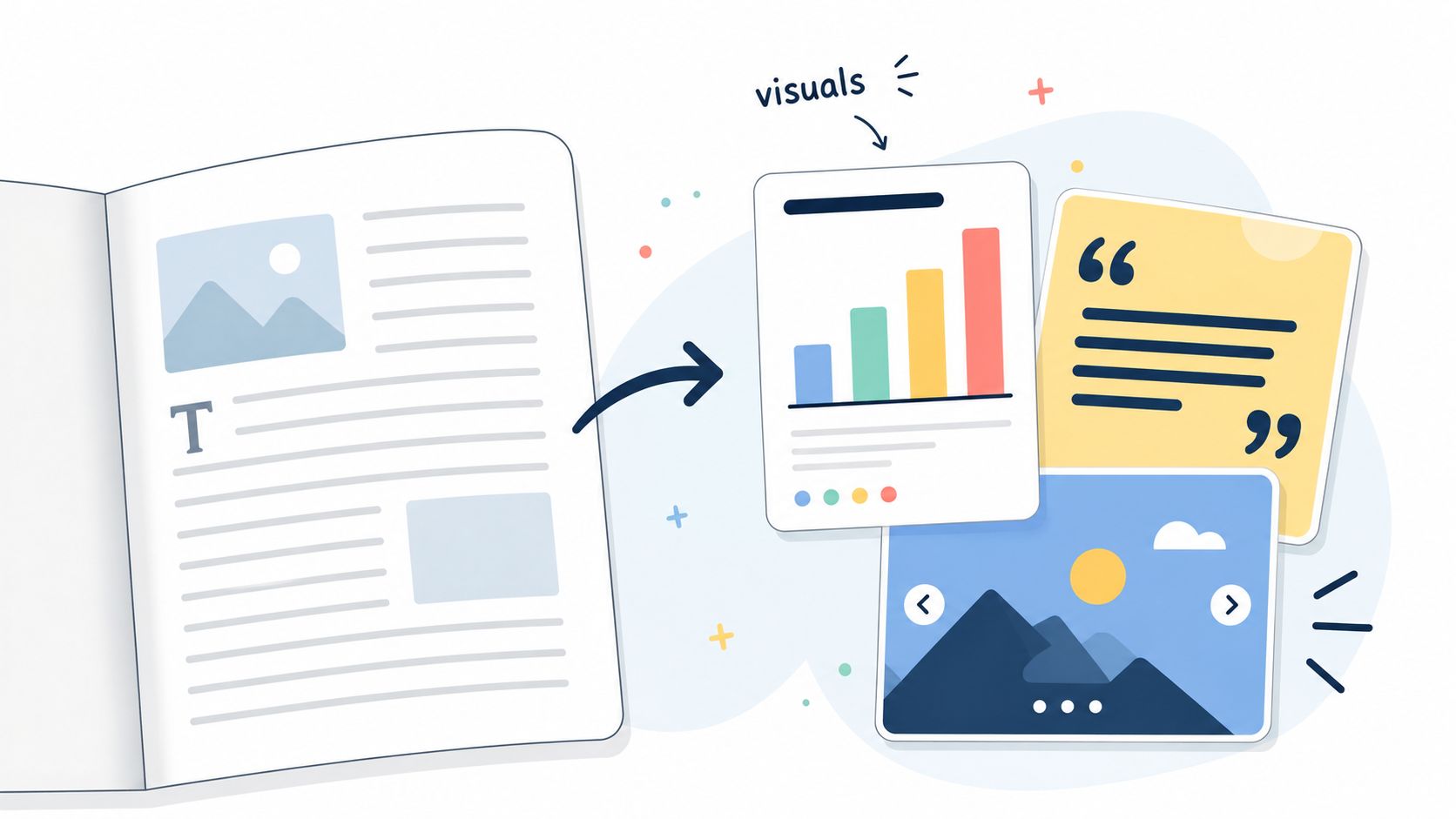
A process article is usually better suited to a step-by-step carousel. A comparison may work as a two-column graphic. A memorable sentence can become a quote card, provided it isn't stripped of the qualification that made it accurate. A research-heavy article can support a chart or infographic, but only if the underlying source and definitions remain clear.
Use this compact template:
- Cover: State the problem or outcome in plain language.
- Context: Explain why the reader should care.
- Sequence: Present one idea per slide or visual unit.
- Application: Show how someone would use the idea.
- CTA: Send viewers to the full article, resource, or next step.
The production trade-off is speed versus interpretive accuracy. Automated extraction can identify quotable lines and recurring themes quickly, but a sentence that sounds strong in isolation may overstate the article's conclusion. Review every visual against the source, especially statistics, dates, legal language, and technical recommendations.
WaveGen.ai can extract quote candidates, create carousel drafts, and apply a consistent brand kit across assets. That helps teams avoid redesigning every post from scratch, but templates shouldn't become a substitute for editorial variation. Change the visual hierarchy when the idea changes, and use supporting captions to provide nuance that doesn't fit on the graphic.
A visual post should have a clear relationship with the article without reproducing it. Give the audience a useful takeaway in the feed, then offer the longer explanation to people who want evidence, examples, or implementation detail.
5. LinkedIn Article-to-LinkedIn Posts Distribution
A LinkedIn article should not carry the entire distribution burden. It can hold the full argument, while native posts create entry points for readers who prefer short observations, document carousels, or discussion-led content.
Start with the article's actual ideas and assign each post a distinct purpose rather than restating the same URL with minor wording changes:
- Provocation: Introduce the problem or challenge an accepted assumption.
- Explanation: Clarify one section in a self-contained post.
- Framework: Convert a process into a document or carousel.
- Application: Show how the idea changes a practical decision.
- Conversation: Ask a specific question that the article helps answer.
- Invitation: Link to the article when the complete argument is relevant.
Use the article as the source, then change the angle, example, and level of detail for each post. A post should still make sense if a reader never clicks. The article then becomes a useful continuation for people who want evidence, examples, or implementation detail.
A common failure is over-fragmentation. If every update repeats the same terminology, examples, and conclusion, followers experience the campaign as one message stretched across multiple posts. Map the sequence before writing: lead with the problem, follow with interpretation or a framework, then publish application and discussion posts before the article invitation.
WaveGen.ai's scheduling and cross-platform workflow can help organize that sequence alongside other channels. Review every draft for audience fit and timing before scheduling. A consultant might lead with a client problem, while a founder might lead with a decision or lesson. The source article stays constant, but the relationship to the reader changes.
A LinkedIn series works best when each post earns attention independently and the article supplies the deeper proof.
Document carousels suit frameworks, sequences, and before-and-after reasoning. Keep each page focused, use captions for context that does not fit on the graphic, and direct readers to the article only when it offers a meaningful next layer.
6. Podcast Guest Circuit Content Repurposing
A podcast appearance gives you temporary access to another audience. The recording can also become an owned content package, provided you plan the workflow before the interview. Permissions, available files, video access, and the host's promotional schedule determine which formats are practical.
Choose the topics you want associated with your expertise, then prepare stories, explanations, and frameworks that address specific problems. During the conversation, structure answers as complete ideas that can stand alone. Ask the host whether you may use the audio, video, transcript, and episode artwork across your channels.
After publication, build from the transcript and approved media files:
- Short clips: Select answers that solve one defined problem.
- Quote graphics: Pull wording that remains accurate outside the full exchange.
- Episode recap: Write a blog post or LinkedIn article around the main lessons.
- Newsletter: Introduce the most relevant insight with your own context.
- Follow-up posts: Develop disagreements, frameworks, or audience questions into discussions.
- Conversion sequence: Connect the interview to a related guide, service, or newsletter.
Use a clear source-to-format workflow. First, mark transcript sections by problem, insight, evidence, and next step. Then assign each segment to a format, edit for that channel, and schedule the campaign around the episode release. A recap should answer the reader's questions, explain the useful conclusions, and link to the original episode for the complete exchange.
Request the episode link, guest bio, approved headshots, and usage restrictions before recording. If video is available, confirm whether the host must approve clips. Usage terms affect production planning, so settle them before editing.
WaveGen.ai can turn an approved transcript into captions, quote cards, carousels, and short-form video drafts. A human editor still needs to check speaker attribution, remove conversational fragments, and preserve the host's meaning.
The best result feels like a coherent campaign, built from carefully selected excerpts rather than every sentence captured on tape. The trade-off remains borrowed attention versus owned audience. The host may provide credibility and reach, while your follow-up gives listeners a reason to visit your site, join your email list, or explore your main offer.
7. Email-to-Social Content Migration
Email provides strong source material because it reflects language written for a known audience, including real objections, questions, and offers. Its private context still needs to be rebuilt for public distribution. Social followers may not know the product, the previous conversation, or the reason the message was sent that day.
Select emails that prompted meaningful reader action, then extract the insight behind the message. A sales paragraph needs more than a deleted button. Remove inbox-specific setup, retain the useful lesson, and end with a conclusion designed for the chosen platform.
A SaaS onboarding email explaining one feature can become a LinkedIn post about the workflow problem that feature solves. A coach's nurture email about a common mistake can become a carousel covering the mistake, its consequence, and a corrective process. An ecommerce launch email can become a product education sequence, with each post answering a question before presenting an offer.
Use this migration brief:
- Audience problem: What frustration or desired outcome does the email address?
- Proof: Which example, observation, or explanation supports the point?
- Social hook: What would make a non-subscriber stop?
- Native format: Text post, carousel, short video, or quote card.
- Adjusted CTA: Profile visit, comment, resource download, or newsletter signup.
Subject lines offer raw material for hooks because they condense the email's promise. Edit them for public context. A line designed to earn an open may not explain enough for a social post.
The main risk is exposing segmented messaging to a broad audience without context. Review wording that assumes a particular customer stage, promotion, or relationship. Remove private customer details, even when they appeared in an internal campaign.
WaveGen.ai can batch-convert approved email themes into social drafts and apply consistent formatting. Use it to reduce production time, then compare every draft with the source email. Each asset should contribute a clear public-facing lesson, while email remains the deeper relationship channel, preserving its role as the primary space for sustained audience connection rather than a fallback for recycled social content.
8. Educational Content Series Expansion
Educational repurposing works when the source's learning sequence survives each format change. A course module, training webinar, how-to article, or recorded lesson may cover several concepts, yet learners still need a path from orientation to application.
Define the final learner outcome first. Then divide the source into stages, assigning one job to each asset:
- Awareness asset: Name the problem and correct a common misconception.
- Foundational lesson: Define the terms and explain the basic model.
- Applied example: Show the process in a realistic situation.
- Advanced lesson: Address edge cases, trade-offs, or competing approaches.
- Practice resource: Offer a worksheet, template, or decision guide.
- Recap: Reassemble the main ideas and point toward the next step.
This workflow gives the series multiple entry points. A broad introductory post can attract new readers, while later assets explain the method, demonstrate decisions, and support practice. The trade-off is editorial coordination. Each piece must stand alone, while consistent labels or visual markers show returning learners where it belongs.
Use this production template for every lesson: concept, context, worked example, limitation, practice prompt, next action. A series that teaches fragments without showing application produces generic motivational content. Explain why a decision was made, include a realistic example, and state where the method does not apply.
Repurposing should maintain editorial standards while reducing redundant production. WaveGen.ai's brand kit can keep carousels, quote cards, captions, and short videos visually consistent. Its visual editor lets an editor correct terminology, adjust tone, and restore missing context before publication. Automation can speed up first drafts, while subject-matter review remains necessary for professional advice, finance, law, health, or compliance content.
Distribution should follow learner intent. Publish the awareness asset where discovery matters, place foundational and applied lessons in a linked sequence, and reserve the practice resource for an email signup, course module, consultation, service page, or downloadable resource. Keep the invitation proportionate. Repeated hard sells make an educational series feel like a funnel disguised as instruction.
8 Repurposing Strategies Compared
| Strategy | Implementation Complexity 🔄 | Resource Requirements ⚡ | Expected Outcomes 📊⭐ | Ideal Use Cases 💡 | Key Advantages ⭐ |
|---|---|---|---|---|---|
| The Pillar Content Strategy | High, requires deep research & planning 🔄 | Medium–High, long-form writing, SEO, editorial, design ⚡ | High, topic authority, strong SEO, week+ of repurposed assets 📊⭐ | B2B, thought leadership, evergreen topics 💡 | Centralized efficiency, scalable derivative pipeline, SEO gains ⭐ |
| Newsletter-to-Social Atomization | Medium, editing + platform tailoring 🔄 | Low–Medium, existing copy, scheduling tools, minor edits ⚡ | Medium–High, 5–7+ days of social, drives newsletter traffic 📊⭐ | Creators, consultants, publishers with email lists 💡 | Leverages tested content, efficient multi-channel reach ⭐ |
| Video Content Fragmentation | Medium–High, editorial choices & format work 🔄 | High, video editing, captions, multi-aspect rendering ⚡ | High, 7–14 clips per session, strong engagement across platforms 📊⭐ | Podcasters, YouTubers, video-first creators 💡 | High engagement per asset, cross-platform visibility, cost-effective per clip ⭐ |
| Blog-to-Visual Asset Conversion | Medium, design-driven repackaging 🔄 | Medium, designers/tools, brand kit, data viz support ⚡ | Medium–High, increased shares and visual engagement 📊⭐ | Marketing teams, research-led brands, content hubs 💡 | Boosts shareability, serves visual learners, multiplatform reuse ⭐ |
| LinkedIn Article → LinkedIn Posts | Low–Medium, post mapping & cadence planning 🔄 | Low, copy adaptation, native formats, employee amplification ⚡ | Medium–High, improved LinkedIn reach and B2B engagement 📊⭐ | B2B professionals, consultants, executives 💡 | Native-format algorithm advantage, builds thought leadership ⭐ |
| Podcast Guest Circuit Repurposing | Medium, coordination, permissions, editing 🔄 | Medium, transcripts, clip editing, host coordination ⚡ | High, authority building, many assets from one appearance 📊⭐ | Guests, founders, experts doing interviews 💡 | Third-party credibility, efficient content yield from appearances ⭐ |
| Email-to-Social Content Migration | Low–Medium, restructure narrative for platforms 🔄 | Low, copy adaptation, timing strategy, segmentation insights ⚡ | Medium, extends campaign reach, tests hooks on social 📊⭐ | Email-first marketers, e‑commerce, SaaS marketers 💡 | Uses proven hooks, drives list growth, consistent cross-channel messaging ⭐ |
| Educational Content Series Expansion | High, curriculum design & sequencing 🔄 | High, multimedia production, downloads, interactive elements ⚡ | High, evergreen authority, lead magnets, sustained engagement 📊⭐ | Coaches, educators, course creators, consultants 💡 | Deep trust-building, serves learning styles, strong lead-gen potential ⭐ |
Turn the Best Example Into Your Next Workflow
Don't begin by trying to repurpose your entire archive. Choose one source asset that already contains a clear idea, a useful process, or a question your audience repeatedly asks. A strong candidate might be a recent article, a newsletter issue, a podcast transcript, a webinar recording, or an email that explains a problem particularly well.
Read or watch the source once for meaning, then create an idea inventory. Mark the central claim, supporting points, examples, objections, memorable language, and next action. Treat each mark as a possible derivative, but don't force every idea into every format. A detailed explanation may belong in a blog, while a single contrast may work better as a carousel or short video.
Assign each idea to a platform-native format. Use text for a sharp observation or argument, a carousel for a sequence, video for delivery and personality, email for context and relationship, and a downloadable resource for high-intent application. The source stays consistent, but the audience's reason for consuming it changes.
Quality safeguard: Repurposing should reduce redundant production, not reduce editorial standards.
Build a short publishing sequence rather than releasing everything at once. Lead with the broad problem, follow with focused explanations, then publish an applied example or recap. Change the hook between assets, preserve enough context for accuracy, and make the call to action fit the platform. A social post might invite discussion, while an email can ask for a click or reply.
Review the source for outdated claims, permissions, confidential details, and references that don't survive shortening. If you're using a guest interview, confirm media rights. If you're turning professional advice into a public post, restore the qualifications that prevent readers from misapplying it. Generic AI drafts often need human editing to recover specificity and experience, especially in an environment where audiences have learned to recognize interchangeable content. This concern aligns with recent commentary emphasizing depth, topical clusters, platform-specific framing, and human revision over generic volume. (B2B content marketing research and trends)
Measure both production efficiency and audience response. Track time saved per asset, cost per asset, total output, reach, and conversions, as recommended in reporting on repurposed social content. (Repurposing efficiency and visibility metrics) These measures help you identify whether a workflow is useful or merely producing more files.
The business case can be substantial when the system is disciplined. One 2026 analysis reported that repurposed content generated 60% more engagement, extended content lifespan by about 300%, and reduced creation time by 60% to 80%. The same analysis cited workflows producing 47% more content at 35% lower cost per piece, while another dataset reported 114,907 monthly views for repurposing brands compared with 45,516 for brands that didn't repurpose, a 152% lift. (Repurposing content ROI analysis) Treat those figures as benchmarks from the cited analysis, not promises for every team.
The strongest example is the one your team can repeat without lowering quality. Choose one source, map its ideas, adapt each derivative to audience behavior, schedule the sequence, and review performance after publication. Then improve the template before adding another source type.
WaveGen.ai can serve as an optional operating layer for that process, with brand kits, editing, scheduling, cross-platform publishing, and workflows for articles, newsletters, transcripts, and video. You can also turn transcripts into content when spoken material is the strongest source of your ideas. Use whichever tools fit your approval process, but keep the strategic decisions with the people who understand the audience and the subject.
A documented repurposing case study reported 117% higher Pinterest impressions, a 46% engagement increase, and 48% growth in engaged audience, alongside gains in Facebook reach, Instagram reach, and total Instagram engagement. The result illustrates the value of platform-native adaptation, but it shouldn't be treated as a guaranteed outcome. (Documented repurposing case study) Your goal is not to reproduce someone else's result. It's to build a workflow that makes your own expertise easier to discover, understand, and act on.
WaveGen.ai turns an article, newsletter, podcast transcript, or video into on-brand carousels, captions, quote cards, and short videos with platform-specific formatting. Set your brand kit once, review the drafts in the visual editor, and use scheduling and cross-platform publishing to keep the workflow moving. Visit WaveGen.ai to see how it can support your next repurpose system.
repurpose examples
content repurposing
content atomization
social media content
content strategy
Turn this kind of writing into a week of social content.
Paste a blog post, newsletter, or rough draft — WaveGen turns it into publish-ready carousels, captions, and slideshows for every channel.
No credit card · First posts in 2min