September 5, 2026
14 min read
Blog to Social Media Post: A Complete Repurposing Workflow
Turn a single blog to social media post assets for a full week. Learn the exact workflow for carousels, short videos, captions, and scheduling across platforms.
You've spent days turning a hard-won idea into a polished blog post. The headline is strong, the examples are useful, and the article answers a real customer question. Then you publish it, share the link once, and watch the social feed move on without you.
That outcome usually doesn't mean the article failed. It means the article was treated as the finish line. A successful blog to social media post workflow treats the article as a source asset, then rebuilds its ideas into formats people can consume natively on each platform.
The shift is already visible in marketer behavior. The research summarized by Backlinko's blogging statistics reports that 93% of marketers promoted blog content through social media, ahead of email and SEO in the same research. The practical lesson is simple: publishing creates the source, while distribution creates repeated opportunities for discovery.
Table of Contents
- Why Most Blog-to-Social Workflows Fail
- Extracting High-Value Excerpts from Your Blog Post
- Choosing the Right Format for Each Platform
- Writing Platform-Specific Captions and Hashtags
- Applying Your Brand Kit for Consistent Visual Assets
- Scheduling, Crossposting, and Troubleshooting Your Workflow
Why Most Blog-to-Social Workflows Fail
A consultant publishes an article about improving client onboarding. On LinkedIn, she posts the title and URL. On Instagram, she copies the introduction into a caption. On TikTok, she places the same paragraph over a stock video. Each post technically promotes the article, but none gives the audience a reason to stop.
The workflow fails because the team changes the container without changing the experience. A blog teaches through sequence and detail. LinkedIn can lead with an observation and invite professional discussion. Instagram can turn a framework into a swipeable visual. TikTok needs a spoken hook, movement, and a clear payoff. The source idea stays consistent, but the delivery has to change.
Practical rule: Repurpose the insight, not the paragraph.
The scale of social discovery makes this shift worthwhile. A recent estimate cited by Backlinko places global social media usage at 5.24 billion people, or 64.8% of the world's population. A single article can become a sequence of social-native snippets, short videos, and carousels that reach people who would never encounter the original URL.
The article is the source asset
Strong content teams don't ask, “How do we promote this blog post?” They ask, “What useful moments are trapped inside this blog post?”
That question produces better work:
- One argument becomes a LinkedIn post: Explain the problem, challenge a common assumption, and point readers toward the full reasoning.
- One framework becomes a carousel: Give each step enough visual space to be understood without opening the article.
- One conclusion becomes a quote card: Reduce the idea to a memorable sentence that can travel independently.
- One process becomes a short video: Show the sequence, demonstrate the mistake, and finish with the practical correction.
This approach also improves efficiency. The content repurposing statistics roundup cites research that 60% of marketers found repurposed content generated more leads than original content, while 46% identified repurposing as their strongest content marketing strategy. Those figures don't mean every adaptation will outperform the source. They do show why teams increasingly build distribution systems around material they've already researched and approved.
The most important mindset change is to stop measuring success by whether one link post gets attention. A blog post should feed a deliberate run of distinct assets, each with its own hook, format, and job.
Extracting High-Value Excerpts from Your Blog Post
Before opening a design tool or writing captions, create an inventory of the article's reusable ideas. Skim the post once for meaning, then scan it again with a marker's mindset. You're looking for sections that can stand alone without losing their usefulness.
Start with the strongest material
Tag excerpts directly in the draft. Use short labels such as STAT, FRAMEWORK, QUOTE, CONTRARIAN, and VISUAL. The tags force you to judge each passage by its social potential rather than copying whatever appears first.
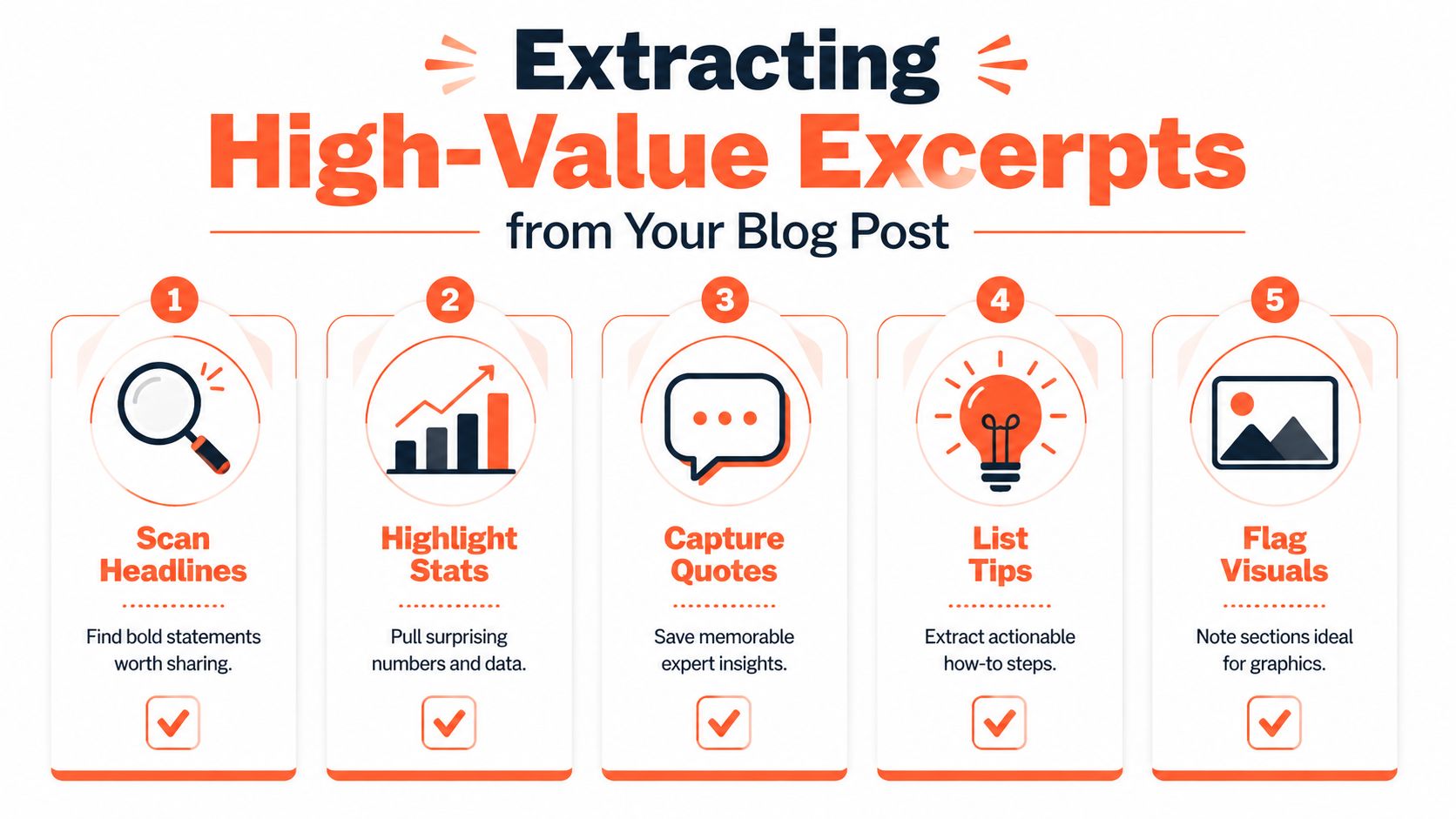
- Scan the headlines. A section heading often contains the cleanest claim in the article. “Your onboarding checklist is too long” can become a LinkedIn opening or the first slide of a carousel.
- Highlight verified data. Pull a statistic only when it has context and a source. A number without a clear implication creates decoration, not insight.
- Capture memorable conclusions. Look for sentences that summarize a tension, correct a misconception, or give the reader a decision rule.
- List actionable steps. Processes, checklists, and frameworks usually translate well into carousel slides or spoken scripts because the audience can follow a visible sequence.
- Flag visual opportunities. Mark comparisons, timelines, before-and-after explanations, and grouped ideas that would be easier to understand as a diagram or card sequence.
Match each excerpt to a job
Don't force every idea into every format. A nuanced paragraph may work as a text-led LinkedIn post but collapse inside a quote card. A list of steps may make an excellent carousel but sound mechanical when read aloud.
Create a simple worksheet with four columns:
| Excerpt | Core message | Best format | Audience action |
|---|---|---|---|
| Contrarian claim | Challenges a familiar habit | LinkedIn post | Comment with an experience |
| Step-by-step framework | Gives a repeatable process | Carousel | Save the post |
| Short conclusion | Expresses the central lesson | Quote card | Share with a colleague |
| Demonstration or example | Shows how the idea works | Short video | Watch and visit the article |
The article doesn't need to be dismantled into fragments. Preserve its central argument, then choose excerpts that perform different roles. For additional examples of how long-form content can become varied social assets, see WaveGen.ai's repurpose examples.
A useful extraction pass should leave you with a planned sequence rather than a pile of quotes. Your inventory might include the main claim, a supporting data point, a framework, a mistake to avoid, an example, and a final takeaway. Each item should answer a different audience question.
A good excerpt can stand alone, but it should still point back to a larger point of view.
Choosing the Right Format for Each Platform
The same insight can produce three good assets, but they shouldn't look or sound alike. Format selection depends on the excerpt's shape, the platform's conventions, and the action you want the audience to take.
Carousels work well when the idea has an order. Use them for frameworks, checklists, comparisons, and step-by-step explanations. LinkedIn carousels can carry substantial text when each slide has one clear idea. Instagram carousels need stronger visual rhythm and faster comprehension. A TikTok carousel should feel more immediate and visually native, not like a presentation exported from a corporate template.
Short video suits demonstrations, stories, objections, and strong opinions. The script should open with the tension, deliver one useful idea, and end with a next step. TikTok generally needs a casual, native-feeling presentation. Instagram Reels can be more polished, but polish shouldn't remove personality. LinkedIn video benefits from a clear professional lesson rather than a generic motivational monologue.
Quote cards are useful when the sentence has enough force to travel without extensive explanation. They're quick to produce and easy to recognize as part of a brand system, but they rarely carry a complex argument alone. Pair a quote card with a caption that supplies context or a follow-up post that develops the idea.
| Excerpt Type | Best Format | Primary Platform | Secondary Platform |
|---|---|---|---|
| Contrarian insight | Text post or short video | TikTok | |
| Framework | Carousel | ||
| Standalone conclusion | Quote card | ||
| Step-by-step process | Carousel or short video | TikTok | |
| Personal example | Short video | TikTok | |
| Data-backed observation | Carousel |
Adapt the experience, not just the dimensions
Crossposting one finished asset everywhere saves production time but often sacrifices relevance. The social media portfolio from Image Studio is useful for reviewing how visual systems can vary across channels while retaining recognizable brand elements.
Use one source insight and make deliberate changes:
- LinkedIn: Lead with the professional problem and explain the implication.
- Instagram: Make the first slide or visual instantly legible, then use the caption for conversation.
- TikTok: Turn the idea into a spoken claim, demonstration, or response to a common mistake.
- Facebook: Give the post enough context for a community discussion and ask a specific question.
A platform-native asset can share the same brand colors, point of view, and conclusion while using different pacing, text density, visuals, and calls to action. Consistency should make your work recognizable. It shouldn't make every post feel duplicated.
Writing Platform-Specific Captions and Hashtags
A caption shouldn't repeat the text already visible in the creative. Its job is to add context, create a reason to engage, and guide the next action.
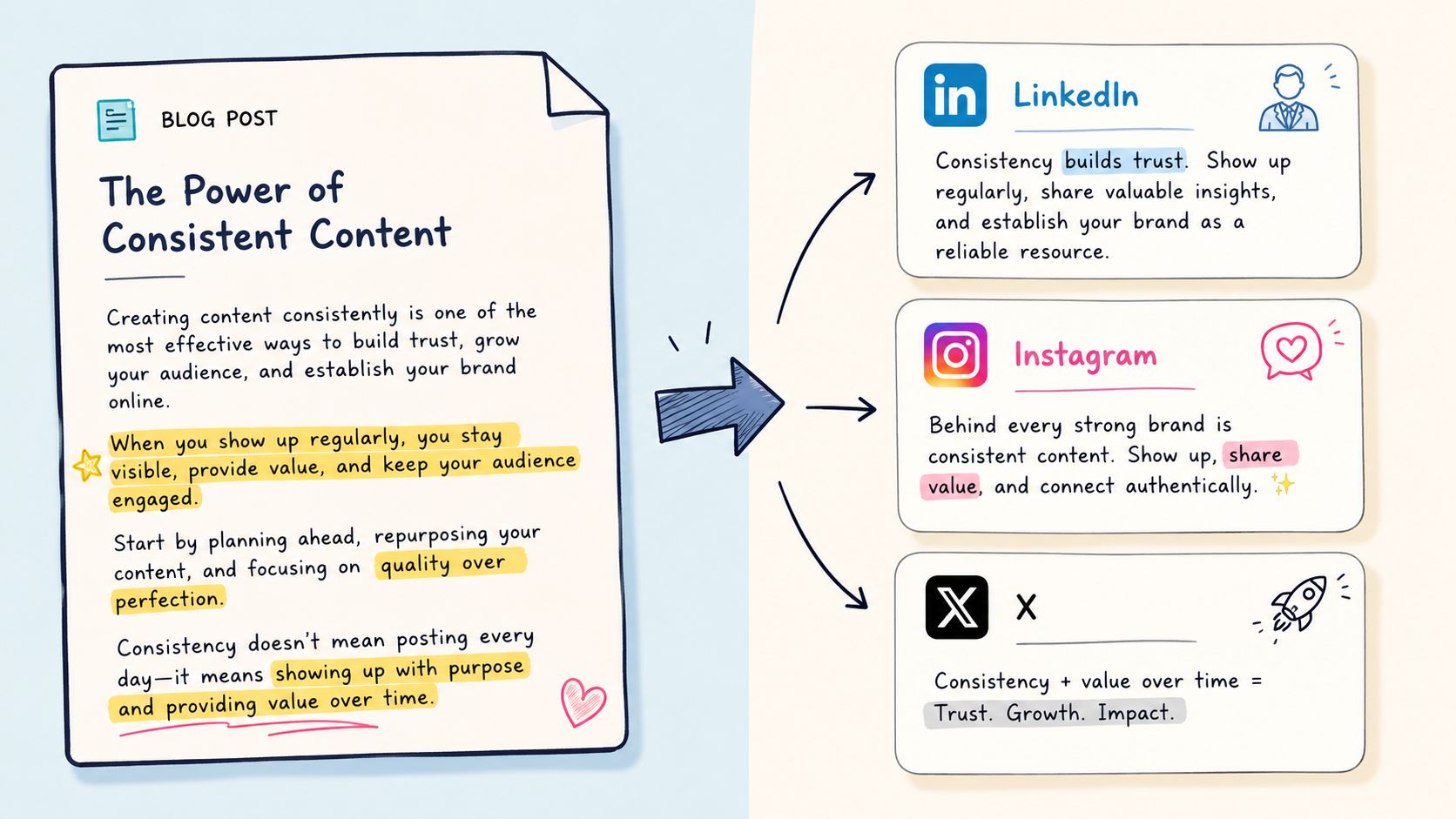
Start with one source insight:
“A longer onboarding checklist doesn't necessarily create a better client experience. It can hide the few actions that matter most.”
That sentence can become four different captions.
Use a professional hook, a short explanation, and a question that invites experience rather than a shallow reaction:
Longer checklists can create weaker onboarding.
When every task looks equally important, new clients struggle to identify the actions that move the project forward.
A better approach is to separate essential steps from supporting documentation, then assign each step to a clear owner.
What's one onboarding task your team could remove or simplify?
Use a small group of specific industry hashtags, such as #ClientOnboarding, #CustomerExperience, and #Operations. Place them at the end so they don't interrupt the argument. For a focused LinkedIn workflow, Extrovert's LinkedIn hashtag generator can help you develop relevant starting points, but human judgment still matters. A hashtag should describe the audience or topic, not merely add reach bait.
Instagram needs a faster visual hook and a more conversational caption:
More steps don't always mean better onboarding. 👀
If a client has to decode your process before they can start, the process is doing too much.
Try this:
- Keep the essential actions visible.
- Move reference material into a separate resource.
- Give every action a clear owner.
Save this for your next onboarding review. What would you simplify first?
Use niche hashtags that reflect the subject and audience. Avoid stuffing broad tags into the caption when a few precise terms can better signal relevance.
TikTok and Facebook
TikTok captions can be brief because the video carries the explanation:
Your onboarding checklist might be slowing clients down.
Show the long checklist, cut to the three essential actions, and explain why the shorter version helps. Add discovery-focused tags that match the topic, such as #ClientOnboarding or #SmallBusinessTips, rather than pretending the post belongs to an unrelated trend.
Facebook gives you more room to build community context:
Have you ever added a process step because it felt responsible, only to make the client experience harder?
A useful onboarding system doesn't show everything at once. It makes the next action obvious and keeps supporting information available when people need it.
What have you removed from your process that made things easier?
The under-adaptation problem is common. Research summarized by Socialinsider's content repurposing guide warns that high views paired with weak engagement can indicate that the content changed format without being sufficiently reworked for the new platform. Track reach or views, engagement rate, shares and saves, clicks, and conversions against the target platform's own baseline, not against the original article.
The video below offers another way to think about turning source material into platform-ready content.
Applying Your Brand Kit for Consistent Visual Assets
Repurposing breaks down when every asset requires a fresh design decision. Someone has to find the correct logo, remember the approved color values, choose a typeface, resize the headline, and decide whether the voice sounds like the company. That friction turns a repeatable publishing system into a series of small design emergencies.
A centralized brand kit removes those decisions from the daily workflow. Define the elements once, then apply them through templates for carousels, quote cards, video overlays, and other recurring formats.
Define the rules before building templates
Your kit should include more than a logo file:
- Color hierarchy: Select primary, secondary, background, and accent colors, then specify where each belongs.
- Typography: Choose headline and body fonts with guidance on weight, size, and contrast.
- Logo treatment: Set preferred placement, clear space, and situations where the logo should stay absent.
- Image direction: Document whether visuals should feel editorial, documentary, product-led, illustrated, or abstract.
- Voice settings: Define the words, sentence patterns, level of formality, and claims your team should avoid.
- Layout patterns: Create distinct templates for a framework carousel, a quote card, and a video title screen.
A consultant may use a restrained palette, generous spacing, and editorial photography. A SaaS company may need product screenshots, interface callouts, and a sharper contrast system. An agency managing several clients needs separate kits so one brand's visual habits don't leak into another's.
The point isn't to make every asset identical. It's to make the recognizable elements consistent while leaving room for the source idea to determine the layout.
Keep a human review in the loop
A visual editor should let you adjust the details that automation can't reliably judge. Shorten a crowded headline, replace an awkward image, change a phrase that sounds too generic, or soften a claim that needs more context before publication.
A practical workflow is:
- Import the article or paste its URL.
- Review the extracted claims and select the strongest ones.
- Generate the carousel, quote card, or short video draft.
- Apply the relevant brand kit and platform dimensions.
- Edit wording, imagery, pacing, and calls to action.
- Approve the final asset and store it with the source article.
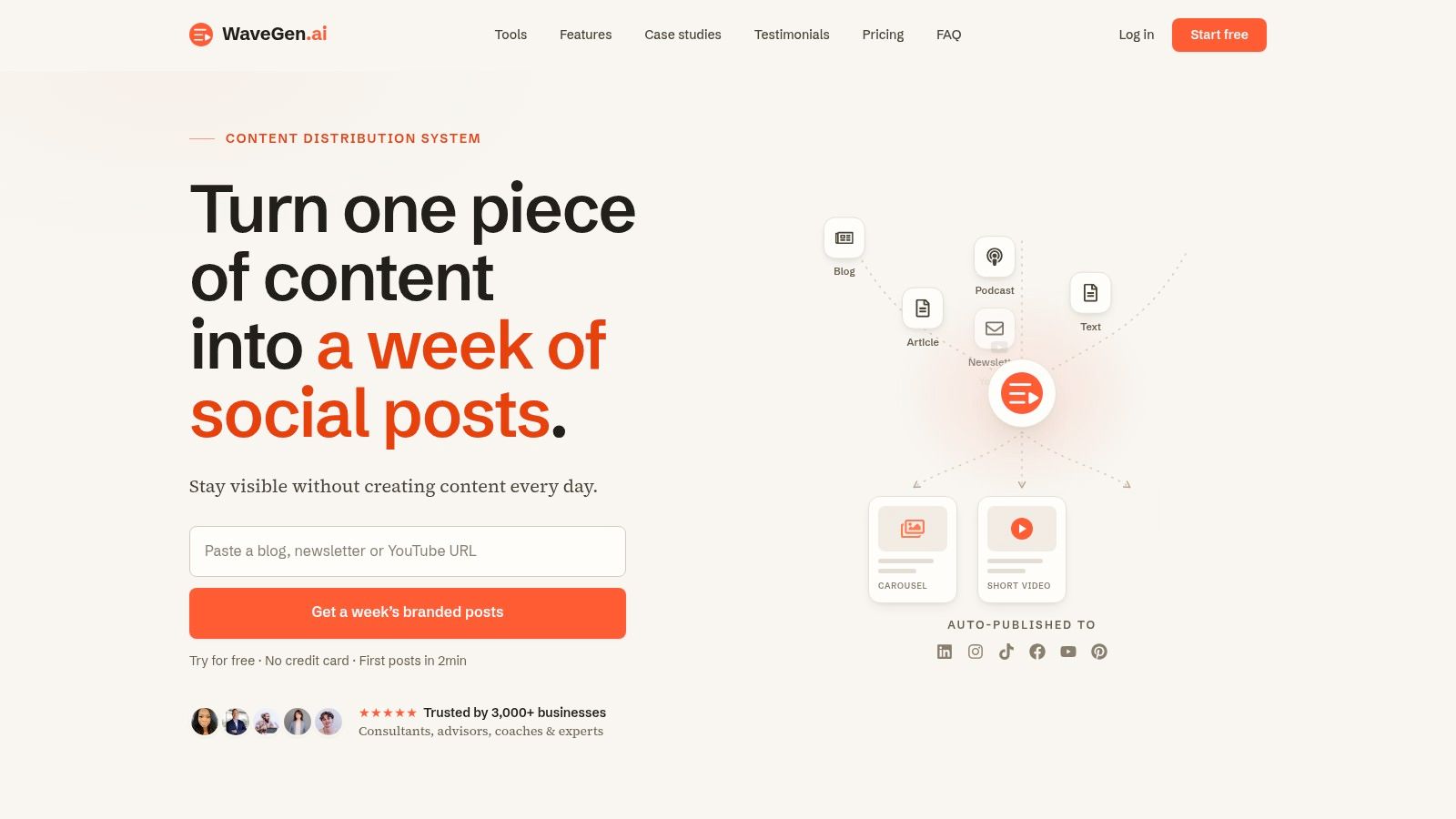
WaveGen.ai's guide to creating a brand kit provides a useful reference for organizing these decisions. The tool can turn a blog URL into social assets, including carousels, captions, and quote cards, while keeping colors, fonts, logo treatment, and voice settings centralized. That makes it one option for teams that want to reduce repetitive production without removing editorial control.
Scheduling, Crossposting, and Troubleshooting Your Workflow
A good asset still needs a publishing system. Start by assigning each platform a role in the article's distribution sequence instead of releasing every version at the same moment.
Publish the strongest discussion-led version where professional context matters. Follow with a visual explanation for audiences who prefer saving or sharing a framework. Release the short video when you can support it with a native script and an opening that makes sense without the blog link. Keep the article available as the deeper resource, not as a destination every post must force.
Build a manageable cadence
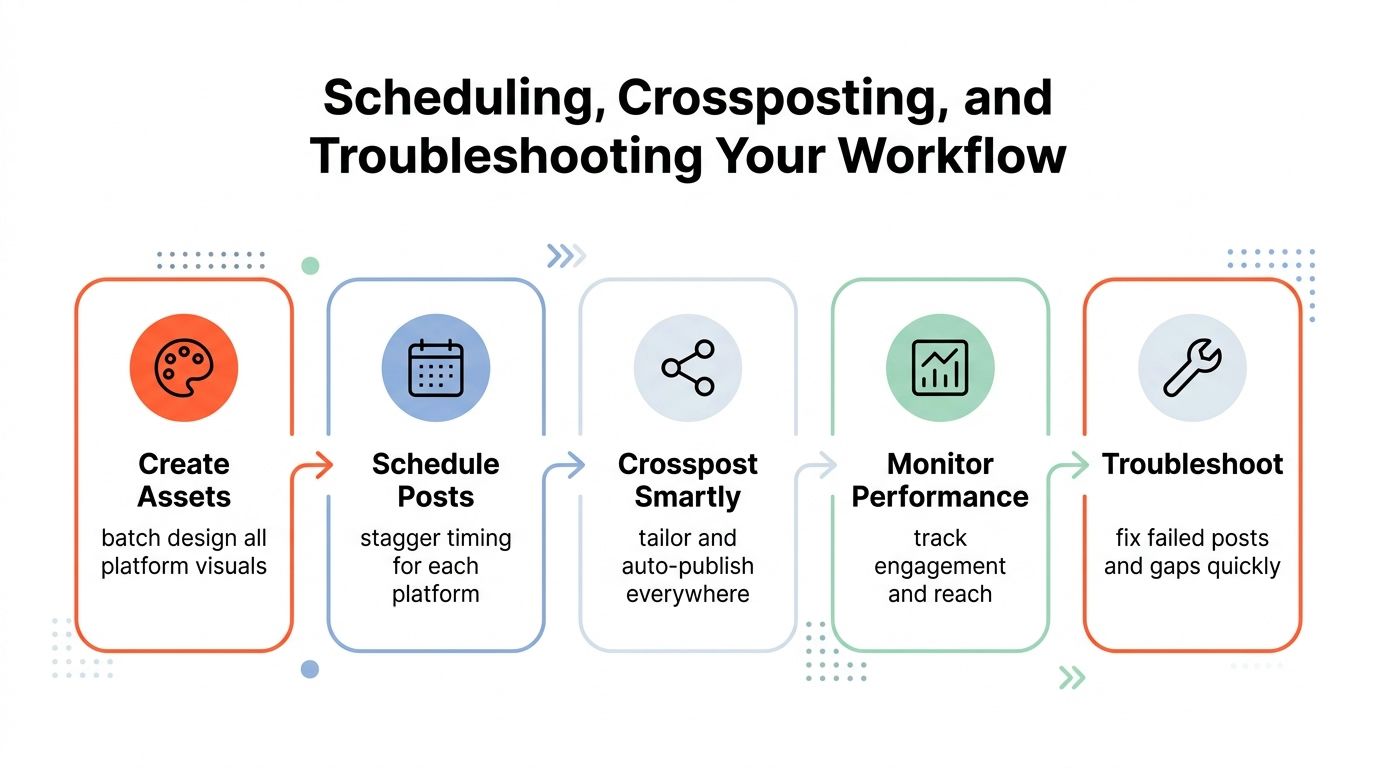
Batch the work around the source article:
- Create assets: Extract the claims, framework, example, and conclusion in one planning session.
- Schedule posts: Stagger formats and adapt timing to each platform's audience behavior.
- Crosspost selectively: Reuse the core idea, but rewrite the hook, caption, dimensions, and call to action.
- Monitor performance: Compare each asset with similar posts on its own platform.
- Troubleshoot quickly: Change the creative or message when the results reveal a mismatch.
The guide to social media for indie authors from Storyloft is a useful reminder that sustainable social publishing depends on a repeatable system, not occasional bursts of enthusiasm. Your workflow should be simple enough to maintain when client work or editorial deadlines become demanding.
Diagnose the failure, not just the metric
High views with weak engagement usually means the opening earned attention but the content didn't create enough relevance, clarity, or participation. Rewrite the body, sharpen the payoff, or make the visual carry a more useful idea.
A carousel that gets saves but few clicks may be doing its educational job without creating a bridge to the article. Add a specific reason to continue reading, such as a detailed example, a template, or an explanation that would be cumbersome to place on a slide.
A TikTok video that feels too polished may have lost the immediacy people expect from the format. Keep the brand kit, but simplify the delivery. Use a direct-to-camera explanation, a screen recording, or a response to a real objection rather than treating the video like a commercial.
For a detailed operational setup, see WaveGen.ai's guide to scheduling social media posts. The essential measurement set is practical: reach or views, engagement rate, shares and saves, clicks, and conversions. A repurposed Reel should be judged against comparable Reels, not against the traffic of the blog post that inspired it.
The right question isn't “Did this article perform?” It's “Which adaptation made this idea easiest to notice, understand, and act on?”
WaveGen.ai turns a blog URL into platform-specific carousels, short videos, quote cards, captions, and hashtags, with brand kits, visual editing, scheduling, and crossposting in one workflow. Visit WaveGen.ai to turn your next article into a consistent social publishing sequence without rebuilding every asset from scratch.
blog to social media post
content repurposing
social media workflow
content distribution
social media strategy
Turn this kind of writing into a week of social content.
Paste a blog post, newsletter, or rough draft — WaveGen turns it into publish-ready carousels, captions, and slideshows for every channel.
No credit card · First posts in 2min