Turn your event into a social post.
Paste the event page or the details. WaveGen designs a post with the date, time, place and how to sign up, writes the caption with the full details, and you schedule it.
GENERATED WITH WAVEGEN · DEMO
From event details to an event post.
WaveGen turned the sample event above into this single-page post. No brand kit was applied, so it generated the photo; with yours, it uses your colors, fonts, logo and images.
THE EVENT DETAILS
Spring Seed Swap and Planting Workshop. Saturday, April 18, 10am to 1pm, at Riverside Community Garden, 42 Mill Street. Free, all ages welcome. Bring seeds to share or take some home. Our head gardener runs a 30-minute session on starting tomatoes and herbs at 11am. Coffee and pastries from Daily Bread Bakery. RSVP at riversidegarden.org/seedswap so we know how many to expect.
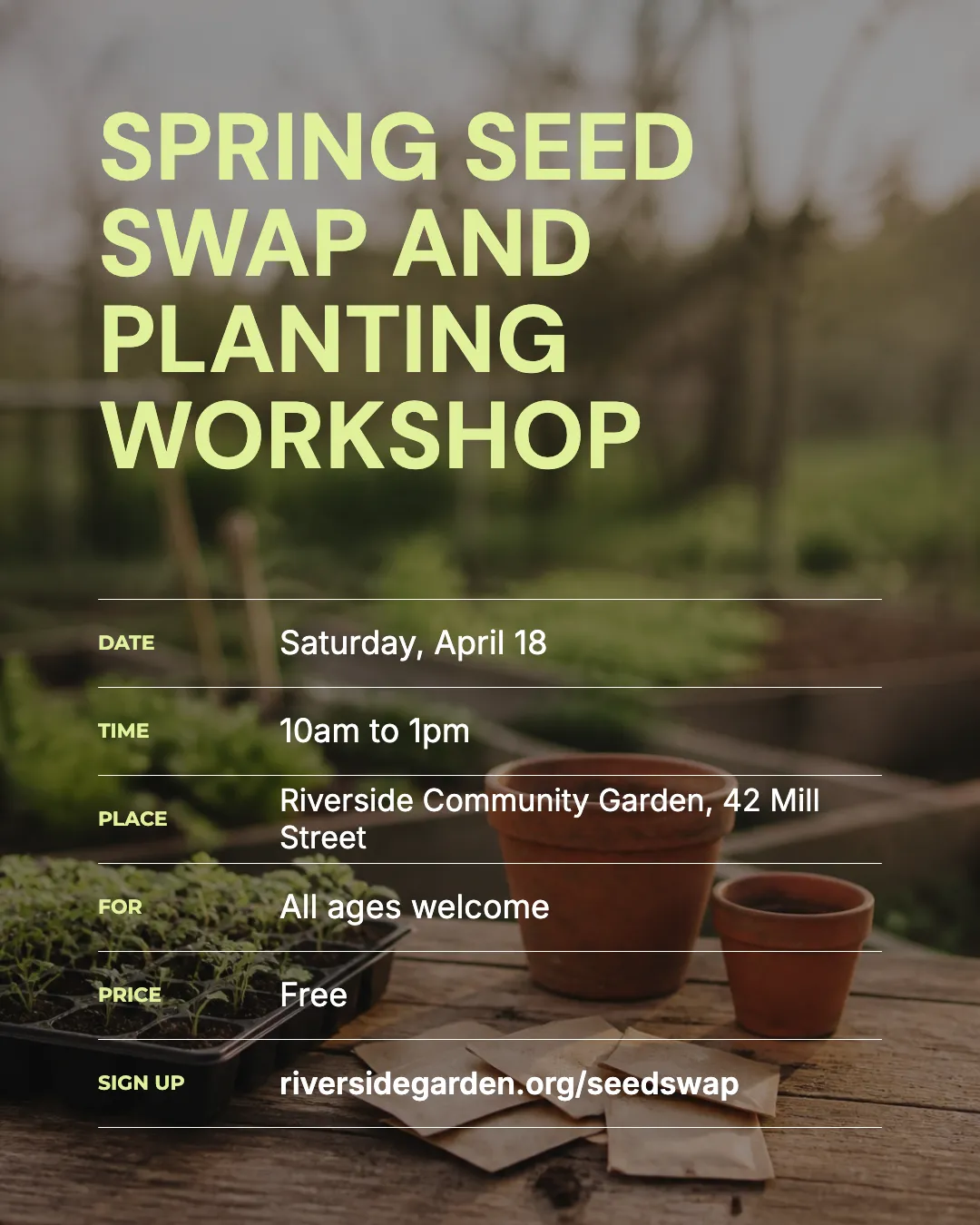
The details people decide on
Date, time, place, who it's for, the price and where to sign up, each on its own line under the event name.
The rest goes in the caption
The 11am tomato and herb session and the bakery coffee are in the caption, along with the RSVP link.
Read the example caption
Join us for the Spring Seed Swap and Planting Workshop! Whether you are an experienced gardener or just starting out, this free community event is the perfect way to kick off the planting season. Bring your extra seeds to share with neighbors, or simply come by to take some new varieties home for your own garden. All ages are welcome to participate. At 11:00 AM, our head gardener will be leading a special 30-minute session on how to successfully start tomatoes and herbs. It is a great opportunity to learn expert tips and get your spring garden growing. Enjoy complimentary coffee and delicious pastries provided by Daily Bread Bakery while you mingle with fellow plant lovers. Please RSVP at riversidegarden.org/seedswap so we can prepare enough space and refreshments for everyone. See you in the garden! #SeedSwap #CommunityGarden #SpringPlanting #GardeningWorkshop #RiversideGarden #UrbanGardening
How to make an event post
01
Add the event
Paste the event page link, or type the name, date, time, place and how to sign up.
02
Generate the post
WaveGen designs a single-page post in your brand colors with the details people decide on, and writes a caption with the full program and link.
03
Schedule the run-up
Edit anything in the editor, then schedule it. Duplicate it for a reminder closer to the date.
What an event post needs.
People decide in a second whether an event is for them. Make the deciding details the biggest thing on the image.
What, when and where
The event name, the date and start time, and the place. If it's online, say so and name the platform.
Who it's for and what it costs
“Free, all ages” or “For first-time home buyers” helps the right people stop scrolling.
One way to sign up
Put the RSVP or ticket link in the caption and say where to find it: “Link in bio” on Instagram, the link itself on LinkedIn and Facebook.
Post more than once.
One announcement is easy to miss. A short series reaches people at the moment they can act.
Announce it two to three weeks ahead
Long enough for people to plan, close enough that it still feels near.
Remind people a few days before
Reuse the same post with a “This Saturday” line, or a second post about what happens on the day.
Share it afterwards
Photos and a thank-you show the next event's audience what they'll get. Turn your recap into a carousel with the same tools.
Event Post Maker FAQs
Have an event coming up?
Paste the page or the details and get a post you can schedule today.