August 19, 2026
12 min read
YouTube Shorts Generator: Build a Scalable System
Streamline your content creation with a YouTube shorts generator. Learn to build a repurposing system that saves time in 2026.
YouTube Shorts now generates more than 200 billion daily views and reaches 2 billion monthly active users, according to industry summaries of YouTube Shorts statistics. That scale changes the job. A YouTube Shorts generator isn't merely a faster way to cut a clip. It should function as a production system that turns source material into tested, branded, compliant, and repeatable distribution.
The difference matters because most weak Shorts workflows automate the wrong part. They produce a video quickly, but leave the creator with generic hooks, inconsistent captions, missing context, questionable AI visuals, and no clear way to learn from the results. A reliable system starts before rendering and continues after publishing.
Table of Contents
- Why a YouTube Shorts Generator Is Now a Core Channel System
- Preparing Long-Form Content for Reliable Short Extraction
- Setting Up the Generator for On-Brand Batch Production
- Editing Hooks and Retention Beats That Actually Hold Viewers
- Staying Brand-Safe and Compliant as YouTube Adds AI Features
- Measuring Performance and Iterating the Shorts System
Why a YouTube Shorts Generator Is Now a Core Channel System
Shorts has moved from an experimental format to a major discovery channel. Publicly cited milestones show daily views rising from about 30 billion in 2021 to 50 billion in 2022, 70 billion in 2024, and above 200 billion by 2026, a multi-year surge of more than 6x documented by Autofaceless' 2026 Shorts statistics overview. The same source reports that 74% of views come from non-subscribers, which means a Short can reach people who have no prior relationship with the channel.
That discovery behavior favors systems that can produce multiple legitimate variations from strong source material. Manual editing still matters for judgment, but it becomes a bottleneck when every clip requires separate transcription, selection, reframing, captioning, sound cleanup, and export. Automation should handle repeatable assembly so the team can spend its time on editorial choices.
YouTube's guidance now allows Shorts to run up to 3 minutes, as described in current coverage of the Shorts format. That doesn't mean every Short should be long. It means a generator needs duration control, not a single preset that turns every source into the same brief clip.
Manual clipping versus a production system
| Metric | Manual Workflow | Generator-Driven System |
|---|---|---|
| Source intake | Files are reviewed one at a time | Sources arrive with transcripts, labels, and priorities |
| Hook development | Editor chooses an opening during the edit | Several hook directions can be drafted before rendering |
| Brand consistency | Rebuilt or checked manually | Brand kit and templates apply repeatable rules |
| Batch output | Each Short moves through the workflow separately | Multiple segments enter a review queue |
| Learning loop | Results are remembered informally | Hooks, formats, lengths, and retention are logged |
The system I'd build has five connected parts: source intake, hook engineering, brand-safe AI use, batch production, and iteration. A generator that only performs clipping solves one task. A generator connected to metadata, templates, human review, and analytics becomes a channel operating layer.
Preparing Long-Form Content for Reliable Short Extraction
A generator can't rescue source material that has no clean beginning, clear point, or usable audio. Before uploading a podcast, webinar, interview, blog post, or long-form YouTube video, make the source easy for both software and editors to interpret.
Start with audio. Remove extended silence, obvious false starts, and distracting noise before transcription. A transcript with clean speaker turns and readable punctuation gives the generator better boundaries for sentence selection. If you're working from video, a dedicated HyperWhisper video transcription guide can help you think through the transcription stage before you build the clipping workflow.
Create source metadata before the batch run
Use a naming convention that tells the system what the asset contains. A useful structure might include the channel, topic, speaker, and recording date, without relying on a filename alone. Add chapter labels such as “pricing objection,” “onboarding mistake,” or “three-step explanation,” because descriptive metadata is more useful than generic labels like “segment one.”
For written content, use clear H2 and H3 headings. Each heading should represent a possible standalone question, lesson, or argument. A paragraph that depends on several pages of setup may be valuable in an article but unsuitable for a Short unless the script adds that context efficiently.
Create a short source brief for every batch:
- Priority themes: Identify the topics the generator should favor.
- Audience: State who should understand or act on the content.
- Prohibited claims: Flag statements that require fact-checking or legal review.
- Preferred CTA: Define whether the viewer should subscribe, visit a page, request a demo, or watch a longer video.
- Visual direction: Note whether the source needs talking-head footage, screen recordings, product shots, diagrams, or approved stock assets.
Fix weak inputs upstream
Mumbled openings, long greetings, and context-heavy introductions create poor extraction candidates. Mark the strongest statements in the transcript, then let the generator draft around those moments instead of asking it to discover everything from an unstructured file.
For blog-to-video workflows, connect each source to a video content strategy that defines recurring themes and audience intent. This prevents the batch from becoming a random collection of clips. The generator should know whether it's creating educational tips, objection handling, product education, commentary, or brand storytelling.
Setting Up the Generator for On-Brand Batch Production
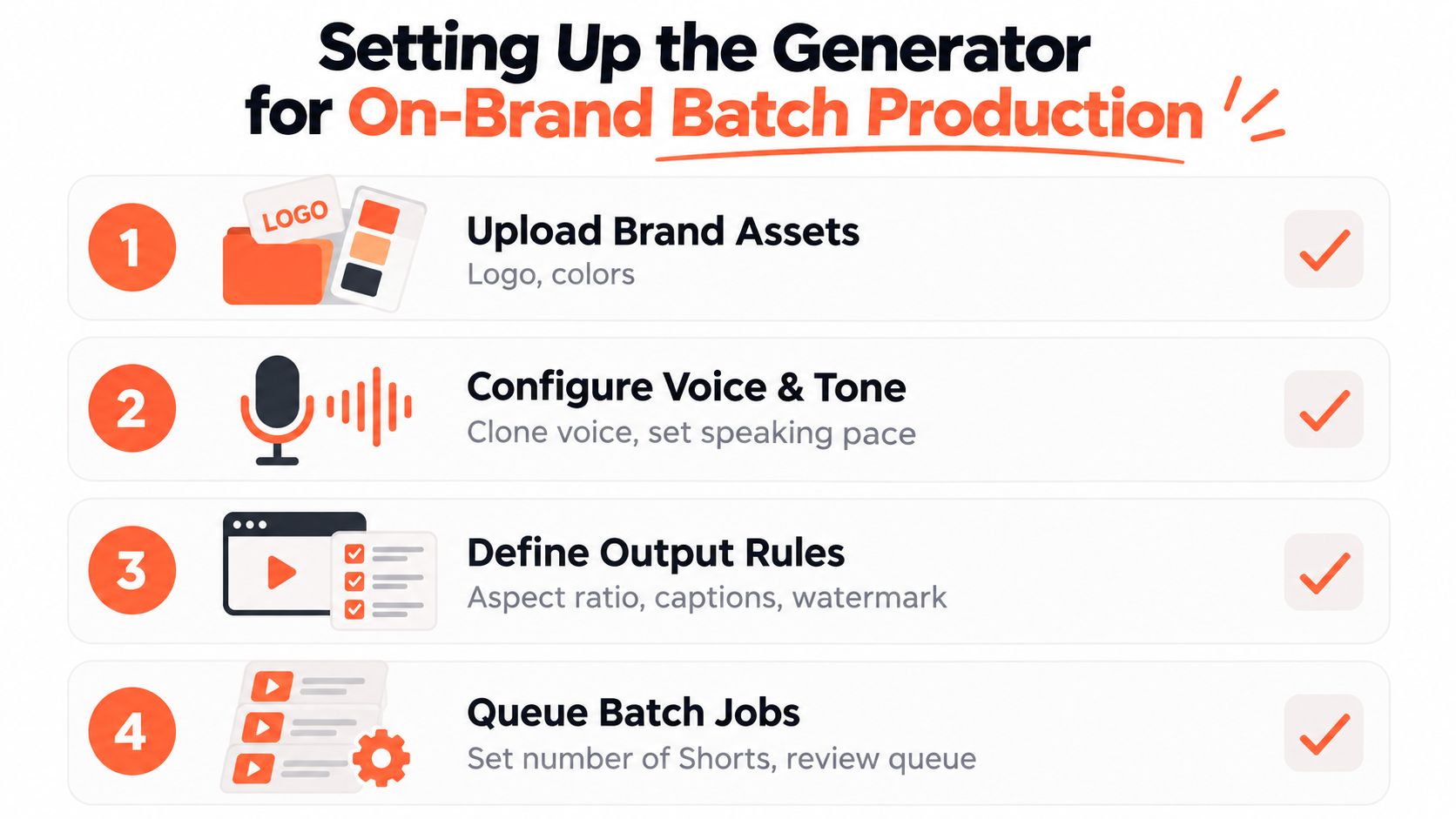
The first configuration pass determines whether automation produces a recognizable channel or a stack of disconnected templates. Build the brand kit before generating content. Add the approved logo treatment, typefaces, color palette, voice guidance, intro and outro rules, and any words or claims the system should avoid.
Caption design deserves its own decision. Word-by-word captions can create urgency for a fast talking-head clip, while sentence blocks may work better for technical explanations. Keep captions clear of interface elements and make sure emphasis supports the spoken point rather than competing with it.
Build templates around content behavior
Don't create one universal template. Create a small set of formats with explicit source rules:
- Talking-head advice: Face-led framing, restrained motion, and captions that emphasize the central lesson.
- Listicle: Numbered on-screen structure, fast visual changes, and a clear final item.
- Screen walkthrough: Enlarged interface details, cursor visibility, and concise annotations.
- Quote or insight card: Strong text hierarchy, approved background treatment, and a source reference where necessary.
Assign a template based on source metadata. A webinar segment about software navigation shouldn't inherit the same treatment as a founder quote. Template matching reduces editing decisions while preserving editorial fit.
Queue batches by theme, not only by volume. A batch about one audience problem can share caption logic, CTA language, and visual assets. Generate alternate openings when the source supports them, then send the outputs to a review folder rather than publishing automatically.
A vertical export is necessary, but format alone doesn't create a good Short. Check framing, caption contrast, word breaks, pronunciation, music levels, and any visual that could make a claim look more certain than the source supports. If your stack needs a lightweight rendering step, a cloud FFmpeg Shorts tool can be useful for consistent resizing and format conversion.
For broader automation, document the handoff from source to review in your content creation automation process. Every queue should have an owner, a review status, and a destination folder.
Before scheduling, run a short QA checklist:
- Accuracy: Compare the spoken and written claims with the original source.
- Legibility: Watch on a small screen and inspect every caption break.
- Framing: Check faces, products, demonstrations, and logos at the edges.
- Audio: Listen for clipping, abrupt music changes, and unnatural synthetic speech.
- Brand fit: Remove generic visuals, colors, or phrases that don't belong to the account.
Editing Hooks and Retention Beats That Actually Hold Viewers
The first 2 to 3 seconds are the swipe-or-stay window. Benchmark analyses place strong early retention at 80% or higher in the first 3 seconds, above 60% around the midpoint, and above 70% average percentage viewed by the end, as documented by Humble and Brag's Shorts benchmarks. Those figures are useful directional benchmarks, not universal platform rules.
The practical lesson is simple: lead with the consequence, tension, or useful answer. One hook analysis found that 69% of high-performing videos delivered the core promise before 3 seconds, while 79% included visible movement in the first second. The same analysis reported that testing 4 hook variants before publishing improved early retention by an average of 50%. These figures come from the linked benchmark analysis, and they should guide testing rather than replace channel-specific evidence.
Turn a flat clip into a structured Short
A weak podcast extraction often opens with a polite setup: “Today I want to talk about...” Cut it. Move the most specific or surprising sentence to the front, then use the next line to explain why the viewer should care.
The edit can follow this sequence:
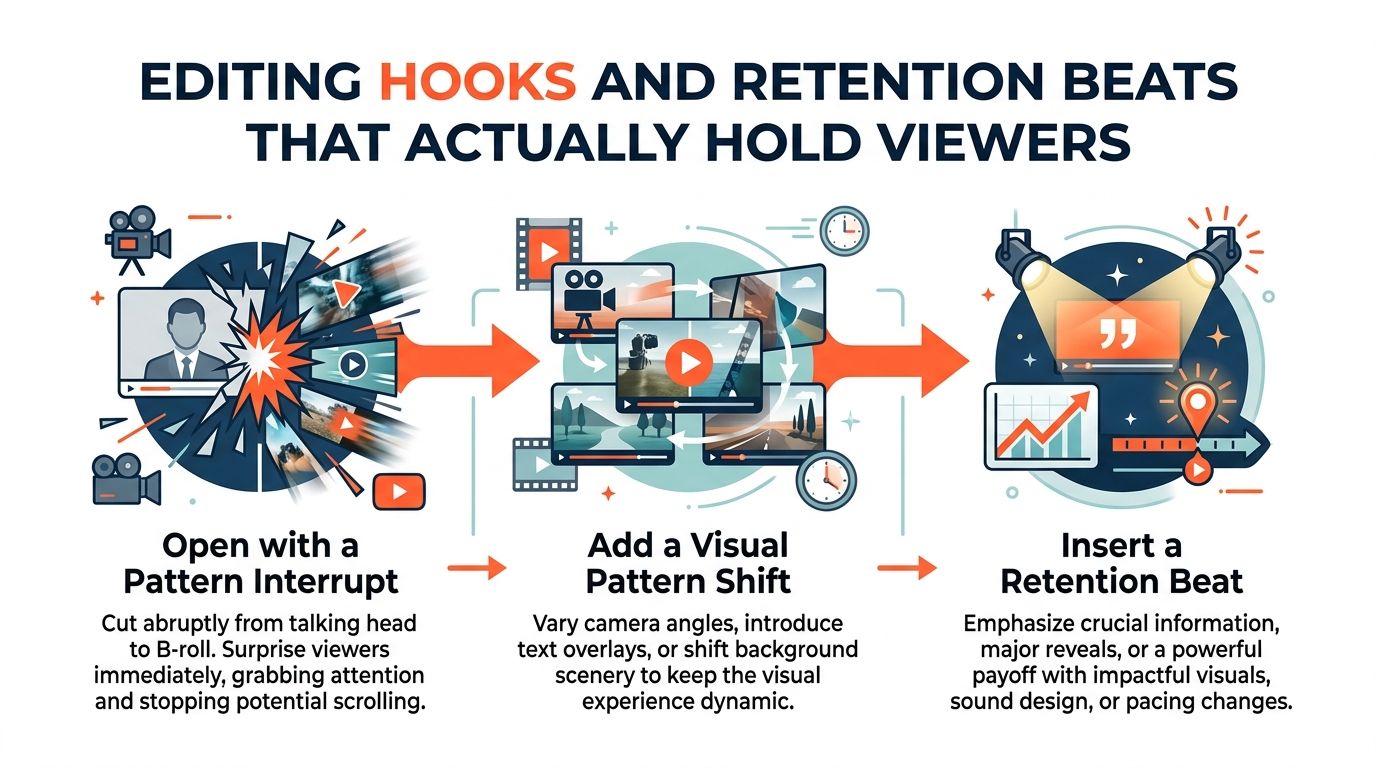
- Pattern interrupt: Start with a visual change, direct statement, or bold caption.
- Immediate promise: Tell the viewer what they'll learn, avoid, or decide.
- Proof or explanation: Use the strongest supporting sentence from the source.
- Retention beat: Change the visual treatment when the idea changes.
- Payoff: Resolve the question instead of ending at an arbitrary crop.
Use jump cuts to remove dead air, but don't make every sentence move. Excessive zooms and stock footage create motion without meaning. Captions should reinforce key phrases, not transcribe every hesitation.
Editing rule: A visual change should clarify a new idea, increase tension, or restore attention. If it does none of those, remove it.
A retention cliff at 0 to 5 seconds usually points to a failed opening rather than a duration problem, according to the benchmark source above. Test the opening separately from the body. Keep the underlying lesson stable so you can identify whether the hook, pacing, visual treatment, or topic caused the change. A practical video editing for social media workflow can help standardize those variations across a batch.
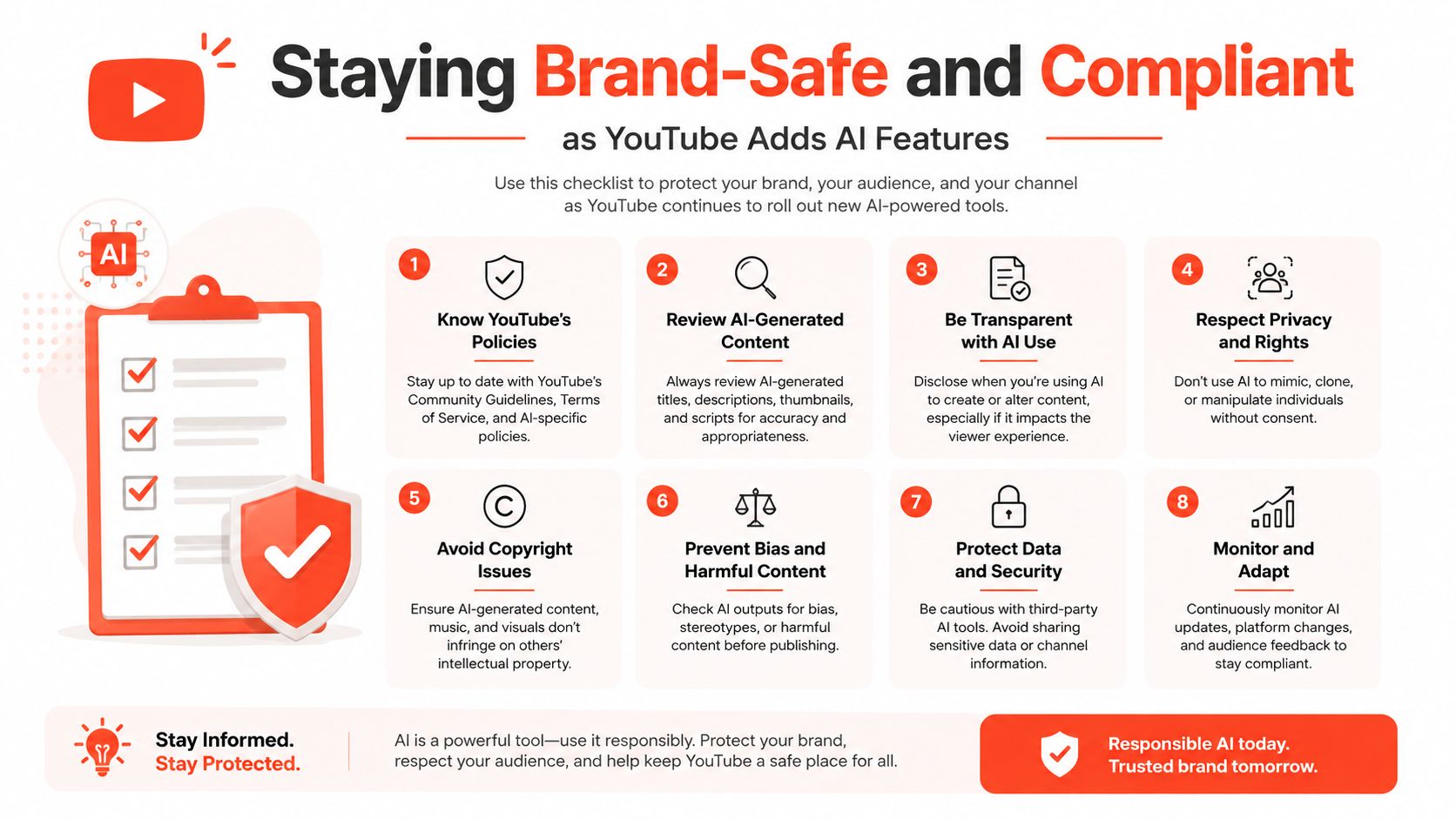
Staying Brand-Safe and Compliant as YouTube Adds AI Features
AI generation creates a review obligation, not an exemption from one. YouTube is adding native AI capabilities for Shorts, including AI clips, AI stickers, auto-dubbing, and the ability to create Shorts using a creator's own likeness, as reported by TechCrunch's coverage of YouTube's AI likeness features. The platform-native nature of these tools makes disclosure, consent, and rights management operational concerns for every serious content team.
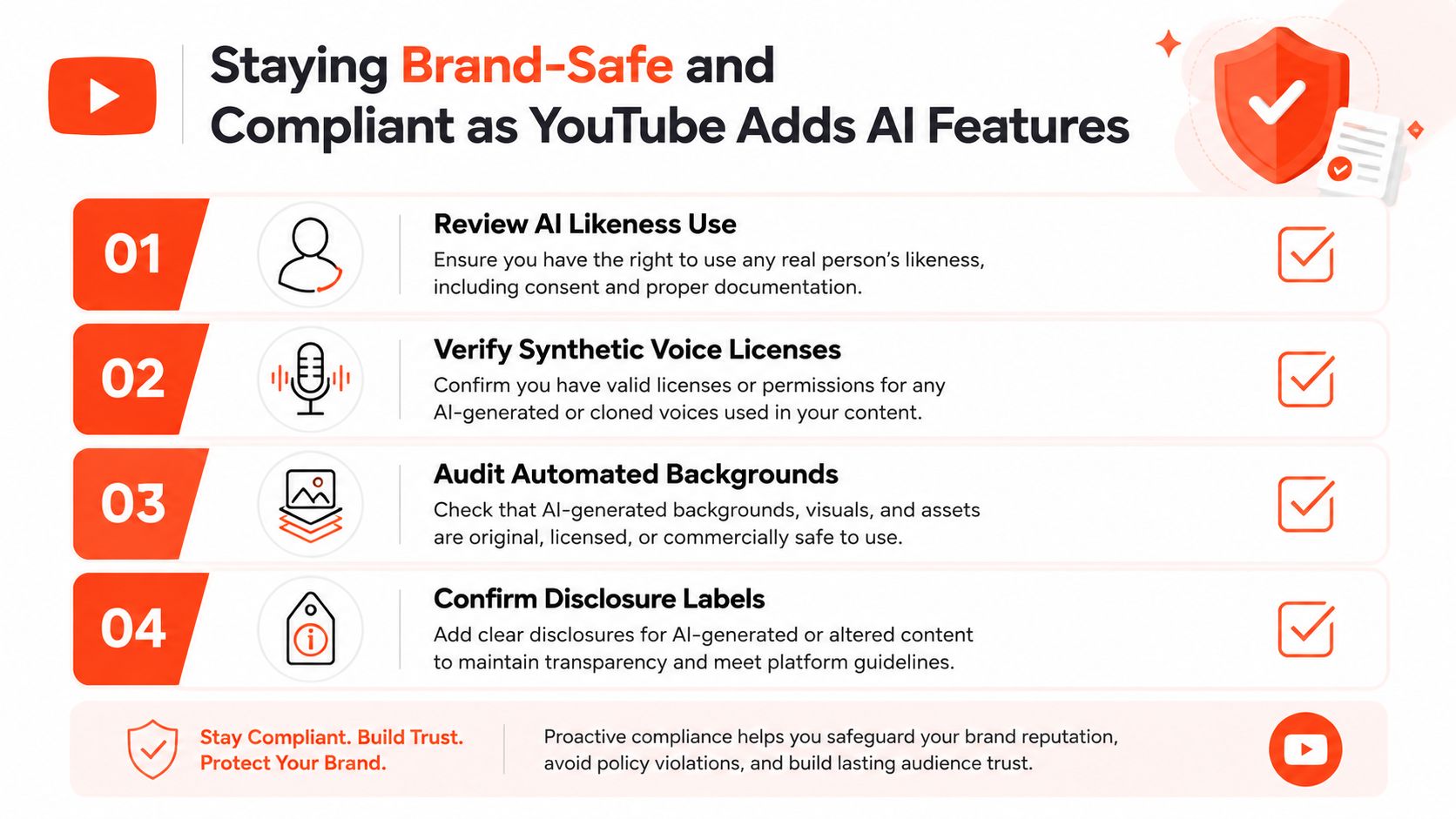
A generator should maintain a record of what it created and what a human approved. Store the source file, final script, voice or likeness permission, visual asset origin, disclosure decision, and reviewer name with the export. That record helps resolve questions later and makes approval consistent across clients or departments.
Apply different controls to different accounts
A creator account may use an approved likeness to answer recurring questions when the audience understands the format. A B2B account may need authentic subject-matter footage for claims involving product capability, regulated advice, customer outcomes, or executive statements. The decision shouldn't be based only on whether the tool can create the asset.
Use synthetic voice or likeness only when the rights are explicit. Don't clone a guest, employee, customer, or public figure from a recording without permission. Review AI-generated backgrounds and objects for accidental trademarks, misleading context, and visual errors.
Trust checkpoint: If a reasonable viewer could misunderstand who spoke, what happened, or whether a scene is real, add a human review and make the synthetic element clear.
AI can also invent a confident sentence that never appeared in the source. Lock factual source material where possible, prohibit unsupported claims in the prompt, and require a reviewer to compare every important statement against the original. Disclosure language should follow YouTube's current guidance and the account's legal policy, rather than relying on a hidden internal assumption that viewers won't notice.
Measuring Performance and Iterating the Shorts System
Views tell you that distribution happened. They don't tell you why viewers stayed, swiped, replayed, or subscribed. Measure each Short as a combination of hook, format, length, source, and audience response, then compare it with similar content on the same channel.
Retention is the first diagnostic. A 40% to 55% average retention range is reported for Shorts overall in one 2026 study, with 60% to 75% typical for Shorts under 15 seconds and 40% to 55% for Shorts between 30 and 60 seconds, according to Retensis' audience retention benchmarks. The study also places strong completion for 15 to 30-second Shorts around 35% to 40%, while sub-30-second Shorts were strongest above 65% retention and top-tier above 80%. Treat these as comparison points, because no official universal threshold applies to every channel.
Use a repeatable review loop
Tag every published Short by hook type, source theme, template, voice, length, and CTA. At review time, inspect average view duration, average percentage viewed, viewed versus swiped away behavior, and the retention curve. Compare a product explainer with other product explainers, not with an unrelated viral clip.
| Metric | Benchmark Target | Below Threshold Action | Above Threshold Action |
|---|---|---|---|
| First 3-second retention | 80%+ in the benchmark analysis | Rewrite the opening and move the promise earlier | Reuse the hook structure with new source material |
| Midpoint retention | 60%+ in the benchmark analysis | Remove context and add a meaningful pattern shift | Test a longer explanation using the same pacing |
| Average percentage viewed | 70%+ benchmark guidance | Shorten or restructure the body | Develop related variants and follow-up topics |
| Overall retention | Compare with the relevant length range | Test a different duration and stronger payoff | Build a template around the format |
Length testing should be deliberate. Create short and extended versions when the source supports both, including experiments with YouTube's 3-minute Shorts format. Don't assume that a longer cut is better just because it contains more information.
Underperforming clips can still provide useful hooks. Recut the best sentence, change the first visual, or remove the slowest setup rather than discarding the topic. Music can also affect the perceived pace, so a workflow may include a dedicated Shorts soundtrack generator, provided the licensing and brand fit are clear.
WaveGen.ai fits this system as one workflow option for turning articles, newsletters, podcast scripts, or YouTube transcripts into on-brand short videos, captions, and other social assets, with brand kits and publishing controls available for the distribution step.
Build your next batch from one strong source, define the hook variants before rendering, and keep a human approval checkpoint for accuracy, likeness, and disclosure. If you want to turn long-form ideas into captioned, branded Shorts alongside other channel assets, visit WaveGen.ai and start with a source you already publish.
youtube shorts generator
shorts repurposing
short-form video
content distribution
video automation
Turn this kind of writing into a week of social content.
Paste a blog post, newsletter, or rough draft — WaveGen turns it into publish-ready carousels, captions, and slideshows for every channel.
No credit card · First posts in 2min