June 21, 2026
15 min read
A Practical Guide to Video Content Strategy in 2026
Learn how to build a powerful video content strategy from scratch. This guide covers objectives, formats, repurposing, and measurement to grow your brand.
Video stopped being a side project a while ago. A 2026 summary cited by Siege Media says about 91% of businesses were using video marketing by 2026, up from 61% in 2016, and 94.6% of online adults watched online video in the past 30 days (video marketing adoption data). That changes the question from “should we do video?” to “how do we build a system that doesn't waste time?”
Teams often don't fail because they lack ideas. They fail because they treat every video like a separate campaign. One person records a talking-head clip, another posts a Reel when there's time, nobody maps content to the funnel, and reporting ends at views. That creates effort without momentum.
A solid video content strategy works more like an operating system. You start with a clear audience, choose a few repeatable formats, build one production workflow, and repurpose every substantial asset across channels. That's how consultants, SMB teams, and lean marketing departments keep publishing without turning content into a full-time fire drill.
Table of Contents
- Why You Need a Strategy Not Just More Videos
- Lay the Foundation with Objectives and Audience
- Choose Your Core Video Formats and Platforms
- Build Your Production and Scripting Workflow
- The Repurposing Engine That Turns One Video into Many
- Manage Your Calendar and Measure What Matters
Why You Need a Strategy Not Just More Videos
The market has already decided that video is standard. The problem is that many teams still produce it like it's optional. They post sporadically, chase trends they don't understand, and judge success by whether a clip “felt good” or got a temporary spike in views.
That approach burns people out fast. It also creates a distorted view of what video is supposed to do. A random social clip might get attention, but if it doesn't connect to a business goal, audience need, or next action, it's just content debris.
A real video content strategy does three things at once:
- Sets a job for each video: awareness, consideration, conversion, or retention.
- Creates production constraints: a small set of formats, channels, and workflows your team can sustain.
- Builds compounding output: one strong source asset becomes multiple useful pieces instead of one expensive one-off.
Practical rule: If your team can't explain who a video is for, where it will be distributed, and what action it should drive, it shouldn't be in production yet.
This matters even more on social platforms, where volume and consistency affect whether people remember you at all. If you're trying to boost social media engagement, the answer usually isn't “post more clips.” It's “post the right clips, in repeatable formats, with better hooks and tighter distribution.”
There's also a financial trade-off people avoid discussing. Highly polished video can work, but when every asset requires a mini production cycle, output collapses. Then the team posts once, disappears for weeks, and wonders why nothing compounds. Meanwhile, simpler videos tied to recurring customer questions often do more practical work because they're easier to produce, repurpose, and measure.
What works is boring in the best way. Pick a content system. Record on a schedule. Reuse strong ideas. Match format to intent. Review performance. Cut what misses. Scale what keeps moving buyers forward.
That's the difference between “doing video” and building an asset.
Lay the Foundation with Objectives and Audience
The fastest way to waste a quarter is to start with format. Teams say they need Shorts, Reels, YouTube explainers, founder videos, webinars, and customer stories. Usually they need one thing first. A definition of success that connects content to the business.
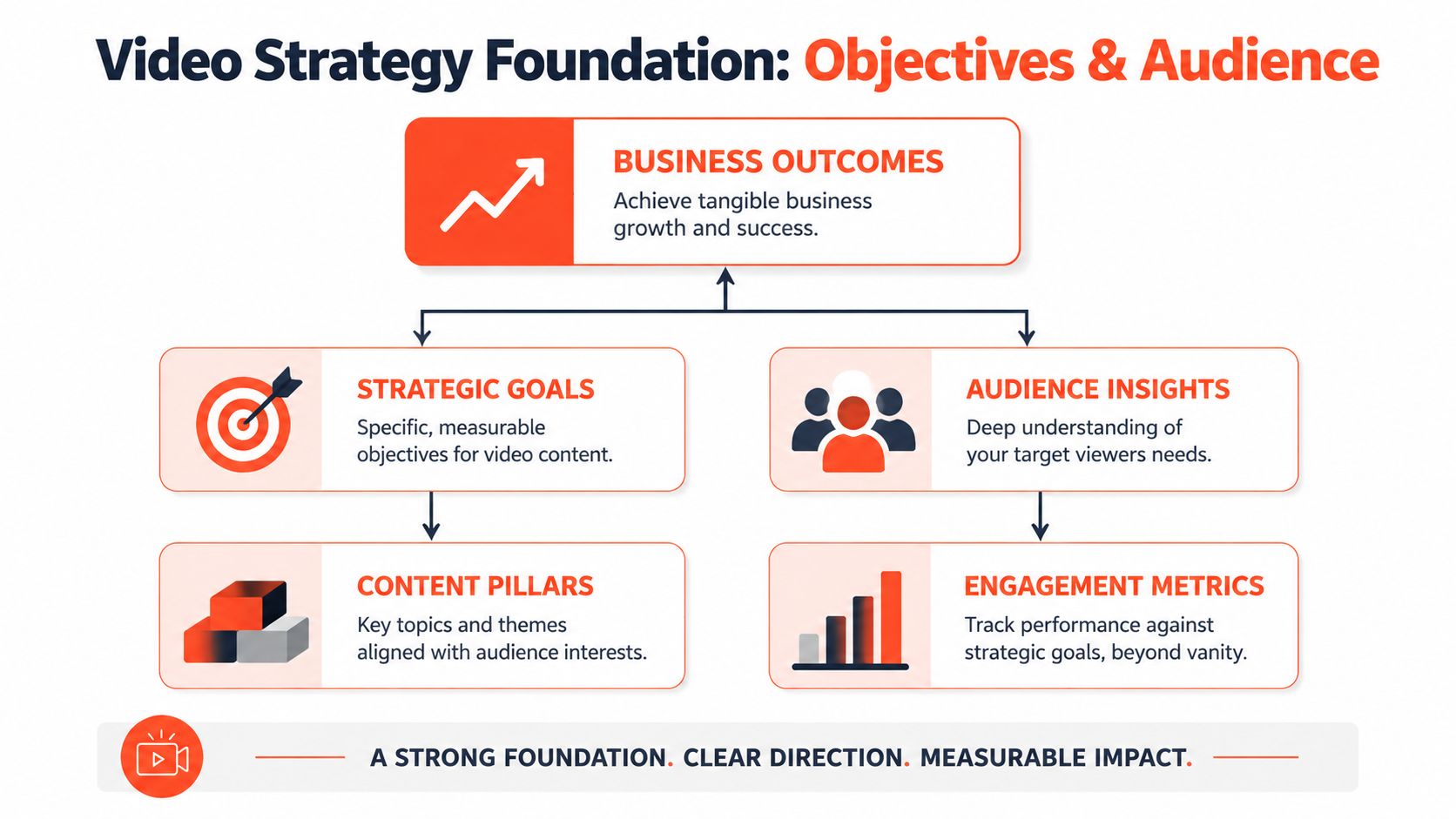
Adobe's guidance is useful here because it keeps video tied to the funnel and to business outcomes, not vanity metrics. It recommends aligning video to awareness, consideration, conversion, and loyalty, and tracking metrics such as engagement rate, conversion rate, pipeline contribution, customer acquisition cost, and lifetime value. It also notes that high drop-off rates often signal content misalignment or quality issues (Adobe's video marketing framework).
Start with the business result
Start at the bottom of the stack, not the top. Ask what the business needs from video in the next cycle.
Typically, for teams, that lands in one of these buckets:
- Generate qualified demand: use demos, webinar clips, explainers, and case-oriented content to support pipeline.
- Build category trust: publish educational video that helps buyers understand the problem before they buy.
- Support sales and retention: create onboarding, objection-handling, and customer education assets.
Once you know the business outcome, give every format a primary KPI. Don't assign five goals to one video. A short educational clip might be judged by engagement quality. A product walkthrough should be judged by whether it influences conversions or leads. A customer education asset should reduce confusion and support loyalty.
One video can help multiple stages, but it should only have one main job.
That's where teams get into trouble. They publish an explainer, a founder clip, and a social teaser, then lump them together under “video performance.” You need separate scorecards. Otherwise, awareness content gets blamed for not converting, and conversion content gets praised for views that don't matter.
Brand consistency matters here too. If multiple people are creating assets, set visual and messaging rules before production starts. A documented system for tone, colors, logo use, and content boundaries keeps repurposed assets coherent across platforms. This guide to creating brand guidelines is useful if your team doesn't already have that in place.
Define the audience before the format
Audience work doesn't need to be academic. It needs to be usable.
Build simple segments around buying context:
- Problem-aware prospects: they know the pain, but not the solution.
- Solution-aware buyers: they're comparing options and need clarity.
- Existing customers: they need confidence, education, or proof they made the right choice.
For each segment, capture four inputs:
- Core pain point
- Question they ask in plain language
- Objection or hesitation
- Preferred channel and content style
That gives you a practical filter for content ideas. If a video doesn't answer a real question, remove friction, or move a buyer closer to action, it's probably filler.
A lot of drop-off comes from teams making videos they want to publish rather than videos buyers want to finish. That's not a creative problem. It's an alignment problem.
Choose Your Core Video Formats and Platforms
Most video advice breaks down at the moment teams need to choose. “Make short-form content” isn't a strategy. It's an instruction with no filter. The better question is which formats deserve recurring investment, and where each one belongs.
That's where the gap in common advice becomes obvious. WSI notes that most guidance says to align video to the funnel, but rarely gives rules for choosing formats. It also points out that authenticity and concise messaging often outperform polished one-offs, especially on mobile-first platforms (video-first strategy guidance from WSI).
Pick formats by intent, not by trend
A practical video content strategy usually runs on a small format mix, not on endless experimentation.
Use this logic:
- If the buyer needs fast recognition of a problem, short social clips work well.
- If the buyer needs understanding, use explainers, tutorials, webinars, or interview clips.
- If the buyer needs trust before action, use demos, testimonials, and objection-handling content.
- If the customer needs support after purchase, use onboarding and education videos.
Platform choice follows the same rule. Don't pick channels because your competitors are there. Pick them because the format fits the buyer's context.
For example, a consultant may use LinkedIn for expertise clips, YouTube for searchable education, and Instagram or TikTok for trimmed social cutdowns. A B2B team might get more from demos, webinar excerpts, and proof-driven clips than from trend-heavy short-form content. A solo creator may lean on one weekly long-form recording and turn it into multiple channel-specific assets.
Concise beats polished when the message is strong and the viewer is on a phone.
Use a simple decision matrix
Here's a decision framework I'd hand to a team before planning a quarter.
| Funnel Stage | Recommended Video Formats | Primary Platforms | Core KPI |
|---|---|---|---|
| Awareness | Short educational clips, problem-led talking head videos, opinion clips, podcast snippets | LinkedIn, Instagram Reels, TikTok, YouTube Shorts | Engagement quality |
| Consideration | Explainers, tutorials, webinar highlights, comparison videos, FAQ videos | YouTube, LinkedIn, website landing pages | Watch quality and lead intent |
| Conversion | Product demos, testimonials, sales objection videos, offer walkthroughs | Website pages, email, LinkedIn, YouTube | Conversion and leads influenced |
| Loyalty | Onboarding clips, customer education videos, feature updates, community recaps | Email, customer hubs, YouTube playlists, private communities | Retention signals and customer engagement |
A few rules help keep this matrix practical.
Use repurposed clips when speed matters
Repurposed clips are often the right call when you need frequency, topical commentary, or broad distribution. They're especially useful for social channels where native-looking content performs better than something overly produced.
Use polished explainers when clarity matters
Spend more production effort when the asset has a long shelf life, sits on a landing page, supports sales calls, or explains a complex offer. Those videos don't need to look cinematic. They need to remove confusion.
Use testimonials when trust is the bottleneck
If prospects understand the offer but hesitate at the decision point, proof beats education. A clean customer story, even if modestly produced, often does more than another generic thought-leadership clip.
What doesn't work is building a calendar around content categories with no audience intent behind them. “Founder story Monday” and “tip Tuesday” feel organized, but they rarely map to how people buy.
Build Your Production and Scripting Workflow
Production gets overcomplicated early. Teams think the bottleneck is equipment, editing polish, or studio space. Usually it's decision fatigue. Too many format choices, no script structure, and a production process that starts from zero every time.
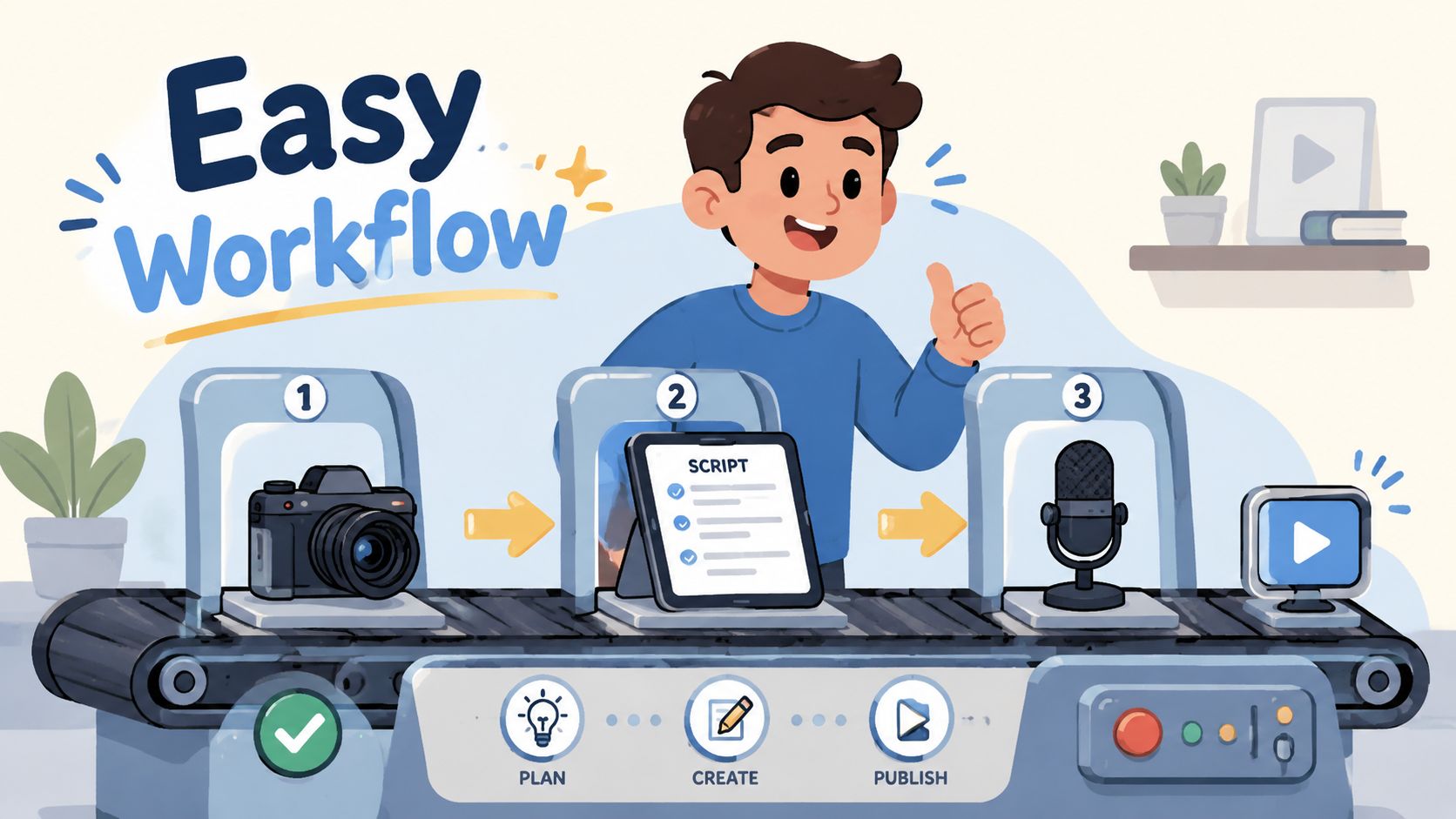
That's why a repeatable workflow matters more than production ambition.
Use a script that survives real production
Most business videos improve when the script gets shorter, not smarter. A simple structure keeps the message tight and makes repurposing easier later.
Use this three-part format:
Hook
Lead with the problem, tension, or common mistake. Not your brand intro.Value
Deliver one clear point. If you have three points, you probably have three videos.Call to action
Tell the viewer what to do next. Watch another video, book a call, download a resource, or reply with a question.
Here's what that looks like in practice:
- Weak opening: “Hi, I'm Sarah from Acme Consulting, and today I want to talk about content strategy.”
- Better opening: “If your team is publishing video every week and still can't explain what it's supposed to drive, the problem isn't output. It's structure.”
That kind of script also clips cleanly. The hook becomes a short social asset. The value section becomes an explainer excerpt. The CTA can be swapped depending on channel.
Cut anything that only exists to sound polished. Viewers keep watching useful clarity, not ornamental phrasing.
For teams tightening production quality, Isolate Audio's production insights are worth reviewing, especially around the practical basics that affect watchability more than fancy visuals.
Keep the gear simple and the process tighter
You don't need a studio to build a working video program. You need a setup people will use every week.
A lean stack usually looks like this:
- Camera: a modern smartphone is enough for most talking-head, tutorial, and social clip work.
- Audio: prioritize this first. Bad audio kills usable footage faster than average lighting.
- Lighting: one reliable key light or a consistent window setup beats constant improvisation.
- Background: keep it clean and intentional. Visual noise makes videos feel accidental.
The workflow matters even more than the setup:
- Batch by theme: record multiple videos on the same pain point while the context is fresh.
- Batch by CTA: film several assets that point to the same offer or next step.
- Batch by platform edit: shoot once, then version for horizontal orientation, square, and vertical later.
Editing is another trap. Don't build a workflow that depends on heroic manual effort every week. If your team publishes long-form content regularly, tools can shorten the path from source material to usable assets. For teams evaluating software, this roundup of AI content creation tools is a practical place to compare options.
What tends to fail is the “we'll make it perfect later” model. The footage sits in a folder, edits stall, and the team loses momentum. Good systems ship. Fragile systems collect drafts.
The Repurposing Engine That Turns One Video into Many
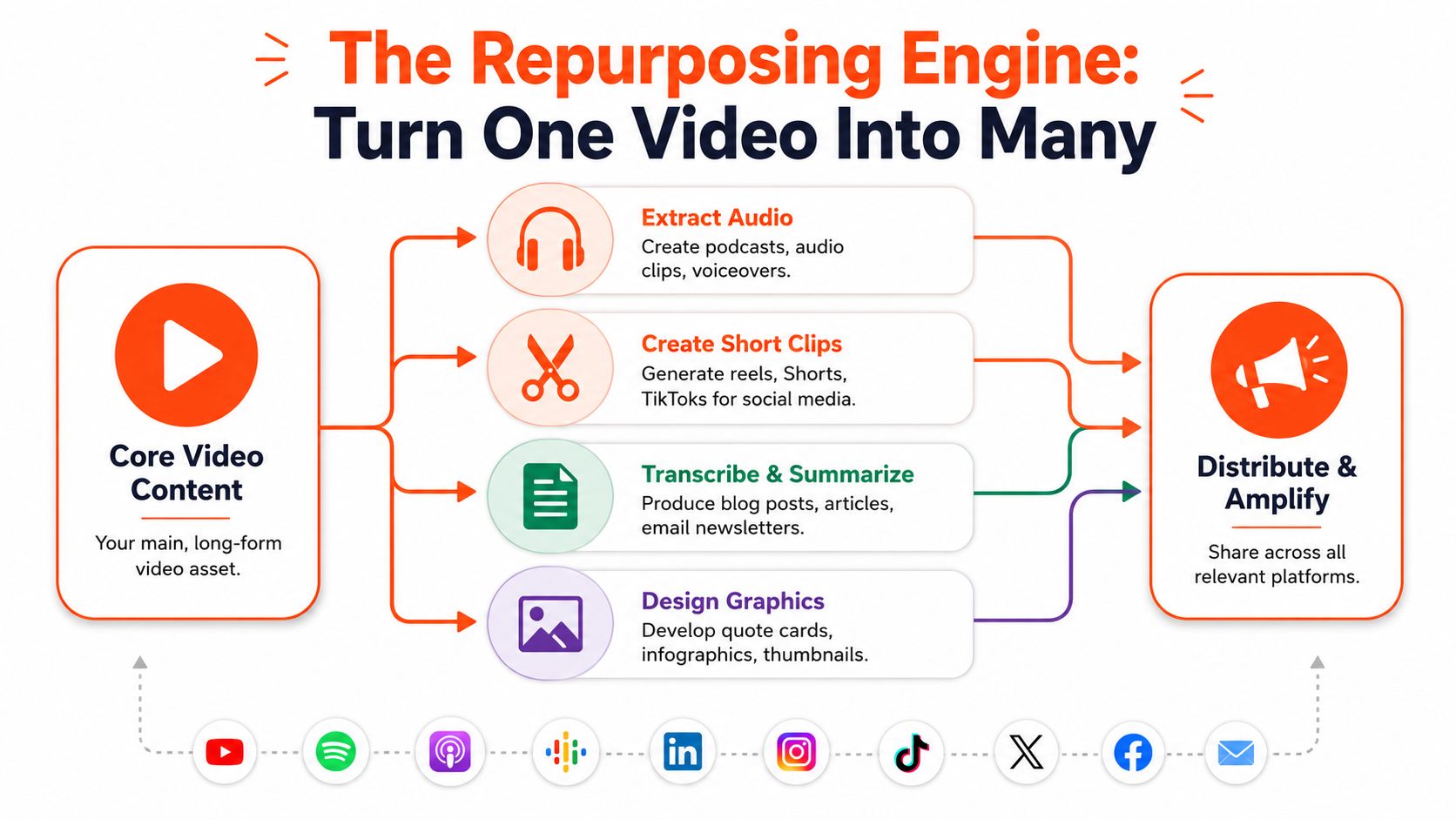
The most impactful shift in video isn't making more original posts. It's treating one substantial recording as source material for an entire distribution cycle.
That's how a lean team keeps quality up without letting production swallow the week.
Think in source assets, not isolated posts
A source asset is a long-form piece with enough substance to split into smaller units. That could be:
- A webinar recording with strong audience questions
- A podcast interview with clear opinion segments
- A tutorial or explainer broken into steps
- A founder or expert Q&A with several strong standalone clips
Once you shift to source assets, your planning changes. You stop asking, “What should we post tomorrow?” and start asking, “What can this recording produce for the next seven days?”
A useful repurposing pass usually includes:
- Short clips for Reels, Shorts, TikTok, and LinkedIn
- Quote graphics pulled from opinionated or high-clarity moments
- Transcript-based posts for newsletters, blogs, or carousels
- Audio extracts for voice-led content or podcast snippets
- Thumbnail and headline variants for testing different angles
The embedded video below shows the idea in motion.
Repurposing also changes how you think about ROI. Your return doesn't come from one upload. It comes from the total usable output of a recording session, plus how long those assets keep working across channels.
Build a weekly output from one recording session
A practical weekly engine can look like this:
| Source Asset | Repurposed Outputs | Best Use |
|---|---|---|
| Webinar or workshop | Social clips, quote cards, email recap, blog summary | Education and demand generation |
| Product demo | Short feature clips, objection-handling posts, landing page embeds | Consideration and conversion |
| Interview or podcast | Opinion snippets, audiograms, text posts, teaser videos | Authority and awareness |
| Customer conversation | Testimonial clips, sales enablement snippets, proof assets | Trust and decision support |
There's an important conversion layer here too. Business.com cites Wistia data showing that lead generation forms embedded directly within videos achieve nearly 24% completion rates (in-video lead form benchmark). That makes your core asset more valuable when it's a demo, webinar clip, or other mid-funnel piece. The short-form cutdowns may build interest, but the source video can still do the capture work.
A repurposed clip doesn't need to carry the whole sale. It needs to earn the next click.
Software can be a valuable aid, especially if your team already publishes articles, transcripts, newsletters, or videos and needs them turned into social-ready assets quickly. Some teams use editing stacks assembled from multiple apps. Others use dedicated repurposing platforms. If you're comparing options, FlowClip's recommended repurposing tools offer a useful starting list, and WaveGen.ai is one example of a system that turns a source asset into formatted social content across channels.
What doesn't work is repurposing without editorial judgment. Not every 30-second excerpt deserves to be a post. Keep the moments that deliver a standalone point, a clear opinion, or a useful step. Drop the filler.
Manage Your Calendar and Measure What Matters
A video content strategy becomes real when it shows up on a calendar and in a reporting rhythm. Without that, even good ideas turn into sporadic output and vague performance reviews.
Run your program on cadence, not inspiration
Your calendar doesn't need to be elaborate. It needs to answer five questions for every source asset:
- What are we recording?
- Who is it for?
- What funnel stage does it serve?
- What repurposed assets will come from it?
- When and where will those assets publish?
That structure keeps the week from collapsing into last-minute posting. It also forces discipline. If a planned recording can't generate enough downstream assets, it may not be worth the effort.
For teams managing recurring output, a dedicated planning system is easier than stitching together docs, spreadsheets, and social schedulers. This overview of content calendar software is a practical reference if your current process lives in too many places.
Measure business impact, then cut what drags
Many teams don't need more analytics. They need fewer metrics and stricter decisions.
Track performance in three layers:
Content consumption
Are people watching enough of the right videos to signal relevance?Action metrics
Are viewers clicking, converting, replying, booking, or entering the pipeline?Program efficiency
Which formats are worth repeating based on effort required versus business value?
A monthly review is usually enough to spot patterns. If a format gets attention but no meaningful action, revise the CTA, the offer, or the audience match. If viewers drop early, rework the opening or tighten the delivery. If one source asset consistently produces multiple strong cutdowns, double down on that format.
The wasteful habit is keeping underperforming series alive because the team likes making them. A disciplined program cuts formats that look busy but don't help the business.
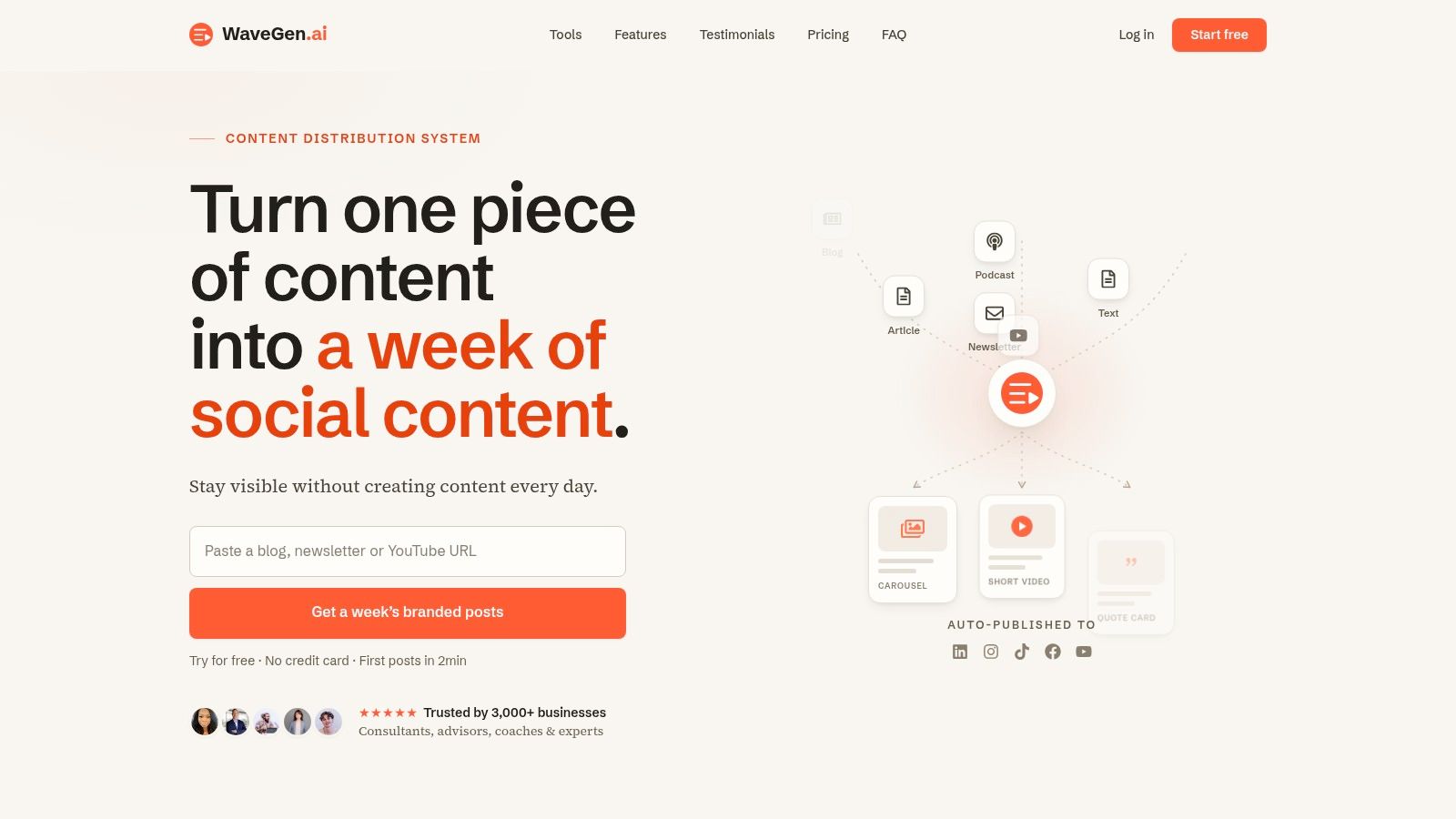
If you already create blogs, newsletters, transcripts, podcasts, or YouTube content, WaveGen.ai gives you a way to turn those source assets into on-brand short videos, carousels, quote cards, captions, and scheduled posts without rebuilding the workflow by hand each time. It's a practical fit for teams that want a repeatable video distribution system instead of another pile of raw content.
video content strategy
video marketing
content repurposing
social media video
wavegen.ai
Turn this kind of writing into a week of social content.
Paste a blog post, newsletter, or rough draft — WaveGen turns it into publish-ready carousels, captions, and slideshows for every channel.
No credit card · First posts in 2min