October 2, 2026
17 min read
What Is Content Repurposing and How It Works in 2026
Learn what is content repurposing, why it works, the formats that perform best, and how to turn one asset into a week of on-brand social content.
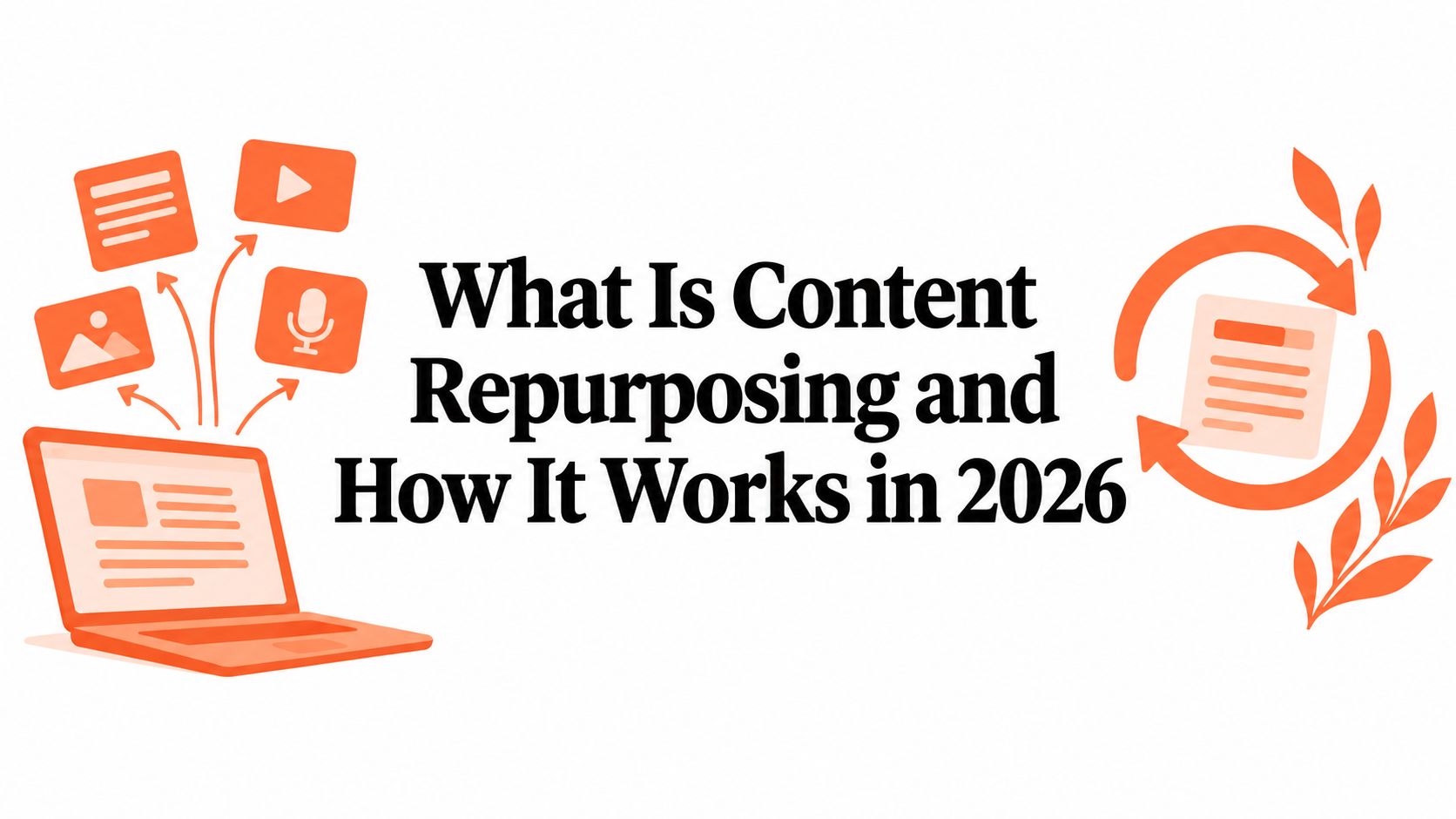
Content repurposing is the practice of taking one core asset and reshaping it into multiple channel-native formats, so the same idea reaches different audiences without being rewritten from scratch. In a 2024 survey, 70% of small business owners said they had repurposed content, making it a mainstream marketing practice rather than a niche tactic.
A consultant might recognize the problem immediately. You finish a thoughtful article, close the document, and then realize you still need a LinkedIn post, an Instagram carousel, a newsletter section, and perhaps a short video. By Friday, the source article feels like the easy part. The strain comes from translating its ideas into formats people will notice and use.
That translation is the heart of repurposing. You aren't copying the same paragraph into every publishing tool. You're building a distribution system in which one piece of original thinking travels through several forms, each designed for a particular audience, platform, and moment.
Table of Contents
- A Simple Definition for a Modern Publishing Strategy
- Why Repurposing Outperforms Constantly Creating New Content
- How Content Repurposing Actually Works Behind the Scenes
- Popular Repurposing Formats and Which Channels They Fit
- Turning One Long-Form Article into a Week of Social Content
- Metrics That Prove Repurposing Is Working
- Common Repurposing Mistakes and How to Avoid Them
- A Practical Checklist to Start Repurposing This Week
A Simple Definition for a Modern Publishing Strategy
Suppose a consultant publishes a detailed article about improving client onboarding. The article might answer the complete question for someone searching Google, but it won't automatically work as a LinkedIn carousel. A carousel needs a sequence of clear slides. A short video needs a spoken hook and visual movement. A newsletter needs a personal introduction and a reason to click.
Content repurposing keeps the central idea while changing the presentation. You might turn the onboarding article into a framework carousel, a short video explaining the most overlooked step, a quote card with a contrarian insight, and a newsletter paragraph that invites readers to explore the full article.
That makes repurposing different from cross-posting.
- Cross-posting: You publish the same copy, image, or video on more than one platform with little or no change.
- Repurposing: You extract the useful idea and rebuild it for a different format, channel, or audience behaviour.
- Reposting: You publish an earlier piece again, usually on the same channel.
Cross-posting can save time when a format already fits several platforms. Repurposing requires more judgment because every channel has its own grammar. LinkedIn readers may respond to a professional lesson and a clear text structure. Instagram users may need a visual sequence. TikTok viewers usually need the point quickly, with a strong opening and movement from the start.
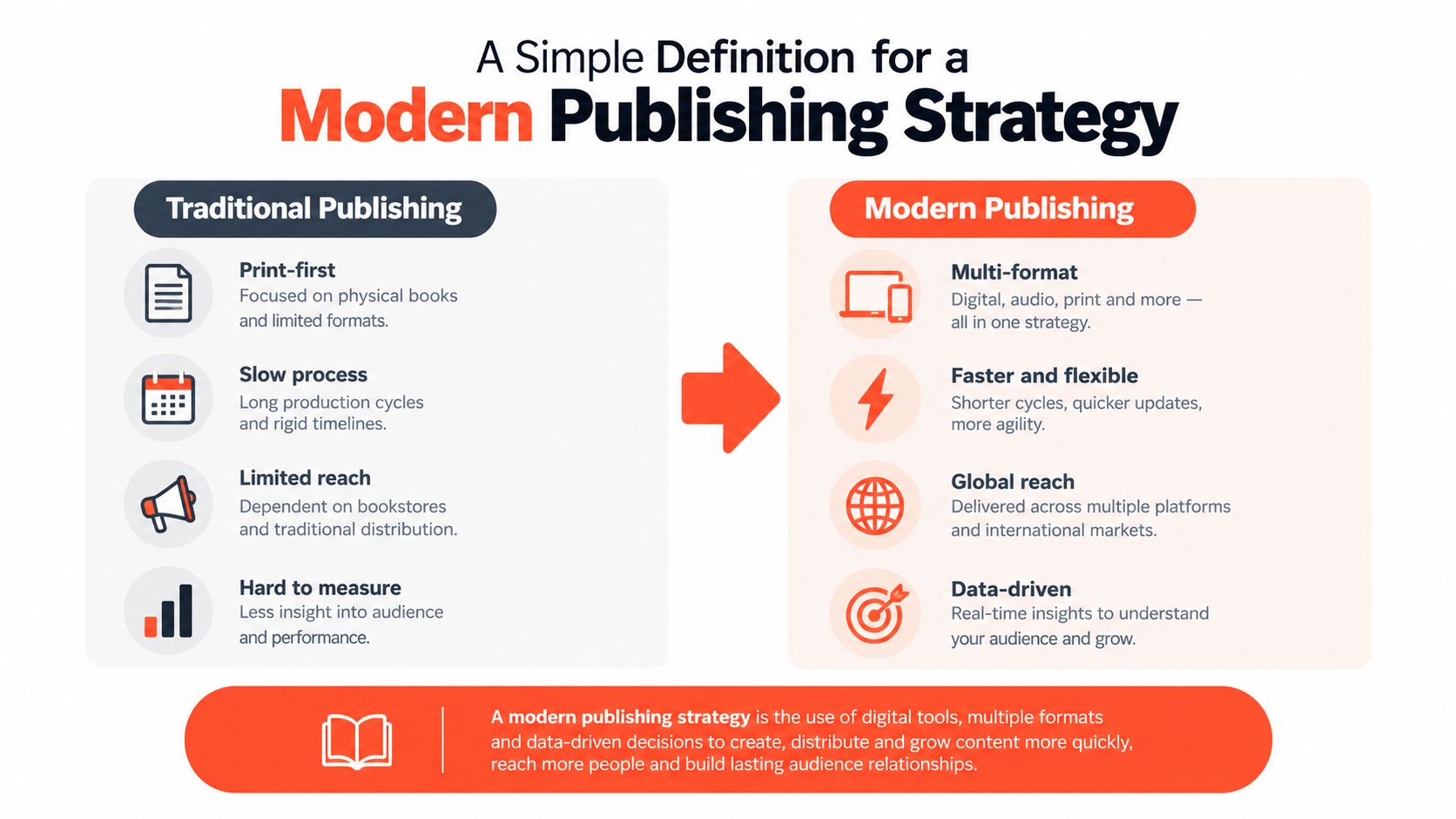
Repurposing is translation, not duplication
Think of the source asset as a lesson taught in one language. The underlying lesson stays stable, but the explanation changes for a boardroom, a classroom, a short voice note, or a visual guide. A good repurposed asset doesn't feel like leftovers. It feels as though someone created it specifically for that channel.
The practical shift is important. Instead of asking, “What should we create today?” ask, “Which part of our strongest source asset should this audience receive next?” That question leads to better use of research, clearer brand consistency, and a more deliberate path from discovery to deeper engagement.
Why Repurposing Outperforms Constantly Creating New Content
Constantly creating from a blank page sounds productive, but it can leave a small marketing team with a crowded calendar and a thin point of view. Every new article demands research, outlining, drafting, editing, design, approval, and distribution. Repurposing starts with thinking you've already paid for and extends its useful life.
The evidence supports that structural advantage. The 2024 Adobe Express survey found that 54% of respondents identified time savings as the main benefit of repurposing, while 49% reported an 11 to 25% increase in engagement and 35% estimated an 11 to 25% increase in conversions. The same survey found that TikTok was viewed as the most effective platform for repurposed content by 83% of respondents, followed by Instagram at 78% and websites or blogs at 75%. These results suggest that repurposing isn't only an internal efficiency exercise. Teams also use it to distribute ideas where different audiences already spend attention. The Adobe Express survey findings provide that context.
One idea can support several audience journeys
A consultant's article can introduce a problem through search, explain a framework through LinkedIn, demonstrate the framework through video, and reinforce it in email. Each appearance gives the audience a different entry point. Someone who ignores a long article may still notice a short clip, while someone who discovers the clip may later click through to the complete explanation.
Industry benchmark coverage offers a similar signal. Forty-eight percent of B2B marketers identified insufficient content repurposing as a primary constraint on scaling content production, while 67% said reusing successful blog posts in different formats produced better results than creating new content on the same topics. That reporting also says 60% of marketers found that repurposed content generates more leads than original content. The cited B2B benchmark coverage frames repurposing as a response to production economics, not a temporary publishing trick.
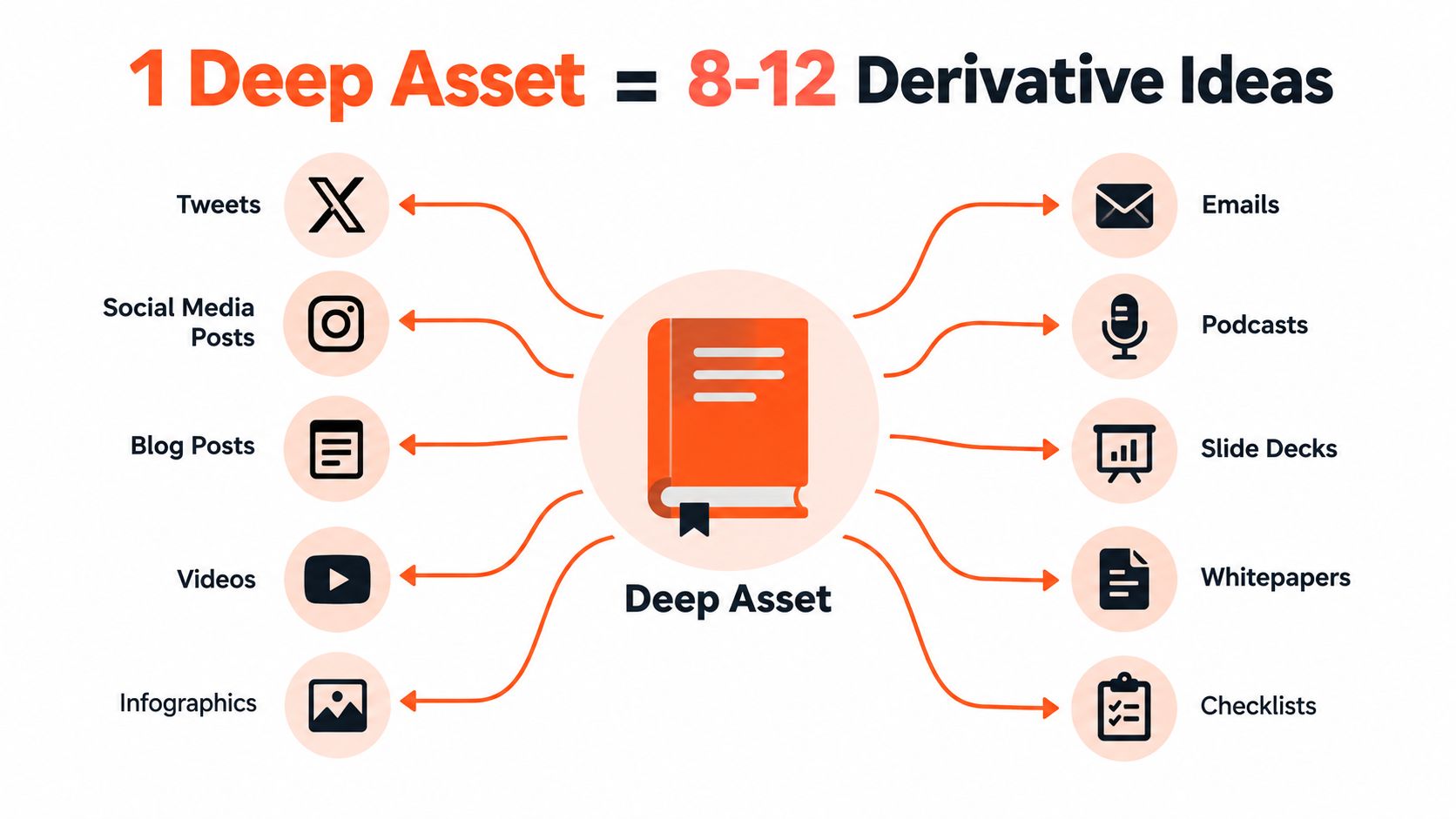
Strategic principle: Repurposing should amplify original thinking, not replace it.
The strongest source assets usually contain several layers: a central argument, supporting examples, useful distinctions, memorable lines, and practical steps. A distribution system exposes those layers gradually. It gives the audience repeated chances to understand the same subject without forcing the brand to invent a new position every morning.
That doesn't mean every derivative deserves publication. The goal isn't maximum output. The goal is to make the original insight easier to discover, consume, remember, and act on across the channels that matter to the business.
For a practical look at the operational side, explore this guide to scaling content production.
How Content Repurposing Actually Works Behind the Scenes
A reliable repurposing workflow has three stages: decomposition, adaptation, and distribution. These stages prevent a common mistake, treating the source article as a block of text that must be copied into smaller blocks of text.
Decomposition comes first. A writer or tool examines the source asset and identifies its independent parts:
- Core arguments: The main claims that could stand alone in a post or video.
- Teaching points: Steps, principles, definitions, and explanations.
- Evidence and examples: Research findings, observations, stories, or demonstrations.
- Hooks: Contrarian statements, questions, objections, and moments of tension.
- Visual material: Diagrams, lists, comparisons, screenshots, and sequences.
Research on scalable reuse describes a similar component-based approach. Systems can decompose legacy content into slides, images, text fragments, tables, and diagrams, then enrich those components with metadata so they can be retrieved and assembled on demand. Microsoft's research on generative AI and content reuse helps explain why componentization is more powerful than manual copy-and-paste.
Adaptation gives each channel its own shape
After extraction, adaptation changes the structure. A framework may become a carousel with one step per slide. A detailed example may become a short video with a problem, a reveal, and a practical conclusion. A paragraph of analysis may become an email introduction that leads readers back to the full article.
The source provides the substance, but the channel determines the delivery. Adaptation also means removing material that doesn't serve the new format. A short video shouldn't carry every caveat from the article. A carousel shouldn't force readers through an essay on small screens.
Distribution turns outputs into a sequence
Distribution decides when each derivative appears and what role it plays. One post might create awareness, another might explain the method, and a later email might invite a consultation or direct readers to the source asset. The calendar follows the source, rather than forcing the source to fill arbitrary calendar slots.
This is the layer that content distribution platforms are designed to accelerate. A suitable tool can map a long-form source to draft captions, carousels, quote cards, and short videos, after which a human reviews the claims, tone, visuals, and calls to action.
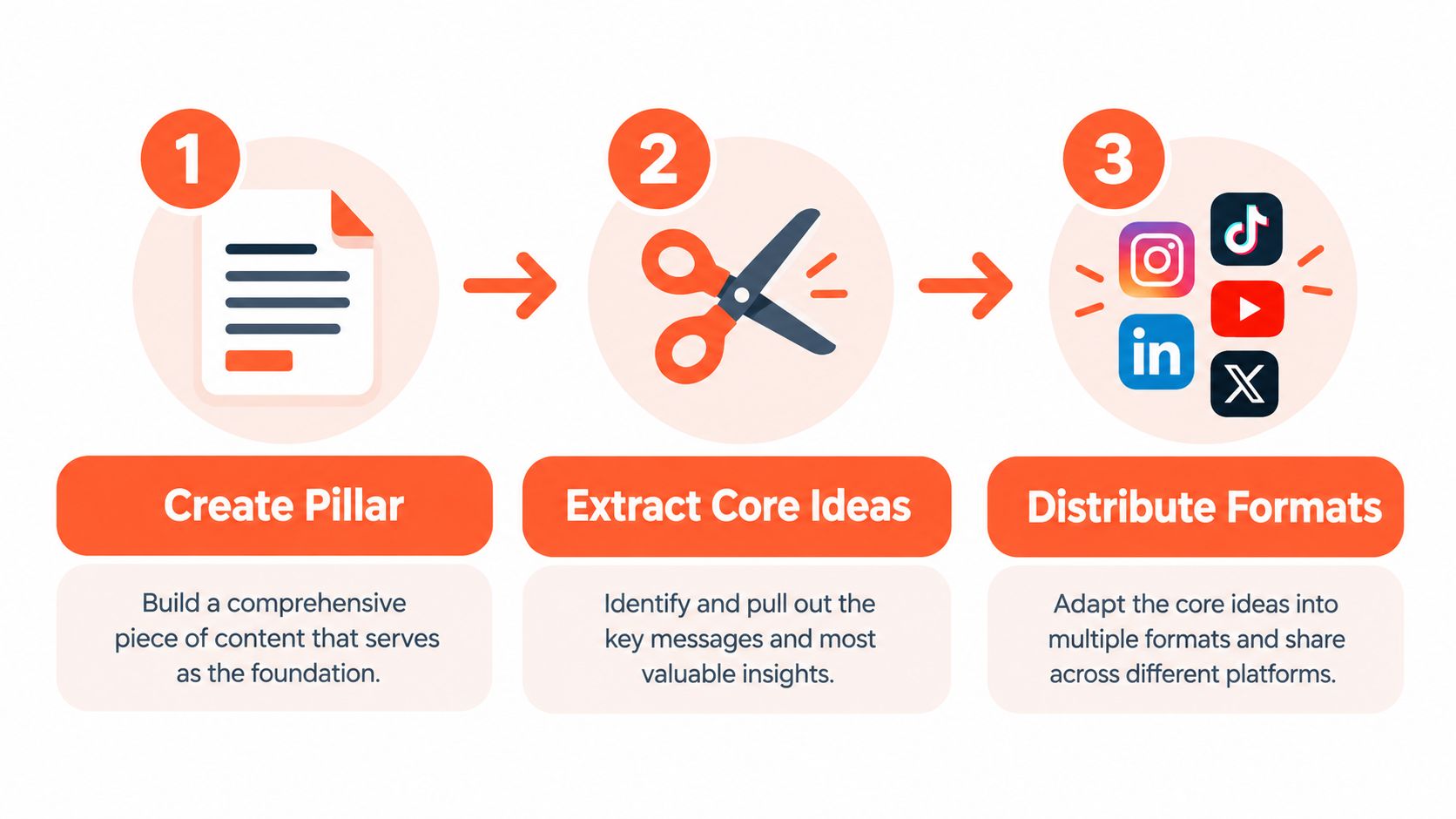
A resource such as turn one article into 9 posts with can help teams think through the transformation from a single source into a coordinated set of outputs.
The human review remains essential. A system can find a sentence that looks like a hook, but a content lead must decide whether the hook is accurate, useful, and appropriate for the audience. Automation speeds the pipeline. Editorial judgment protects the brand.
Popular Repurposing Formats and Which Channels They Fit
The right format depends on what the source asset already contains. A podcast has spoken insights and natural clips. A webinar has teaching sequences, audience questions, and demonstrations. A pillar article has structured explanations, definitions, and searchable subtopics.
Match the source to the audience behaviour
Short-form video works well when the source includes a clear lesson, visual demonstration, or strong opinion. The editor cuts the setup, keeps the most useful moment, adds readable captions, and gives the clip a beginning that makes sense without the original recording.
Carousels suit frameworks, comparisons, checklists, and processes. They borrow the source's structure but turn each idea into a visual step. Quote cards work better for a single memorable statement than for a complex argument. Newsletter snippets can carry nuance because readers have opted into a direct relationship with the publisher.
Useful format choices include:
- Short-form video: Adapt a lesson, demonstration, or objection for TikTok, Instagram Reels, and YouTube Shorts.
- Carousel: Turn a framework or sequence into slides for LinkedIn or Instagram.
- Quote graphic: Isolate a sharp perspective for X, Facebook, LinkedIn, or Instagram.
- Audiogram: Pair a podcast excerpt with a waveform and captions for professional or social feeds.
- Thread: Expand connected points into a conversational sequence on X or LinkedIn.
- Infographic pin: Present a process or comparison in a tall visual format for Pinterest.
- Blog summary: Rework a source section into a focused article for Medium or LinkedIn.
A guide to social media content types can help a team build a format library before it starts extracting ideas.
Source asset to channel format decision table
| Source Asset | Best-Fit Formats | Primary Channels | Why It Works |
|---|---|---|---|
| Pillar article | Carousel, thread, quote card, newsletter section, short video script | LinkedIn, Instagram, X, email | The article already contains headings, arguments, and examples that can be separated |
| Webinar | Short clips, key-question posts, recap email, slide carousel | YouTube, LinkedIn, Instagram, email | The recording includes teaching moments and audience objections |
| Podcast episode | Video clips, audiograms, transcript excerpts, discussion thread | YouTube Shorts, LinkedIn, X, Instagram | Spoken language creates natural moments for clips and commentary |
| Client education guide | Checklist, infographic, FAQ video, email sequence | Website, LinkedIn, Instagram, email | Practical instructions translate into visual and sequential formats |
| Product demonstration | Short video, screenshot carousel, captioned walkthrough | LinkedIn, Instagram, TikTok, YouTube | The action itself gives viewers a concrete reason to keep watching |
| Newsletter edition | Social post, quote card, short video script, refreshed article | LinkedIn, X, Instagram, website | The newsletter's strongest observation can become a public entry point |
For a product-led business that needs a visual demonstration without recording every version manually, an AI product demo generator may be useful as part of the production process. The same editorial rule applies: check the script, claims, screen sequence, and call to action before publishing.
Turning One Long-Form Article into a Week of Social Content
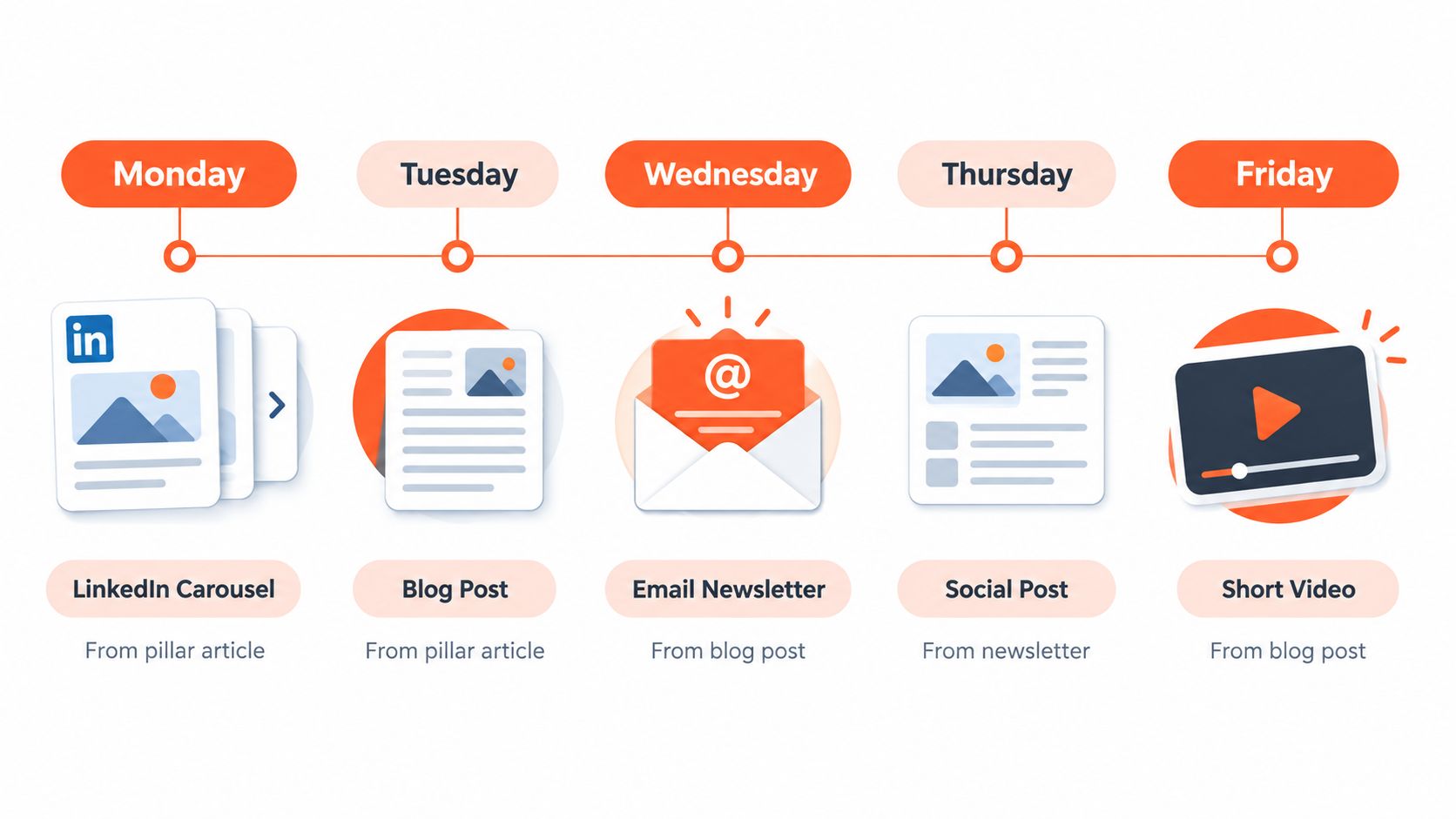
Consider a consultancy with a pillar article about client onboarding. The article explains a framework for setting expectations, collecting information, and moving a new client into productive work. Instead of posting the article once and leaving it behind, the team treats its ideas as a week's worth of distinct conversations.
Monday and Tuesday create the first entry points
On Monday, the consultant publishes a LinkedIn carousel. The first slide introduces the onboarding problem, the next slides explain the framework, and the final slide points readers to the full article. It doesn't reproduce the article's paragraphs. It gives busy professionals a visual summary they can scan and save.
On Tuesday, the same source becomes an X thread about the framework's most counterintuitive idea. Each post advances the argument, rather than repeating the carousel slides. The thread can use a conversational tone and end with a question that invites practitioners to share how they handle onboarding.
Wednesday and Thursday make the idea visible
Wednesday's output is a short Reel using a whiteboard-style explanation. The consultant draws the three parts of the framework, gives one example, and tells viewers where to find the complete process. The video is not an animated reading of the article. It is a spoken demonstration built around one useful takeaway.
On Thursday, the team publishes a quote card built from the article's strongest contrarian line. The caption adds context, because a sentence that works visually may need explanation before readers can apply it.
Friday through Sunday support depth and discovery
Friday's LinkedIn long-form post challenges a common onboarding mistake. It uses the article's reasoning but develops a fresh angle for a professional audience. Saturday's newsletter includes a short preview of the complete framework, written for subscribers who already know the consultancy's voice. Sunday brings a Pinterest pin that summarizes the process and points back to the pillar article.
| Day | Output | Editorial job |
|---|---|---|
| Monday | LinkedIn carousel | Make the framework easy to scan |
| Tuesday | X thread | Explore one surprising idea |
| Wednesday | Short Reel | Demonstrate the process aloud |
| Thursday | Quote card | Create a memorable point of entry |
| Friday | LinkedIn article-style post | Challenge a common assumption |
| Saturday | Newsletter paragraph | Move subscribers toward deeper reading |
| Sunday | Pinterest pin | Create a visual route back to the source |
A content repurposing tool can accelerate the first pass by extracting hooks, quotations, and frameworks from the pillar article. The editor still rewrites each output for its channel, checks the claims, and chooses the appropriate visual treatment. A workflow such as blog to social media post can help teams organize that transformation.
The result isn't seven copies of one article. It's a connected sequence. Each asset gives the audience a different reason to encounter the same expertise, while the original article remains the deepest destination.
Metrics That Prove Repurposing Is Working
Repurposing succeeds when it improves the relationship between editorial effort, distribution, and business outcomes. Start with efficiency measures. Track how much time the team spends turning a source asset into publishable derivatives, and record the cost of producing each approved asset. These measures reveal whether the workflow is becoming more sustainable.
Then evaluate each channel on its own terms:
- Engagement rate: Compare meaningful interactions with the audience size instead of treating raw likes as proof of success.
- Click-through rate: Measure how often social or email readers visit the original article, landing page, or booking page.
- Assisted conversions: Check whether a repurposed asset appears earlier in journeys that later lead to an enquiry, subscription, or sale.
- Qualified reach: Look for discovery among the audience the business wants, not just broad exposure.
- Source-asset performance: Monitor whether derivatives help the original article attract more useful visits and deeper engagement over time.
The Adobe Express survey offers useful directional context. It found that respondents associated repurposing with time savings, increased engagement, and increased conversions, with the reported ranges and proportions cited earlier. Those findings support measuring both efficiency and outcomes rather than treating publishing volume as the goal.
Review patterns, not isolated posts
A single post can underperform because of timing, creative quality, or an audience mismatch. Review repurposing results on a regular monthly rhythm, then compare formats, hooks, channels, and calls to action. A monthly view gives the team enough context to identify patterns without reacting to every fluctuation.
Raw follower counts, impression totals, and likes can still provide clues, but they shouldn't carry the decision alone. A smaller number of qualified visits or assisted enquiries can matter more than a large amount of passive attention.
Measurement rule: Track whether the system creates useful next steps, not merely whether it creates more posts.
Common Repurposing Mistakes and How to Avoid Them
Repurposing fails when teams confuse more output with better distribution. A copied paragraph may technically appear on another platform, but it doesn't give that audience a reason to stop, understand, or respond.
The first mistake is copy-pasting without reformatting. A long LinkedIn explanation rarely becomes a strong short video by adding subtitles. Rewrite the opening, shorten the argument, and give the new format its own ending.
The second is ignoring channel conventions. A vertical video needs visual movement and readable captions. A carousel needs progression from slide to slide. A newsletter needs a direct relationship with the reader. Use the source as raw material, not as a finished template.
The third is stripping away context. A dramatic quote can become misleading when removed from the explanation around it. Keep enough background for the derivative to remain accurate, especially when the source includes qualifications or data.
Corrections that protect quality
Teams also over-produce weak derivatives. If the source contains one strong insight and several thin observations, publish the strong insight in well-made formats instead of filling every available slot. A distribution system should make editorial priorities clearer, not hide them beneath a pile of minor variations.
Finally, many teams skip the performance review. They continue producing formats that attract attention but no useful action, or they abandon a promising channel after one quiet post. Compare the purpose of each derivative with its result, then adjust the next source-to-channel map.
| Common Mistake | Smarter Correction |
|---|---|
| Publishing identical copy everywhere | Rewrite the hook, structure, length, and call to action for each channel |
| Treating every platform as interchangeable | Study the channel's native viewing and reading behaviour |
| Removing context from quotes or claims | Preserve the qualification needed to keep the idea accurate |
| Producing derivatives without editorial selection | Extract several possibilities, then approve only the useful ones |
| Measuring likes alone | Connect engagement with clicks, qualified reach, and assisted conversions |
| Never revisiting the workflow | Review results and update format choices regularly |
Consultants, coaches, and SMB marketers need consistency without flattening their voice. Tools can accelerate extraction and drafting, but a person should still approve the final message, visual hierarchy, and promise. That balance keeps repurposing focused on distribution rather than careless duplication.
A Practical Checklist to Start Repurposing This Week
Choose one existing asset and run this workflow during a normal working week. You don't need a large archive or a separate production department. You need a source with a durable idea, a clear audience, and enough substance to support more than one explanation.
Select and decompose
- Audit the library: Spend a short working session reviewing articles, newsletters, podcast scripts, webinars, and guides that remain relevant.
- Choose one pillar: Select the asset with the clearest audience problem and the strongest practical value.
- Mark the components: Highlight the main argument, supporting points, examples, objections, memorable lines, and visual opportunities.
- Extract core ideas: Choose five useful angles that can stand independently without misrepresenting the source.
Map and produce
- Assign a channel: Match each idea with the platform where that audience is most likely to use it.
- Choose a native format: Turn a process into a carousel, a demonstration into a short video, a sharp opinion into a quote card, and a nuanced observation into an email section.
- Write fresh hooks: Give every derivative an opening suited to its channel instead of recycling the source title.
- Build the calendar: Schedule the outputs across a week so the audience encounters a sequence rather than a burst of identical messages.
- Add clear paths: Link appropriate posts back to the source asset, newsletter, service page, or conversation you want to create.
Measure and refine
- Set tracking: Record production time, asset cost, engagement quality, clicks, qualified reach, and assisted conversions.
- Review on Friday: Note which hooks earned attention, which formats encouraged action, and which channels deserve another test.
- Update the system: Keep the formats that support your goals, revise weak openings, and retire derivatives that add work without adding value.
A platform such as WaveGen.ai can automate much of the decomposition and adaptation work, turning a source article, newsletter, transcript, or script into editable channel-specific drafts while leaving final judgment with the publishing team.
WaveGen.ai turns one article, newsletter, podcast script, or transcript into on-brand carousels, short videos, quote cards, captions, and platform-specific content for channels including Instagram, TikTok, LinkedIn, YouTube, and Facebook. Set your brand kit, review the generated drafts in the visual editor, and use the platform to build a repeatable distribution workflow by visiting WaveGen.ai.
content repurposing
content strategy
social media workflow
repurposing methods
content distribution
Turn this kind of writing into a week of social content.
Paste a blog post, newsletter, or rough draft — WaveGen turns it into publish-ready carousels, captions, and slideshows for every channel.
No credit card · First posts in 2min