September 22, 2026
18 min read
8 Podcast Social Media Post Examples
Explore 8 podcast social media post examples with templates for quote cards, clips, carousels, captions, hashtags, and platform-specific promotion.
Promoting a podcast doesn't mean posting the same episode artwork everywhere and hoping the platforms do the rest. A strong podcast social media post has a specific distribution job. One post earns attention, another supplies context, another transfers trust from a guest, and another gives existing listeners a reason to return. Treating every asset as a generic announcement creates repetitive feeds, weak calls to action, and plenty of production work without a clear path to a full episode.
Podcasting now operates at mainstream scale. A 2026 industry roundup estimated 4.58 million podcasts and 584.1 million global listeners, while Edison Research's 2026 U.S. survey estimated 167 million monthly podcast consumers, or 58% of Americans age 12 and older. Podcast industry data makes the strategic point clear: social promotion isn't a decorative layer around the show. It's part of discovery.
This guide breaks one recording into eight distinct jobs: attention, context, trust, community, anticipation, and sustained learning. You'll get platform adaptations, production decisions, caption and hashtag templates, and a repeatable repurposing workflow. WaveGen.ai can also help turn a transcript or podcast script into branded assets, while tools that extract specific sounds from recordings can help you locate usable moments before editing begins.
Table of Contents
- 1. Podcast Highlight Clips With Quote Cards
- 2. Podcast Teaser Videos With Auto-Generated Captions
- 3. Carousel Posts With Episode Breakdown
- 4. Guest Spotlight Posts With Social Proof
- 5. Behind-the-Scenes Recording Session Posts
- 6. Listener Q&A and Comment Feature Posts
- 7. Episode Announcement With Countdown Posts
- 8. Educational Thread and Series Posts With an Installment Model
- 8-Item Comparison: Podcast Social Post Types
- Turn One Recording Into a Distribution System
1. Podcast Highlight Clips With Quote Cards
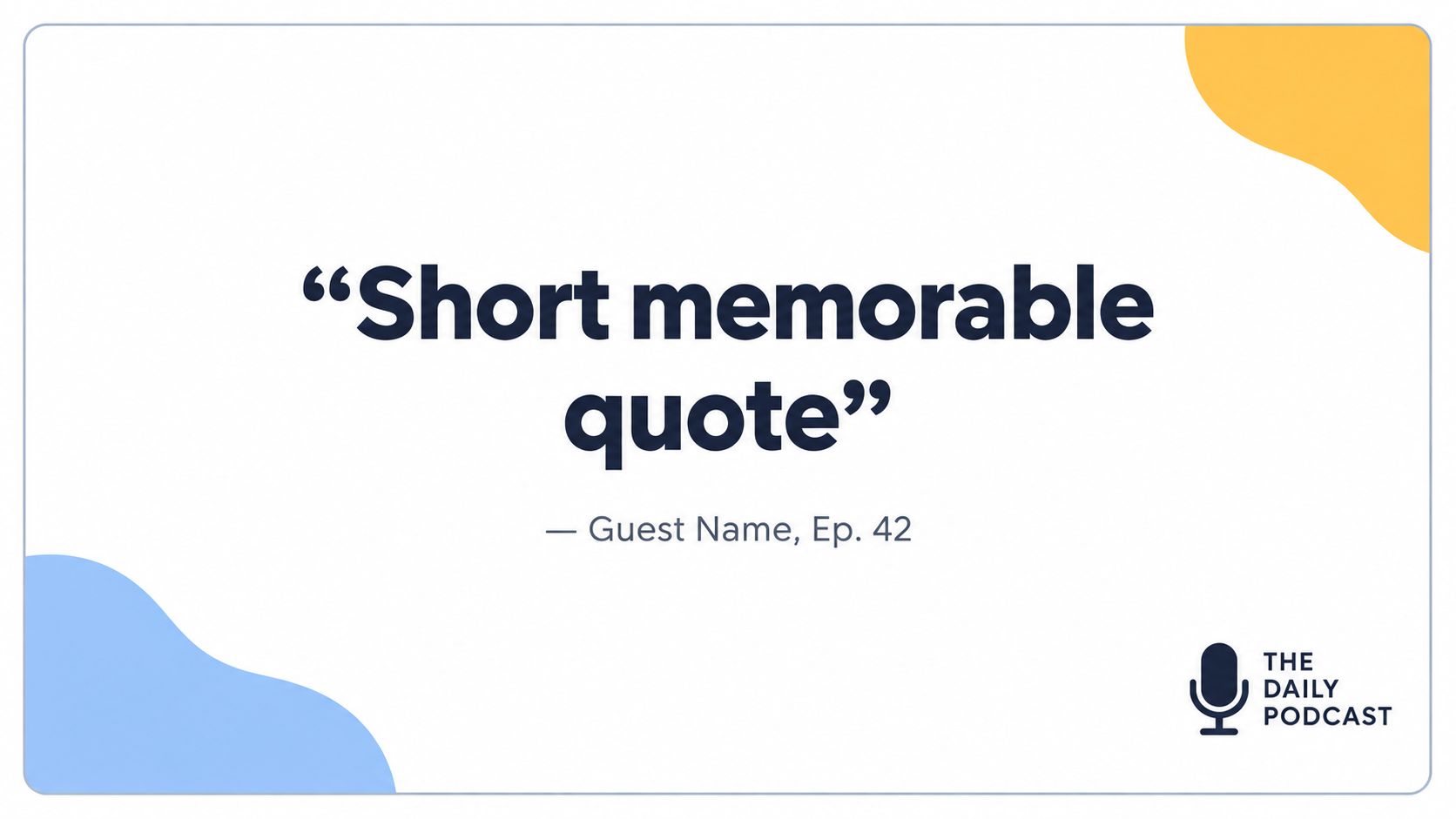
A quote card earns attention without asking someone to commit to video, headphones, or a full episode. It isolates a sharp idea, surprising opinion, or emotionally resonant sentence and gives that statement enough visual identity to stop the scroll.
The strongest cards create an information gap. “Leadership is important” won't make someone curious. “Your best employee may be the least visible person in the room” gives the audience a reason to learn the explanation behind the line. Add the guest's name, episode topic, and show identity so the card can travel independently when someone shares it.
Use Instagram Stories for a sequence of cards, LinkedIn for a more contextual thought-leadership post, and TikTok as an animated visual between video assets. On Instagram, a three-card sequence can move from statement to explanation to listening prompt. On LinkedIn, put the quote in the image and the practical interpretation in the caption.
Production decisions that affect performance
Keep the quote short enough to read quickly, but don't edit it until its meaning changes. Use high contrast, generous spacing, and a consistent logo position. Create several cards from the same episode, but give each one a different job:
- Curiosity card: Present the provocative claim without explaining it.
- Context card: Add the situation or problem behind the quote.
- Action card: Turn the insight into a question or practical step.
- Attribution card: Identify the guest, episode, and release detail.
A useful caption template is: “ [Guest] explains why [specific tension]. The full conversation covers [benefit or topic]. Listen to episode [number] via the link in bio.” Use a compact hashtag set built around the show topic, guest subject, and listener problem rather than adding unrelated popular tags.
For a more detailed approach to designing this format, see this guide to quote cards for social media. Schedule the first card before release, then publish the remaining cards after the episode gives the audience somewhere to go.
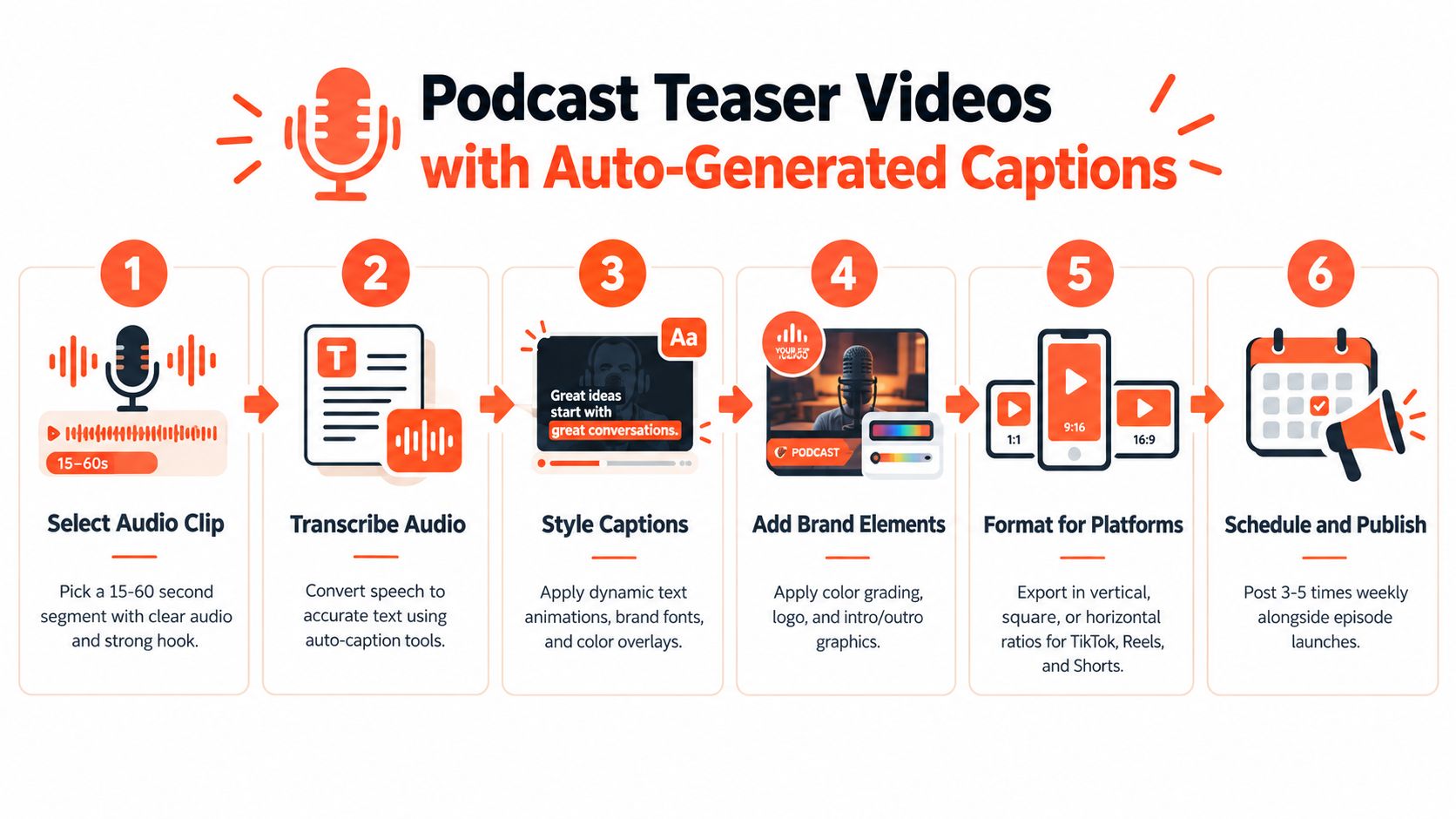
2. Podcast Teaser Videos With Auto-Generated Captions
A teaser video has a different responsibility. It must earn immediate attention from people who don't know the show, then provide enough context for them to understand why the conversation matters. Short-form clips are especially relevant because 89% of listeners watch podcast clips at least sometimes, and 72% watch them often or always, according to a 2026 Podcast Atlas survey reported by Barrett Media.
Start with a complete thought, not a greeting or a slow setup. A clip that begins with “Thanks for joining me” spends its most valuable opening seconds on information nobody needs. Begin where the guest makes the claim, reveals a contradiction, tells a compact story, or answers a question with tension.
Adapt the same moment to each platform
TikTok can tolerate a more conversational edit with visible host and guest reactions. Instagram Reels benefits from a clean opening frame, readable captions, and a caption that explains the episode's practical value. YouTube Shorts should identify the topic and guest clearly because viewers may encounter the clip while searching for information rather than browsing a familiar feed.
Auto-generated captions speed production, but they still need human review. Correct names, technical terms, negations, and punctuation before publishing. Add speaker changes when the exchange matters, and keep the text inside the platform's safe area so interface controls don't cover the key sentence.
Editing rule: If the clip needs the full episode to make sense, add context in the first caption frame instead of assuming viewers will read the post copy.
A simple production workflow is transcript search, rough selection, vertical edit, caption correction, brand treatment, platform export, and conversion tagging. Track the source episode, clip length, platform, retention percentage, and conversion action for every post. The AI video clip generator can support the asset-building stage, but editorial judgment should decide which moment deserves distribution.
Caption template: “The part of [episode topic] many overlook: [claim]. Hear the full conversation with [guest] in episode [number].” Hashtag template: “[topic] [industry] [guest area] [show name].” Keep the call to action specific. Ask for a full-episode listen when the clip establishes a clear unresolved question, and ask for a follow when the series itself is the value.
3. Carousel Posts With Episode Breakdown
A carousel gives an episode a second distribution job: context. It helps a reader understand the premise, the guest's relevance, and the useful ideas before choosing to listen. That makes it different from a teaser, which competes for immediate attention. Build the carousel for people who need enough substance to judge whether the conversation applies to them.
Start with the audience problem, not the episode title. “Five lessons from [guest] on rebuilding a stalled team” gives Instagram users a reason to swipe and gives LinkedIn readers a clear professional question. Instagram benefits from visual continuity and a concise caption that points to the link in bio. LinkedIn needs a sharper implication for hiring, sales, management, or decision-making, followed by a prompt about the reader's experience. Adapt the wording rather than reposting identical copy.
The transcript supplies the raw material, but each slide needs editorial compression. Give one idea a clear claim, a short explanation, and, where helpful, a concrete example from the conversation. A useful carousel can teach someone who never opens the episode, while the final prompt creates a reason to hear the fuller argument.
Use this production map:
- Opening slide: Audience problem, guest, and a specific promise.
- Credibility slide: Why the guest can address that problem.
- Teaching slides: One takeaway per slide, with a brief explanation.
- Closing slide: One primary action, such as listening, saving, or sharing.
Keep text to a few lines and repeat the same icon and color system. Dense slides reduce the chance that readers finish the sequence or save it for later. The social media carousel guidance can inform the visual system, while the editorial team decides which claims deserve limited slide space.
Repurpose through a repeatable workflow: search the transcript for the episode's central question, select the strongest supporting points, rewrite them as standalone claims, design the Instagram version, adapt the lead and caption for LinkedIn, then attach platform-specific tracking. Caption template: “We asked [guest] about [problem]. Here are the ideas that changed the conversation. Save this breakdown, then listen to the full episode at [destination].” Use professional terms tied to the subject, and avoid broad tags that weaken audience targeting.
4. Guest Spotlight Posts With Social Proof
A guest spotlight earns attention when the guest has a clear reason to share it. A headshot with “Meet our guest” rarely gives the audience enough context. Build the post around a question the audience already cares about, then show why this guest can answer it.
Start with one verified excerpt and the guest's approved identity details. Use the official name, professional role, social handle, and precise wording from the conversation. Confirm spelling, titles, and tagging preferences before scheduling. Accurate representation protects both brands and increases the chance that the guest will distribute the post.
Give the guest an asset they can publish without rebuilding it. Create three versions from the same recording:
- Quote version: A portrait, concise excerpt, and episode reference for Instagram.
- Problem version: The professional or business issue the guest addresses for LinkedIn.
- Point-of-view version: A short observation from the quote for X, with the guest tagged directly.
Facebook can carry more conversational context, especially inside established communities. Keep the core claim consistent, but change the opening, caption length, and call to action for each platform. A practical achievement or distinctive viewpoint can replace a biography, provided the detail appears in the guest's approved biography, website, or press materials.
Send the draft before publication. Include the final image, suggested caption, episode link, and exact handle. Asking the guest to recreate the post adds friction and reduces sharing.
Caption template: “What does [guest role] know about [audience problem] that [flagged phrase] overlooks? In our conversation, [guest] explains [specific insight]. Listen to episode [number] and follow [handle] for more on [subject].”
Use this workflow after recording: find the strongest guest-specific passage, verify the wording, create the portrait and quote asset, adapt the lead for each platform, then track guest-tag engagement separately from full-episode actions. The distribution job is qualified discovery among people who already recognize the guest's work, so measure visibility and audience movement as different outcomes.
5. Behind-the-Scenes Recording Session Posts
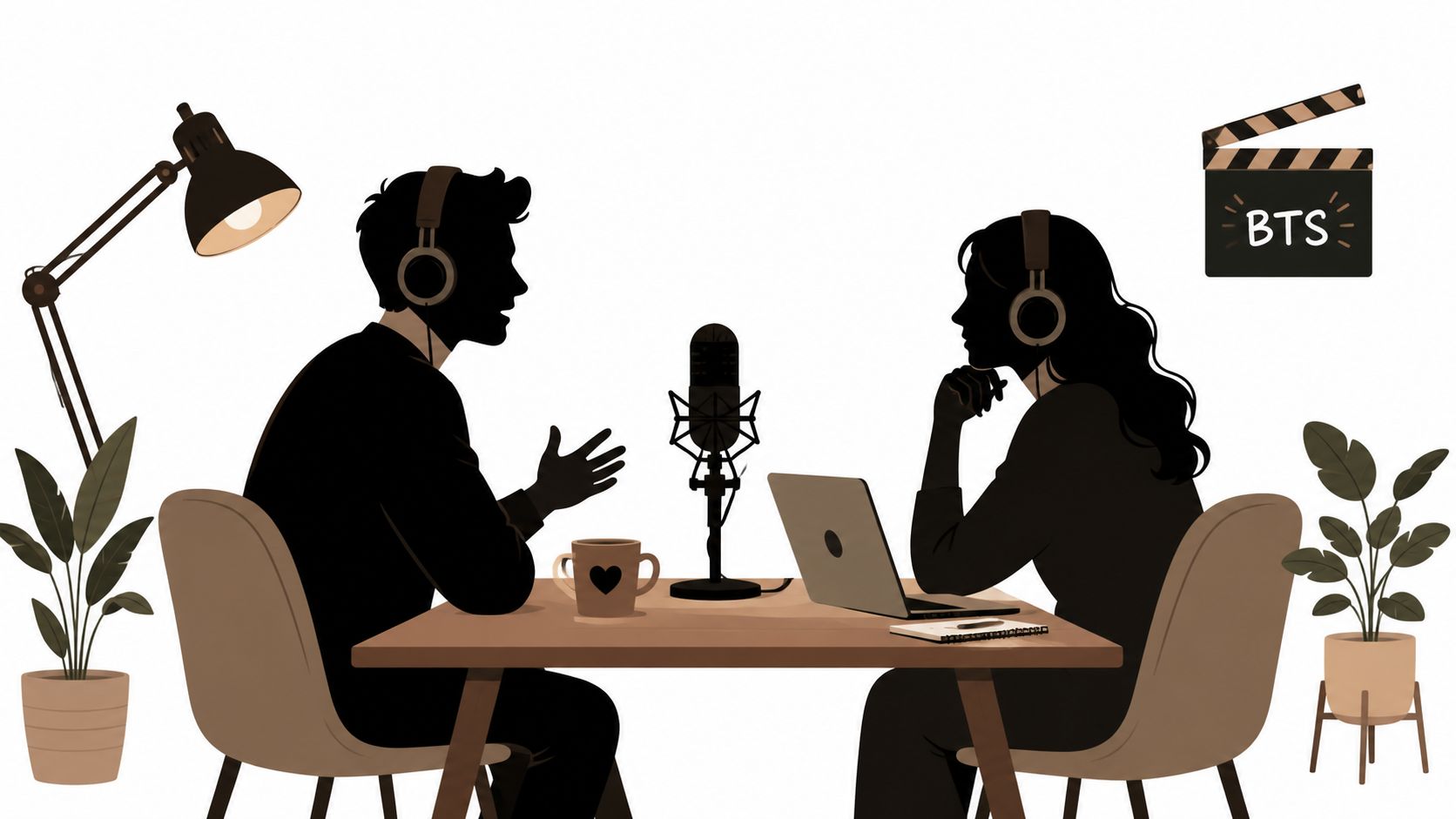
Behind-the-scenes content earns trust by showing the people and process behind the polished episode. It answers a quiet audience question: is this a real conversation, or just a branded content machine?
Capture the preparation, not only the expensive equipment. A guest laughing before recording, a host checking notes, a microphone being positioned, or a quick exchange after a difficult question can make the show feel accessible. These moments work well in Stories because they reward regular followers with immediacy, while a short Reel or TikTok can introduce the show's personality to new viewers.
Assign capture responsibility before every recording. Otherwise, the host remembers the conversation and the social team receives nothing but the final audio. Ask permission before publishing private exchanges, and avoid showing confidential notes, unreleased products, or guest information that wasn't intended for public view.
Let the format stay less polished
Overproducing a candid moment defeats its purpose. Use natural light where possible, keep edits clean, and preserve a little room sound or imperfect movement when it reinforces authenticity. A studio tour can demonstrate production care, but it shouldn't replace human interaction.
A useful sequence might include a setup Story, a brief recording-room clip, a host or guest reaction, and a release reminder. On TikTok, add a direct hook such as “What happened before we recorded this question?” On Instagram, use the native question sticker to collect prompts for the next session. On LinkedIn, connect the scene to the episode's professional theme.
Caption template: “Before we recorded [episode topic], [guest] asked one question that changed the direction of the conversation. The answer is in episode [number]. What would you have asked?”
Behind-the-scenes posts rarely need a hard sales pitch. Their job is to make future promotional posts feel like invitations from a recognizable show, not interruptions from an anonymous brand.
6. Listener Q&A and Comment Feature Posts
A listener Q&A has a different distribution job from a highlight clip: it gives the community influence and shows how the show handles real problems. The strongest questions reveal a practical obstacle, expose a useful tension, or invite other listeners to compare their experience.
Open with the question, not a polished summary. Keep the listener's wording where it adds personality, then edit for clarity and length. Avoid selecting only praise. A thoughtful challenge can create stronger discussion when the host answers specifically instead of becoming defensive.
Protect the contributor before publication. Credit a listener by name and handle only after approval. Remove identifying details from questions involving personal, medical, financial, legal, or workplace information, and state the limits of the response when those limits matter. Permission also applies when featuring a listener's longer comment or personal experience.
Build a question across platforms
Treat one approved question as source material for several posts. On Instagram, publish a branded question card, then cut the host's answer into a short Reel. On LinkedIn, frame the question as a text post and ask professionals to compare their approaches. YouTube Community can direct listeners to the relevant episode segment, while X can turn the answer into a concise exchange or thread.
Keep the series visually recognizable, but assign each post one action:
- Ask: Collect a question for a future episode.
- Respond: Invite readers to explain how they would handle the situation.
- Listen: Send people to the episode or timestamp with the fuller answer.
- Share: Give listeners a reason to pass the response to someone facing the same problem.
Caption template: “Listener question from [name or community]: [question]. Our answer: [one-sentence response]. We go deeper at [episode or timestamp]. What would you add?”
Use the comment thread as feedback for the next recording. Track the quality of replies, repeat participation, and follower conversion alongside views. High reach can still produce weak community value if unrelated reactions dominate. Recycle the best follow-up comment into a clarification post, then save unanswered questions for a future Q&A queue.
7. Episode Announcement With Countdown Posts
A countdown earns attention only when it answers a practical question: why should someone reserve time for this episode? Build the announcement around the guest, the unresolved problem, and the benefit of listening. This post serves anticipation, while the later release post must give people a clear listening destination.
Choose the format according to the distribution goal. Instagram Stories can use a native countdown sticker for reminders. TikTok suits a direct-to-camera explanation of why the interview matters. LinkedIn can frame the professional question behind the conversation. Email can provide fuller context and point subscribers to the social assets.
Give each post a different job
Use one idea across the campaign, then change the execution for each platform:
- Early announcement: Introduce the guest and the problem the episode examines.
- Mid-campaign variation: Publish a short quote, question, or visual clue that adds context.
- Final reminder: Show the release date and ask people to follow or subscribe.
- Release-day post: Replace anticipation with the episode link or listening destination.
Keep the promise specific. A timer should remind people, not manufacture pressure. Include the episode number for returning listeners, and lead with the guest's distinctive angle rather than repeating a job title.
Caption template: “Coming next: [guest] on [specific question]. We discuss [tension], [practical subject], and what changes when [condition]. Follow the show so you don't miss episode [number].”
Use topic and guest hashtags selectively for discovery. Save the visual layout as a reusable template, but rewrite the opening hook for every episode. Consistent colors and typography build recognition; unchanged copy makes the campaign look automated.
The production workflow should start with the episode brief. Extract the central question, write the announcement caption, adapt it into a Story countdown and a TikTok script, then create the LinkedIn version with its professional implication. After release, reuse the same question for a quote card or teaser, and reserve the strongest answer for a post that sends listeners to the episode. This preserves a clear path from anticipation to listening.
8. Educational Thread and Series Posts With an Installment Model
An installment series gives one episode a longer distribution cycle by assigning each post a specific learning job: explain context, build trust, prompt discussion, or support sustained learning. The sequence should work for people who discover it halfway through, while still giving followers a reason to continue or play the full episode.
Start with the episode brief, not the transcript timestamps. Mark the central question, supporting ideas, examples, and decision rules. Combine related points, remove repetition, and arrange the installments around questions a listener would ask. Number each post, then repeat enough context in every opening for someone who sees installment four first.
Platform choice should follow the distribution goal. On X, use a connected text thread with one claim, explanation, and implication per post. On LinkedIn, turn the same material into a document carousel or separate posts that translate the lesson into workplace decisions. An email sequence can add nuance for subscribers, with the last message directing them to the complete conversation.
Write for immediate value
Give each installment a usable takeaway rather than withholding the answer until the final link:
- Post one: “The hiring mistake this episode keeps returning to.”
- Post two: “Why adding process didn't solve the team's problem.”
- Post three: “The question leaders should ask before changing the structure.”
- Final post: “The full conversation, including the guest's operating framework.”
A series built from teasers becomes a string of announcements. Include a clear idea, example, or decision rule in every post, then make the next installment or full episode the logical follow-up.
Caption template: “Part [number] of [total]: [standalone lesson]. Apply it by [action]. The full conversation with [guest] is available at [destination].” On X, add one concise topic hashtag only if it improves classification. On LinkedIn, prioritize a readable opening over a block of hashtags.
After publishing, compare saves, comments, profile visits, and follows by installment. High-save lessons can become a carousel, while discussion-heavy points suit a follow-up question or community post. Convert the same source into short video or newsletter material through a documented workflow, adapting the hook and format for each channel. The Taap.bio repurposing playbook provides useful background for extending one idea without copying the same post everywhere.
8-Item Comparison: Podcast Social Post Types
| Format | Implementation Complexity 🔄 | Resource Requirements ⚡ | Expected Outcomes 📊⭐ | Ideal Use Cases 💡 | Key Advantages ⭐ |
|---|---|---|---|---|---|
| Podcast Highlight Clips with Quote Cards | Low, quick extraction + design tweaks | Low, templates, brand assets | ⭐⭐⭐, strong visual engagement; drives clicks to episode | Short-form socials (Instagram Stories, LinkedIn, TikTok) | Repurposes content fast; consistent branding; low production |
| Podcast Teaser Videos with Auto-Generated Captions | Moderate, audio edit + caption timing | Moderate‑High, video processing, captioning tools, music | ⭐⭐⭐⭐, high reach & shareability; improved accessibility | TikTok, Reels, YouTube Shorts; promotional clips | Algorithmic reach; captions boost watch‑through; viral potential |
| Carousel Posts with Episode Breakdown | Moderate‑High, multi‑slide design and narrative order | Moderate, designer time, structured copy | ⭐⭐⭐, deeper engagement; promotes episode listening via timestamps | Instagram & LinkedIn for educational or B2B content | Breaks down complex topics; encourages saves and swipes |
| Guest Spotlight Posts with Social Proof | Low, single post design; coordination with guest | Low‑Moderate, guest photo sourcing & approvals | ⭐⭐⭐, high amplification when guest shares; credibility boost | Notable guests, cross‑promotion, PR-driven episodes | Leverages guest audiences; builds trust and relationships |
| Behind-the-Scenes Recording Session Posts | Low, capture + light curation | Low, phone/video capture, quick edits | ⭐⭐, increases relatability and audience connection | Stories, Reels, TikTok; brand culture and community building | High authenticity; humanizes podcast; easy to produce |
| Listener Q&A and Comment Feature Posts | Moderate, curation and timely responses needed | Low‑Moderate, community management time | ⭐⭐⭐, boosts comments, loyalty, and social proof | Community-driven shows, coaching, interactive formats | Encourages engagement; highlights audience voice |
| Episode Announcement with Countdown Posts | Low, template-based design and scheduling | Low, planning and scheduling tools | ⭐⭐⭐, builds anticipation and drives subscriptions | Episode launches, high-profile guest episodes | Creates FOMO; supports recurring promotional cadence |
| Educational Thread/Series Posts with Installment Model | High, strategic sequencing and copy planning | Moderate‑High, content mapping, consistent delivery | ⭐⭐⭐⭐, sustained engagement; authority and follower retention | Thought leadership, LinkedIn/Twitter threads, courses | Demonstrates expertise; encourages return visits and saves |
Turn One Recording Into a Distribution System
The eight formats work best as a sequence, not a pile of disconnected assets. Begin with anticipation through an announcement and guest spotlight. Capture cold-feed attention with a teaser clip or quote card. Give interested viewers context through a carousel, then extend the episode's useful life with an educational series. Keep the relationship active with listener Q&A and behind-the-scenes posts.
The right mix depends on the episode. A controversial interview may need context before a clip so the excerpt isn't misunderstood. A technical episode may benefit more from a carousel and installment series than from a visually dramatic teaser. A guest with an active professional audience may justify several spotlight variations, while a solo episode may need stronger host-led storytelling and community prompts.
Use this selection checklist before production:
- Strongest moment: Identify the claim, story, question, or exchange that can stand alone.
- Audience intent: Decide whether the audience needs discovery, explanation, proof, participation, or a reason to return.
- Platform format: Match the asset to the viewing behavior. Don't export one design unchanged to every network.
- Primary call to action: Choose one action, such as listen, follow, save, comment, or share.
- Caption: Add the missing context, guest identity, episode topic, and destination.
- Hashtag set: Use topic, audience, and guest relevance. Remove tags that don't describe the post.
- Approval needs: Confirm guest permissions, quoted language, handles, images, and sensitive details.
- Repurposing schedule: Assign each asset a release window so the audience receives a progression rather than a same-day flood.
- Measurement fields: Record the source episode, clip length, platform, retention, and conversion action.
A practical workflow starts with the transcript. Mark candidate quotes, questions, narrative turns, and teaching points. Sort them by distribution job, then produce the smallest useful set of assets for the episode. Review every caption and subtitle for accuracy, adapt the hook by platform, secure approvals, schedule the sequence, and review retention, shares, comments, sentiment, profile clicks, and follows after publication.
WaveGen.ai can support this process by converting a podcast script or transcript into branded carousels, short videos, quote cards, captions, hashtags, and platform-specific assets. Its brand-kit workflow is designed to keep colors, fonts, logos, and voice consistent while a visual editor lets teams revise content before publishing. Visit the WaveGen.ai website to assess whether its transcript-to-distribution workflow fits your show.
A podcast social media post should never exist only because the episode needs promotion. Give each asset a job, give each platform a native treatment, and give every call to action a measurable next step. That approach turns one recording into a distribution system without asking your team to create the same message eight times.
WaveGen.ai turns podcast scripts and transcripts into on-brand carousels, short videos, quote cards, captions, and platform-ready social assets. Visit WaveGen.ai to turn your next episode into a coordinated publishing sequence instead of a stack of repetitive posts.
podcast social media post
podcast marketing
social media templates
podcast promotion
content repurposing
Turn this kind of writing into a week of social content.
Paste a blog post, newsletter, or rough draft — WaveGen turns it into publish-ready carousels, captions, and slideshows for every channel.
No credit card · First posts in 2min