August 4, 2026
17 min read
The 10 Best AI Video Clip Generators of 2026
Find the best AI video clip generator for 2026. We review the top 10 tools for marketers & creators to turn articles, podcasts, or videos into social clips.

You're probably staring at a folder full of good material, a blog post, a webinar recording, a podcast episode, or a client interview, and wondering how to turn it into the week's social output without living in the editor. That's exactly where an ai video clip generator earns its keep. The best ones don't just cut clips, they help you repurpose what you already made into a repeatable distribution system for Shorts, Reels, LinkedIn posts, and branded social assets. If your content engine is strong but your publishing cadence keeps slipping, this guide will help you pick the tool that fits the workflow, not just the feature list. For a broader repurposing angle, see AI repurposing for creators.
Table of Contents
- 1. WaveGen.ai
- 2. OpusClip
- 3. quso.ai formerly Vidyo.ai
- 4. Pictory
- 5. VEED
- 6. Kapwing
- 7. Descript
- 8. Wisecut
- 9. Lumen5
- 10. InVideo AI
- Top 10 AI Video Clip Generators, Feature Comparison
- How to Choose the Right AI Video Clip Generator for Your Workflow
1. WaveGen.ai
A content team that already has articles, newsletters, podcast scripts, or YouTube transcripts can use WaveGen.ai to turn that material into a steady stream of on-brand social content. The tool treats clipping as part of a broader content distribution system, so the output is not limited to short videos. It can also produce carousels, quote cards, captions with hashtags, and platform-specific formatting from the same source asset. That approach matters for teams that do not need another isolated clipper. They need a faster route from existing content to publish-ready pieces.
The workflow is built around consistency. You set a brand kit once, including colors, fonts, logo, and voice, then WaveGen applies it across the content it generates. The visual editor keeps the process editable, so you can adjust copy, imagery, or tone before publishing to Instagram, TikTok, LinkedIn, YouTube, and Facebook, with Pinterest listed as available or expanding. The autopilot mode is useful if you publish from RSS feeds and want weekly drafts to review instead of starting over each time.
Practical rule: use WaveGen when repurposing is the bottleneck, not ideation. It works best when you already have strong long-form material and need a repeatable way to turn it into social output without stitching together ChatGPT, Canva, and a scheduler.
WaveGen's own reported usage helps explain why it fits structured teams as well as solo creators. It is trusted by 3,000+ businesses, has generated 10,000+ posts, and says active users save roughly 20 hours per week. Pricing scales from Starter at $20/month billed annually for 30 generated posts/month, Growth at $35/month billed annually for 60 generated posts/month, Pro at $70/month billed annually for 120 generated posts/month, and a custom Business tier. There is also a free trial with 10 free posts and one social connection, no credit card required, plus unused credits can roll over up to 3x the monthly allowance.
Pros
- End-to-end repurposing: turns one long-form asset into ready-to-post carousels, short videos, quote cards, captions, and hashtags in minutes.
- Brand consistency at scale: one brand kit applies automatically, so the visual and verbal style stays aligned across posts.
- Autopilot and scheduling: RSS monitoring, weekly drafts, crossposting, and one-click publishing reduce manual work.
- Proven adoption: trusted by 3,000+ businesses and associated with 10,000+ posts.
- Low-friction tryout: free trial, clear tiering, and a refund window make it easy to test without locking in.
Cons
- Credit limits matter: the plans are structured for planned output, not unlimited automated generation.
- Not built for novelty-first campaigns: it repurposes your existing material well, but it is not a viral idea generator.
Website: WaveGen.ai
The product also supports Blog to Video and AI Slideshow Maker workflows, which makes it a practical fit for turning written assets into silent, captioned short-form output. For a consultant, educator, agency, or in-house marketer who needs repeatable social content from the same source material every week, WaveGen is a sensible option. For more detail on that kind of workflow, see this video content strategy guide.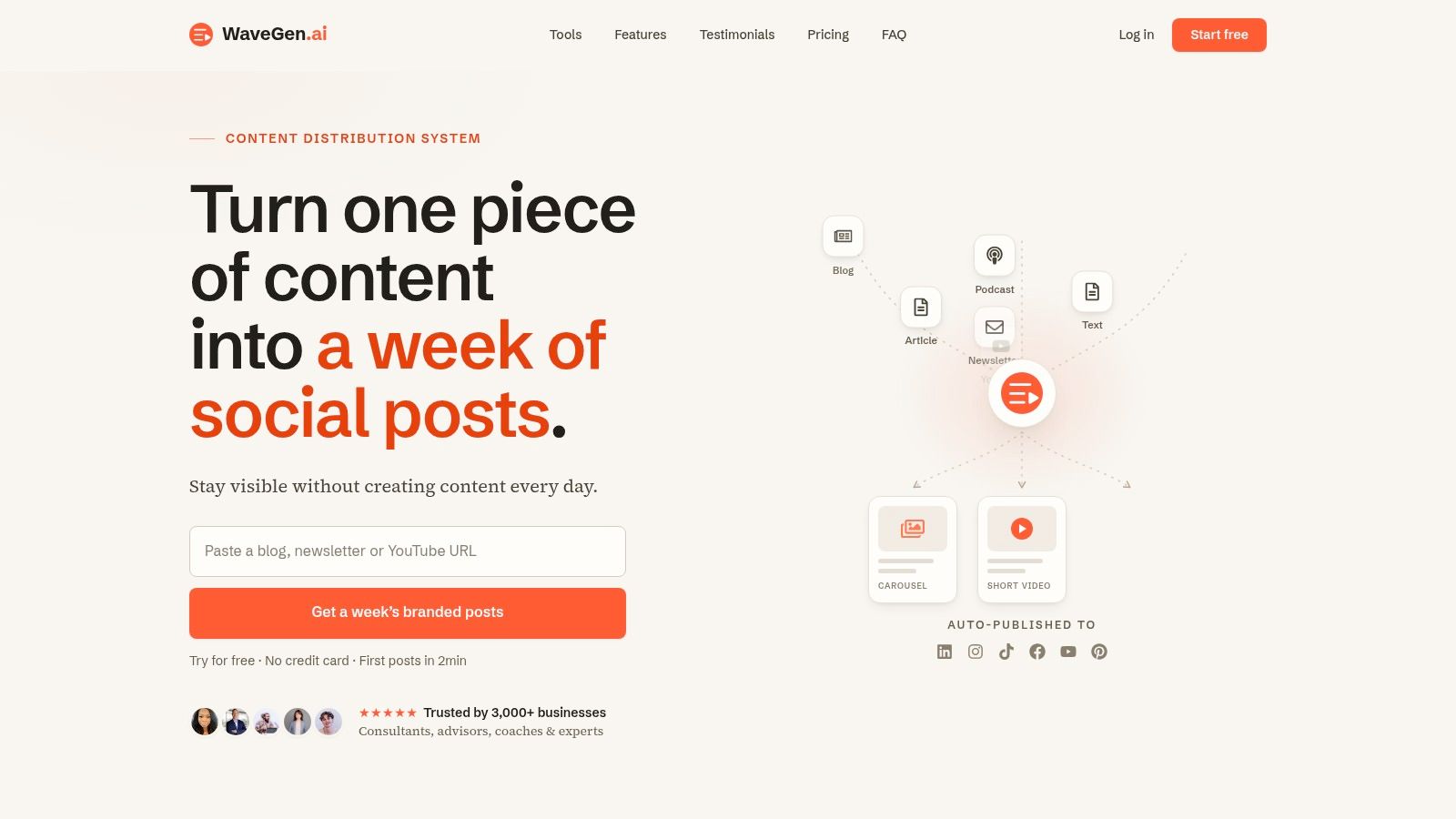
2. OpusClip
OpusClip is the cleanest fit for teams sitting on long recordings and wanting fast social cuts with minimal hand editing. It's built around highlight extraction, so podcasts, webinars, and talking-head videos can turn into multiple vertical clips without forcing you to scrub through every minute manually. The immediate value is speed, but the actual value is that the tool keeps the repurposing job narrow enough to stay usable.
The platform leans into prediction as much as editing. Its Virality Score helps rank moments that might perform better, and that's useful when you're choosing between ten decent clip candidates from a single recording. Automatic reframing for 9:16, 1:1, and 16:9, along with captions and hook overlays, makes it practical for distributing the same talk across several platforms without re-exporting everything by hand. AI B-roll, speech cleanup, voiceover, and dubbing round out the package for creators who want a more finished short-form asset.
For workflow planning, OpusClip makes the most sense when your team publishes from recorded conversations and wants to move quickly from raw footage to scheduled posts. That's a different job than making original AI videos from prompts. If your content strategy starts with a webinar archive or a monthly podcast, OpusClip is more efficient than a general-purpose editor because it reduces decision fatigue.
You'll get the best results when you treat the score as guidance, not truth. A clip can look promising and still underperform if the hook, audience, or captioning misses the mark. That's why I'd pair it with a review process, especially if the content is for a client brand or a heavily regulated niche.
WaveGen's video content strategy notes are a useful counterpoint if you're deciding whether to repurpose through clipping alone or through a broader asset pipeline. OpusClip wins when the source is already video, and the goal is to turn it into more clips fast.
Website: OpusClip
3. quso.ai formerly Vidyo.ai
quso.ai is stronger than a simple clipper because it blends long-to-short generation with a social publishing suite. That matters if your workflow doesn't stop at the export button. If you want clips, captions, scheduling, analytics, brand control, and source import in one place, this is the kind of platform that can replace a stack of smaller tools.
The import side is especially practical. Pulling content from YouTube, Vimeo, Zoom, Google Drive, and Dropbox means the tool fits into real production environments, not just polished creator workflows. Once the content is in, it can detect likely standout moments with Intelliclips, add word-level animated captions, and remove filler words. That combination is helpful for teams that repurpose interviews, webinars, and founder updates where pacing matters as much as the clip itself.
This is also one of the better options for teams that care about continuity between creation and distribution. The social scheduler and analytics layer let you keep publishing close to the editing process, which reduces the chance that good clips get stuck in an export folder. The trade-off is that the product has evolved quickly, and plan names or feature labels may shift as the platform matures.
Best fit: use quso.ai when one person or small team owns the whole pipeline, from ingest to publishing. It's less appealing if you only need a single, lightweight clipping tool.
Compared with a pure social repurposing workflow, quso.ai is heavier, but that's the point. It's designed for teams that want clipping, branding, and posting under one roof instead of bouncing between an editor and a scheduler.
Website: quso.ai
4. Pictory
Pictory is one of the most straightforward blog-to-video and script-to-video tools in the category. If your source material is written, this platform gets you to a social-ready video quickly without asking you to become a video editor first. It's a good match for marketers who already publish articles, newsletters, or educational posts and want a second life for that content in video form.
The best part of Pictory's workflow is the variety of input types. You can start with a URL, a script, or a long video, then let the platform extract highlights, add captions, and assemble a branded clip. That makes it flexible enough for teams that alternate between written assets and recorded webinars. It also helps when you need to convert different source formats into the same distribution format, especially if your publishing calendar is built around repeatable weekly output.
Pictory feels more like a content repurposing tool than a precise editing sandbox. That's a strength if your goal is speed and consistency. It's a limitation if you want highly specific timing, custom motion, or a very polished NLE-style finish. In practice, the tool works best for polished simplicity, not intricate visual storytelling.
I'd use Pictory when the content already has structure and the job is to package it for social. It's a smart fit for teams that don't want to film from scratch but still need video assets to keep distribution moving.
Website: Pictory
5. VEED
VEED works well if you want an in-browser editor that can both clip and finish content without forcing a desktop install. That makes it a practical choice for teams that work across devices, share projects, or need a fast way to move from raw footage to social output. It's less specialized than OpusClip, but more flexible if you want editing, subtitles, resizing, and generation in one place.
The standout strengths are its AI Clips, automatic subtitles, translations, and browser-based editing flow. For social content, that matters because captions and aspect ratio changes are usually where repurposing time disappears. VEED also offers an AI Playground with multiple video models, which gives it more range than a basic trim-and-caption tool. If your team needs to experiment with generation and then finish the video in the same workspace, it fits that workflow well.
The main trade-off is simple. VEED can do a lot, but it doesn't fully replace a pro editor for complex jobs. That's fine for most social teams, because the target is speed, not cinematic precision. It's also worth keeping in mind that the free plan has watermarks and feature limits, so serious use quickly becomes a paid decision.
Use VEED when you want to clean, caption, resize, and export in one browser session. It's a strong middle ground for teams that need more than clipping, but less than a full production suite.
For content teams, VEED is often the tool you keep around because it's easy to open, fast to use, and flexible enough to cover the last mile of social publishing.
Website: VEED
6. Kapwing
Kapwing is a good fit for teams that want a browser-based studio with enough AI to speed up repurposing, but enough editing control to polish the result before it goes out. It can generate clips from a single video, build scripted shorts with B-roll, subtitles, and music, and keep the final export inside a collaborative workspace. That makes it useful for small teams that need shared visibility, not just a solo creator tool.
The platform's Clip Maker is the obvious starting point for social repurposing. From there, the ability to add AI B-roll, audio cleanup, dubbing, and voiceover gives you more control over the finished asset than most quick-clipping tools. The storyboard preview for text, image, or article-to-video workflows is especially helpful when you're building from written content and want to see the structure before committing to export.
Kapwing's team features matter more than people expect. If multiple people touch a clip before publishing, a browser-based workflow with brand kit support is a real operational advantage. The downside is the same one you see in other broad platforms, credits and paid tiers can become necessary quickly if your publishing volume is high.
WaveGen's social media editor guide is a useful reference if you're deciding how much editing you need before publishing. Kapwing is strongest when you want a balance of generation, customization, and collaboration.
Website: Kapwing
7. Descript
Descript is the best option for teams that already think in transcripts. If your source content is interviews, podcasts, webinars, or recorded calls, the transcript-first workflow makes clipping feel closer to editing a document than manipulating a timeline. That's a major advantage when you're trying to find shareable moments in talk-heavy footage.
The platform's Underlord AI helps with filler words, spacing, eye-contact correction, and audio cleanup, which means you can tighten a long recording before you even start clipping it. That matters because the quality of your clips often depends on how clean the source conversation is. Once the transcript is in place, you can generate highlights tied directly to the text and export in social-ready formats.
Descript is less about generative video and more about precision editing. That's exactly why it works for content that lives or dies on spoken clarity. If you're making short-form clips from a founder interview, client conversation, or webinar Q&A, the transcript gives you a faster way to identify usable moments. If you want prompt-driven video generation, it's not the primary tool.
The strongest use case is dialog-heavy content that needs editing without friction. I'd reach for Descript when I care more about getting the conversation clean and clipped than inventing visuals from scratch.
WaveGen's social media manager AI tools guide pairs well with this if your bigger job is repurposing conversations into a broader distribution schedule.
Website: Descript
8. Wisecut
Wisecut is built for one job, making long single takes easier to publish as short clips. It focuses on auto-cutting silences, tightening pacing, adding captions, and layering background music so the final result feels ready for social without heavy manual work. That makes it appealing for creators who record a lot of talking-head material and don't want to spend an hour removing dead air.
The simplicity is a feature. Wisecut keeps the workflow guided enough that you can move from upload to export without getting lost in editing decisions. The vertical format support and autopilot modes on higher plans make it more useful for recurring social output, especially if your content pattern is repetitive. The mobile app is also a practical plus for creators who want to review or adjust content away from a desktop.
Its limits are just as clear. Credit and minute-based processing means longer videos consume more of your quota, and the editor gives you less granular control than a full timeline tool. That's fine if your clips are mostly cleanups of talks, lessons, or updates. It's less ideal if you need detailed motion work, layered storytelling, or precise creative control.
What Wisecut does well: turns raw speech into short, watchable clips fast.
What it doesn't do well: replace a full editor when the project needs complex structure or finishing work.
Website: Wisecut
9. Lumen5
Lumen5 remains a solid choice for marketing teams that want to turn text into branded animated videos without filming. It works well for blog posts, newsletters, and scripted content that needs to become a social clip quickly. The platform's value is speed plus structure, not advanced cinematic control.
The storyboard approach is what makes it practical. You can paste a blog URL or script, and Lumen5 drafts a video with templates, stock media, and brand elements already in place. The Talking Head overlay is useful when you want to mix presenter footage with AI-assembled scenes, which can help a video feel less templated without abandoning the text-to-video flow. For teams that publish a lot of thought leadership, that balance is often enough.
Lumen5 does have a specific look, and that's part of the trade-off. It leans toward slideshow and animated presentation formats rather than dynamic camera footage. If you need highly custom visual storytelling, you'll outgrow it. If you need a repeatable way to turn written content into short videos for social, it's still useful.
I'd choose Lumen5 when brand consistency and speed matter more than visual experimentation. It's a dependable option for teams that have plenty to say and need a fast way to package it.
Website: Lumen5
10. InVideo AI
InVideo AI is the broadest all-in-one choice for teams that want prompts, stock media, voiceover, subtitles, and editing in one workspace. It's designed for people who want to move from an idea or script to a finished short video without bouncing between separate apps. That makes it especially useful for social content teams and solo creators who work at volume.
The platform's AI Clip Generator and YouTube Shorts workflows are the obvious fit for this list. You can generate a video from text or image input, then use the built-in editor and stock media library to finish it. The credit-based model is flexible, but it also means you need to plan usage carefully if you're publishing heavily. For teams that understand their volume, that can be a good fit. For casual users, it can feel more complicated than necessary.
The strongest reason to use InVideo AI is versatility. If you need a tool that can handle scripts, voiceover, captions, and stock footage without forcing you into a highly technical editing environment, it's a practical option. The downside is that the more all-in-one the product gets, the more you have to learn how its credit system and model choices work.
Brand deals behind InVideo is useful context if you're evaluating the platform's market presence, but the test is whether its workflow fits your publishing habits.
Website: InVideo AI
Top 10 AI Video Clip Generators, Feature Comparison
| Product | Core / Key features (✨) | Quality (★) | Price / Value (💰) | Best for (👥) |
|---|---|---|---|---|
| WaveGen.ai 🏆 | ✨ Long-form → week of on-brand carousels, short videos, quote cards; single brand kit; autopilot RSS, one-click multi-platform publish | ★★★★★ trusted by 3,000+ | 💰 $20→$70/mo tiers; free trial (10 posts); rollover credits | 👥 Creators, consultants, agencies, content teams |
| OpusClip | ✨ Long-video → short vertical clips with auto-reframe, captions & Virality Score | ★★★★☆ fast, clip-focused | 💰 Freemium + credit/plan limits | 👥 Podcasters, video creators, editors |
| quso.ai | ✨ AI clip generator + Intelliclips virality; imports (YouTube/Zoom); scheduler & analytics | ★★★★☆ clip→publish suite | 💰 Tiered plans; team features | 👥 Teams needing clipping + publishing |
| Pictory | ✨ Article/URL/script → short branded videos; auto-highlights, templates & stock | ★★★★☆ easy blog→video repurpose | 💰 Credit/plan limits; template packs | 👥 Bloggers, creators repurposing text |
| VEED | ✨ Browser-based editor with AI clips, auto-subtitles/translations & multiple video models | ★★★★☆ robust in-browser tools | 💰 Freemium; credits; free plan may watermark | 👥 Teams wanting fast browser editing |
| Kapwing | ✨ Online AI studio: clip maker, B-roll, captions, collaboration & brand kits | ★★★★☆ collaborative and versatile | 💰 Freemium with watermark; paid tiers for teams | 👥 Social teams & collaborative creators |
| Descript | ✨ Transcript-first editing, Underlord AI (filler removal, audio clean-up), clip/highlight workflow | ★★★★★ excellent for dialogue-heavy content | 💰 Tiered by media hours/credits | 👥 Podcasters, interview & meeting creators |
| Wisecut | ✨ Auto-cut silences, pacing tightening, auto-music & captions for quick shorts | ★★★☆☆ ultra-fast for single-takes | 💰 Minute/credit-based pricing | 👥 Solo creators recording long takes |
| Lumen5 | ✨ Blog→video storyboard, templates, brand kits & stock media (slideshow/animated style) | ★★★☆☆ quick article→video drafts | 💰 Business-focused tiers; template driven | 👥 Marketers turning articles into shorts |
| InVideo AI | ✨ Text/image→video, Shorts/Clip generator, credit-based AI models & stock media | ★★★★☆ versatile end-to-end workspace | 💰 Credit model; scalable per‑use costs | 👥 Teams needing all-in-one short creation |
How to Choose the Right AI Video Clip Generator for Your Workflow
Choosing the right ai video clip generator isn't about buying the most feature-rich platform. It's about matching the tool to the source material you already have, then deciding how much of the repurposing process you want automated. If your content starts as a blog post, newsletter, or transcript, tools like WaveGen.ai, Pictory, and Lumen5 are built for that repurposing path. If your starting point is a recorded conversation, webinar, or podcast, OpusClip, Descript, quso.ai, and Wisecut are better suited to fast clipping and cleanup.
Brand control is the next filter. Teams that need visual consistency across dozens of posts should look closely at WaveGen's brand kit workflow, because that's where repeatable social output becomes operationally easier. Browser-based editors like VEED and Kapwing are better when several people need to touch a project before it gets posted, while InVideo AI works well when you want more generation flexibility inside a single workspace.
You should also think about how much editing you need. If the goal is to clip, caption, and publish quickly, a narrower tool will usually save more time than a broad one. If you need cleanup, distribution, and content formatting in the same place, then a fuller suite is worth the extra complexity. The best choice is the one your team will keep using after the first week, not the one that looks strongest in a feature grid.
A final test is trust. For client-facing, regulated, or brand-sensitive work, keep a human review step in the process, because the market is expanding fast, but quality and continuity still need supervision. Use the tool to accelerate production, then use your editorial judgment to decide what deserves to go live.
If you're building a steady repurposing system from long-form content, start by visiting WaveGen.ai. It's built to turn one source asset into a full week of on-brand social content, which makes it a strong fit for teams that want consistency, speed, and less manual work.
ai video clip generator
content repurposing
ai video tools
social media video
video marketing tools
Turn this kind of writing into a week of social content.
Paste a blog post, newsletter, or rough draft — WaveGen turns it into publish-ready carousels, captions, and slideshows for every channel.
No credit card · First posts in 2min