July 5, 2026
12 min read
Social Media Carousel Guide: Create, Publish, and Convert
Master the social media carousel. Our guide covers platform specs, design anatomy, and workflows to create engaging content that boosts reach and conversions.
Pretty carousels fail all the time.
That's the part most advice skips. Designers obsess over fonts, alignment, and color palettes, then wonder why a polished social media carousel gets ignored. The missing piece isn't taste. It's algorithmic intent. Platforms reward content that keeps people engaged, gives them a reason to swipe, and earns a next action.
That's why the “make it look clean” school of social advice falls short. A clean design helps, but it doesn't create momentum on its own. A carousel wins when the first slide creates tension, the middle slides resolve it, and the final slide tells people what to do next. The format works because it gives you more chances to hold attention than a single image ever can. It's also why a study of 22 million Instagram posts found that carousels increase success rates when paired with strategic hooks and clear CTAs, not just minimalist design, as noted in this Art Storefronts breakdown.
A useful way to think about a social media carousel is this. It isn't a gallery. It's a sequence. Every slide has a job. The sequence has a destination. And the design serves the story, not the other way around.
Table of Contents
- Introduction More Than Just a Slideshow
- Why Carousels Win the Engagement Game
- The Anatomy of a High-Performing Carousel
- Carousel Technical Specs and Platform Nuances
- A Smarter Workflow for Creating Carousels
- Measuring Carousel Success and Optimizing Performance
Introduction More Than Just a Slideshow
A social media carousel looks simple from the outside. Stack a few slides, keep the branding tidy, publish, repeat. In practice, it's one of the few formats that can educate, persuade, and convert in the same unit without asking the audience to leave the platform immediately.
That's why weak carousel advice causes so much wasted effort. “Make it beautiful” sounds useful, but it treats the format like static design. Carousels are closer to landing pages in slide form. The opening frame has to stop the scroll. The next slides need to build interest. The last slide has to direct behavior.
The difference matters because people don't engage with decoration. They engage with relevance, curiosity, and payoff. A strong carousel doesn't just present information. It creates a reason to continue.
Practical rule: If slide one doesn't create a clear reason to swipe, the rest of the carousel doesn't matter.
I've seen brands publish elegant, on-brand carousels that say almost nothing. They look expensive and perform like wallpaper. Then a less polished post with a sharp opening line, a useful sequence, and a direct CTA picks up saves, shares, and comments because it gives the audience a clear reward for staying.
That's the shift to make. Stop treating the social media carousel as a design object. Start treating it as a behavioral format built for attention, progression, and response.
Why Carousels Win the Engagement Game
Carousels perform better because they ask for participation. A single image can be understood in a glance. A carousel requires a decision. Swipe or don't. That tiny action changes the relationship between the viewer and the post.
The swipe changes the interaction
Platforms care about signals that suggest content is worth distributing further. Swiping is one of those signals because it turns a passive impression into an active interaction. The user isn't just seeing your content. They're spending time with it.
That's why carousel strategy works best when it's built around dwell time and retention, not decoration. A slide deck with no narrative gives people no reason to continue. A sequence that promises a payoff on slide one and delivers it over the next frames keeps people in the post longer.
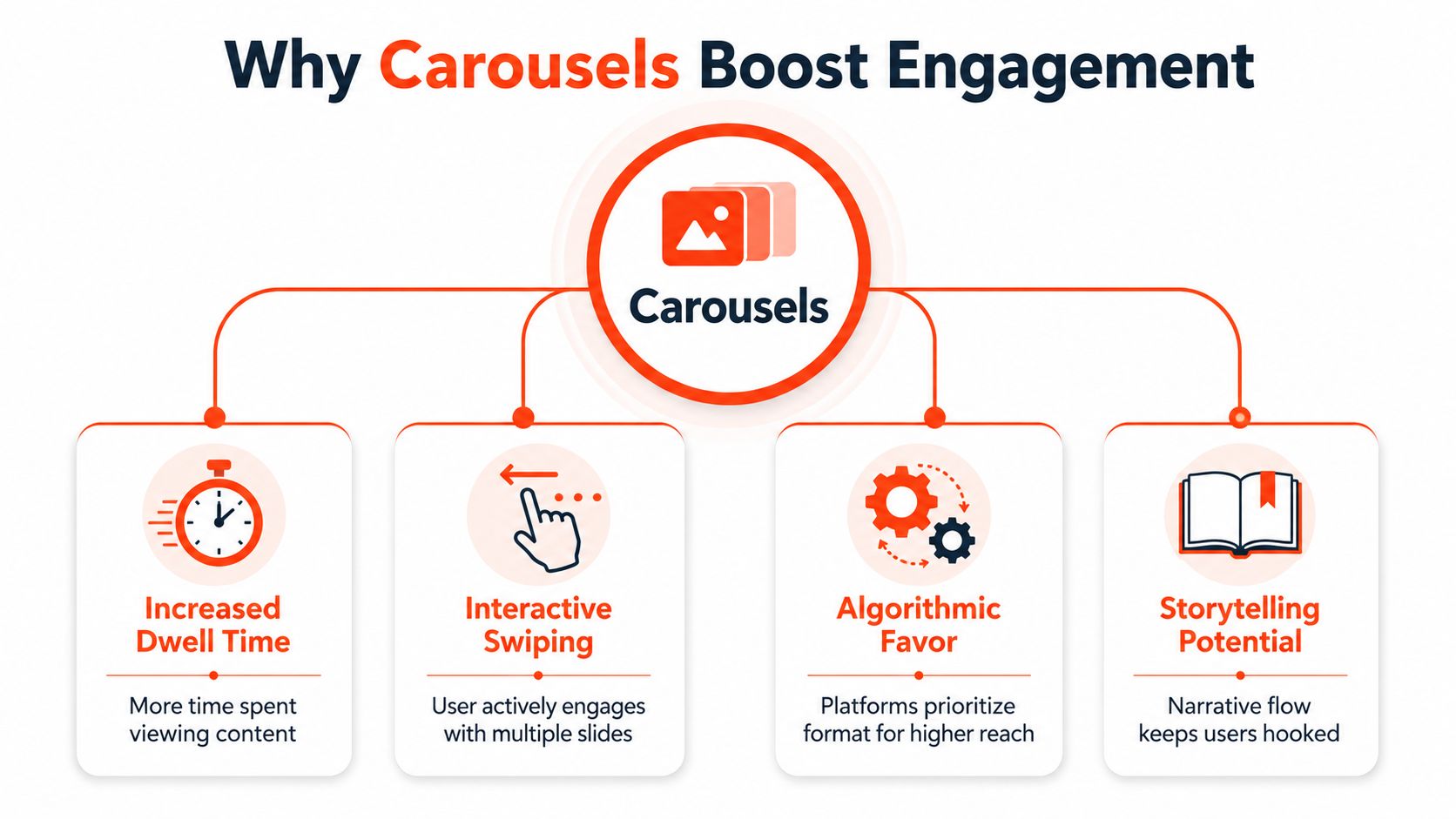
This is also why carousels work so well for teaching, comparisons, frameworks, before-and-after explanations, and product education. The format naturally supports sequence. Sequence creates attention. Attention creates the engagement signal platforms want.
What the numbers actually tell you
On Instagram, carousel posts average 0.55% engagement, compared with 0.50% for Reels and 0.45% for single images, according to Sprout Social's carousel analysis. The same analysis notes that using all 10 slides lifts interaction further, with an average engagement rate of 1.92%.
Those numbers match what practitioners see in the field. More slides don't help because quantity is magical. They help when each slide extends interest and gives the audience another reason to continue.
A few practical implications follow from that:
- Teach in steps: Tutorials fit the format because each swipe feels like progress.
- Break up dense ideas: If one graphic looks crowded, turn it into a sequence instead of shrinking the text.
- Use tension deliberately: “Mistake, consequence, fix” often performs better than “10 generic tips.”
- Finish with intent: Carousels without an ending action often earn attention but waste momentum.
A carousel is a compact content journey. If the journey is flat, the extra slides become friction instead of leverage.
The mistake isn't making too many slides. The mistake is making slides that don't advance the story.
The Anatomy of a High-Performing Carousel
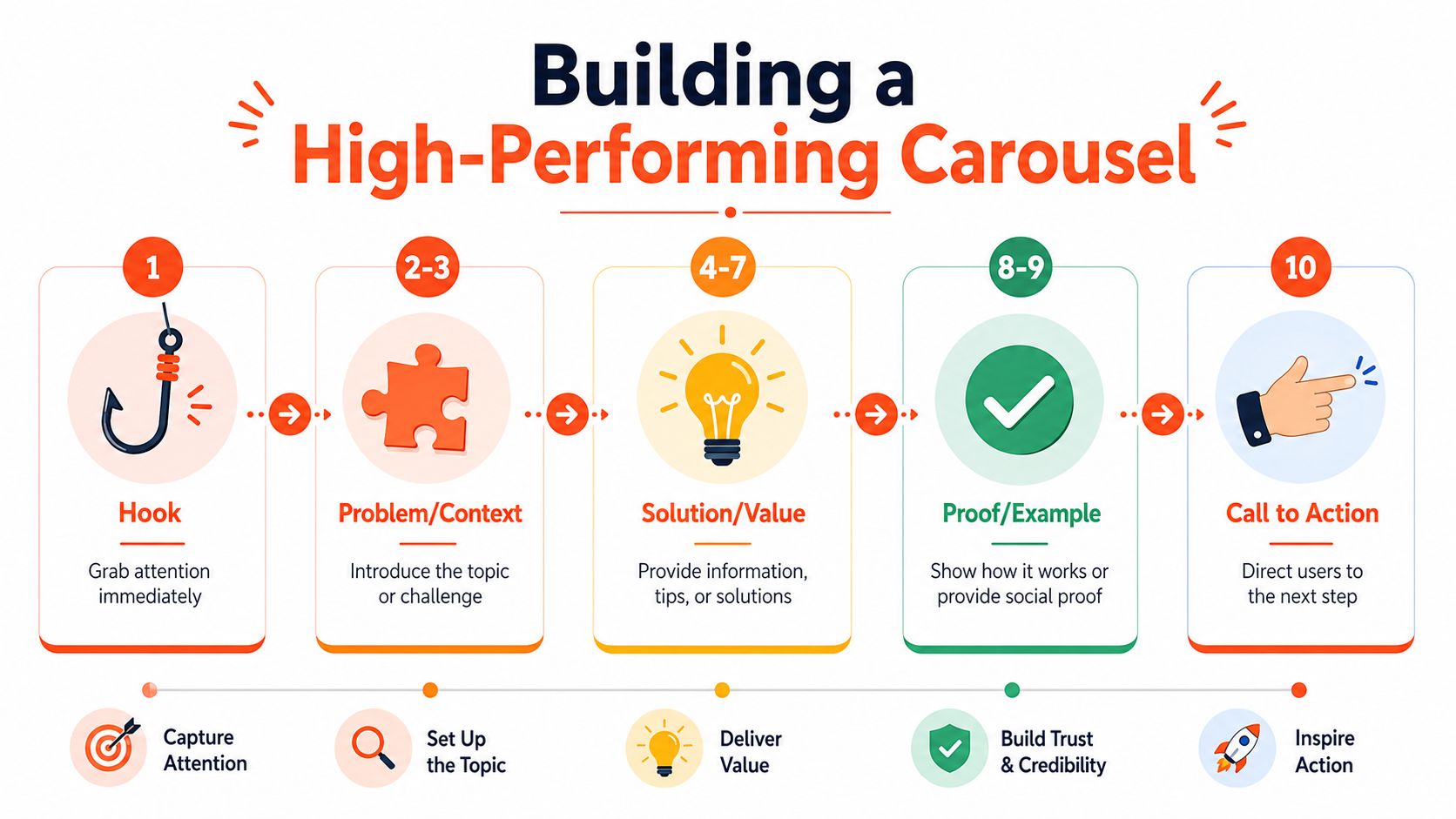
Most high-performing carousels follow the same underlying structure even when the topic changes. They open with a hook, deliver value in sequence, and end with a CTA. The details vary by audience and funnel stage, but the shape stays consistent.
Data cited by Xara's carousel guide points to a simple rule that many creators ignore: each slide should function independently for sharing, the first slide should hook viewers, and the last should include a CTA. That matters because a social media carousel doesn't just need continuity. It also needs modularity. Any single slide may become the reason someone shares or saves the post.
Slide one earns the rest
The first slide has one job. Earn the next swipe.
That usually means one of four approaches works better than a vague title card:
- A sharp promise: Tell people what they'll get if they continue.
- A painful mistake: Call out a problem they recognize.
- A strong contrast: Show common errors versus what works.
- A curiosity gap: Open a loop that the next slides close.
Weak first slides often look polished but generic. “Marketing tips for founders” is easy to ignore. “Why your carousel gets saves but no leads” has tension. It names a problem and implies an answer.
Middle slides carry the value
The middle of the carousel is where many posts collapse. Brands either repeat the same point in different designs or cram too much text into each frame. Neither works well.
A better structure is to give each slide a distinct role. For example:
- Name the problem.
- Explain why it happens.
- Show the common mistake.
- Introduce the better approach.
- Break the approach into steps.
- Add an example.
- Clarify what to avoid.
- Restate the core takeaway.
That doesn't mean every carousel needs eight educational slides. It means every slide should move the viewer forward. If two adjacent slides say the same thing, cut one.
For teams creating regularly, a visual system matters too. Consistent templates speed production, but the content logic matters more than the layout. If you're refining branded templates or repeatable design systems, visual content creation workflows can help standardize the production side without flattening the message.
Working heuristic: One slide, one idea, one reason to keep going.
Funnel stage changes the emphasis. Awareness carousels should be highly shareable and easy to understand. Consideration carousels can go deeper into process, objections, or examples. Conversion carousels should reduce friction and point toward a specific next step.
The final slide closes the loop
A surprising number of carousels just stop.
That's a waste because the last slide is where the sequence turns into action. The CTA doesn't need to be aggressive, but it does need to be specific. “Thoughts?” is weak. “Comment with ‘template' if you want the framework” is clearer. “Save this before your next content planning session” works when the content is reference-worthy.
The CTA should match the goal of the post:
| Goal | Better CTA direction |
|---|---|
| Awareness | Ask for a share or save |
| Consideration | Invite a question or discussion |
| Conversion | Point to a link, DM, consult, or next resource |
A strong ending also rewards the swipe. It can summarize the insight, sharpen the takeaway, or create a next step. The audience should feel that finishing the carousel gave them something useful, not just more branded slides.
Carousel Technical Specs and Platform Nuances
Creative strategy matters, but technical mistakes still kill distribution. If your files crop badly, render inconsistently, or break visual continuity, the message gets weaker before the audience even reacts to it.
The specs that matter
For Meta and Instagram carousel ads, the baseline is strict. Meta requires a 1:1 aspect ratio, at least 1080x1080 pixels, allows 2 to 10 cards, and caps images at 30MB, according to AdsUploader's Meta carousel spec guide. If you're planning creative across formats, keep a separate reference for related constraints like Instagram video length restrictions, because video limits can affect mixed-media campaign planning.
Here's a practical cheat sheet:
| Platform | Aspect Ratio | Resolution (Recommended) | Max Cards | File Type |
|---|---|---|---|---|
| Instagram and Meta carousel ads | 1:1 | 1080x1080 minimum | 10 | Image or video |
| TikTok carousel ads | Platform-supported image sequence | Match a consistent export size across slides | 35 | Image |
If you need a broader reference before exporting, a dedicated social media image sizes guide is useful for checking platform-by-platform dimensions in one place.
Where creators get tripped up
The biggest issue on Meta isn't usually resolution. It's inconsistency. You can't mix vertical and square cards in one carousel ad and expect elegant results. Meta enforces one ratio for the entire set. In practice, that means mixed-orientation assets often get normalized in ways that hurt framing.
That has real content implications:
- Keep one canvas size: Build every card from the same master dimensions.
- Design the first card as a hook: It has to work in-feed before anyone swipes.
- Don't split one thought across bad crops: If framing shifts from slide to slide, retention drops.
- Use distinct cards, not tiny variations: Repeating nearly identical layouts weakens the sequence.
TikTok gives you more flexibility on image-count volume for carousel ads, but more capacity doesn't solve weak sequencing. More slides only help if the structure remains tight.
Technical compliance isn't busywork. It protects the story you built.
A Smarter Workflow for Creating Carousels
Creating every carousel from scratch is one of the fastest ways to burn out a content team. The better approach is to treat long-form content as source material and build social assets from it systematically.
That approach matters even more in B2B. On Instagram, carousels in B2B and technology reach 4.2% engagement, making them a top-performing format for deeper interaction and saves, according to PostNitro's carousel research summary. If a format drives that kind of interaction for a business audience, the bottleneck usually isn't whether it works. It's whether your team can produce it consistently.
Start with source material, not a blank canvas
A good carousel often already exists inside something longer. It may be a blog post, a client memo, a webinar transcript, a newsletter, or a podcast outline. The job is to extract the sequence and tighten it for social.
This workflow is reliable:
- Pull one core claim: What's the strongest argument or lesson in the source?
- Find the natural sequence: Most long-form content already contains problem, context, solution, and takeaway.
- Strip out filler: Spoken explanations usually need compression before they become slide copy.
- Turn examples into proof slides: Good examples often make better mid-carousel slides than dense theory.
Video can also be a strong source. If you already record explainers, interviews, or webinars, it's worth reviewing a process for create social media carousels from video, especially when you want to pull quotable moments and key steps from existing footage instead of writing from zero.
A content calendar built around repurposing is easier to sustain than one built around daily reinvention. For planning that cadence, a practical social media content planning approach helps map one source asset into multiple posts without repeating the same angle.
Build once, adapt fast
Once the narrative is clear, production becomes much easier. You don't need to invent new ideas every day. You need a repeatable system for turning one idea into multiple platform-ready formats.
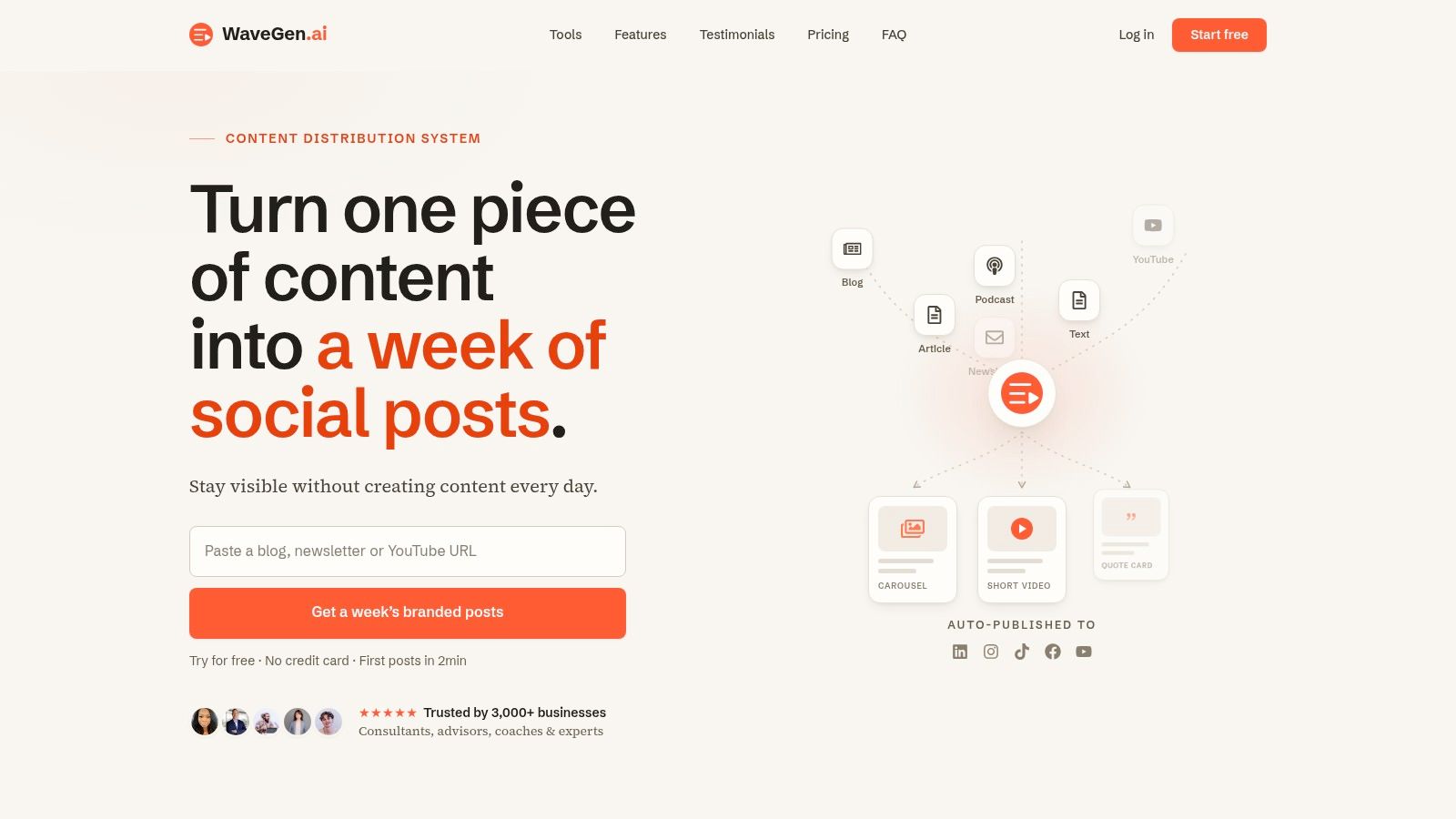
That's where tools can help. WaveGen.ai is one option built for this workflow. It turns source content such as articles, newsletters, scripts, or transcripts into branded social assets, including carousels, short videos, quote cards, and captions, then lets teams edit and publish from one place.
A short walkthrough makes the production logic easier to visualize:
The strategic point is bigger than any tool. Efficient carousel creation comes from reducing blank-page work. Start with proven source material, define the sequence, apply a template system, and edit for clarity. That gives you consistency without turning every post into copy-and-paste sludge.
When teams say they “don't have time for carousels,” they usually mean they don't have a workflow.
Measuring Carousel Success and Optimizing Performance
A carousel can look strong and still miss the mark. The useful feedback usually comes after publishing, and it rarely comes from likes alone.
What to track beyond likes
The most revealing signals are usually qualitative and behavioral:
- Saves: People want to return to it later.
- Shares: The post is good enough to pass along.
- Comments: The topic sparked reaction, confusion, or agreement.
- Swipe-through rate: The sequence held attention from early slides to later ones.

If saves are high but comments are weak, the content may be useful but not conversational. If comments are strong but swipe-through is shallow, the opening may be compelling while the middle slides lose structure. If shares are strong, there's a good chance the framing is simple and socially legible.
What your results are telling you
Optimization works best when you diagnose by failure point.
| Signal | Likely issue |
|---|---|
| Low reach and low engagement | Weak first-slide hook |
| Good opens but poor continuation | Middle slides repeat or overload |
| Strong engagement but little action | CTA is vague or mistimed |
Track patterns across several posts, not one. One weak carousel can happen for any number of reasons. Repeated drop-offs usually point to a structural issue in the opening, sequencing, or ask.
A good social media carousel earns attention twice. First through the hook, then through the payoff. If one side is weak, the numbers usually tell you where.
If you already publish blogs, newsletters, transcripts, or client education content, WaveGen.ai can help turn that source material into branded social media carousels, short videos, and supporting posts without rebuilding everything by hand each time.
social media carousel
instagram carousel
content marketing
social media strategy
content repurposing
Turn this kind of writing into a week of social content.
Paste a blog post, newsletter, or rough draft — WaveGen turns it into publish-ready carousels, captions, and slideshows for every channel.
No credit card · First posts in 2min