September 21, 2026
19 min read
How to Repurpose YouTube Videos Into Social Content
Learn how to repurpose YouTube videos into Shorts, carousels, and captions with platform specs, templates, and scheduling workflows that save hours.
You finished the YouTube video. The upload is live. Maybe you even wrote a decent description.
Then the problem starts.
Your Instagram is quiet, LinkedIn needs a post, Shorts are overdue, and you don't want to open your camera again just to say the same thing in six different ways. That's where most repurposing advice falls apart. It treats one YouTube video like raw material for random clips, not like the center of a distribution system.
The better way to think about how to repurpose YouTube videos is this: one recording should feed different funnel stages. Some assets should earn attention. Some should build authority. Some should move people toward a call, a lead magnet, or a sale. If every output tries to do all three, most of them underperform.
Table of Contents
- Why Repurposing Your YouTube Videos Pays Off Now
- Choosing the Right YouTube Video to Repurpose
- How to Turn One YouTube Video Into Multiple On Brand Assets
- Platform Specs and Formatting That Make Repurposed Content Perform
- Templates Tools and Scheduling Tips for Consistent Output
- Start Repurposing Your Next YouTube Video This Week
Why Repurposing Your YouTube Videos Pays Off Now
A typical upload day looks efficient until distribution starts. The full video is published, then someone on the team needs a Short, a LinkedIn post, an email teaser, and a CTA asset by Thursday. If those pieces were not planned before recording, repurposing turns into reactive editing.
YouTube now supports both long-form viewing and short-form discovery inside the same platform. Shorts expanded fast after launch, with YouTube Shorts growth data showing massive view volume and daily upload activity. That changes how a YouTube video should be treated. The main upload is not the finish line. It is the source file for a week, or sometimes a month, of channel-specific assets.
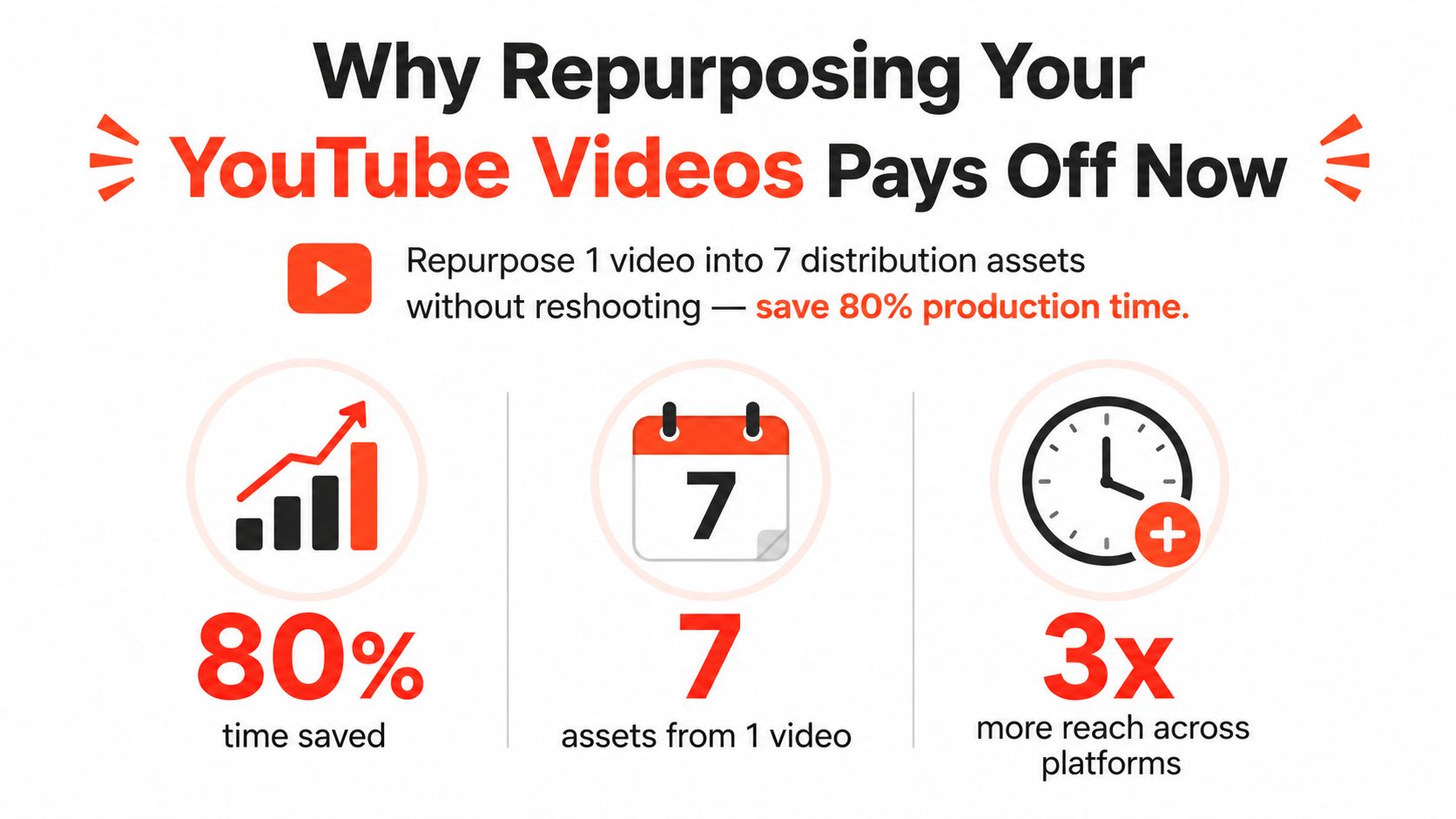
One video can support awareness, authority, and conversion
A consultant records one strong YouTube answer to a client question. From that same recording, the team can cut a 20 to 30 second hook for Shorts, pull a tighter opinion for LinkedIn, turn the core teaching into an email, and publish a direct CTA post tied to a call booking or lead magnet.
That is the practical payoff. Recording is usually the expensive part. Editing derivatives from one clear source video is cheaper than creating four net-new assets from scratch, especially once you have brand kits, caption presets, thumbnail rules, and a weekly publishing cadence in place.
Analysts at Wistia found that over half of companies repurpose video into social clips, with teams distributing those clips across LinkedIn, Instagram, YouTube, and Facebook, according to Wistia video marketing statistics. The useful takeaway is not that repurposing is popular. It is that strong teams adapt one source asset into different outputs for different channels instead of copying the same edit everywhere.
If you're building repeatable distribution, this repurposing content strategy is useful because it treats reuse as planning and packaging work. The same logic shows up in a solid video content strategy for multi-channel distribution, where the original video carries the main idea and each derivative asset handles a narrower job.
Repurposing gets faster when the question changes from "What else can we post?" to "Which asset format fits this goal?"
Clipping-first workflows skip the strategy step
The common failure is not repurposing itself. It is repurposing without a job for each asset.
- Awareness assets are built to earn the first click or stop the scroll. Short clips, strong openings, and one clear point usually work best here.
- Authority assets are built to prove judgment and expertise. These are often better as carousels, text posts, short explainers, or a more complete clip with context.
- Conversion assets are built to move someone to the next step. That could be a booking CTA, a product demo cutdown, a lead magnet teaser, or a recap tied to an offer.
This split matters because each format asks for different editing choices. Awareness clips need pace and a hard hook. Authority content needs enough context to sound credible. Conversion content needs a clean handoff to an offer.
Teams save the most time when they decide that job before editing starts. That is what turns repurposing from leftover clip-making into a repeatable system.
Choosing the Right YouTube Video to Repurpose
Not every YouTube upload deserves more editing time.
Some videos feel strong because the topic is important to you, but the audience didn't stay with it. Others weren't your favorite to record, yet they contain clean explanations, sharp phrasing, and moments that slice well into shorter formats. The fastest way to waste time is to repurpose weak source material.
Start with engagement signals, not your favorite topic
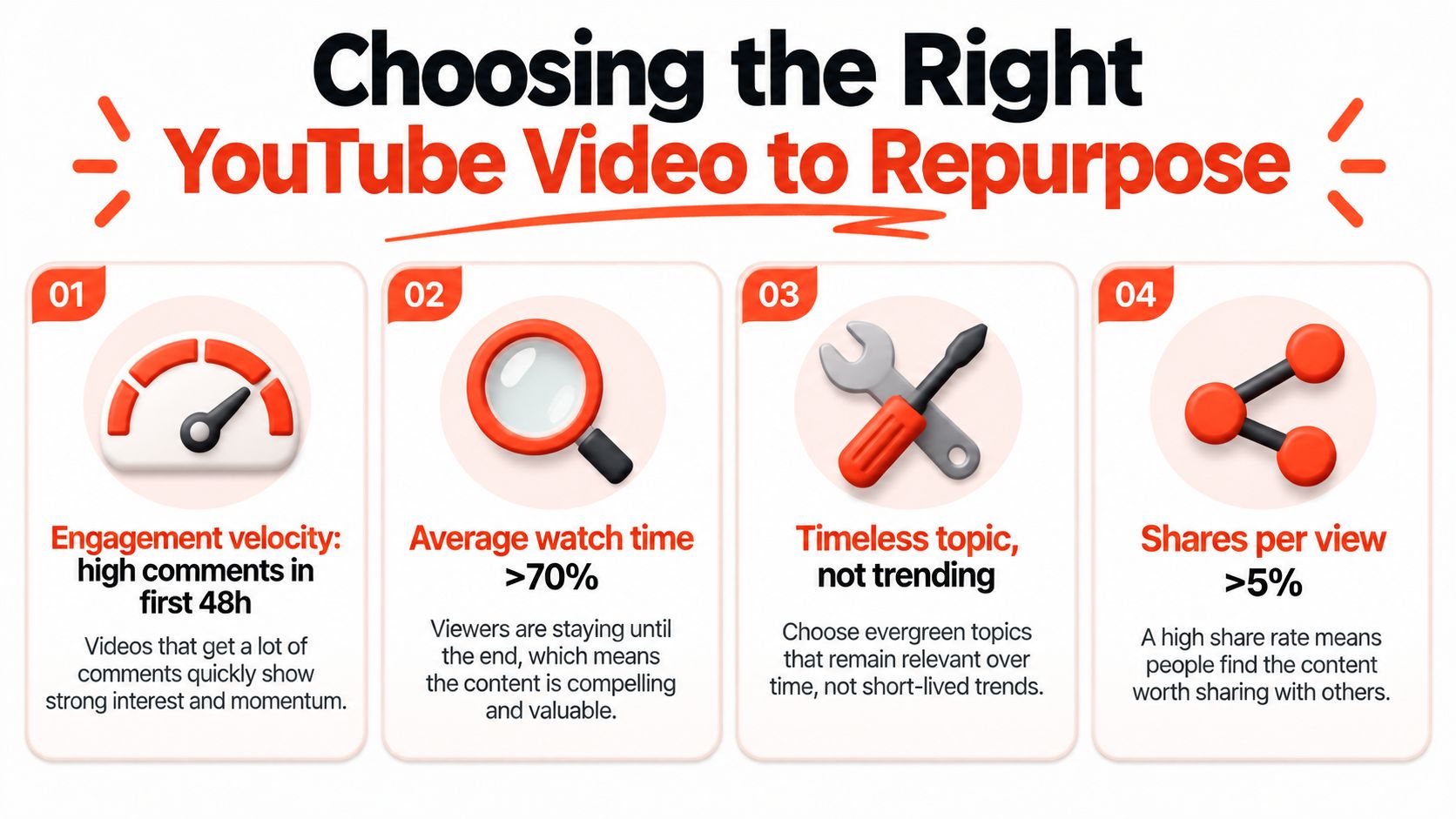
A useful rule is simple. Repurpose the videos that already showed signs of life.
Independent research on YouTube account reuse found that in a 3-month period, approximately 0.25% of channels were repurposed, and the practical lesson drawn for legitimate creators is to prioritize source videos with strong engagement velocity and average view-duration signals before spending time on repurposing, as explained in this analysis of repurpose YouTube content workflows. In plain terms, if people clicked and stayed, the odds improve that the video contains moments worth extracting.
That doesn't mean every high-view video is a good candidate. Some topics spike because of curiosity but don't produce reusable clips. You're looking for videos where the substance survives outside the original context.
Use this quick audit before you cut anything:
- Check retention shape. If attention falls off early, the opening probably wasn't clear enough to reuse as a short clip.
- Look for strong comments. Useful comments often reveal which point landed, which objection appeared, or which phrasing your audience repeated back.
- Prefer evergreen topics. Timely news can work, but practical questions usually travel better across other platforms.
- Mark clean stand-alone moments. If a clip needs two minutes of setup, it usually won't survive as a short.
- Match the source to the funnel. Awareness clips need clear friction or surprise. Authority assets need substance. Conversion assets need a natural next step.
Build a shortlist before opening your editor
A better workflow is to create a repurposing shortlist first, rather than jumping from YouTube straight into clipping.
Open your last several uploads and ask:
- Which video answered a recurring client question?
- Which one contains a contrarian point you can isolate without losing context?
- Which one has a section you'd happily turn into a text post?
- Which one lines up with current audience demand you already see in your DMs, calls, or comments?
If you track social demand, pairing this audit with a regular social media trend analysis makes source selection easier. You don't need perfect forecasting. You need enough signal to avoid cutting assets from topics your audience already skipped.
Practical rule: If you can't identify three clean timestamps worth clipping after a first review, don't force that video into a repurposing sprint.
What usually isn't worth repurposing
A few types of videos consistently create more work than value:
- Overly broad videos that wander through too many points.
- Heavily visual tutorials where the meaning depends on a full screen share.
- Weak intros that bury the main point too late.
- Trend-chasing takes that age out before your distribution cycle finishes.
The best source videos are direct. They answer one question well, include a few sharp lines, and can be understood in pieces.
How to Turn One YouTube Video Into Multiple On Brand Assets
A team records a strong 20-minute YouTube video, posts it, then stalls. Someone asks for Shorts. Someone else wants a LinkedIn post. Design starts from scratch, captions get rebuilt twice, and by Friday the source video has produced one mediocre clip and a lot of avoidable editing time.
The fix is a system. Repurposing works best when each asset has a job in the funnel, the brand rules are set before editing starts, and distribution is planned before the first cut.
Pull the transcript and mark the useful moments
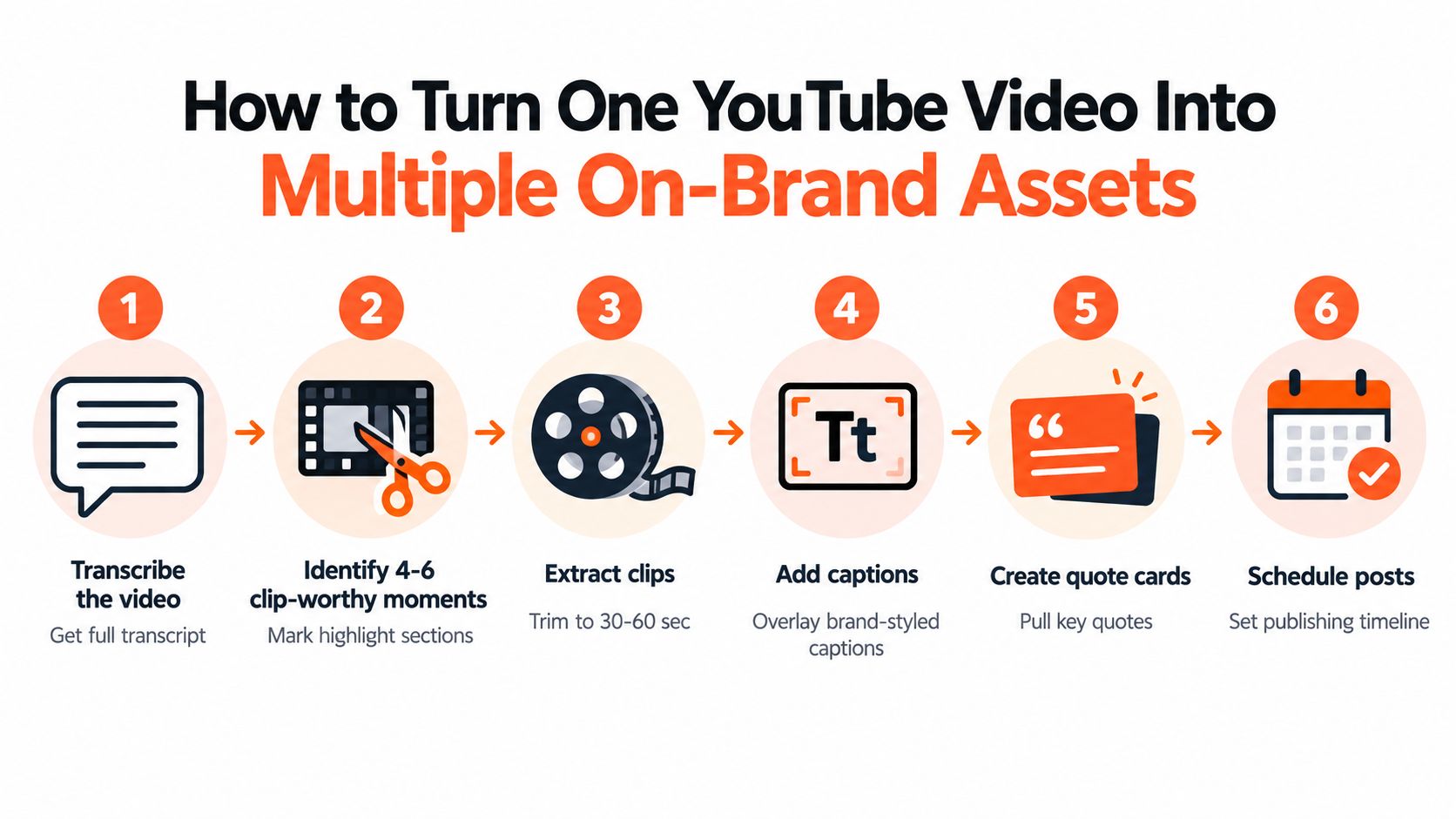
Start with the transcript, not the timeline. I use the transcript to find reusable language fast, then return to the edit with timestamps already mapped.
A practical workflow is to pull the transcript, mark 4 to 6 usable moments, then cut each one around a single idea. This YouTube repurposing workflow gets the order right. Transcript first, clips second, packaging last.
Read with a filter, not a highlighter for everything. Mark the lines that can survive outside the full video:
- Hook lines with a clear claim
- Objections the audience already has
- Stories with tension and payoff
- Process steps that can stand alone
- Strong opinions that can carry a text post
Then label each marked moment by funnel stage. That one decision saves time later.
| Moment type | Best funnel use | Best asset |
|---|---|---|
| bold claim or surprising takeaway | Awareness | Short, Reel, teaser clip |
| clear framework or lesson | Authority | LinkedIn post, carousel, newsletter excerpt |
| proof point, case example, CTA setup | Conversion | captioned clip, email, landing page support |
A lot of teams clip the loudest line and call it repurposing. That usually creates reach without direction. Awareness assets pull people in. Authority assets explain how you think. Conversion assets give the viewer a next step.
Cut for outcome, not just for length
Length matters less than clarity.
A 20-second clip with one clean claim usually performs better than a 60-second clip that needs setup. A nuanced answer from the middle of the video may do poorly as a Short and work well as a LinkedIn post. The opposite is also true. Sharp opinions often travel further in video than in a text carousel where they need more support.
Use one question during editing: what is this asset supposed to do?
If the answer is reach, cut aggressively and get to the point fast.
If the answer is authority, keep enough context to sound credible.
If the answer is conversion, leave room for proof and a direct next action.
That framing also helps with reused-content risk. Repurposed clips should have their own titles, hooks, and packaging rather than looking like raw exports from the long-form upload.
Reframe 16 by 9 footage carefully
The fastest way to make repurposed video look cheap is a lazy crop.
Horizontal footage rarely drops into 9:16 cleanly, especially if the original video includes screen shares, hand gestures, lower-thirds, or two-person framing. Check the edges first. Then decide whether the moment should become a vertical clip at all. Some segments are better rebuilt as a text post or carousel than forced into a bad crop.
A few habits keep quality up:
- Center the subject when the clip depends on facial expression
- Punch in manually on key lines instead of relying on auto-reframe for everything
- Raise captions higher so they survive different in-app UI overlays
- Cut dead air hard because YouTube pacing is usually too slow for feed content
- Abandon the clip if the meaning depends on a full-width demo screen
This walkthrough is worth studying before you build your own process:
Build brand consistency once, not on every asset
Repurposing speeds up when the brand kit already exists. Without it, editors keep making the same small decisions over and over: font, caption style, colors, logo treatment, CTA frame, thumbnail text, and post voice.
Set the kit before the batch starts:
- Fonts and hierarchy. One caption font, one headline font, one clear size system.
- Color rules. A highlight color, neutral backgrounds, and one CTA treatment.
- Logo behavior. Always on, end card only, or removed from social variants.
- Voice rules. Direct, skeptical, conversational, educational, or punchy.
- CTA library. Standard closing frames and caption prompts for awareness, authority, and conversion assets.
That setup is what turns repurposing into operations instead of one-off editing.
Turn clips into platform-native derivatives
Each strong moment should branch into more than one asset. The point is not to flood every channel with the same clip. The point is to turn one source idea into multiple on-brand versions that fit different stages of the audience journey.
A single transcript section can become:
- A Short or Reel for awareness
- A LinkedIn text post that expands the reasoning
- A carousel that turns the spoken explanation into steps
- A quote card if one line carries enough tension
- An email snippet or CTA post for conversion follow-up
- An X post or thread built around the same argument
I usually batch these in that order: clip, text derivative, carousel, CTA asset, then schedule. It is faster to keep one idea open and adapt it across formats than to finish one asset completely and start over from zero on the next. If you're building the process out across channels, this guide on how to repurpose content across formats is a useful companion workflow.
If you're planning broader distribution around a creator or subject-matter expert, creator video campaigns that convert is a helpful reminder that each derivative should support a sequence, not act like an isolated post.
Prompts that save real editing time
AI helps most at the extraction and rewriting stages. It helps least when the prompt is vague.
Bad prompt: create social posts from this video.
Better prompt: extract five stand-alone hooks from this transcript that make sense without the original intro. Keep each under two sentences and preserve the speaker's tone.
Use prompts tied to the asset's job:
Extract 5 hook lines from this transcript that work for top-of-funnel video clips. Each should make sense without the intro and create curiosity without sounding clickbait.
Turn this transcript section into a LinkedIn post for authority building. Keep the claim nuanced, preserve the speaker's point of view, and end with a question that invites discussion from practitioners.
Rewrite this spoken explanation into a 6-slide carousel. Give each slide one clear idea, a short headline, and one supporting sentence.
Pull the strongest conversion moment from this transcript and write a caption that leads to a clear next step without sounding salesy.
Specific prompts cut revision time because they force the output to match the funnel stage, format, and brand voice before editing starts.
Platform Specs and Formatting That Make Repurposed Content Perform
A 12-minute YouTube video gets cut into six vertical clips, then every clip is posted everywhere with the same headline, same subtitles, and same CTA. The team checks the distribution box. The posts still underperform because the asset was formatted for efficiency, not for the job each platform is supposed to do.
Repurposing works better when format follows funnel stage. Awareness content needs fast payoff and low context. Authority content needs a clearer argument and more room to teach. Conversion content needs a tighter next step. The source video can stay the same. The packaging should change.
Adapt the idea to the platform's job
I use a simple rule. Match the derivative to what people do on that platform.
| Platform | Best derivative from YouTube | Why it works there |
|---|---|---|
| YouTube Shorts | short clip with the payoff in the first beat | viewers decide fast and will swipe if the setup drags |
| Instagram Reels | visual clip with a clean emotional or identity angle | strong when the content feels personal, aspirational, or highly relatable |
| TikTok | sharper take, looser framing, faster hook | polished YouTube phrasing often feels out of place |
| text post, document carousel, or insight-led clip | raw reposts usually lose to posts that explain the lesson directly | |
| Facebook Reels | broad utility clip with simple framing | niche references and long setups lose people quickly |
| Pinterest Idea Pins | step sequence or visual checklist | the format rewards saved, instructional content |
| X | single claim turned into a short post or thread | concise opinion usually travels better than a video repost |
LinkedIn is the clearest example. Teams post plenty of clips there, but a text-first derivative often does more for authority because the audience is scanning for a takeaway they can use or debate. If the goal is awareness, post the clip. If the goal is authority, turn the same moment into a claim, a framework, or a short carousel.
Formatting details that change performance
Small production choices affect whether a repurposed asset feels native or recycled.
- Aspect ratio: 9:16 works for Shorts, Reels, and TikTok. LinkedIn and X often perform better with formats that give the text room to breathe, especially for carousels or static posts.
- Safe zones: Keep subtitles and CTA text away from the lower edge and corners so platform UI does not cover them.
- On-screen text density: TikTok and Reels can handle faster subtitle pacing. LinkedIn usually benefits from fewer words on screen and more clarity in the caption.
- Opening frame: Shorts and Reels need immediate context. A cold open with the strongest sentence usually beats a branded intro.
- Title and caption style: Curiosity can work on Shorts. On LinkedIn, clarity wins more often than hype.
- Crop choice: A tight face crop can hold attention in vertical feeds. The same crop can feel repetitive or overly aggressive in a professional feed.
- CTA style: "Follow for more" fits awareness. Conversion assets need a specific next step such as download, reply, book, or watch the full video.
One pattern shows up constantly in client work. The more channels you publish to, the more a brand kit matters. Fixed subtitle styles, approved hook formats, CTA variations by funnel stage, and platform-specific cover treatments save more time than editing shortcuts alone. They also keep the output consistent when multiple editors touch the same source video.
Originality still matters
Transcript text is raw material, not finished copy. Spoken language repeats itself, hedges, and relies on tone of voice to carry the point. Before it becomes a carousel, a post, or an email, it usually needs a stronger structure, a clearer claim, and tighter phrasing.
There is also a policy risk. YouTube's reused-content rules are stricter than many teams assume. Reuploads and lightly edited fragments can create monetization problems if they do not add enough original commentary, transformation, or educational value. The safer standard is simple. Add context, add editing judgment, and make each derivative useful on its own.
A repeatable repurposing system does not publish the same asset seven times. It produces seven assets from one source, each formatted for a different stage of the funnel and a different platform behavior.
Templates Tools and Scheduling Tips for Consistent Output
Repurposing only becomes sustainable when the system keeps working on a tired Wednesday afternoon.
That's why I care less about "what tool can clip this?" and more about "what setup removes repeat decisions?" If your team still chooses fonts, layouts, caption style, CTA language, and posting order from scratch every time, the workflow will break under normal client load.
Build templates around output types
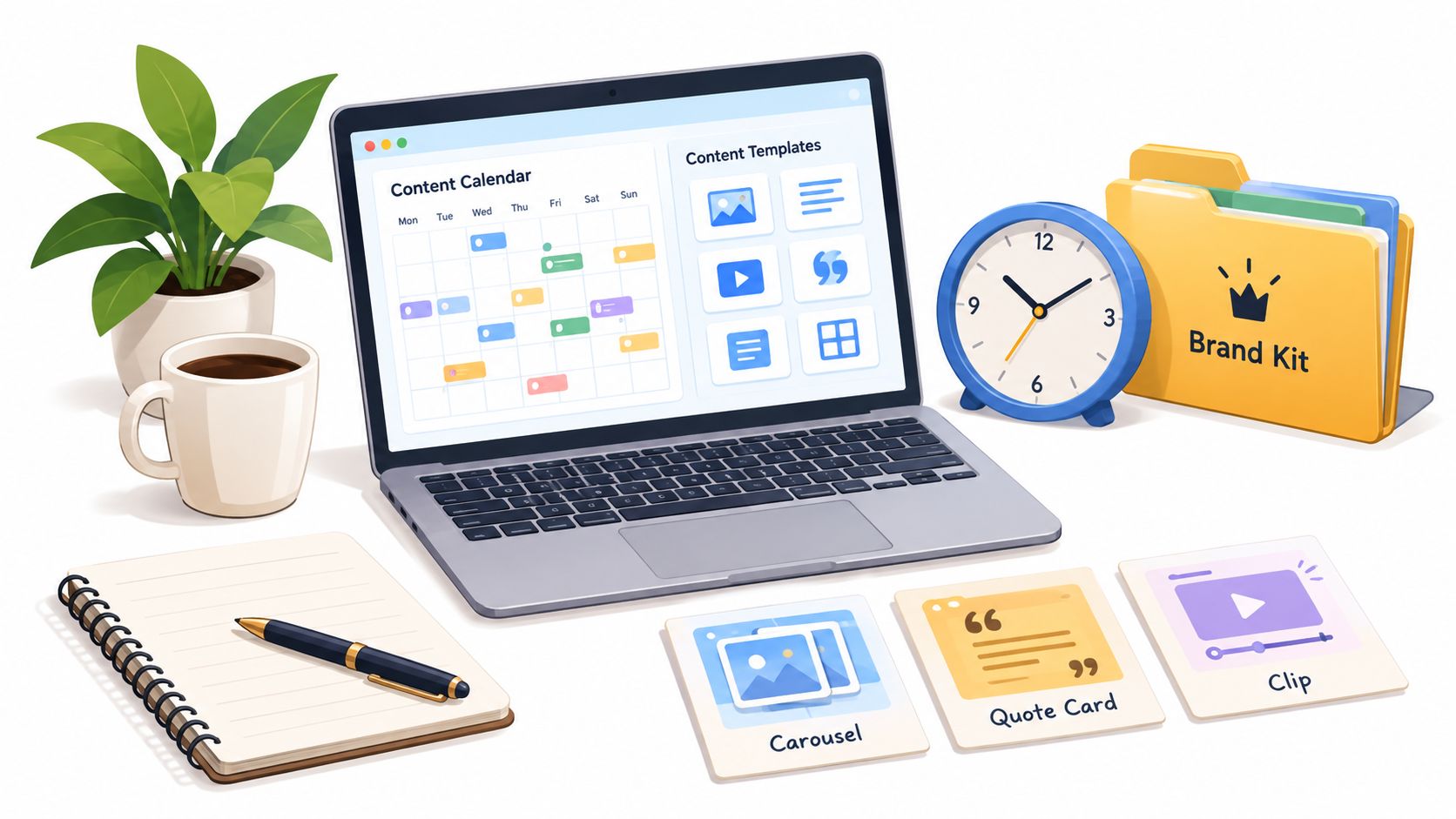
Instead of making one generic social template, create a small library tied to purpose:
- Carousel template for authority content. Slide one makes the claim. Middle slides teach. Final slide gives the next step.
- Quote card template for one sharp sentence plus attribution.
- Short clip template with fixed subtitle styling, intro animation, and end card treatment.
- CTA template with room for an offer, lead magnet, or booking link cue.
These don't need to be fancy. They need to be reusable.
A visual editor matters here because transcript-derived content almost always needs judgment. You trim a phrase, soften a claim, swap an image, or adjust the first slide so the post sounds like the brand instead of the software.
Use a brand kit as an operating system
Set your brand kit once, then protect it.
A solid kit includes logo use, font pairing, colors, lower-third style, caption treatment, thumbnail conventions, and voice notes. The goal isn't aesthetics alone. It's speed with guardrails.
For teams handling multilingual distribution, voice and delivery consistency also matter after the original video. If you're localizing repurposed video, tools that create studio-grade dubbing can fit into the workflow after clipping and before scheduling, especially when the same source content needs native-feeling versions for different audiences.
Schedule in a drip, not a dump
The fastest way to flatten your own results is posting all derivatives on the same day.
Recent coverage suggests many creators now schedule assets from one long-form video across 7 to 21 days, which matches how repurposed content performs when each asset has a distinct role rather than competing with its siblings. A simple operating rhythm looks like this:
| Day range | Asset focus |
|---|---|
| Early window | awareness clips and strongest hooks |
| Middle window | authority posts, carousels, and expanded insights |
| Later window | conversion posts, summaries, and reminders |
That gives the source video more surface area without exhausting the same audience with duplicates.
Keep the stack simple
A practical stack might include YouTube for source publishing, CapCut or Adobe Premiere Pro for clip finishing, Canva or Figma for static assets, and a scheduler that can manage cross-posting and revisions in one place.
In that category, WaveGen.ai is one option for teams that want a centralized repurposing pipeline. It turns a YouTube transcript or other long-form source into carousels, short videos, quote cards, and platform-formatted captions, with brand kits, visual editing, scheduling, crossposting, and RSS-based automation in one workflow.
Systems beat motivation. If repurposing depends on fresh creative energy every day, output gets inconsistent fast.
Start Repurposing Your Next YouTube Video This Week
The easiest way to fail at repurposing is to make it too ambitious.
Don't start by trying to turn one video into every possible asset. Start by matching outputs to funnel stages. Pull one awareness clip, one authority post, and one conversion asset from your next YouTube upload. That's enough to prove the system.
The key shift is mental. You're not looking for random leftovers from a long-form video. You're identifying which parts of the original recording deserve a second life, then packaging each part for a specific job. That makes decisions cleaner. It also makes performance easier to read because you can judge each asset by retention, reach, or lead generation instead of expecting every post to do everything.
Use a short checklist for your next sprint:
- Pick the right source video with clear audience response and reusable moments.
- Mark timestamps first before editing anything.
- Choose outputs by funnel stage so each asset has one job.
- Apply your brand kit before publishing derivatives.
- Schedule the campaign over time instead of posting everything at once.
- Review what moved attention, conversation, or action, then feed that back into the next video.
That's the answer to how to repurpose YouTube videos well. Not more content. Better extraction, better packaging, and a workflow you'll repeat next week.
WaveGen.ai helps you turn one YouTube video, transcript, article, or podcast script into a week of on-brand social assets without rebuilding everything by hand. If you want a cleaner system for clips, carousels, captions, scheduling, and cross-posting from one source, visit WaveGen.ai.
how to repurpose youtube videos
youtube video repurposing
repurpose youtube shorts
video content workflow
social media repurposing
Turn this kind of writing into a week of social content.
Paste a blog post, newsletter, or rough draft — WaveGen turns it into publish-ready carousels, captions, and slideshows for every channel.
No credit card · First posts in 2min