September 17, 2026
14 min read
How to Convert Blog Into Video Without Losing Readers
Learn how to convert blog into video with a repeatable workflow: pick the right post, script it fast, edit for each platform, and measure real results.

You've got a blog post that once carried its weight. It answered a real question, earned search visibility, and gave your team a reliable source of leads. Then the traffic flattened, while shorter videos built from similar ideas kept appearing in social feeds. The problem usually isn't that the article has stopped being useful. It's that the article is trapped in one format.
Learning how to convert blog into video isn't mainly an editing problem. It's a selection and distribution problem. You need to decide which posts deserve the effort, identify the single idea that can survive compression, and adapt the cut to the platform where people will watch it. Video marketing is already mainstream, with 89% of businesses using video marketing in 2025 and industry research published in 2026 reporting that 91% of businesses use video as a marketing tool (HubSpot's video marketing statistics).
That doesn't mean every article should become a clip. It means your strongest articles may have a second life waiting for them, without requiring a second round of research.
Table of Contents
- Why Your Blog Deserves a Second Life as Video
- Pick the Blog Posts Worth Converting
- Turn One Idea into a Tight Script
- Choose Visuals and Assets That Carry the Story
- Format for Each Platform Without Rebuilding
- Edit, Review, and Schedule With Intention
- Measure Results and Know When to Stop
Why Your Blog Deserves a Second Life as Video
A post can continue answering a useful question while its reach contracts. Search readers may still find it, but people who discover ideas through feeds, recommendations, and short-form video may never see it. A focused clip puts the article's central argument before that audience without requiring a full read first.
Your blog is the source asset, not the finished distribution plan. It already holds research, examples, structure, and editorial decisions. Repurposing extracts those elements and reshapes them for channels where written articles have less natural reach.
Industry analysis reported by HubSpot's video marketing statistics estimates that adapting one source piece across 6–8 platforms can reach roughly 4–7 times the unique audience of publishing on one platform. Treat that as a planning signal, not a guarantee. Results depend on the topic, the cut, the audience, and whether each version feels native to its platform.
Practical rule: Don't convert an article because it exists. Convert it because its core idea can work in a faster, more visual context.
The format should follow the post's strongest material. A process guide may become a narrated walkthrough, a comparison may become a visual decision aid, and a dense introduction may become a short clip leading viewers to the full explanation. Each choice carries a trade-off: compression improves reach, but it can strip away nuance. Keep the claim narrow enough that the video remains clear without pretending to replace the entire article.
The work starts before production: decide whether the post deserves conversion, then choose the platform and cut that fit its idea. That editorial judgment matters more than the editing app.
Pick the Blog Posts Worth Converting
Start with triage, not a video tool. Put your recent and evergreen articles into a spreadsheet, then assess each candidate against three signals: evergreen usefulness, visual hierarchy, and audience intent.
Evergreen usefulness asks whether the article would still be accurate and shareable well into the future. A durable explanation of a workflow is a stronger candidate than a campaign announcement tied to a moment that has passed. Visual hierarchy asks whether the written structure naturally creates scenes. Steps, comparisons, checklists, screenshots, and clear examples usually translate better than uninterrupted conceptual prose.
Intent determines the narrative shape. A comparison post can become a decision video, a how-to guide can become a sequence of actions, and an urgent troubleshooting article can become a mistake-and-fix clip. If you can't state what the viewer should understand or do after watching, the post probably needs a refresh before conversion.
A simple scoring method
Score each signal from one to three. The point isn't mathematical precision. It's to force a useful conversation about editorial fit.
| Signal | Score 1 | Score 2 | Score 3 |
|---|---|---|---|
| Evergreen usefulness | Depends on timely details | Useful with light updates | Likely to remain relevant |
| Visual hierarchy | Mostly dense prose | Some lists or examples | Clear steps, comparisons, or demonstrations |
| Audience intent | Difficult to summarize | Understandable with editing | Maps cleanly to one video job |
Posts with strong combined scores belong in the convert bucket. Articles with a promising idea but outdated examples belong in refresh. Posts that depend on long code blocks, an opinion without one defensible claim, or news that's already more than a quarter old should usually stay in leave unless there's a compelling reason to rebuild them.
The output should be a short production queue, not a guilt list. If a post needs substantial research before it can become accurate, the conversion has stopped being repurposing and become a new content project.
Turn One Idea into a Tight Script
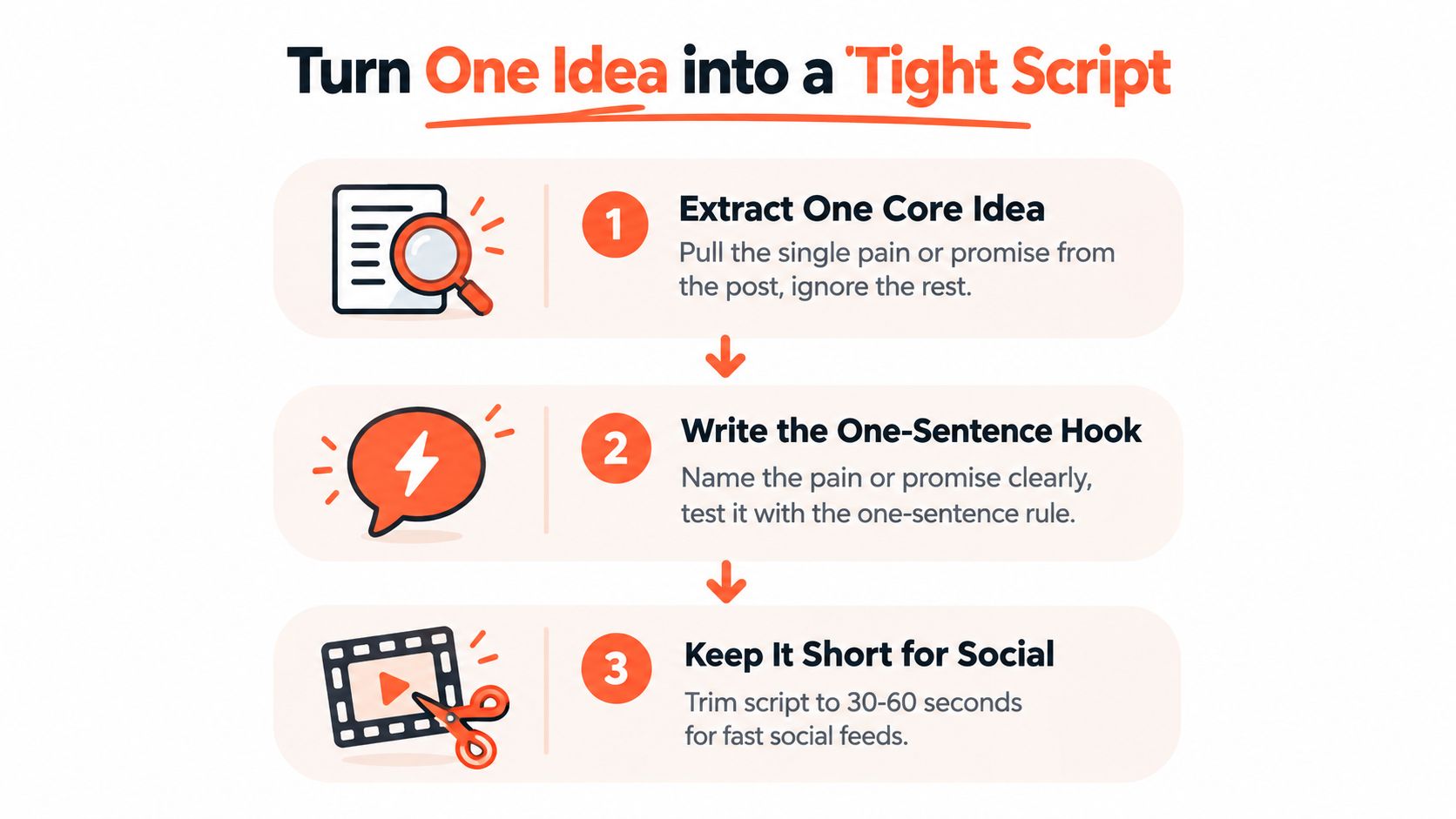
A strong blog can still produce a weak video if the script tries to carry the whole article. Start with one pain point or promise, then build around the change you want the viewer to make. The post supplies research and context. The video needs a focused job.
Before writing, state the viewer's takeaway in one sentence. A comparison post may become a decision guide, a how-to article may become a short sequence of actions, and a troubleshooting post may become a mistake-and-fix clip. If the takeaway is vague, narrow the idea before opening an editor.
Use a three-part structure:
- Hook: Name the problem or promise in a sentence a stranger can understand while scrolling.
- Body: Deliver two to four useful beats. Each beat should add information and give the viewer a visible or audible reason to continue.
- Close: Ask for one action, such as saving the clip, answering a question, or reading the complete article.
The HHVCTA framework, hook, hint, value, credibility, takeaway, and action, offers a useful check for short-form scripts in this guidance on creating short-form videos from articles. Choose the platform before setting the length. A script for a short feed clip needs different pacing from one designed for a video around or above one minute.
A worked compression example
Suppose a 1,200-word article explains how consultants can improve a discovery call. Keep one useful shift, rather than every qualification question, objection, and example.
Hook: “Your discovery call may be losing prospects before you discuss your service.”
Body: “Start by naming the business problem in the prospect's own language. Ask what they've already tried, because the answer reveals urgency and failed assumptions. Repeat the problem before presenting a solution. That summary shows you listened and keeps the conversation focused.”
Close: “Save this framework, then read the full guide for the question sequence.”
The result is roughly 110 spoken words, not a narrated copy of the article. Read it aloud. Awkward phrasing becomes obvious in your mouth before it reaches synthetic narration or a camera. Use a tool to estimate speech duration before editing.
AI can produce a first draft, but it cannot decide which argument deserves the limited runtime. An AI content generator for YouTube can support that initial workflow. Compare every suggested point with the source article, then cut anything that weakens the central idea.
Choose Visuals and Assets That Carry the Story
A visual shouldn't merely decorate the narration. It should explain something the words can't explain as quickly, or make an abstract idea easier to remember. If the script says a user must click through a particular interface, show a screen recording. If it discusses a general principle, a clean motion graphic or talking-head explanation may communicate faster than a cluttered product capture.
Choose the visual treatment according to the story:
- Product walkthroughs: Use screen recordings, cursor movement, zooms, and callouts only where the viewer needs to follow an interface.
- Talking-head explanations: Let the speaker carry trust and nuance, then use cutaways for examples, diagrams, or key phrases.
- Motion-text narration: Pair concise narration with animated typography, icons, diagrams, and simple transitions when the topic doesn't need a physical demonstration.
Screenshots are useful when they answer a question. They're distracting when they repeat text already visible in the article. Expert guidance for article-to-video production recommends using screenshots only when they provide necessary context, while organizing approved logos, screenshots, and brand elements in one controlled folder (benchmark workflow for text-to-video production).
Build a repeatable visual system
A small brand kit prevents every repurposed clip from looking like a separate project. Define two fonts, three brand colors, a lower-third treatment, and an intro or transition style that editors can reuse. Keep the kit practical. If a design element takes more time to recreate than the clip deserves, it won't survive a real publishing schedule.
Match B-roll to the emotional function of the line, not just its nouns. A sentence about uncertainty may need a hesitant decision scene, not a literal shot of a laptop. A sentence about a process may need a sequence of labeled steps. The visual should add meaning, pace, or proof.
If removing a visual changes nothing about comprehension, remove the visual.
That rule is especially helpful with AI-generated drafts, which often fill every scene with generic stock footage. Fewer, more relevant assets usually create a clearer story than constant movement without information.
Format for Each Platform Without Rebuilding
The efficient workflow is one master script, one clean master edit, several deliberate derivatives. Don't resize a vertical clip and accept black bars. Reframe the subject, rewrite the captions where necessary, and change the closing action so each version belongs in its destination.
| Platform | Aspect Ratio | Ideal Length | Caption Style | CTA Placement |
|---|---|---|---|---|
| TikTok | 9:16 | Short-form clip or one-minute-plus explanation | Large, high-contrast captions in the safe area | Spoken close and final on-screen prompt |
| Instagram Reels | 9:16 | Short-form clip | Fast captions with strong line breaks | Final seconds and caption copy |
| YouTube Shorts | 9:16 | Short-form clip | Centered, readable captions that avoid interface controls | Spoken close and end frame |
| 1:1 or 16:9 | Focused professional takeaway | Clean captions with restrained styling | End card or post copy | |
| YouTube | 16:9 | Expanded explainer | Captions that support longer viewing | End screen and description |
| Blog embed | 16:9 | Summary or walkthrough | Accessible captions with clear pacing | Link to the article's next step |
Vertical cuts need a center-frame safe zone because interface elements can cover text and faces. Square versions give professional feeds more room for text without forcing the viewer into a full-screen experience. Horizontal video works naturally beside an article or inside a YouTube player, especially when the topic needs more visual width.
The script can stay conceptually consistent while the opening changes. A feed viewer may need the conclusion first, while a blog visitor may accept a short orientation before the explanation. Platform-native calls to action also matter. “Read the full guide” fits an embedded video, while “save this framework” may suit a short social cut.
Use a master project with labeled scenes and separate localization versions, rather than duplicating the entire edit for every destination. This keeps revisions controlled and supports the broader content repurposing workflow.
Edit, Review, and Schedule With Intention
A polished video comes from disciplined review, not a crowded effects panel. Use separate passes so meaning stays clear before accessibility and brand consistency enter the process.
Pass one focuses on the spoken message
Remove filler words, repeated ideas, long pauses, and sentences that do not support the video's single job. The narration should sound spoken, not like a blog paragraph split into captions. If the opening does not establish the problem quickly, rewrite it before refining transitions.
Pass two protects silent viewing
Add captions only after the spoken structure is stable. Watch the complete cut with the sound off. Can someone follow the argument through the visuals, captions, and pacing alone?
Captions need accurate wording, sensible line breaks, strong contrast, and enough screen time for comfortable reading. Also test audio-only playback, captioned playback, brand consistency, and accessibility. Silent review often exposes a weak visual sequence that sounds fine with narration.
Pass three checks the brand system
Compare logo placement, colors, fonts, lower-thirds, and transitions with the brand kit. AI tools can introduce inconsistent capitalization, terminology, or visual styles between scenes. Professional services teams should confirm that the video keeps the article's factual scope, disclosures, jurisdiction, and level of certainty.
Localization requires more than translation. Examples, claims, and calls to action may need review for each market.
Pass four tests the actual exports
Export every required aspect ratio, then watch each version from beginning to end on a phone. Desktop review can miss a cropped face, hidden caption, or interface element covering the CTA. Keep the approved master script as the source of truth, store assets centrally, and separate language versions from the master project. These controls limit rework when a claim changes or a product screen needs an update.
Use a checklist inside the project template:
- Message: One clear job and takeaway.
- Audio: Natural narration, clean levels, no distracting pauses.
- Captions: Accurate, readable, and complete without sound.
- Visuals: Relevant assets that support the narration.
- Brand: Approved colors, fonts, logos, and terminology.
- Compliance: Claims, examples, disclosures, and localization reviewed.
- Export: Correct framing and CTA for each platform.
Schedule variants with enough spacing to compare audience response instead of releasing every cut at once. A publishing tool can handle staggered distribution, while a person reviews early signals and adjusts the next batch. The Video editing for social media guide provides a useful reference for organizing platform-aware post-production.
Measure Results and Know When to Stop
A video can collect views while sending no useful readers to the article, funnel, or sales team. Judge the cut by the work it performs. Start with average watch time and assisted conversions, then use views and reach to explain distribution rather than treating them as the final verdict.
Build the measurement loop around the source article. Check the first signal after 48 hours, review the steadier pattern after two weeks, and make a keep, revise, or retire decision after 30 days. Use the same checkpoints for each conversion so early fluctuations do not dictate the next edit. Compare performance with the blog's existing traffic baseline, while recognising that correlation cannot prove the video caused every change.
A useful dashboard should answer these questions:
- Attention: How much of the video do viewers watch?
- Intent: Do they click through to the article or the next resource?
- Business value: Does the video assist sign-ups, enquiries, or qualified conversations?
- Editorial fit: Which source-post categories attract useful viewers instead of empty reach?
- Production efficiency: Can the team create the next cut without rebuilding the workflow?
Set the stop rule before a format starts consuming more time than it earns. If three consecutive conversions of the same post type underperform the original article by more than 50%, retire that angle and test another category. The result points to a problem with the source type, hook, or format. It does not establish that video itself failed.
Match the format to the article
| Blog Type | Typical ROI | Watch For |
|---|---|---|
| Listicles | Often efficient when each item becomes a distinct visual beat | Generic items and repetitive scenes |
| Thought leadership | Can build authority when one defensible argument drives the cut | Abstract claims without a concrete takeaway |
| Product education | Often practical when the viewer needs to see a workflow | Screen clutter and feature overload |
| Customer stories | Can carry strong narrative momentum | Missing permission, context, or verifiable proof |
The economics are selective. A marketing roundup reports that turning a blog post into a video increased engagement by 80% on average, while another cited finding showed repurposed content reached 56% more people across platforms than original-only content (content repurposing statistics). Use those figures as a reason to test the approach, not as a promise for every article.
Source selection still determines much of the outcome. A dense, data-heavy post can become a slow sequence of screenshots if the argument is not restructured. An evergreen how-to usually gives the editor clearer steps, stronger visual beats, and a more direct reason for viewers to continue to the article. The blog type decides the starting point. The platform decides how aggressively the script must be cut.
Production capacity also shapes the plan. A cited estimate suggests that one hour of long-form source video can produce 25–40 derivative outputs before quality degrades (content repurposing statistics). Treat that as planning context, not a quota for blog conversion. An article with one narrow argument may support only a few worthwhile cuts, while a guide with distinct processes can support more without repeating itself.
Audit the archive this week. Score candidates, choose one evergreen post with a clear process or argument, write one focused script, and produce platform-specific cuts. WaveGen.ai can turn a blog URL into an on-brand short-form video with animated slides, captions, music, and exports for YouTube Shorts, LinkedIn, TikTok, and Reels. Visit WaveGen.ai to test the workflow on a real article, then keep the format only if its distribution earns a place in your content system.
blog to video
video repurposing
short-form video
content repurposing
video marketing
Turn this kind of writing into a week of social content.
Paste a blog post, newsletter, or rough draft — WaveGen turns it into publish-ready carousels, captions, and slideshows for every channel.
No credit card · First posts in 2min