September 12, 2026
15 min read
AI Content Generator for YouTube: A Creator's Guide
Discover how an AI content generator for YouTube can streamline scripts, shorts, thumbnails, and repurposing workflows so creators publish faster and smarter.
You've just exported a strong long-form YouTube video. The edit is finished, the upload is live, and then you notice the rest of the week's content calendar is empty. There's no time to write Shorts scripts, pull clips, create descriptions, or design thumbnail concepts. The footage exists, but the publishing system has stalled.
That's where an AI content generator for YouTube becomes useful. The right tool doesn't replace your editorial judgment or turn a weak idea into a compelling channel. It helps convert one finished recording into a practical set of scripts, clips, captions, descriptions, thumbnail concepts, and scheduled posts, so your production effort keeps working after the original upload.
Table of Contents
- What an AI Content Generator for YouTube Actually Does
- Core Capabilities Every Creator Should Expect
- Turning One Video Into a Week of Shorts
- Comparing the Main Tool Types on the Market
- Setting Up Your First Repurposing Workflow
- Quality Risks and Disclosure Considerations
- Measuring Results and Scaling Your Pipeline
What an AI Content Generator for YouTube Actually Does
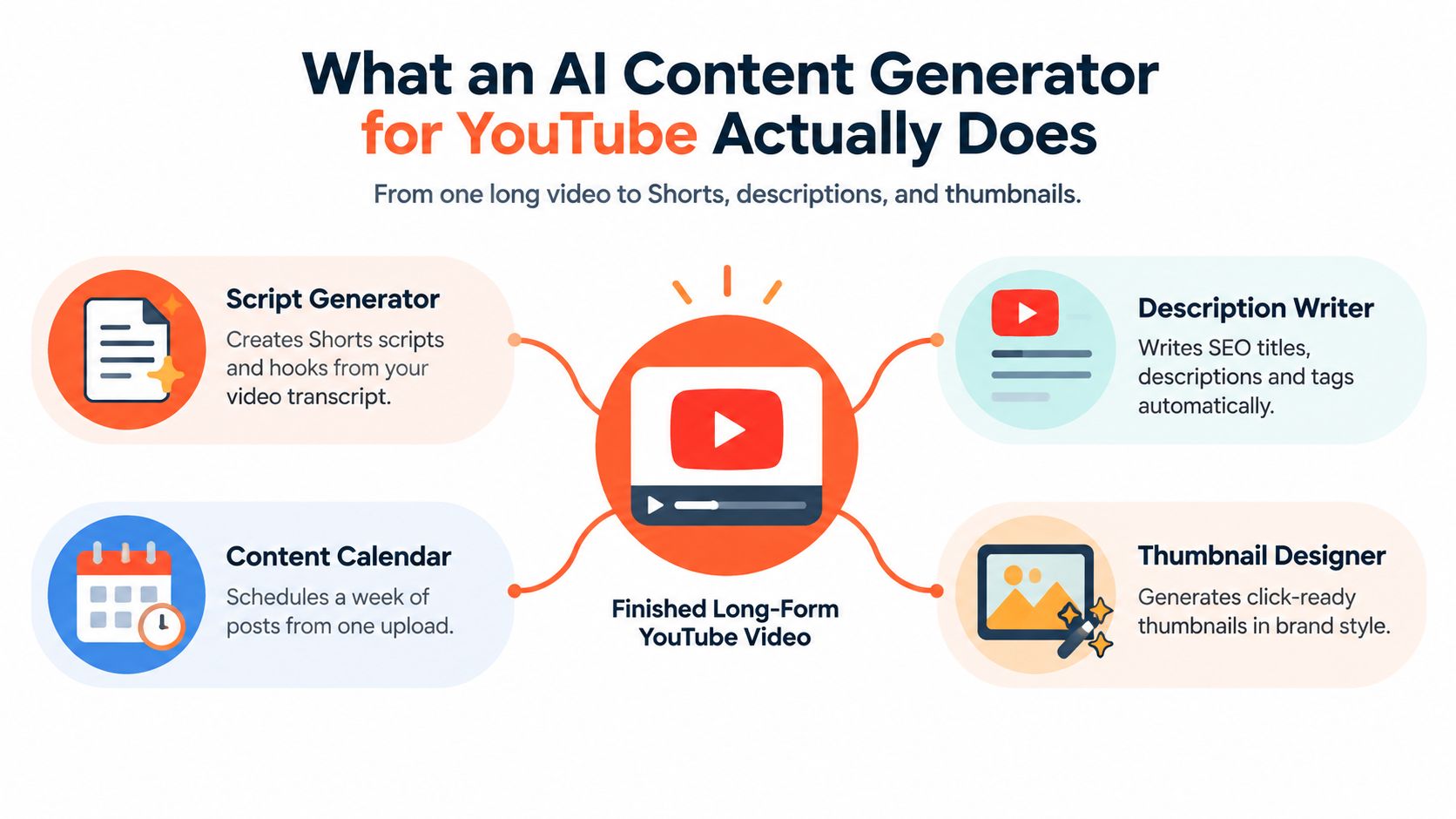
An AI content generator for YouTube is a software layer that transforms source material into publishing assets. The source might be a topic brief, a script, a transcript, or a finished video. The outputs can include a draft title, description, chapter structure, thumbnail direction, captions, and vertical clips for Shorts.
The important distinction is between generation and production assistance. A generator can identify possible moments, draft copy, remove pauses, reformat footage, and assemble a first version. It can't reliably decide whether a joke fits your audience, whether a claim needs stronger evidence, or whether a clip represents your point fairly. Those decisions still belong to the creator.
A qualitative study of 274 YouTube how-to videos found that creators use generative AI throughout the production pipeline, particularly for topic discovery, script generation, prompt creation, and visual and audio materials. The finding supports a practical approach: use AI early, during planning and scripting, because improvements at the beginning influence every asset that follows. The study of generative AI use in YouTube how-to production offers useful context for treating AI as part of the workflow rather than as a last-minute editing button.
The source-to-asset model
Suppose you record a tutorial about organizing a home studio. From that one video, an AI-assisted workflow might produce:
- Shorts scripts: A quick cable-management tip, a mistake beginners make, and a before-and-after explanation.
- Search copy: Several title directions, a description draft, chapter labels, and pinned-comment ideas.
- Thumbnail concepts: Text-overlay suggestions and layout prompts that a designer can refine.
- Editorial prompts: Follow-up questions based on what viewers may still want explained.
That's the leverage. You're not asking a machine to invent an entire channel without context. You're giving it material that already contains your expertise and asking it to find more ways to distribute that expertise.
Practical rule: Give the generator your strongest source material first. AI can multiply a clear idea, but it usually multiplies confusion when the source is vague or poorly structured.
YouTube's scale makes this workflow especially relevant. Omdia reported that YouTube reached 29 billion videos by December 2025, with growth influenced partly by Shorts and AI-generated content. Third-party tracker data estimates roughly 32 million Shorts uploads per month, and more than 43 million channels have uploaded at least one Short. The reported YouTube and Shorts figures point to a crowded environment where consistent, rapid iteration matters, but generic volume alone won't create a durable audience.
Core Capabilities Every Creator Should Expect
A serious tool should support the order in which you work. Start with the audience problem, move into the draft, package the idea for discovery, then extract additional formats.
Topic and angle discovery
The first capability is not text generation. It's helping you identify a topic your channel can plausibly win.
A useful generator should work from your niche, existing transcripts, audience questions, and gaps in competing coverage. The best prompt isn't “give me viral ideas.” It's closer to, “Find questions for beginner photographers that existing tutorials answer poorly, then suggest an angle suited to a small educational channel.”
This distinction matters because recommendation systems expose viewers to enormous quantities of content. Creator Gap focuses on transcript-level gaps, audience questions, and whether a topic is realistic for a creator's current reach. That's a more defensible starting point than requesting endless generic ideas.
Script drafting
Once you choose an angle, AI can draft the opening hook, section beats, transitions, examples, and call to action. It can also reshape an existing transcript into a Short with a quicker setup and a clearer payoff.
Give it constraints. Specify the audience, desired tone, intended length, points that must remain, and claims that require source verification. A useful draft should leave visible spaces for your personal experience, demonstrations, or on-camera reactions.
Description and SEO copy
A YouTube-focused generator can draft titles, descriptions, tags, chapters, and pinned-comment suggestions from the script or transcript. Treat these as packaging options, not guaranteed search outcomes.
Ask for several title directions with different promises, then check whether each promise matches the actual video. A description should clarify what viewers will learn, include relevant language naturally, and avoid stuffing unrelated keywords.
Thumbnail concepting
Most AI tools are more useful for thumbnail ideation than for delivering a final design. They can suggest a short text overlay, subject placement, contrast, visual hierarchy, and several creative directions.
Keep the concept simple enough to understand at a small size. Your final thumbnail still needs a human check for legibility, brand consistency, and whether the image accurately represents the video.
Short-form extraction
The generator should scan a long-form video for moments that can stand alone, then reframe them for vertical viewing. It may identify a strong question, a surprising explanation, a mistake, or a concise demonstration, and create captions around that moment.
For teams managing many content tasks, production support can extend beyond video. A creator who also handles contracts, permissions, or client administration may benefit from specialist help such as hire virtual legal assistants from LatHire, leaving the production workflow focused on editorial work.
| Capability | Input | Typical Output |
|---|---|---|
| Topic discovery | Niche, audience questions, transcripts | Topic angles and content gaps |
| Script drafting | Brief, outline, or transcript | Hooks, beats, narration, and CTAs |
| SEO copy | Video script or transcript | Titles, descriptions, chapters, and pinned comments |
| Thumbnail concepting | Topic, brand kit, and video promise | Text overlays, layouts, and visual prompts |
| Clip extraction | Long-form video and captions | Vertical Shorts with captions and reframed hooks |
Turning One Video Into a Week of Shorts
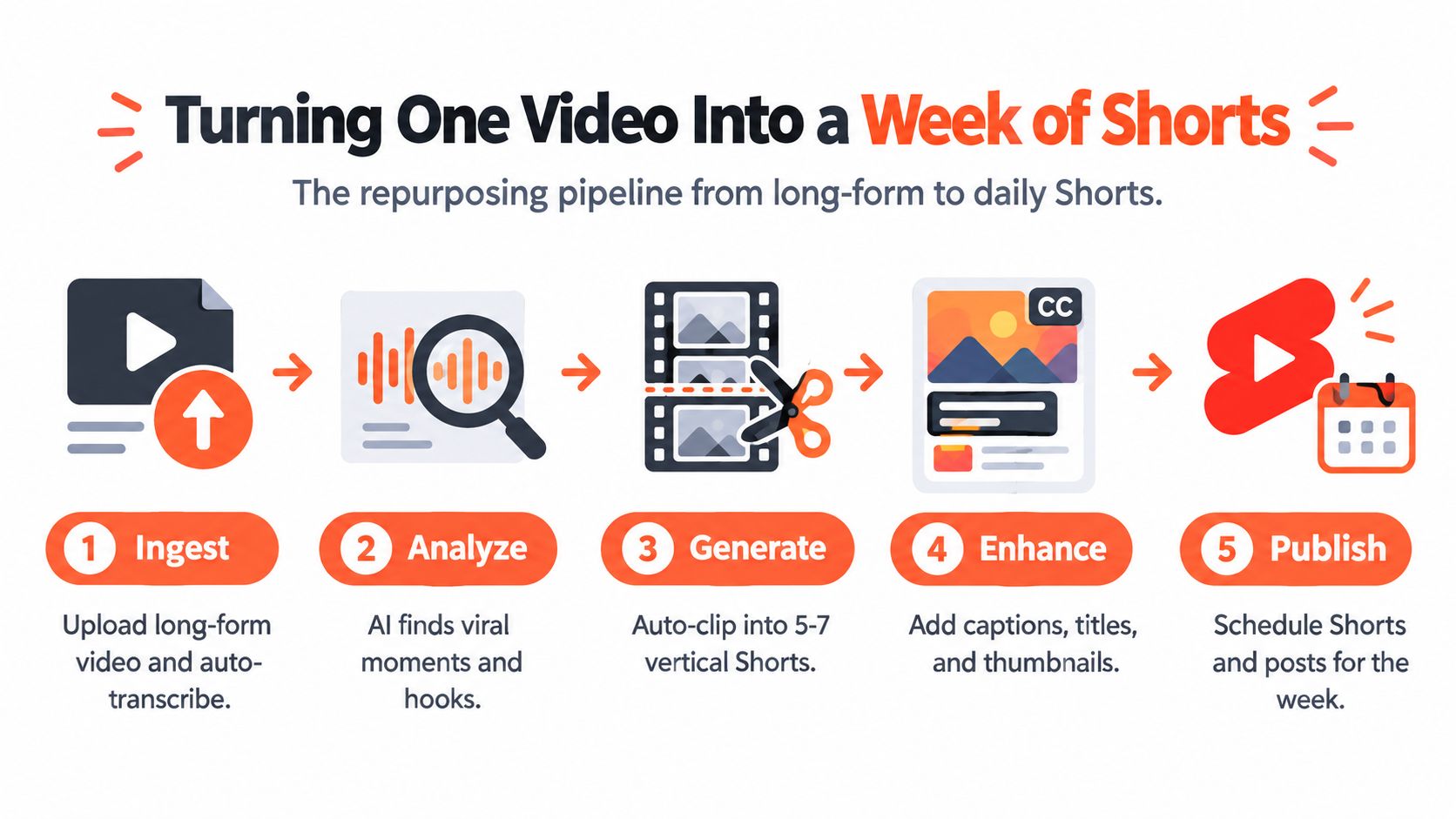
The repurposing pipeline begins with one source video, not a blank prompt. Upload the finished recording or connect the transcript, then let the system separate spoken content from visual material. Clean transcription matters because every later decision depends on accurate words and timestamps.
The next pass identifies candidate moments. Look for sections with a clear question, a strong emotional turn, a useful demonstration, or a concise answer. AI can surface these patterns quickly, but you should judge whether each moment makes sense without the surrounding conversation.
A practical example
Take a 12-minute tutorial about improving podcast audio. Rather than cutting five random excerpts, assign each Short a distinct job:
- The quick win: One microphone-placement adjustment viewers can apply immediately.
- The avoidable mistake: A common setup error and the sound it creates.
- The myth bust: A popular assumption about expensive equipment that needs qualification.
- The mini demonstration: A before-and-after comparison with a brief explanation.
- The full-video teaser: A problem statement that sends interested viewers to the complete tutorial.
The generator can turn each selected moment into a more independent script. That may mean moving the key idea closer to the opening, removing a long setup, adding concise on-screen text, and ending with a complete takeaway. A Short shouldn't feel like a piece of video that was accidentally cut out of a longer file.
The production sequence
After selection, score each candidate for standalone appeal. Ask whether a viewer who has never seen your channel can understand the context, recognize the value, and reach a satisfying payoff quickly.
Then create the vertical version. The system can generate a caption track, reframe the speaker, add emphasis text, suggest a title, and choose a representative frame. Review the cut for awkward jumps, missing context, incorrect captions, and visual changes that make the speaker look unnatural.
The final stage is scheduling. Use a content calendar to space the clips across the week, while keeping the full video as the central source. A repurposing-first workflow can also support related formats and exports. For a more detailed look at the process, follow this YouTube Shorts generator workflow.
The platform's AI video market is expanding as creators and teams look for faster captions, editing, and platform-ready outputs. Industry estimates place the global AI video generator market near $788.5 million in 2025, rising to about $946.4 million in 2026, with a projection of roughly $3.44 billion by 2033 at a 20.3% CAGR. A separate forecast places the broader generative-AI-in-video-creation market at about $0.98 billion by 2030, after starting near $0.39 billion in 2025. These are market projections, not a promise that every creator will gain the same production advantage. The industry estimates and projections help explain why repurposing tools are receiving commercial attention.
Comparing the Main Tool Types on the Market
Tool choice should follow your publishing bottleneck. If you need an entire video assembled from a brief, an all-in-one suite may fit. If you already shoot and edit but lose time on writing, a script-focused tool may be enough. If you have a library of recordings, a repurposing-first platform usually addresses the more expensive constraint, unused footage.
All-in-one generation suites
These platforms typically accept a prompt, outline, article, or script and produce a package containing narration, visuals, captions, music, and sometimes avatar-based presentation. They're suitable for a creator without a camera workflow or a small team that needs a first draft quickly.
The tradeoff is editorial sameness. Stock footage, synthetic narration, and predictable structure can make several channels sound interchangeable unless you replace generic choices with your own examples and point of view.
Script-only writers
A script-only tool is a better match for an established creator who already records, edits, and appears on camera. It can help produce hooks, outlines, title options, descriptions, and variations of a Short from a transcript.
You retain more control over performance and visuals, but you still need separate editing and captioning tools. Browse a focused overview of the best AI tools for content creation if your main problem is writing rather than video assembly.
Repurposing-first platforms
Repurposing-first software begins with your existing video library. It extracts moments, creates vertical versions, adds captions, and prepares variations for other platforms. WaveGen.ai is one example of this category, with workflows centered on turning source material into short-form assets and platform-ready content.
| Category | Primary Input | Output Formats | Best For | Limitations |
|---|---|---|---|---|
| All-in-one suite | Prompt, article, or script | Narrated videos, avatars, captions, and visual scenes | New channels and lean teams | Output may feel generic |
| Script-only writer | Brief, outline, or transcript | Scripts, hooks, titles, and descriptions | Creators with an established filming workflow | Requires separate editing |
| Repurposing-first platform | Finished videos, transcripts, or channel library | Shorts, captions, social variants, and packaging assets | Creators with valuable long-form footage | Doesn't replace original recording or editorial review |
A useful decision prompt is simple: Do you need to create more footage, write faster, or multiply what you've already filmed? Choose the tool type that answers that question instead of buying the platform with the longest feature list. For clip-focused workflows, this guide to an AI video clip generator explains the specific extraction problem in more detail.
Setting Up Your First Repurposing Workflow
Start with consistency before automation. If every generated Short uses a different font, caption position, or tone, the system will produce more work for you rather than less.
Configure the brand kit
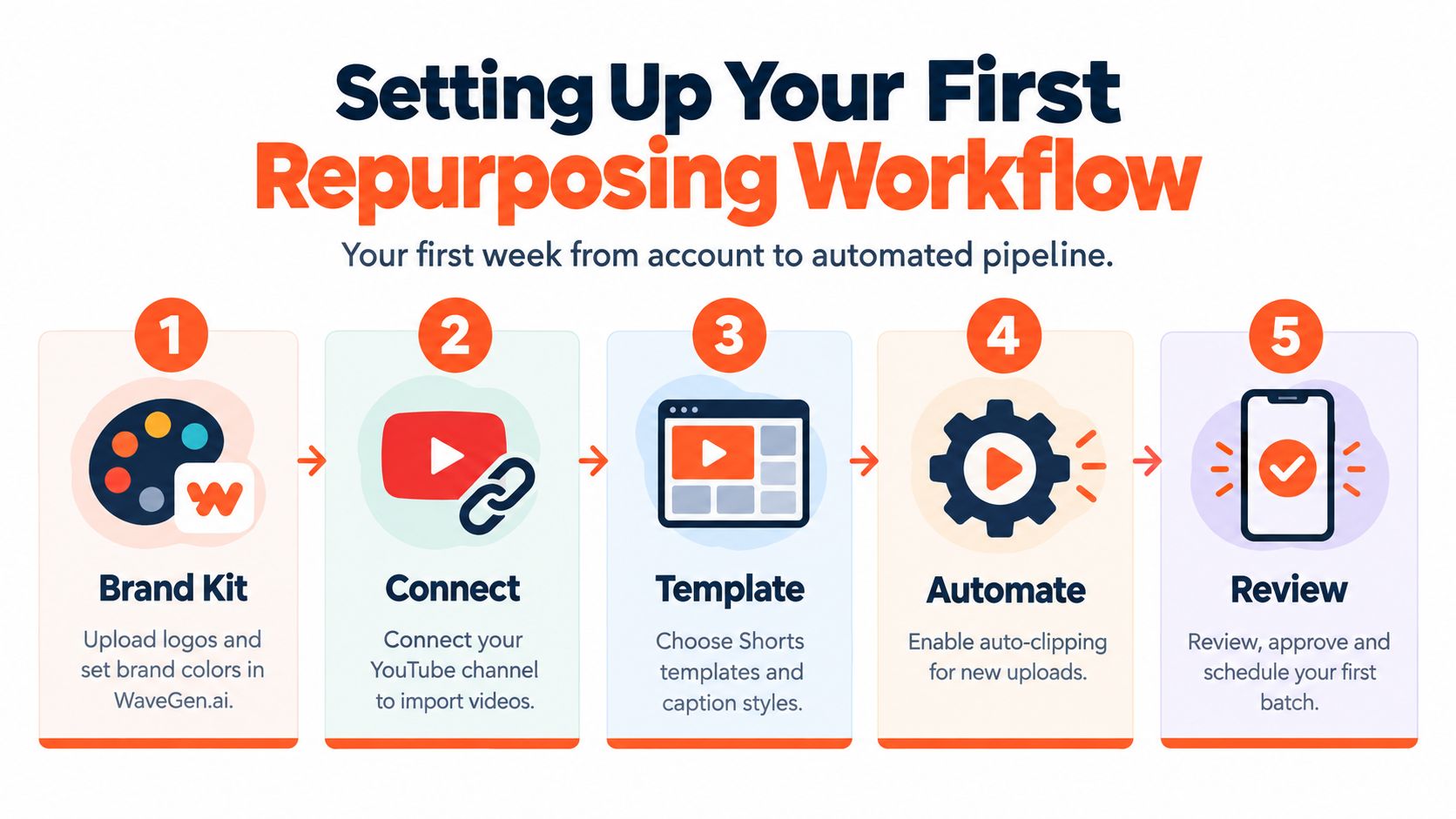
Add your logo, brand colors, preferred fonts, caption style, and tone instructions. Write prompts that describe how your channel sounds in practical terms, such as “clear and direct, explain technical terms with a short example, avoid exaggerated claims.” A brand kit works best when it includes rules for what to avoid, not only a list of visual preferences.
Connect the source
Choose how finished videos enter the pipeline. Depending on your setup, that might be a connected YouTube channel, a cloud-drive folder, or direct uploads. Keep source files organized with clear names and retain the original transcript alongside the video when possible.
This connection is more than a convenience. It creates a repeatable handoff between recording and distribution. A creator who uploads a tutorial shouldn't need to remember every downstream task manually.
Run a pilot batch
Select one long-form video with a clear explanation and several useful moments. Send it through the workflow, then inspect the proposed clips, captions, descriptions, and thumbnail concepts before changing any settings.
Don't judge the system by whether its first output is perfect. Judge it by the kinds of corrections you need to make. If the captions are accurate but the hooks are weak, revise the hook prompt. If the framing repeatedly cuts off a visual demonstration, change the template or crop rules.
Review, document, and adjust
Edit the first batch manually and upload it yourself. Note which clips needed a new opening, which descriptions overstated the video, and which visual treatments matched your channel. Then update the brand instructions before processing the next source.
For broader planning around publishing video across social channels, this social media for video guide can help you think through channel-specific formatting and distribution decisions.
Quality Risks and Disclosure Considerations
Automation creates a dangerous illusion. A finished file can look polished while still being generic, inaccurate, misleading, or poorly contextualized.
One clear warning comes from an analysis of 1,082 online science-related videos, including 814 on YouTube and 268 on TikTok. The study identified 57 videos, or 5.3%, as probably AI-generated and low-quality, and found no significant difference in view, like, or comment rates compared with the overall population. The lesson isn't that AI content cannot perform. It's that automated production alone doesn't guarantee useful engagement. The analysis of AI-generated science-related videos supports a human quality gate.
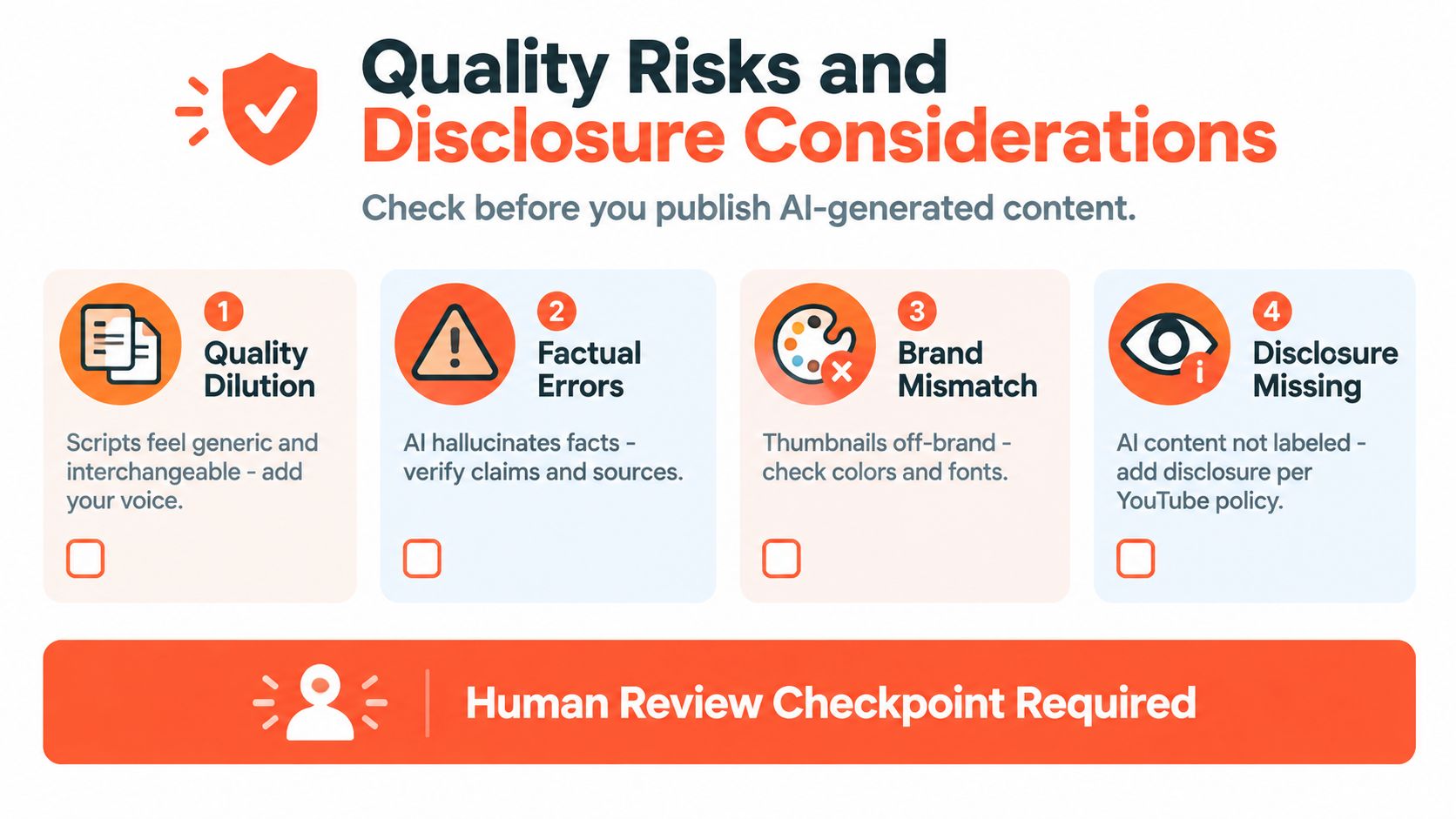
Four checks before publication
- Quality dilution: If every script has the same rhythm, add a personal anecdote, on-camera aside, demonstration, or specific opinion.
- Factual drift: Compare every statistic, date, quote, and technical claim with the original transcript or a reliable source.
- Context loss: Watch each Short against the surrounding segment. A sentence that sounds harmless alone may become misleading after the edit removes its qualification.
- Disclosure and provenance: Check whether your use of synthetic voice, face synthesis, or other realistic generated elements requires disclosure under the applicable YouTube rules and advertising expectations.
Treat review as a production stage
A creator should approve the tone, facts, context, captions, thumbnail promise, and disclosure status before anything goes live. Teams should assign that responsibility clearly instead of assuming the person who generated the asset will notice every issue.
The policy question also deserves more than a basic “AI is allowed” answer. Guidance for creators increasingly deals with disclosure, synthetic media, voice cloning, auto-dubbing, and audience trust. YouTube-focused AI creation guidance from vidIQ reflects why brand-safe workflows need provenance and review built into the process.
For a broader content-marketing application, see this guide to AI for content marketing. The principle is the same: use automation to increase production capacity, not to remove accountability.
Human checkpoint: If you wouldn't publish the sentence, image, crop, or claim after seeing it in isolation, don't let automation schedule it.
Measuring Results and Scaling Your Pipeline
Measure the workflow as a publishing system, not as a novelty. The first question is whether you publish more consistently without lowering the quality of the channel's viewing experience.
Track three core signals:
- Weekly posting cadence: Record how often long-form videos and Shorts go live before and after adopting the generator.
- Average view duration: Review this separately for long-form videos and Shorts, because the formats serve different viewing behaviors.
- Repurposing ratio: Count how many usable Shorts or social clips come from each long-form upload.
Take a baseline before changing the workflow. You don't need a complicated analytics model. Record your current production time, upload rhythm, average view duration, and typical number of usable cutdowns. After the workflow is active, compare the same measures over a consistent review period and note other changes, such as a new topic, title style, thumbnail treatment, or distribution channel.
Scale the repeatable parts
Batch recording can give the generator more source material to process, while recurring formats reduce the number of creative decisions required for every upload. Create templates for tutorials, interviews, demonstrations, and opinion clips, but leave room for the specific idea to shape the opening and visual treatment.
Use version control for generated assets. Keep the original cut, approved caption file, title options, thumbnail concepts, and final exports together. For a small team, add shared folders, role assignments, and an approval queue. That structure prevents two people from editing different versions of the same Short.
A 30-day review cycle can reveal which clips deserve more attention. Revisit the strongest Shorts, improve weak titles, remove patterns that produce generic scripts, and update the generator's topical and tone prompts. Don't optimize for volume if the extra assets aren't understandable, accurate, or useful.
Adoption checklist
- Configure the brand kit: Set the visual rules and voice instructions.
- Run one repurposing test: Use a strong long-form source and inspect every output.
- Lock in human review: Assign tone, fact, context, and disclosure checks.
- Track the baseline: Measure cadence, average view duration, and repurposing ratio.
- Document corrections: Feed recurring problems back into templates and prompts.
The practical goal isn't to publish more AI-made videos for their own sake. It's to make each recording work harder, while your judgment remains visible in the final result.
WaveGen.ai turns long-form source material into on-brand Shorts, captions, quote cards, carousels, and other platform-ready assets, with brand kits, editing, scheduling, and publishing workflows in one system. If your YouTube backlog is full of footage but your content calendar is empty, visit WaveGen.ai and test a repurposing workflow with one finished video.
ai content generator for youtube
youtube shorts ai
ai script writer
video repurposing
content automation
Turn this kind of writing into a week of social content.
Paste a blog post, newsletter, or rough draft — WaveGen turns it into publish-ready carousels, captions, and slideshows for every channel.
No credit card · First posts in 2min