September 25, 2026
13 min read
Content Repurposing Strategy: A Practical Guide
Build a content repurposing strategy that turns one asset into a week of on-brand posts. Frameworks, channels, cadence, and measurement included.
Monday morning, one polished article sits in the CMS and seven feeds are waiting: LinkedIn, Instagram, TikTok, X, the newsletter, YouTube, and the podcast feed. The article is finished, but the publishing week isn't. Someone still has to find the hooks, rewrite the ideas, brief the designer, cut the clips, schedule the posts, and make every channel sound like the same company.
That scramble is where repurposing programs usually go wrong. Teams fill gaps with whatever exports fastest, then wonder why the voice feels inconsistent, the visuals look repetitive, and the content calendar depends on one exhausted person. A strong content repurposing strategy isn't a productivity trick or permission to repost the same paragraph everywhere. It's the orchestration layer between what you've already created and how each audience should experience it.
The operating system has four parts: source inventory, transformation rules, channel conventions, and cadence. Together, they decide what deserves reuse, how the idea changes, where it belongs, and when a human should review it.
Table of Contents
- The Week One Article and Seven Empty Feeds
- What a Content Repurposing Strategy Actually Is
- The Four Building Blocks of a Working System
- Source to Channel Pairings That Travel Well
- Building a Weekly Cadence Your Team Can Sustain
- Measuring What Repurposing Is Really Worth
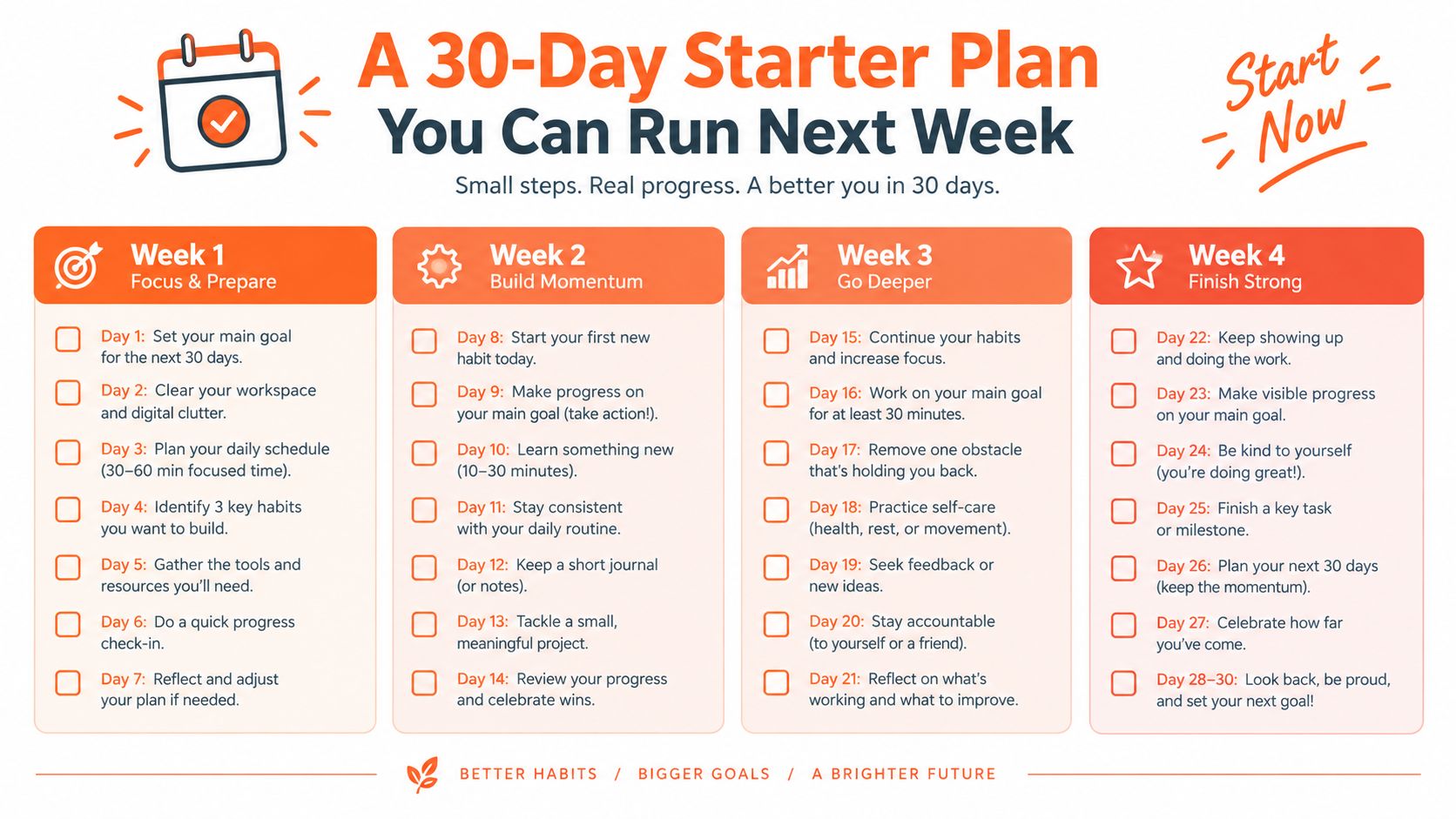
- A 30-Day Starter Plan You Can Run Next Week
The Week One Article and Seven Empty Feeds
The article covers a useful topic, has a clear argument, and contains several practical examples. Yet the content lead cannot just copy the introduction into LinkedIn, turn the conclusion into an Instagram graphic, and call the week complete. LinkedIn needs a point of view that stands on its own. Instagram needs a visual sequence. TikTok needs a spoken hook. The newsletter needs a reason for subscribers to click or reply.
By Wednesday, the team has created several assets, but they don't feel connected. One designer has spent hours resizing graphics. A writer has turned blog paragraphs into captions that still sound like blog paragraphs. The social manager has scheduled posts without knowing whether the strongest idea should lead the week or close it.
The operational cost: When every channel starts from a blank page, your team spends its time rebuilding context instead of improving distribution.
The problem isn't a shortage of ideas. It's the absence of decisions made before production begins. Without a source library, people use the most recent article, even when an older piece has a better argument. Without transformation rules, every editor interprets “repurpose” differently. Without channel standards, the same idea travels unchanged and loses the qualities that made it useful.
A workable system treats the finished article as a source asset, not as a single post. The team identifies its claims, stories, frameworks, objections, examples, and quotable lines. Then it assigns those components to formats that suit the audience and the platform.
That shift also changes the role of the content lead. You're no longer asking, “How can we make more posts?” You're asking:
- Which source material is worth distributing again?
- What must change for each destination?
- Which person owns the editorial decision?
- What business outcome will tell us the transformation worked?
The rest of the system sits inside those four questions. Source determines what enters the pipeline. Transformation turns a central idea into useful native formats. Channels define the rules of presentation. Cadence protects the time needed to make the work consistent rather than rushed.
What a Content Repurposing Strategy Actually Is
A content repurposing strategy is a deliberate plan for transforming one source asset into multiple platform-native formats, with defined rules for adaptation and a measurement loop that connects output to outcomes.
That definition separates repurposing from two common shortcuts. Copying a blog link into every feed is cross-posting, not a strategy. Asking an AI tool to generate unrelated captions from a URL can create volume, but it often loses the author's argument, evidence, and voice. Repurposing preserves the core idea while changing the delivery so the new format works on its own.
Think of one recipe prepared for different diners. The ingredients remain related, but the presentation changes. A bento emphasizes variety and compartments. A canapé delivers one concentrated bite. A soup combines the ingredients into a slower, more cohesive experience. None of those dishes is a pasted version of the recipe card.
Your source article works the same way. Its central insight might become a text-native LinkedIn post, a visual Instagram carousel, a narrated TikTok, and a newsletter paragraph. Each asset should make sense without forcing the audience to consume the original first.
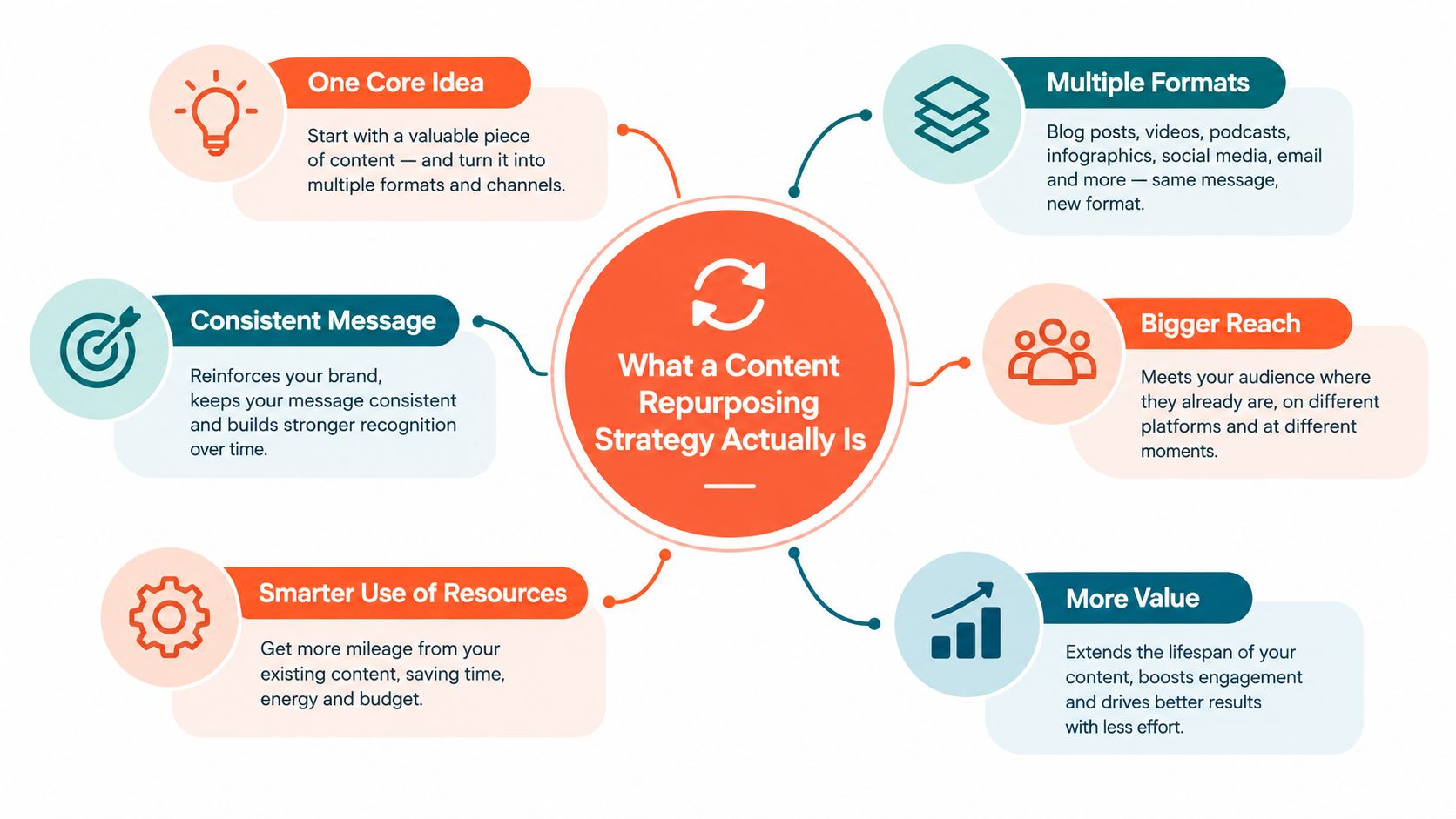
The three decisions every strategy needs
Source material: Decide what enters the library. Finished articles, newsletters, podcasts, webinars, interviews, product explanations, and customer questions can all qualify, but relevance and editorial quality matter more than age or format.
Allowed transformations: Define how an idea may change. A blog can become a commentary post, but the post needs a new opening and a complete argument. A podcast can become clips, but the editor must remove dead air and preserve enough context for the clip to stand alone.
Success criteria: Set a distinct purpose for each channel. A newsletter may aim to generate replies or clicks. A LinkedIn post may build qualified conversation. A short video may earn attention from a new audience. Those outcomes shouldn't be collapsed into one generic engagement score.
Content pillars help prevent the source library from becoming a random archive. A practical guide to content pillars social media can help you group source assets by recurring audience problems, themes, or points of view before assigning them to channels.
The Four Building Blocks of a Working System
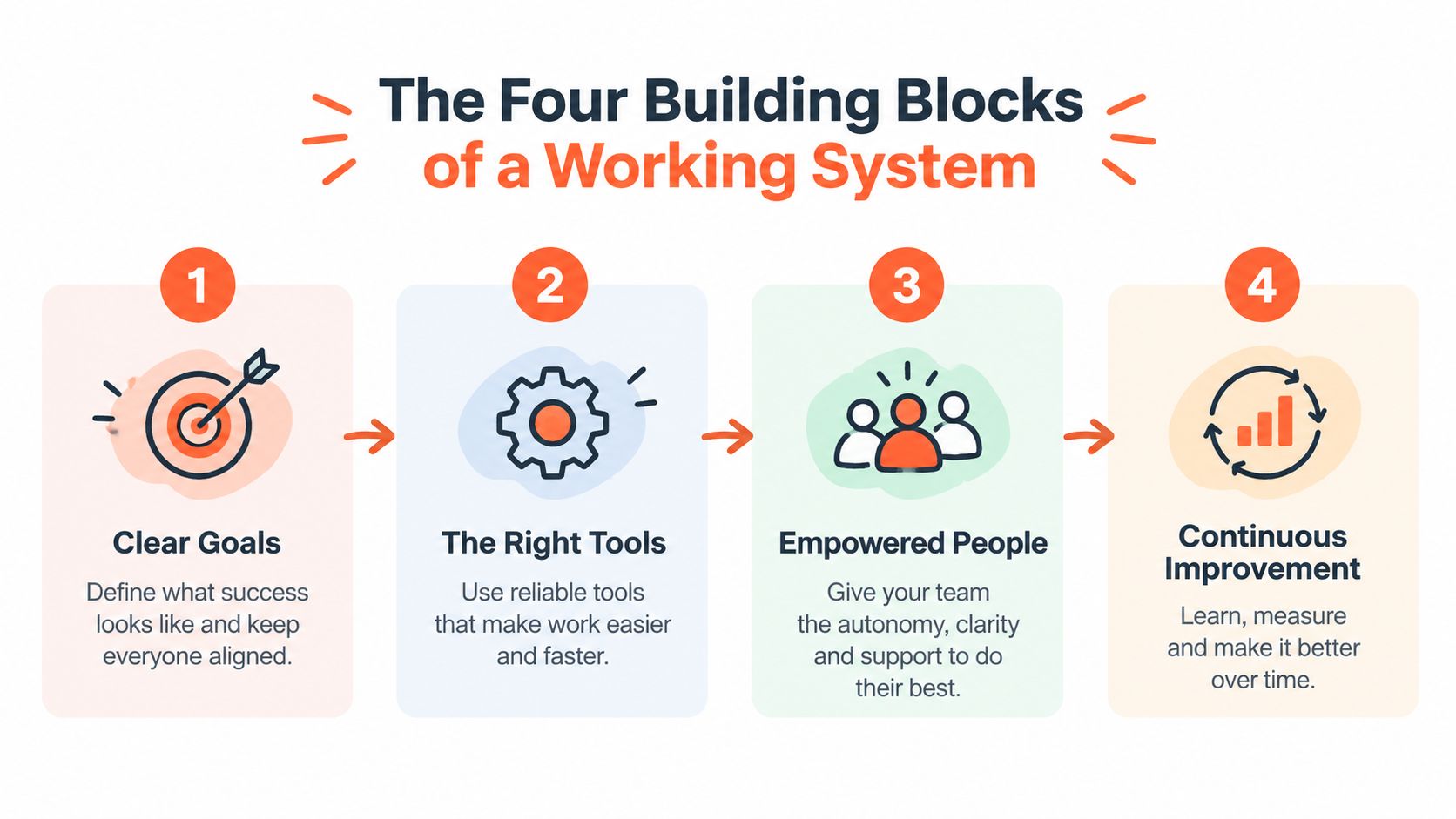
A repurposing program needs four connected blocks. If one is missing, the others compensate badly. A large source library won't help if nobody knows how to extract ideas from it. Excellent clips won't help if the team publishes them without a channel-specific purpose.
Source inventory
Start with a simple index, not an elaborate content management project. Record the asset title, format, publication date, topic, audience problem, funnel role, freshness status, and reusable components. Tag the strongest hooks, frameworks, stories, objections, and visual moments.
The inventory should answer a practical question quickly: what can we distribute this week without starting from scratch? If it can't, your team will keep defaulting to the last article that shipped.
Review older assets for accuracy before reuse. Refresh claims, examples, and links when the subject has changed. An outdated source can spread outdated thinking across several channels faster than a single article would.
Format transformations
A transformation rule tells an editor what to preserve and what to change. It might specify that a short video opens with the tension or payoff, while a carousel begins with a standalone insight rather than a title card. The rule doesn't eliminate judgment. It gives judgment a repeatable starting point.
Random crops and generic quote cards create noise because they preserve the source format instead of translating the idea. A useful transformation changes the structure, not merely the dimensions.
Channel conventions
Each platform has its own reading behavior and audience expectations. LinkedIn commentary needs a clear point of view and enough context to stand alone. Instagram carousels need visual progression. TikTok needs spoken or on-screen movement that earns attention quickly. Newsletters reward a direct relationship, so the copy can carry more continuity from issue to issue.
Don't treat channel conventions as algorithm folklore. Treat them as editorial constraints that help the audience understand why the asset belongs in that feed.
Cadence
Cadence turns a collection of assets into a dependable publishing system. It determines how far ahead the team works, how often a source appears, and when the team reviews performance. Without it, every repurposing request becomes urgent and the human review step disappears first.
These blocks form a control loop. Inventory feeds transformations. Transformations feed channels. Channels feed the calendar. The calendar reveals which topics and formats deserve a place in the next inventory review.
Source to Channel Pairings That Travel Well
The best pairing isn't the one that creates the most outputs. It's the one that preserves the source's useful tension while making the idea native to its destination.
| Source | Target channel | Hook approach | Ideal length |
|---|---|---|---|
| Long-form newsletter | Instagram or LinkedIn carousel | Lead with the most useful insight, not the newsletter title | 6 to 9 slides |
| Podcast episode | TikTok, Instagram Reels, or YouTube Shorts | Open on a complete, quotable line or unresolved tension | 20 to 90 seconds |
| Blog section | LinkedIn text post | Start with the contrarian point, then add context and link at the end | A concise, standalone argument |
| Webinar | LinkedIn or Instagram quote graphic | Use a memorable statement with enough surrounding context in the caption | One clear quote plus supporting copy |
A long-form newsletter often makes a strong carousel because its editorial logic is already developed. Pull out the core argument, turn each supporting point into a slide, and make slide one useful even if nobody swipes further. For a 6 to 9 slide sequence, remove throat-clearing, repeated qualifications, and secondary examples. Keep the final slide focused on a next step or question rather than a crowded summary.
A podcast has a different advantage. The speaker's phrasing and hesitation can create authenticity, but an editor still needs to cut aggressively. A 20 to 90 second clip should center on one idea, not summarize the episode. If the setup is essential, put it in a brief on-screen caption or intro, then let the speaker reach the point quickly.
Where authority survives
A blog section can become a LinkedIn post when the editor rewrites it around the argument rather than pasting the paragraph. Open with the surprising or disputed point. Add a short explanation, a practical implication, and a link only after the post has delivered value. Readers shouldn't need to leave LinkedIn to understand the claim.
Webinars are rich source material, but quote graphics are easy to flatten. A sentence that sounded compelling in a live exchange may feel generic on a card. Keep the speaker's meaning, add context in the caption, and use the graphic only when the line carries enough weight by itself.
For video workflows, repurposing YouTube videos into social content can help teams think in terms of source moments, clip selection, and destination formats rather than treating every cut as interchangeable.
The lightest-touch pairing is usually a transcript excerpt turned into a text post. The highest editorial investment often belongs in a carousel or short video, where sequencing, pacing, design, and context all affect whether the audience understands the idea.
Building a Weekly Cadence Your Team Can Sustain
A two-person team doesn't need a larger publishing machine. It needs protected handoffs and a clear distinction between assembly and editorial judgment.
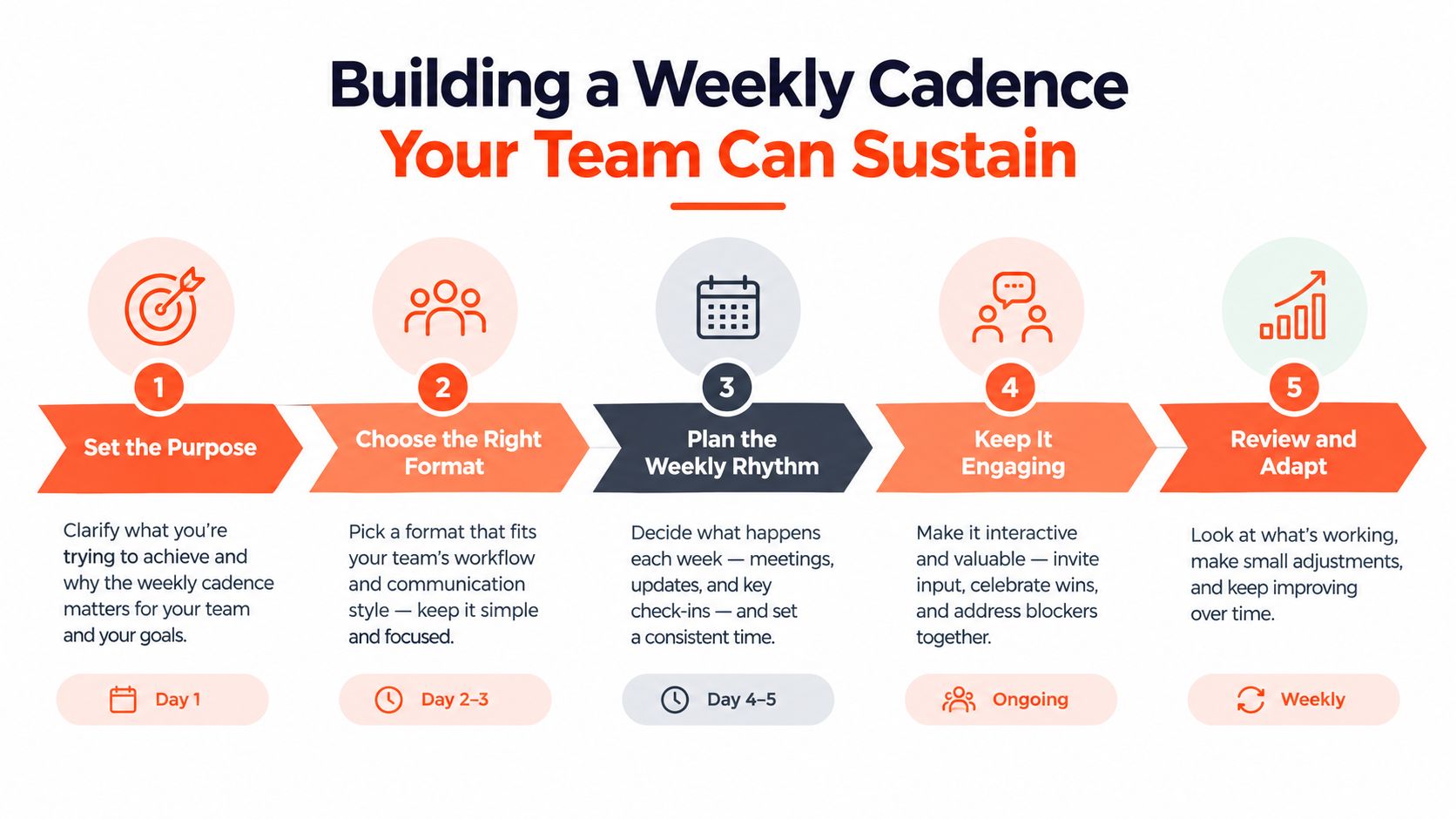
A realistic operating week
Monday is for selection. Review recently published sources and the existing inventory. Choose the assets with a clear audience problem, a durable point of view, or a timely reason to distribute. Capture the source in one shared drive or document hub, then record the intended channel, transformation, owner, and review date.
Tuesday and Wednesday are for transformation. One person extracts transcript moments, claims, and hooks. The other drafts captions, carousel copy, or clip briefs. A transcription and clipping tool can handle the first pass. A lightweight text rewriter can create variations, but the team should decide which angle survives.
Thursday and Friday morning are for channel editing. Apply the brand-locked visual templates, adjust the opening lines, check captions, and preview every asset inside its destination environment. A scheduling queue with per-channel previews prevents an Instagram caption from accidentally becoming a LinkedIn post with no adaptation.
Friday afternoon is for approval and learning. The content lead checks the hook, factual accuracy, brand voice, links, accessibility, and source attribution. The person responsible for community should also know which posts are going live and who will read the early comments.
Source capture, transformation, visual editing, and scheduling can each use different tool categories. The important part is that the handoff record stays in one place. Automation can assemble a draft, identify transcript sections, apply a template, and place an asset in a queue. It shouldn't decide whether the hook is accurate, whether the claim needs context, or whether a post sounds like your company.
This video provides another way to think about the workflow:
A newsletter can also become a social asset when the editor preserves its strongest argument instead of compressing every paragraph. This guide to turning a newsletter into a social media post offers a useful reference for that specific handoff.
Editorial ownership: Automation owns the assembly line. Humans own the cut, the context, and the conversation after publication.
Sustainable cadence comes from protecting transformation time, not from asking the team to publish faster. If review keeps getting pushed aside, reduce the number of destinations before you reduce quality.
Measuring What Repurposing Is Really Worth
A post count is an activity measure. It tells you that the team shipped work, not whether the work created business value.
A stronger measurement model connects each repurposed asset to its source asset, channel, format, and outcome. The measurement gap is significant because many workflows explain how to produce derivatives but stop before proving which transformations support pipeline, assisted conversions, or audience trust. The content distribution strategy guide is useful background for connecting distribution decisions to business objectives.
Build the attribution trail before publishing
Give every destination a way to report back. Use UTM parameters, tagged links, campaign names, or unique landing pages that identify the source and format. For assets with no clickable link, record the source, channel, publication date, and intended action in your reporting sheet.
Judge each format against its destination, not against the original long-form asset. A carousel should be compared with the normal performance of your carousels. A podcast clip should be evaluated alongside similar short videos. Independent guidance on benchmarking repurposed content by platform makes the same practical point: adaptation quality matters more than one-to-one equivalence with the original.
Consider a simple portfolio. One pillar article produces eight assets across two weeks. The team doesn't kill the article because its launch post had weak reach. It reviews the cluster by source, format, platform, assisted conversions, qualified replies, and production effort. One clip may introduce the topic, a carousel may explain the framework, and a newsletter may drive the clearest next action.
This view prevents two bad decisions. First, you won't mistake high impressions for commercial progress. Second, you won't discard a strong source because one derivative missed its audience. The useful question is, which transformation moved the right audience toward the intended outcome at a reasonable production cost?
A 30-Day Starter Plan You Can Run Next Week
A small team can launch a focused system without rebuilding its entire content operation.
Week-by-week deliverables
- Week one, source audit: Create an inventory of existing articles, newsletters, recordings, and useful internal material. Deliver a tagged list, then select three evergreen source pieces for the pilot.
- Week two, brand and channel kit: Define approved colors, fonts, logo use, voice notes, and templates. Deliver one reusable template for LinkedIn, Instagram, and short-form video.
- Week three, transformation rules: Write a one-page rule set for hooks, slide structure, clip selection, captions, calls to action, and review ownership. Map each source to LinkedIn, one newsletter, and one short-form video channel.
- Week four, measurement and review: Choose two source-level metrics and one channel metric per platform, add tracking labels, and schedule a weekly review. Deliver a report that records what was created, what was published, what moved, and what gets changed next.
Assign owners for capture, editing, scheduling, and approval, even if one person holds several roles. The common Week Two stall happens when teams create the assets but skip the review meeting, so put that meeting on the calendar before the first transformation begins.
WaveGen.ai turns articles, newsletters, podcast scripts, and YouTube transcripts into platform-specific social assets such as carousels, short videos, quote cards, and captions, with brand kits, editing, scheduling, and publishing workflows in one system. If you want to test a repurposing strategy without rebuilding every asset manually, visit WaveGen.ai and start with the three-source pilot described above.
content repurposing strategy
content atomization
social media workflow
multi-channel distribution
content ROI
Turn this kind of writing into a week of social content.
Paste a blog post, newsletter, or rough draft — WaveGen turns it into publish-ready carousels, captions, and slideshows for every channel.
No credit card · First posts in 2min