August 11, 2026
14 min read
7 Carousel Ads Examples to Inspire Your 2026 Campaigns
Discover 7 top carousel ads examples with annotated breakdowns, copy/design tips, and templates to boost your campaigns.

Carousel ads have repeatedly outperformed static formats in platform testing, and that's why they still matter in 2026. A widely cited Kinetic Social analysis found 1.0% click behavior on Facebook carousel ads versus 0.1% on non-carousel ads, a 10x gap in click-through behavior, while Digiday reported Facebook said carousel ads drove three times more conversions and 85% better click-through rates than other efforts, with Meta-aligned benchmarks summarizing 20–30% lower cost per click than single-image link ads (Retail Dive's summary of the carousel ad analysis). On Instagram, carousel posts also keep pulling attention, with an average engagement rate of 1.92% versus 1.74% for image posts and 1.45% for video posts, even though carousels account for only 19% of Instagram content (Embryo's breakdown of Instagram carousel data). The best carousel ads examples now matter for more than design inspiration, they reveal sequencing, measurement, and the right tool for each platform. For a practical repurposing workflow, see dropshipper carousel ad strategies.
Table of Contents
- 1. WaveGen.ai
- 2. Meta Ad Library Facebook and Instagram
- 3. LinkedIn Carousel Ads official format hub and specs
- 4. Pinterest Business Inspiration and Ad Examples including Carousel
- 5. AdEspresso Ads Gallery by Hootsuite
- 6. Foreplay.co Ad Inspiration Library and Swipe File
- 7. SwipeWell Marketing Examples Swipe File and Curated Discover
- 7-Source Carousel Ads Comparison
- Strategic Next Steps
1. WaveGen.ai
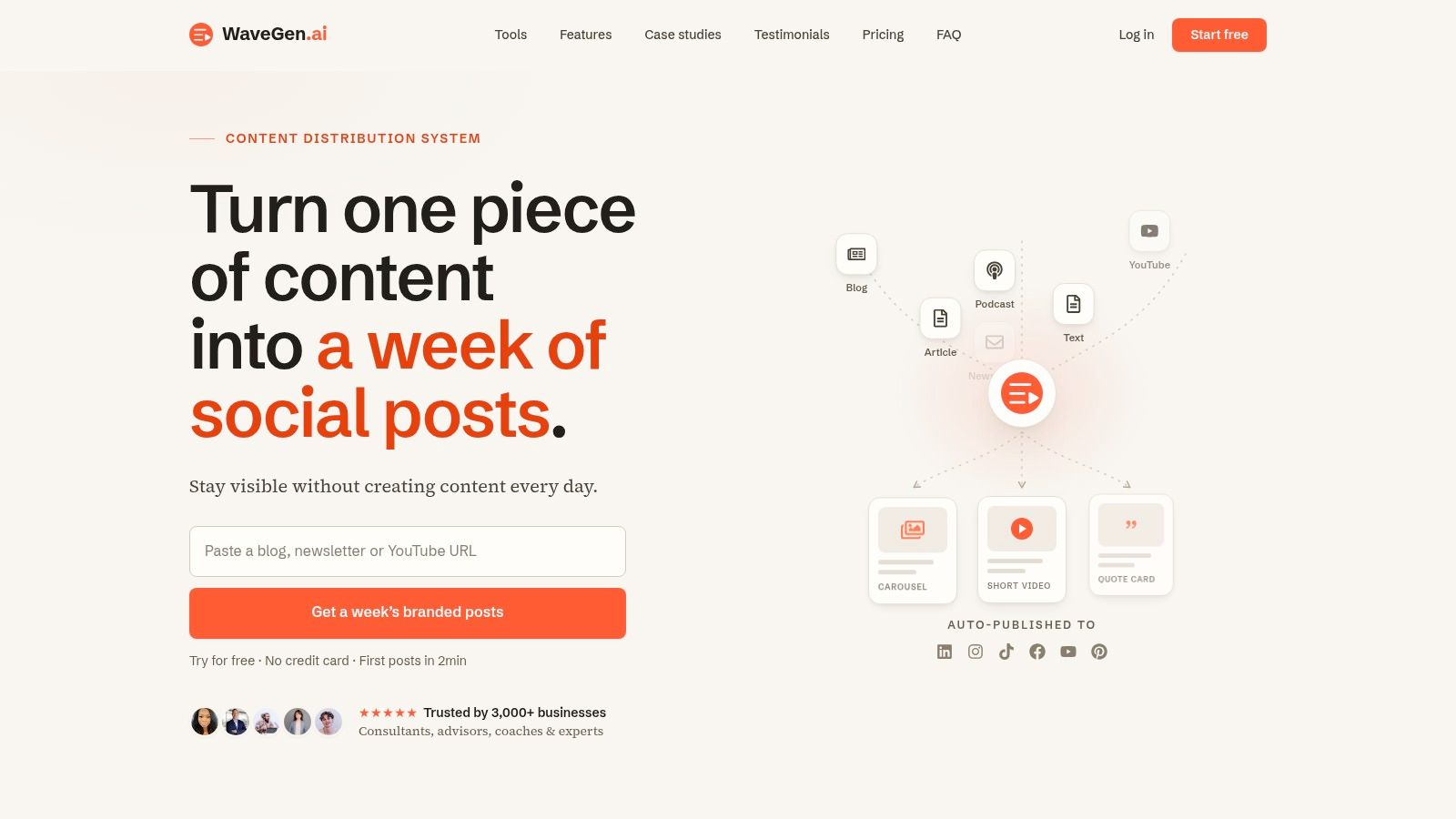
WaveGen.ai is the strongest option here if your team needs carousel production, not just carousel inspiration. It turns one article, newsletter, podcast script, or YouTube transcript into a week of branded social content in minutes, including carousels, short videos, quote cards, captions with hashtags, and platform-ready formatting. The platform says it's trusted by 3,000+ businesses and has generated 10,000+ posts, with claims of roughly 20 hours saved every week for users who publish regularly. For teams that care about cadence, that's the advantage, because the system starts from your source content instead of asking you to invent a fresh angle every day. WaveGen.ai
Why it stands out for carousel workflow
WaveGen's biggest strategic edge is repurposing with brand control. You set a brand kit once, colors, fonts, logo, voice, and every asset stays consistent across carousels and other formats. That matters for consultants, coaches, agencies, and long-form publishers, because the carousel becomes part of a repeatable system rather than a one-off design project.
The product also supports scheduling, crossposting, and an autopilot mode that monitors RSS feeds and proposes weekly post lists. That makes it useful for teams that want to keep publishing from their own material, especially when a single blog post or transcript can be split into multiple platform-specific sequences. You can also edit assets visually before publishing, then send them to Instagram, TikTok, LinkedIn, YouTube, or Facebook, with Pinterest on the roadmap.
Practical rule: If your carousel starts from a real article, podcast, or transcript, your hooks usually stay sharper and your slides stay more coherent than they do when you begin from a blank canvas.
Pricing and fit
WaveGen's plans scale from individual creators to agencies, with Starter at $20/month billed annually, Growth at $35/month billed annually, Pro at $70/month billed annually, and custom Business plans. The free trial includes 10 free posts and one social connection without a credit card, and the refund policy offers a full refund within 7 days if you've generated 5 or fewer posts. Those terms make it easier to test whether your carousel process improves before you commit.
Use the tool when the goal is a steady pipeline of on-brand carousel ads examples adapted from your own expertise. It's less compelling if you're hunting for random viral concepts from scratch, but that's also why it's better for teams that want repeatable output. The mandatory internal resource for this workflow is WaveGen's AI carousel generator.
2. Meta Ad Library Facebook and Instagram
Meta Ad Library is the cleanest place to study live carousel ads without relying on secondhand screenshots. It shows active and inactive ads across Facebook and Instagram, and you can search by advertiser, page, keyword, country, and date range. That makes it the most direct source for seeing how brands package a carousel in the wild, card by card. Meta Ad Library
Best use for analysts
The main value is creative inspection, not performance benchmarking. You can view each carousel's cards, copy, and “started running” dates, then compare creative variations side by side. For competitive research, that's often more useful than a polished gallery because you're looking at live assets rather than examples selected for presentation.
Meta's reporting for carousel campaigns is also unusually granular. Ads Manager can break results down by carousel card, and Meta's help documentation says card-level metrics include impressions, clicks, and engagement, which helps advertisers see where users stop swiping and which card drives action (Meta help on carousel card metrics). That matters because a carousel is not one ad unit with one behavior, it's a sequence of individual decisions.
A strong research routine here is simple:
- Search by direct competitor: Look at the exact brands your audience already knows.
- Check card sequence: Notice whether the hook, proof, and CTA appear in the right order.
- Compare variations: Study how the same advertiser changes headlines or visuals across launches.
This tool doesn't give you outcomes, so it won't answer every question. But if you need faithful references for carousel ads examples on Facebook and Instagram, Meta's own archive is the baseline. For a broader posting framework, see tips from The Advertising Suite.
3. LinkedIn Carousel Ads official format hub and specs
LinkedIn's carousel ads hub is less about browsing and more about building on-spec creative that won't get rejected or reformatted later. It's the official source for how LinkedIn wants carousel ads assembled, which makes it especially useful for B2B teams that need clean layouts, clear messaging, and separate links by card. LinkedIn Carousel Ads
Why B2B teams should use it
LinkedIn supports up to 10 images per carousel with unique links, and the format docs are built to prevent guesswork around dimensions, file limits, and ad setup. That's a meaningful difference from public inspiration galleries, because spec discipline saves redesign time before launch. If your sales team already cares about lead quality, LinkedIn is where carousel structure should reflect funnel logic instead of just visual polish.
The platform's official guidance also fits the way B2B buyers consume content. Carousels work well for product education, thought leadership, and mini case studies, especially when each card carries one idea and one proof point. That sequencing approach mirrors how B2B readers move through a buying question, one objection at a time.
Carousels usually fail on LinkedIn when brands try to cram a full white paper into each card. One card should earn the next swipe, not explain everything at once.
The most useful companion resource here is WaveGen's social media carousel guide, because it gives you a production path after you've studied the official specs. LinkedIn is strongest for precision, not volume, so teams that want to scale should pair the platform rules with a repurposing workflow. That's the difference between a one-off post and a repeatable B2B format.
4. Pinterest Business Inspiration and Ad Examples including Carousel
Pinterest's ad hub is a useful reminder that carousels don't only sell products, they can also move users through a discovery sequence. The official examples and best-practice materials are helpful because they connect format to outcome, which is rare in generic carousel inspiration lists. Pinterest Business advertising hub
Where Pinterest is most useful
Pinterest works well when a brand wants to show multiple products, multiple steps, or multiple chapters inside one ad unit. That makes it a strong fit for home, fashion, lifestyle, and planning-heavy categories, where the user wants to compare options before acting. The platform's examples make it easier to see whether a carousel is functioning as a catalog, a story, or a decision aid.
The other strength is that Pinterest frames creative around campaign goals and visual clarity. That helps teams avoid the common mistake of designing a carousel that looks nice but doesn't tell the viewer what to do next. On a platform built around browsing and intent, sequencing matters because each card has to progress the idea without feeling repetitive.
The best way to use Pinterest's materials is to borrow the structure, not the surface style:
- Show progression: Start with the strongest promise, then move into supporting cards.
- Keep cards distinct: Each slide should add a new reason to care.
- Match the placement: A shopping-oriented carousel shouldn't read like a generic brand story.
For teams who create visual discovery content, the most relevant companion resource is WaveGen's carousel for photos guide. The strategic takeaway is simple. Pinterest is one of the better platforms for learning how a carousel can support consideration, but it's strongest when the product itself benefits from sequential browsing.
5. AdEspresso Ads Gallery by Hootsuite
AdEspresso's gallery is a fast way to scan real Facebook and Instagram ads without spending money or setting up an account. It's a good middle layer between platform-native archives and paid intelligence tools, especially if your team wants examples quickly and doesn't need heavy filtering. AdEspresso Ads Gallery
What it does well
The main advantage is speed. You can browse a wide range of real Meta ads in a scrollable format, which makes it easier to spot recurring patterns in hooks, offers, and visual systems. Because the gallery sits alongside educational content, it also helps junior marketers connect what they see with how campaigns are usually built.
That said, the tool is better for pattern recognition than for forensic research. It isn't as current as Meta's own Ad Library, and its filter depth is limited compared with paid spy suites. Still, many teams use it to gather a first pass of carousel inspiration before validating specific ads in the official archive.
A practical workflow here is to use AdEspresso for breadth, then move to Meta for verification. That keeps the research process efficient without overcommitting to one source. It's especially handy when you need to show a client or teammate a few solid carousel shapes before building a draft.
Analyst note: The fastest way to waste time is to collect beautiful examples without asking what card 1 does, what card 2 adds, and why the last slide deserves a click.
For teams that want a low-friction way to sample carousel ads examples across Facebook and Instagram, AdEspresso is a decent first stop. It won't replace the platform archive, but it can shorten the research phase. The broader lesson is that inspiration tools work best when they feed a disciplined production process, not just a mood board.
6. Foreplay.co Ad Inspiration Library and Swipe File
Foreplay.co is built for teams that treat ad research as part of the production pipeline. It combines a large inspiration library with workflow features, so you can filter for carousel format, save references to boards, and move those ideas into briefs and storyboards. Foreplay.co
Why agencies like it
The platform's real value is that it doesn't stop at discovery. You can track competitors, sort by longest running ads, and use the saved examples as input for creative planning. That makes it especially relevant for agencies and growth teams that need a repeatable system for collecting, organizing, and shipping ad concepts.
The format filters matter because carousels behave differently from single-image ads, especially when sequencing is the point. A team that studies only the headline or only the first card misses the part of the ad that usually decides whether people keep swiping. Foreplay's workflow makes it easier to move from “this looks good” to “this is how we should structure our own version.”
Its pricing is public, and it includes a 7-day free trial, which helps teams test the library before committing. That said, it's probably too much tool for someone who only wants a handful of examples once in a while. The platform makes the most sense when carousel research is a standing part of your creative process.
A useful way to think about Foreplay is as a research-to-production bridge:
- Discovery: Find examples across Meta, TikTok, YouTube, and LinkedIn.
- Organization: Save the best examples into boards for team review.
- Execution: Turn those references into briefs and storyboards.
For teams building a carousel system rather than a one-off campaign, Foreplay is one of the clearest fits. If you want a broader creative library workflow, it also pairs well with inspiration for YouTube creators. The result is less random browsing and more deliberate concept development.
7. SwipeWell Marketing Examples Swipe File and Curated Discover
SwipeWell is the simplest tool in this list, and that's its strength. It gives small teams and solo marketers a lightweight way to collect, tag, and remix examples across ads, landing pages, emails, and social posts without paying for an enterprise research stack. SwipeWell
Where it fits best
The curated Discover gallery includes 13,000+ examples, and the platform adds Chrome and mobile capture tools so you can save inspiration while you work. That makes it practical for people who notice good carousel structure in the wild and want to store it immediately instead of hunting for it later. The AI Remix feature also makes it easier to adapt copy at a basic level when you're moving from reference to draft.
What makes SwipeWell useful for carousel research is its lower barrier to entry. You don't need a sprawling team or a dedicated creative ops process to keep a swipe file here. That's important for freelancers, early-stage teams, or marketers who want a simple place to store references from multiple channels.
The tradeoff is depth. Compared with paid research suites, the database is smaller and the analytics are lighter. But if your goal is to keep a living file of good creative, not build a full competitive intelligence program, SwipeWell is enough.
Best fit: Use SwipeWell when you want one place to capture a carousel, tag it, and revisit it later, without turning research into a separate job.
That makes it a practical companion for people who publish often and need fast inspiration, not a replacement for platform-native validation. For a wider content capture workflow, the useful companion resource is social media creative library inspiration. If your team values simplicity over depth, SwipeWell is a solid place to start collecting carousel ads examples that you can reuse.
7-Source Carousel Ads Comparison
| Tool / Source | 🔄 Implementation complexity | ⚡ Resources & cost | ⭐ Expected outcomes / 📊 Impact | 💡 Ideal use cases | Key advantages |
|---|---|---|---|---|---|
| WaveGen.ai | 🔄 Low–Moderate, set brand kit, paste long-form, edit visually | ⚡ Paid tiers with free trial (10 posts); Starter $20/mo → Enterprise custom | ⭐ High, consistent, platform-ready assets; claims ~20 hrs/week saved; strong cadence 📊 | Repurposing long-form content for multi-channel publishing; consultants, agencies, creators | Brand consistency, end-to-end publishing, scheduling & RSS autopilot |
| Meta Ad Library (FB & IG) | 🔄 Very Low, web search archive, no setup | ⚡ Free public access | ⭐ Medium, direct creative examples but no performance metrics 📊 | Competitive research and creative benchmarking for Meta placements | Live/historical creatives, free, searchable by advertiser/date |
| LinkedIn Carousel Ads (official) | 🔄 Low, read specs and examples; implementation requires design | ⚡ Free guidance; running ads requires LinkedIn ad budget | ⭐ Medium-High, prevents rework and ad rejections; B2B-optimized impact 📊 | B2B teams building on-spec LinkedIn carousel creatives | Authoritative specs, platform-native guidance, up-to-date limits |
| Pinterest Business – Inspiration & Ads | 🔄 Low, curated hub and case studies to follow | ⚡ Free to view; paid to run campaigns on Pinterest | ⭐ Medium, strong for product storytelling and consideration lift; case-study backed 📊 | E-commerce and visual storytelling campaigns, product catalogs | Format best-practices, campaign case studies, goal-linked examples |
| AdEspresso Ads Gallery (by Hootsuite) | 🔄 Very Low, browse curated gallery | ⚡ Free tools and gallery | ⭐ Medium, fast scanning of varied carousel examples; educational context 📊 | Quick inspiration for Facebook/Instagram creatives and learning | Zero-cost, curated patterns, adjacent educational content |
| Foreplay.co – Inspiration & Swipe File | 🔄 Moderate, account, filters, boards, workflows | ⚡ Paid (public pricing) with 7‑day trial; multi-seat costs | ⭐ High for teams, deep research-to-production workflow; strong competitive insights 📊 | Agencies and growth teams needing advanced filters and workflow integration | Advanced filtering, competitor tracking, integrated briefs & storyboards |
| SwipeWell – Marketing Examples | 🔄 Very Low, capture extension, simple organization | ⚡ Free plan + low-cost Pro/Team tiers | ⭐ Medium, efficient collection and remix of examples; less enterprise analytics 📊 | Small teams and individuals building swipe files and quick captures | Chrome/mobile capture, curated gallery, affordable pricing |
Strategic Next Steps
The best carousel ads examples don't just look polished, they reveal how the sequence works. Start by annotating your own screenshots, then mark the hook card, the context card, the proof card, and the final CTA so you can see which slide earns the swipe and which slide loses it. Meta's card-level reporting makes that kind of analysis practical, and LinkedIn's specs and Pinterest's format guidance show why the right structure depends on placement, not just visual style.
Your next move should be tactical. Pick one tool for inspiration, one tool for validation, and one tool for production. Use Meta Ad Library when you need real creatives, Foreplay or SwipeWell when you need a swipe file, and WaveGen.ai when you need to turn source material into branded carousels without rebuilding the process every week.
Then test like an analyst, not a designer. Change the slide order, tighten the first card, adjust CTA copy, and compare how each platform responds. The point isn't to make more carousels, it's to build a carousel system that you can repeat, measure, and improve.
If you're ready to turn a blog post, podcast, newsletter, or transcript into platform-ready carousels, start with WaveGen.ai. It gives you the repurposing workflow, brand consistency, and publishing tools to move from idea to finished carousel fast. For teams trying to publish consistently without adding more manual design work, that's the cleanest place to begin.
carousel ads examples
social media advertising
ad inspiration
carousel ad templates
WaveGen.ai
Turn this kind of writing into a week of social content.
Paste a blog post, newsletter, or rough draft — WaveGen turns it into publish-ready carousels, captions, and slideshows for every channel.
No credit card · First posts in 2min