September 30, 2026
19 min read
8 Cadence Examples for Consistent Social Content
Explore 8 cadence examples for consultants, agencies, and creators, with daily, weekly, and launch schedules plus practical repurposing tactics.
Creating something new every day isn't the same as publishing consistently. In practice, the strongest cadence examples start with one useful source asset and give each channel a clear job. Your role, source format, production capacity, audience journey, and channel mix should determine the schedule, not a generic promise to post more.
Consistency does matter. One benchmark found that businesses publishing 16 or more articles per month generated 3.5 times more organic traffic and 4.5 times more inbound leads than businesses publishing fewer than four monthly articles, while a separate analysis of 39 million posts associated uninterrupted publishing with more than 50% higher reach and 57% more impressions. The same benchmark reported that creators publishing consistently across at least 20 of 26 weeks achieved five times higher engagement per asset than inconsistent publishers. These figures come from content consistency benchmark coverage, but they don't mean every team should publish at maximum volume.
The eight templates below move from planned repurposing to responsive commentary. Each one connects a source format to roles, channels, timelines, repurposing decisions, risks, and safeguards. A workflow such as WaveGen.ai can turn an article, newsletter, podcast script, or transcript into branded, platform-specific assets, but the right cadence comes first.
Table of Contents
- 1. The Daily Pillar Cadence
- 2. The Newsletter-to-Social Weekly Cascade
- 3. The Podcast-to-Social Episode Breakdown
- 4. The Educational Series Staggered Release
- 5. The Product Launch Pyramid
- 6. The Client Spotlight Rotation
- 7. The Thought Leadership Commentary Cadence
- 8. The Behind-the-Scenes Authenticity Cadence
- 8 Content Cadences Compared
- Choose the Cadence You Can Sustain
1. The Daily Pillar Cadence
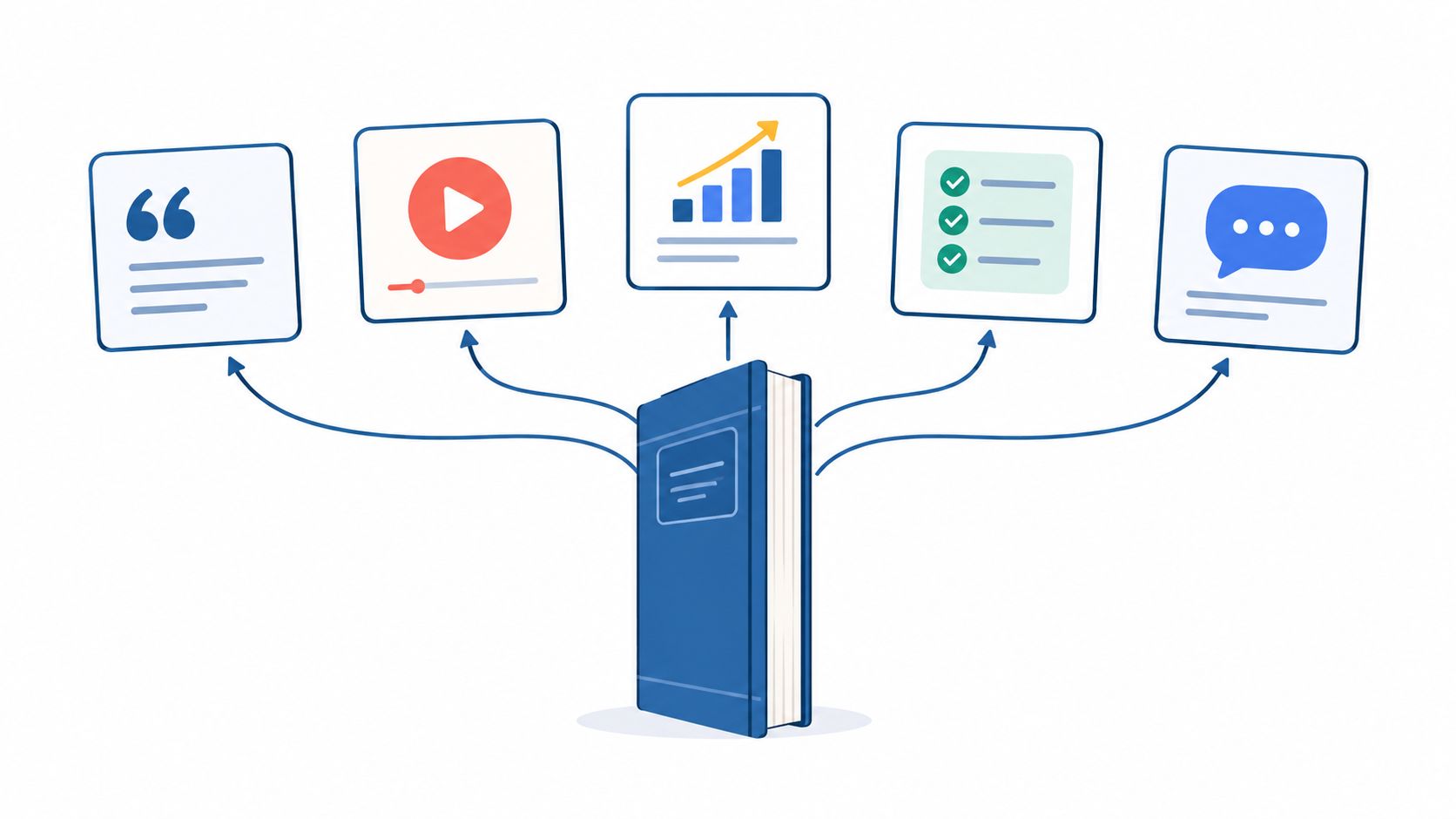
A long-form article can support a week of social publishing without being copied into five identical captions. The daily pillar cadence breaks one article, guide, or whitepaper into a connected sequence, with each post advancing one idea from the original source.
A consultant might publish a detailed compliance guide, then turn its sections into practical daily tips. A SaaS thought leader could extract the problem, framework, implementation advice, common mistake, and final recommendation from a substantial article. A financial advisor could use the same structure for an educational investment series, while a HubSpot-style editorial team might convert a weekly blog post into a LinkedIn carousel sequence.
A practical weekly timeline
- Day one: Introduce the problem and point readers toward the full source.
- Day two: Explain the first framework, method, or decision.
- Day three: Share a practical example or common mistake.
- Day four: Present a visual checklist, comparison, or key insight.
- Day five: Return to the central conclusion with a clear action.
- Weekend option: Repackage the strongest response as a short video, question, or story.
Plan these breakpoints while writing the article. If every section has a distinct takeaway, the repurposing process produces useful assets rather than fragments that lack context. Use a visual editor to keep typography, colors, and framing consistent, then schedule the sequence together through a structured content scheduling workflow.
Practical rule: Every post should make sense on its own, but the sequence should reward someone who follows all week.
The main risk is repetition. Vary the format across carousels, text posts, short videos, questions, and checklists, and use subtle calls to action on the middle posts rather than sending readers to the article every day. Review which stage attracts the strongest engagement and conversions, then adjust future pillar structures around that evidence.
2. The Newsletter-to-Social Weekly Cascade
A newsletter already contains an editorial decision, a point of view, and a reason for subscribers to open it. The weekly cascade uses that issue as the source for social content, so the team reinforces one message instead of inventing unrelated posts for each network.
A solo consultant might send a Monday roundup, publish its strongest insight on LinkedIn, turn a story into an Instagram carousel, and record a short TikTok explanation before the week ends. A Product Hunt creator could use a weekly product lesson as the central theme. An agency can apply the same model to its own newsletter or to approved client issues.
Build the cascade into the newsletter
Write each issue with social extraction in mind. Include a few concise observations, a memorable explanation, and a story that can stand alone without the surrounding email. Those elements give a writer, designer, or distribution system enough material to create different formats without weakening the original issue.
A simple sequence might look like this:
- After the send: Publish the main idea on LinkedIn and invite discussion.
- Midweek: Turn one section into a visual carousel for Instagram or Facebook.
- Later in the week: Use a story or lesson as a short-form video.
- End of week: Share a question that sends interested readers back to the newsletter.
The first social post can follow the newsletter after a short delay, allowing the email and social audience to encounter the idea in separate contexts. Use a recurring pattern, such as LinkedIn early in the week and video later, so production becomes familiar. This newsletter repurposing workflow can support the conversion from email sections into platform-specific posts.
Don't publish the same paragraph everywhere. LinkedIn readers may respond to an argument, Instagram users may need a visual progression, and TikTok viewers may need a direct spoken hook. Use the newsletter footer and social profiles to create a loop between channels, then record which themes generate replies, saves, clicks, or subscriptions.
For additional repurposing directions, review these content repurposing strategies for 2026. The useful lesson is operational, not numerical: one editorial source can create a coherent week when each derivative asset serves a different viewing habit.
3. The Podcast-to-Social Episode Breakdown
Podcast episodes contain more usable material than typical teams extract. The conversation can become a teaser, guest introduction, quote card, transcript carousel, short clip, and visual summary, provided the team selects moments with a clear purpose rather than cutting random sentences.
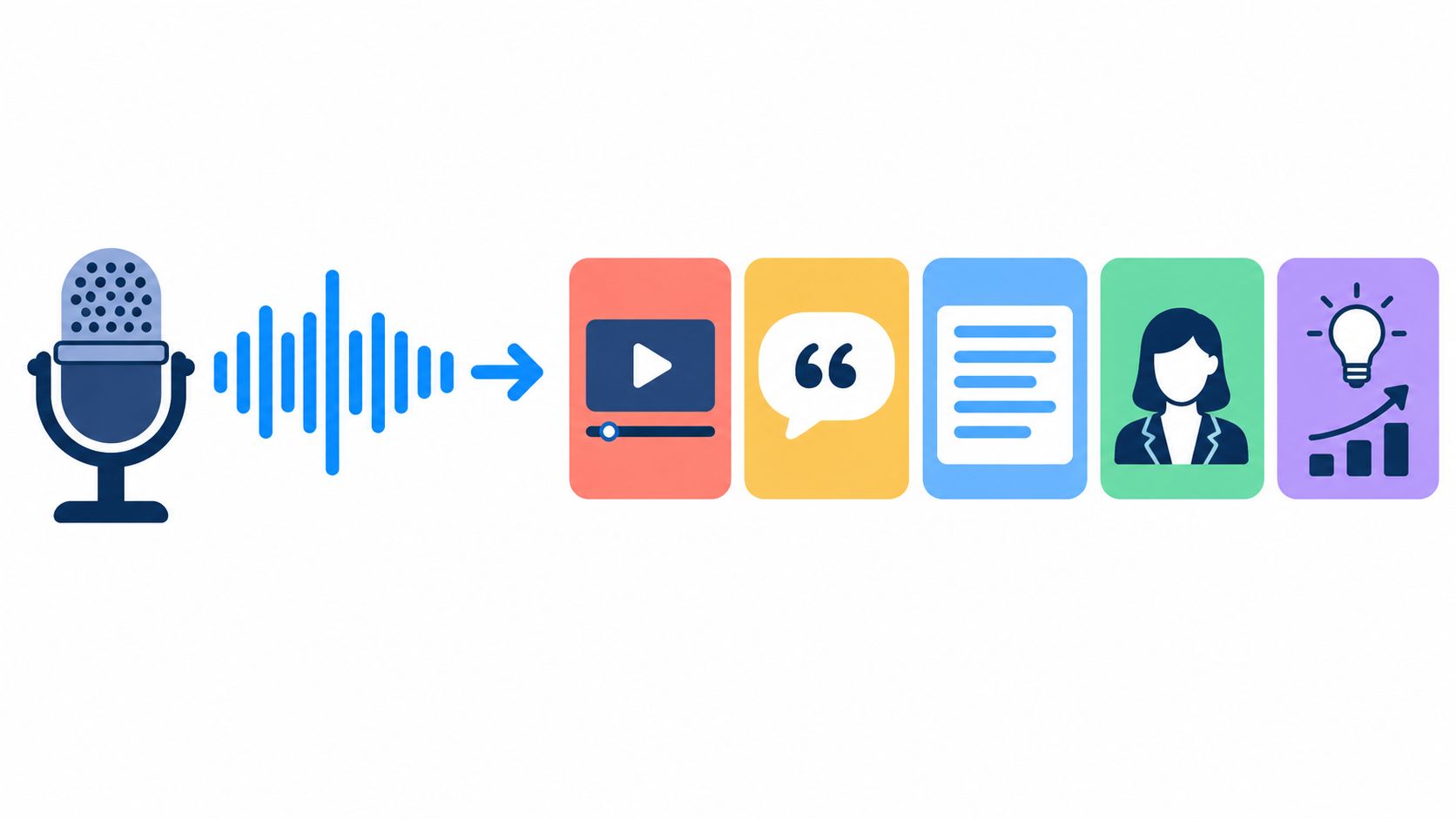
A useful release pattern starts before the episode. Share a short teaser before publication, release the full episode on launch day, then distribute shorter extracts and guest-focused assets through the following days. An independent podcaster can follow this model with one recording session, while a brand podcast can assign the host to approve quotes, a producer to select clips, and a social manager to adapt the final formats.
Give every asset a distinct role
- The teaser: Creates curiosity without summarizing the entire discussion.
- The guest post: Introduces the person and explains why the conversation matters.
- The quote card: Captures one strong, understandable idea.
- The transcript carousel: Provides a structured lesson for people who prefer reading.
- The short clip: Delivers personality, emotion, or a surprising exchange.
- The takeaway graphic: Turns the episode into a reference point.
Record with these moments in mind. Hosts can ask questions that produce complete answers, and producers can mark soundbites during the conversation instead of searching through the entire recording later. A batch workflow can transform the transcript into quote cards, carousels, and captions, while the editor checks every asset against the original audio. A podcast-focused social workflow is useful when the source episode needs to support several formats.
The main trade-off is speed versus accuracy. A fast clip can capture attention while the episode is fresh, but every subtitle, quote, name, and claim still needs review. For practical guidance on extracting short clips from longer videos, see this video clipping resource.
4. The Educational Series Staggered Release
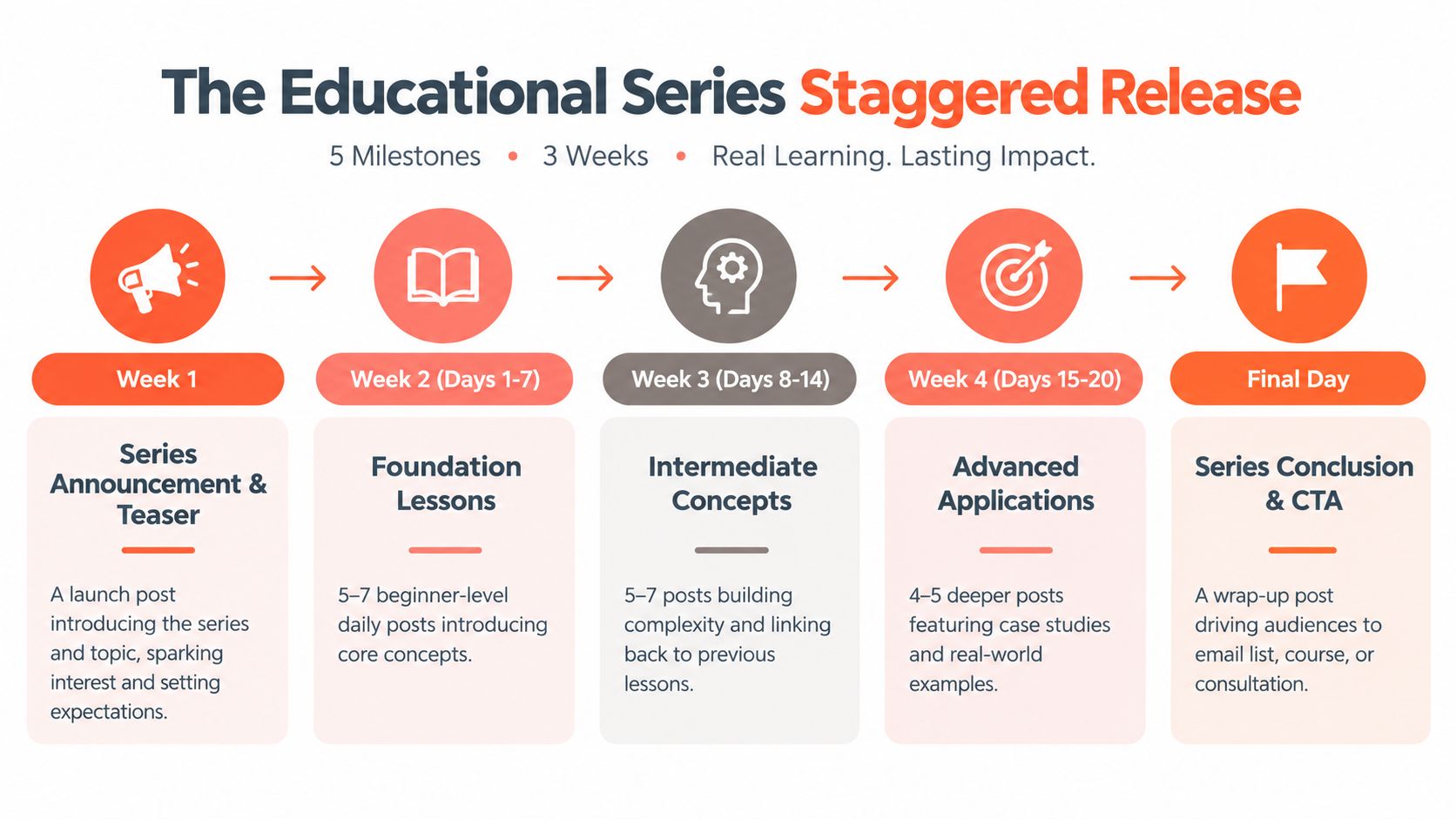
An educational series turns a complete guide, course module, or professional framework into a sequence that people can follow over time. It works well for educators, lawyers, financial advisors, therapists, and consultants because the source material already has a logical progression.
A design educator might explain one principle per post. A legal advisor could publish a numbered compliance sequence. A course creator could release a mini-course that introduces the problem, teaches the method, demonstrates the method, and ends with an invitation to join a deeper program.
Design the series before publication
Create the complete set before releasing the first lesson. That protects quality, keeps the visual system coherent, and prevents a busy client week from interrupting the sequence. Number every post clearly, such as “Lesson 2 of 10,” so a new follower understands that the content belongs to a larger journey.
The cadence can stretch across a few weeks, depending on the depth of each lesson and the channel. LinkedIn may carry the detailed explanation, Instagram may use carousels, and short-form video can demonstrate one practical step. A single idea can travel across channels, but it shouldn't be copied without adapting the opening, length, and interaction prompt.
Use consistent frames, colors, fonts, and labels. Batch-designing the series in a shared brand system reduces visual drift and makes it easier to replace one lesson if the audience misunderstands it. Reserve time to answer comments, because questions can reveal where the next lesson needs more explanation.
A series earns attention by creating a reason to return, not by hiding the useful answer until the final post.
The operational safeguard is a recovery plan. If one post underperforms, don't abandon the whole sequence. Clarify the concept, add an example, or change the format while preserving the teaching order. At the end, combine the strongest lessons into a downloadable guide, email course, consultation offer, or product pathway. The final call to action should match the audience's next logical step, not merely ask for a generic follow.
5. The Product Launch Pyramid
Launch content needs a rising level of attention, not a flat stream of announcements. The product launch pyramid begins with the audience's problem, introduces the approach, reveals selected details, and concentrates the clearest invitation near launch day.
A SaaS company might move from a public beta announcement to feature explanations, early-access invitations, and a launch demonstration. A course creator can begin with the problem students struggle with, then show the teaching method before opening enrollment. A book author can introduce the central idea, share a chapter insight, and build toward the release.
Match intensity to the launch stage
Early content should educate and create recognition. Middle-stage content can answer objections, show the product in context, and feature approved customer or beta-user perspectives. The final phase can use a countdown, live demonstration, launch-day post, and follow-up explanation for people who missed the announcement.
A workable launch calendar starts several weeks before the event with a lighter rhythm, then becomes more frequent as the decision approaches. The exact pace depends on the size of the audience, the number of assets available, and how much attention the launch deserves relative to regular content.
Vary the angle even when the central message remains stable:
- Problem: Name the costly or frustrating situation.
- Mechanism: Explain how the new offer addresses it.
- Proof: Show an approved example, demonstration, or user experience.
- Use case: Help a specific audience recognize its fit.
- Invitation: State what opens, for whom, and what to do next.
Don't manufacture scarcity. If access is limited, explain why. If an early-access group exists, describe the eligibility clearly. Create contingency posts for delays, changed features, or technical problems, and pause scheduled content that would become inaccurate.
A launch pyramid fails when every post says “buy now.” Keep the earlier layers useful enough to stand alone, then let the final layer make the commercial request.
6. The Client Spotlight Rotation
A client spotlight works best as a rotation, not a permanent testimonial stream. Give one approved client or project focused attention across a short publishing window, then move to another case once the story has been explained. This keeps social proof specific and gives agencies and consultants a repeatable source of content.
Start with the source material you have on hand. A recorded interview can supply quotes and short video clips. A project brief can support a process-led story. A finished design can anchor visual posts, while a written case study can support a longer LinkedIn post, newsletter feature, or sales follow-up.
Build the sequence around four editorial jobs, adapting the order to the project:
- The challenge: Explain the client's situation and why it required attention.
- The approach: Show the decision, workflow, or strategic change.
- The evidence: Include approved visuals, outcomes, or a direct testimonial.
- The lesson: Explain what another reader can apply.
The timeline should match the approval process. A fast-moving project may support several posts in one publishing window. A regulated client or sensitive result may require more time between drafts, reviews, and publication. Assign ownership clearly. The account lead gathers context, the subject-matter expert checks accuracy, and the client approves names, images, metrics, industries, and results.
Credibility safeguard: If a result can't be documented or approved, describe the work qualitatively instead of filling the gap with an impressive-sounding number.
Repurpose with a purpose rather than copying the same caption everywhere. LinkedIn can carry the full business lesson, Instagram can use approved visuals and a concise process explanation, and a sales team can reuse the case in relevant conversations. Tag the client only when the relationship and approval make it appropriate. Send final copy and assets early enough for them to review and share comfortably. Their participation may extend distribution, but it should not be treated as guaranteed reach.
Rotate industries, formats, and story angles across the client roster. One spotlight might emphasize implementation, another collaboration, and another the decision-making process. Track inquiries and meaningful conversations alongside likes, because the commercial value usually appears in trust and consideration rather than immediate engagement.
7. The Thought Leadership Commentary Cadence
Commentary cadence works for professionals who can add useful judgment while legislation changes, a product launches, or an industry debate gains attention. The source material may be a short analysis, a detailed article, a recorded explanation, or a written response to a current event. A legal professional might interpret a new decision, a technology leader might explain a product announcement, and a marketing strategist might examine a campaign while discussion remains active.
Relevance is the benefit. Speed creates the trade-off: there is less time to polish, verify, and secure approval. Set alerts for a defined list of topics, publications, companies, and policymakers, then assess each event against a response framework. Cover What happened with verifiable facts, Why it matters for a specific audience, What people misunderstand, What to do next, and Where the issue may go. Mark the final point as analysis rather than fact.
The role responsible for commentary should also be clear. A subject-matter expert can check accuracy, an editor can tighten the argument, and a legal or compliance reviewer can approve sensitive subjects. For legal, financial, health, and politically sensitive topics, require approval before publication. Pause the sequence if the underlying information changes.
One analysis can support several same-day posts, provided each version serves a different purpose. LinkedIn can carry the considered argument, X can present short observations, and video can explain the issue in a conversational voice. Cite primary sources clearly, separate evidence from interpretation, and tailor the call to action to the channel.
WaveGen.ai can help turn a drafted analysis into multiple formats through a quick publishing workflow. Keep automation away from the decision about whether a sensitive event deserves comment. Maintain an evergreen publishing program so the brand does not appear permanently reactive, then archive strong commentary and expand it into a durable guide after the immediate conversation cools.
A confident opinion based on incomplete facts can damage trust more than a slower, well-sourced response. Set a review deadline that matches the event's pace, and make correction ownership explicit if new information appears.
8. The Behind-the-Scenes Authenticity Cadence
Behind-the-scenes content can reduce production work while showing the people and decisions behind finished work. Useful subjects include a studio setup, team introduction, work-in-progress choice, failed experiment, or founder explaining a difficult business decision. The strongest posts reveal how work gets done and what the audience can learn from it.
Match the source material to the role creating it. An Etsy seller can record the making process, a solo consultant can show workshop preparation, and an agency lead can explain a creative decision. A founder can document a pivot, including what changed and why. Assign filming to the person closest to the work, then let an editor select the clearest lesson.
Batch capture around recurring work. One short recording session might produce a workspace clip for Stories, a process explanation for Reels, a team question for LinkedIn, and a post about an unsuccessful experiment. This cadence suits informal channels because a lighter presentation supports the subject. Repurpose the same moment only when each version has a distinct purpose.
Keep editing restrained. Add readable captions, basic brand elements, and a clear opening. A video editor can apply consistent branding without hiding the natural voice or imperfect details that make the material personal. Schedule captures weekly or around major projects, then publish while the decision remains relevant.
Editorial judgment protects the format from becoming empty company news. “We worked hard today” offers little. “We changed the workshop sequence after three participants misunderstood the first exercise” gives the audience a specific lesson and a reason to respond. Share learning moments, while keeping private information and manufactured vulnerability out of the feed.
- Set boundaries: Decide which company, client, employee, and home details remain private.
- Ask permission: Get approval before featuring staff, customers, or confidential work.
- Protect the process: Keep credentials, personal data, unreleased products, and sensitive documents out of every frame.
- Invite conversation: Answer comments in the same natural tone as the post.
Use this cadence to humanize expertise, not replace it. A casual studio video can make a professional service more approachable, while its accompanying lesson shows why the audience should trust the business.
8 Content Cadences Compared
| Cadence | Implementation Complexity 🔄 | Resource Needs ⚡ | Expected Outcomes 📊 / Effectiveness ⭐ | Ideal Use Cases | Key Advantage 💡 |
|---|---|---|---|---|---|
| The Daily Pillar Cadence | 🔄 Medium, planned sequencing + platform adaptation | ⚡ Moderate, 1 long-form asset + repurposing & scheduler | 📊 Sustained reach, higher visibility; ⭐⭐⭐⭐ | Consultants, thought leaders, advisors | 💡 Maximizes ROI from one high-effort asset; consistent posting without daily creation |
| The Newsletter-to-Social Weekly Cascade | 🔄 Low, predictable cascade schedule | ⚡ Low, newsletter + basic design assets | 📊 Unified messaging across channels; ⭐⭐⭐⭐ | Newsletter authors, solo creators, content marketers | 💡 Simplifies planning; extends newsletter shelf-life across platforms |
| The Podcast-to-Social Episode Breakdown | 🔄 High, clip selection, editing, transcript formatting | ⚡ High, audio/video editing, transcription, multiple asset types | 📊 Multiple entry points; strong short-form performance; ⭐⭐⭐⭐ | Podcasters, interviewers, audio creators | 💡 Leverages guests and clips to amplify reach and drive listens |
| The Educational Series Staggered Release | 🔄 High, multi-lesson sequencing and progression | ⚡ High, lesson content, worksheets, design, community management | 📊 Authority building, high engagement and conversions; ⭐⭐⭐⭐ | Educators, course creators, coaches | 💡 Positions creator as expert and drives follower retention via structured learning |
| The Product Launch Pyramid | 🔄 Very High, multi-week escalation and coordination | ⚡ Very High, many assets, cross-channel timing, possible paid spend | 📊 Strong launch conversions and momentum; ⭐⭐⭐⭐⭐ | SaaS founders, course creators, product teams | 💡 Creates escalating anticipation and tests messaging before launch |
| The Client Spotlight Rotation | 🔄 Medium, weekly structure + client approvals | ⚡ Moderate, case study prep, visuals, client coordination | 📊 Authentic social proof and high engagement; ⭐⭐⭐⭐ | Agencies, consultants, service providers | 💡 Regular, authentic case studies that build credibility and client advocacy |
| The Thought Leadership Commentary Cadence | 🔄 Medium, rapid editorial turnaround and judgment | ⚡ Low–Moderate, monitoring tools and quick-publish workflow | 📊 High-reach when timely; reputation boost; ⭐⭐⭐⭐ | Industry experts, analysts, consultants | 💡 Captures trending momentum and positions creator as an informed voice |
| The Behind-the-Scenes Authenticity Cadence | 🔄 Low, casual capture and periodic posting | ⚡ Low, smartphone camera + light editing | 📊 Strong audience connection and trust; ⭐⭐⭐ | Solo creators, founders, small teams | 💡 Low production barrier that builds authenticity and loyal followers |
Choose the Cadence You Can Sustain
The best template is the one that fits the source you already produce and the job your audience needs the content to perform. If you write substantial articles, start with the daily pillar cadence. If your newsletter is reliable, use the weekly cascade. Podcasters should build around episode releases, while educators can turn a complete framework into a numbered series. Launch teams need a rising pyramid, agencies can rotate approved client stories, specialists can respond to timely developments, and human-led brands can use behind-the-scenes publishing to make expertise more approachable.
Your available production time matters as much as your ambition. A solo creator may need one source asset and a small set of derivative formats. A marketing team can assign research, writing, design, approval, scheduling, and community response to different people. Don't copy a high-frequency schedule if nobody owns the review step. A missed post is less damaging than a rushed claim, an incorrect quote, or a visual that breaks brand rules.
Channel behavior should shape the adaptation. Benchmarks summarized in platform cadence guidance describe Instagram Reels at 4 to 7 posts per week, LinkedIn at about one post per weekday, YouTube long-form at 1 to 2 videos per week, and TikTok at 1 to 4 posts per day for active growth. The same source cites a Buffer analysis in which Instagram accounts posting 3 to 5 times weekly saw 32% more follower growth than accounts posting once or twice weekly. Treat these as reference points, not requirements. Your format quality, audience, and capacity still decide the workable rhythm.
The trade-off becomes clearer when you look beyond volume. A 2026 social media benchmark analysis reported that Facebook posting frequency fell 48%, while X posting pace rose 40%, framing the shift as more intentional channel-specific publishing. Another frequency study found engagement rate peaked at 1 to 2 posts per week, while the clearest interaction lift appeared around 8 to 10 posts per week. Those findings point to a practical two-tier model, a dependable baseline for normal weeks and a higher-frequency burst for campaigns or audience-growth pushes.
More isn't automatically better. Buffer's 2026 engagement analysis reported that accounts skipping a week underperformed their own baseline growth, while other coverage found brands publishing six or fewer times per week generated 20% higher engagement than brands publishing more often. The useful conclusion is not to chase a universal number. It's to identify the point where extra posts stop adding reach, attention, or qualified action.
Choose one template and document its timeline. Assign each post a distinct job, adapt the format by channel, batch the repeatable work, and leave room for timely responses. Review saves, replies, profile actions, clicks, sign-ups, inquiries, and conversions before increasing frequency. If engagement rises but the audience takes no meaningful next step, the problem may be the offer or call to action rather than the cadence.
WaveGen.ai is one optional way to centralize brand kits, repurposing, editing, scheduling, crossposting, and RSS-based autopilot. Its recurring queues can let each connected channel follow its own publishing days and times, which is useful when a newsletter, article, podcast, or transcript needs to support a steady multi-channel workflow. Start small, make the process reliable, and expand only when the source-content pipeline and approval system can support it.
WaveGen.ai turns an article, newsletter, blog post, podcast script, or YouTube transcript into on-brand carousels, short videos, quote cards, captions, and platform-specific posts. Set your brand kit once, review the assets in the visual editor, and use scheduling, crossposting, or RSS-based autopilot to build a cadence around the source content you already create. Visit WaveGen.ai to see how the workflow can support your next repeatable publishing schedule.
cadence examples
content cadence
social media scheduling
content repurposing
posting schedule
Turn this kind of writing into a week of social content.
Paste a blog post, newsletter, or rough draft — WaveGen turns it into publish-ready carousels, captions, and slideshows for every channel.
No credit card · First posts in 2min