Turn a recipe into a step-by-step carousel.
Paste the recipe or link the page it's on. WaveGen makes a carousel with the dish, the ingredients and one step per slide, the kind of post people save to cook later.
GENERATED WITH WAVEGEN · DEMO
From a recipe to an eight-slide carousel.
WaveGen made the carousel below from this sample. No brand kit was applied; with yours, it uses your colors, fonts and logo.
THE RECIPE
Lemon garlic sheet-pan chicken From Juniper Kitchen. Serves 4, ready in 40 minutes. Ingredients: 6 bone-in chicken thighs, 1 lb baby potatoes (halved), 1 lemon (sliced), 4 cloves garlic (smashed), 3 tbsp olive oil, 1 tsp dried oregano, salt and pepper. 1. Heat the oven to 425°F. 2. Toss the potatoes with 1 tbsp olive oil, salt and pepper, and spread them on a sheet pan. 3. Rub the chicken with the rest of the oil, the garlic, oregano, salt and pepper. Nestle it skin-side up among the potatoes, with the lemon slices. 4. Roast for 35 minutes, until the skin is golden and the chicken reaches 165°F inside. 5. Squeeze the roasted lemon over everything before serving. Tip: line the pan with parchment and there's almost nothing to wash.
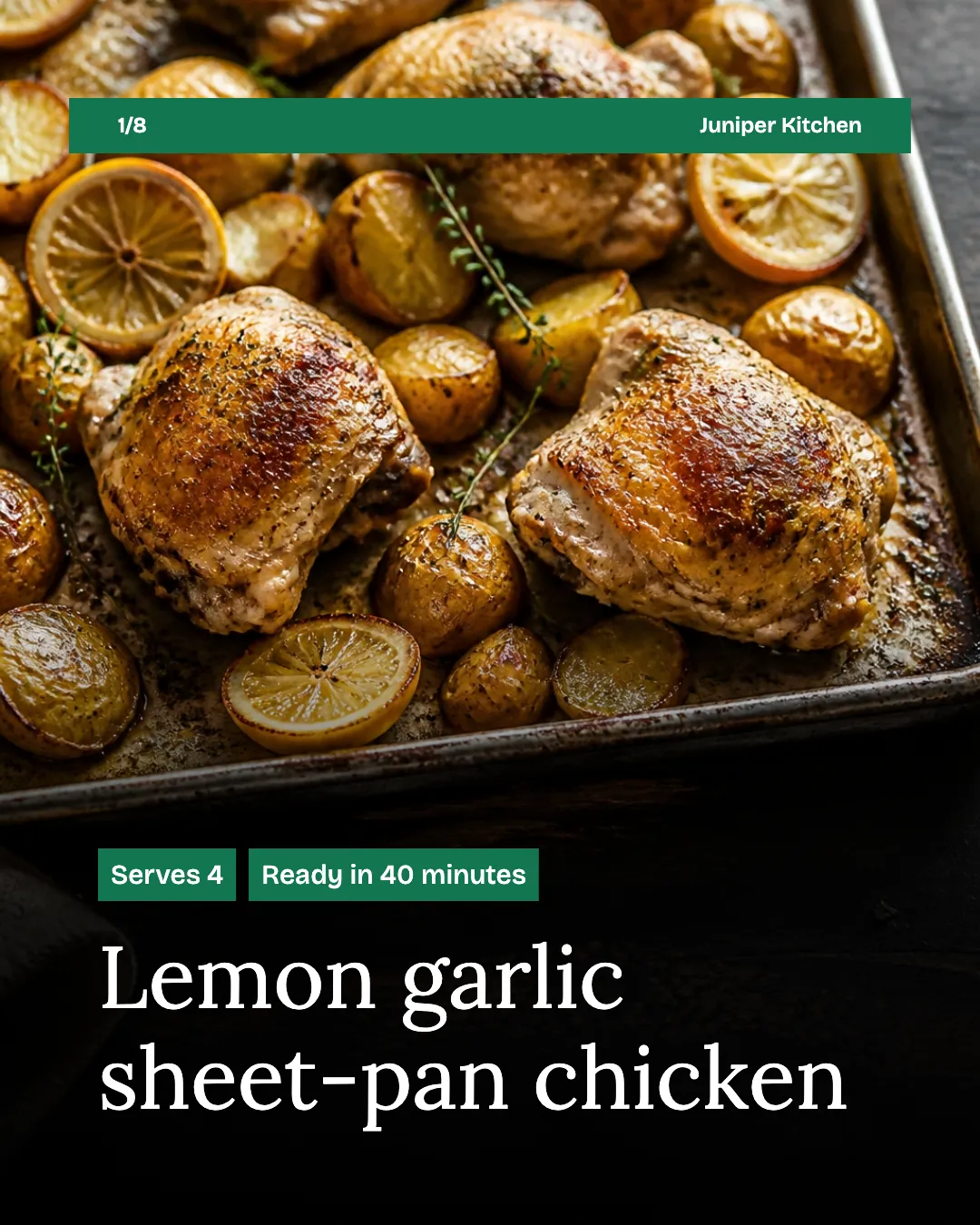
Slide 1 of 8
Ingredients on one slide
All seven ingredients sit together on slide two, ready to screenshot for the shopping list.
Steps with the numbers kept
Each step has its own slide, with the oven temperature, time and 165°F check exactly as written.
Read the example caption
Looking for a quick, delicious, and easy-to-clean dinner? This Lemon Garlic Sheet-Pan Chicken from Juniper Kitchen is the perfect weeknight meal. It serves 4 and is ready in just 40 minutes! You only need a few simple ingredients: bone-in chicken thighs, baby potatoes, fresh lemon, garlic, olive oil, and oregano. The magic happens in the oven at 425°F. Simply toss your halved potatoes with oil and seasonings, then nestle the perfectly rubbed chicken thighs right on top with sliced lemons. Roast it all together for 35 minutes until the chicken reaches an internal temperature of 165°F and the skin is beautifully golden. Finish it off by squeezing the roasted lemon over everything before serving for a burst of bright flavor. Don't forget the ultimate cleanup hack: line your pan with parchment paper first! #SheetPanMeals #ChickenRecipe #EasyDinner #WeeknightDinner #JuniperKitchen #LemonGarlicChicken #QuickRecipes
How to turn a recipe into a carousel
01
Add the recipe
Link the recipe page or paste the recipe.
02
Generate the carousel
WaveGen puts the ingredients on one slide and each step on its own, and writes a caption.
03
Add your photos and schedule
Swap in your own photos of the dish in the editor, check the quantities, then schedule it.
Make the post people save.
Recipe carousels get saved because people come back to them while they cook. Clear steps matter more than clever captions.
Ingredients on one slide
People screenshot it for the shopping list, so keep it together and easy to read.
One step per slide
Keep each step to one action, with the time or temperature on the same slide.
Use your own food photos
A photo of the dish you actually made is more convincing than a stock image.
Recipe to Carousel FAQs
What's cooking this week?
Paste the recipe and turn it into a post people save.