Loomly Alternative
WaveGen vs Loomly
The Loomly Alternative That Actually Creates Your Content
Loomly is a 'brand success platform' built around post-building guidance and multi-step approval workflows — a real strength for teams and agencies that need sign-off before anything ships. But it's an assistant, not a generator: it guides you through composing a post and suggests ideas, yet it can't design a carousel or turn a blog post into social content. WaveGen turns your blog posts, newsletters, and ideas into ready-to-publish carousels, captions, and slideshows — then schedules them — starting at $49/mo instead of Loomly's $65+.
Last updated: September 2026
Try it free: Create your first AI-powered post in 2 minutes →



Trusted by 1000+ businesses
★★★★★Loomly helps you build posts. WaveGen makes them.
A blog post
Generated by WaveGen
This is one blog post turned into a ready-to-publish carousel — automatically. Loomly guides you through composing a post and gives optimization tips; WaveGen produces the finished post itself. That's the design work Loomly leaves to you (or a separate tool).
Quick Verdict
If your bottleneck is creating content — not routing it through approvals — WaveGen is the better choice for content production. Loomly wins if multi-step approval workflows and team collaboration are the core of how you operate.
Choose Loomly if you...
Multi-step approval workflows and client sign-off are core to your process
You need collaboration with comments, mockups, and version history
You want post-building optimization tips per network
You already have a team or designer producing the creative
Choose WaveGen if you...
Your real bottleneck is making the content, not approving it
You want carousels and slideshows generated for you, not designed elsewhere
You repurpose blog posts, newsletters, or articles into social content
Loomly's $65+ entry price feels steep for a solo creator or small team
WaveGen vs Loomly: Feature Comparison
WaveGen leads on 7 features, Loomly leads on 3
| Feature | WaveGen | Loomly |
|---|---|---|
AI content creation | Full repurposing: paste a URL, get carousels, captions, and slideshows | AI Post Generator writes caption text and variations — no visual content creation |
Carousel creator | Yes — AI-generated from articles | No native carousel/PDF builder — design elsewhere and upload as files |
Slideshows & quote cards | Yes — TikTok slideshows and branded quote cards | Not available |
AI image generation | Yes — AI images and brand-matched visuals in every post | Not available — no native AI image generation |
Brand kit | Colors, fonts, logos, brand images, and a customizable brand voice (define it yourself or auto-draft from your website, then edit) | Asset Studio for basic image edits; no generative brand kit |
Content autopilot | Monitors RSS/blog sources daily, AI extracts post ideas, one-click generation | Post Ideas from RSS and trends, but no idea-to-post generation |
Approval & collaboration workflows | Not available | Best-in-class — multi-step approvals, comments, mockups, versioning |
Scheduling | Queue-based auto-scheduling + manual date/time | Calendar scheduling, auto-posting, ad-post support |
Analytics & reporting | Not available | Basic post and advanced analytics |
Entry price | Free plan; paid from $49/mo (flat) | No free plan; from $65/mo ($49 billed annually) |
AI content creation
WaveGen
Full repurposing: paste a URL, get carousels, captions, and slideshows
Loomly
AI Post Generator writes caption text and variations — no visual content creation
Carousel creator
WaveGen
Yes — AI-generated from articles
Loomly
No native carousel/PDF builder — design elsewhere and upload as files
Slideshows & quote cards
WaveGen
Yes — TikTok slideshows and branded quote cards
Loomly
Not available
AI image generation
WaveGen
Yes — AI images and brand-matched visuals in every post
Loomly
Not available — no native AI image generation
Brand kit
WaveGen
Colors, fonts, logos, brand images, and a customizable brand voice (define it yourself or auto-draft from your website, then edit)
Loomly
Asset Studio for basic image edits; no generative brand kit
Content autopilot
WaveGen
Monitors RSS/blog sources daily, AI extracts post ideas, one-click generation
Loomly
Post Ideas from RSS and trends, but no idea-to-post generation
Approval & collaboration workflows
WaveGen
Not available
Loomly
Best-in-class — multi-step approvals, comments, mockups, versioning
Scheduling
WaveGen
Queue-based auto-scheduling + manual date/time
Loomly
Calendar scheduling, auto-posting, ad-post support
Analytics & reporting
WaveGen
Not available
Loomly
Basic post and advanced analytics
Entry price
WaveGen
Free plan; paid from $49/mo (flat)
Loomly
No free plan; from $65/mo ($49 billed annually)
See the difference for yourself
Try WaveGen free and compare it side-by-side with Loomly.
Pricing Comparison
| Scenario | WaveGen | Loomly |
|---|---|---|
Solo creator, a few accounts | $49/mo (Starter — 5 accounts) | $65/mo (Starter — 12 accounts, 3 users) |
Small team, 10 accounts | $99/mo (Growth — 10 accounts) | $65/mo (Starter) — next tier jumps to $332/mo |
Agency, many accounts | $199/mo (Pro — 20 accounts) | $332/mo (Beyond — 60 accounts) |
Replacing a $2,000/mo agency retainer | $49/mo (Starter) + your time | Loomly still needs you to make the content |
Solo creator, a few accounts
$49/mo (Starter — 5 accounts)
$65/mo (Starter — 12 accounts, 3 users)
Small team, 10 accounts
$99/mo (Growth — 10 accounts)
$65/mo (Starter) — next tier jumps to $332/mo
Agency, many accounts
$199/mo (Pro — 20 accounts)
$332/mo (Beyond — 60 accounts)
Replacing a $2,000/mo agency retainer
$49/mo (Starter) + your time
Loomly still needs you to make the content
WaveGen
Free; $49–199/mo
Starter ($49/mo): 30 generated posts, 5 accounts, 2 brand kits. Growth ($99/mo): 60 posts, 10 accounts, 5 brand kits. Pro ($199/mo): 120 posts, 20 accounts, 10 brand kits. Free plan available with 10 posts.
Loomly
$65 – $332+/mo (no free plan)
Starter is $65/mo ($49 billed annually) for 12 social accounts and 3 users. The next tier, Beyond, jumps to $332/mo ($249 annually) for 60 accounts and unlimited users — a large gap with little in between. Enterprise is custom. There's a free trial but no free plan.
Pros & Cons
WaveGen
Pros
Creates the content: turns articles into carousels, captions, and slideshows
Full brand kit with a customizable brand voice (define or auto-draft from your website)
Native AI image generation in every post
Free plan and flat pricing from $49/mo — no $332 tier
First comment on all plans for CTAs and links
Cons
No multi-step approval or collaboration workflows
No analytics or reporting
6 platforms vs Loomly's broader network coverage
Not built for large-team client sign-off processes
Loomly
Pros
Best-in-class approval workflows with comments, mockups, and versioning
Post-building guidance with per-network optimization tips
Post Ideas from RSS feeds and trending topics
Broad network coverage including custom channels
Strong fit for agencies managing client approvals
Cons
No real content creation — AI writes captions, not carousels or slideshows
No native AI image generation or carousel/PDF builder
No free plan, and a steep jump from $65 to $332/mo
Support is chatbot-only, a common complaint after recent price hikes
Analytics are relatively shallow
Why Switch from Loomly to WaveGen?
Create content, not just build and approve it
Loomly guides you through composing a post and routing it for approval — but it assumes the visuals already exist. WaveGen makes them: paste a blog URL and get carousels, captions, slideshows, and quote cards, brand-matched and sized for each platform.
A scheduler shouldn't start at $65
Loomly has no free plan and starts at $65/mo, jumping to $332 at the next tier. WaveGen starts free, with paid plans from $49/mo flat — and that price includes the content creation Loomly doesn't do.
Replace the designer, not just the workflow
The reason Loomly users still open Canva is that Loomly can't design a carousel or generate an image. WaveGen automates that side — turning what you already write into a month of finished, brand-matched posts.
Content ideas delivered daily
Loomly surfaces post ideas but stops there. WaveGen's Autopilot monitors your favorite blogs and industry sources, extracts post-worthy ideas, and turns them into finished posts with one click.
What Our Users Say
Trusted by 1000+ businesses and creators
“I can transform each post into a short video with music and titles, and post it cross-platform in minutes rather than hours. It's amazing!”

Dan Neciu
Entrepreneur
“I used to publish on one social channel at a time and get overwhelmed. Now I feel empowered to share my business more broadly!”
Marjai Roberts
Realtor
“I can turn a long-form article or update into multiple posts ready for publishing within minutes. For anyone who needs to publish regularly but can't spend hours editing, it's a true game changer.”

Cleo Song
Attorney / Law Firm Partner
Ready to try WaveGen?
Create your first AI-powered carousel in 2 minutes — free, no credit card required.
What Is Loomly?
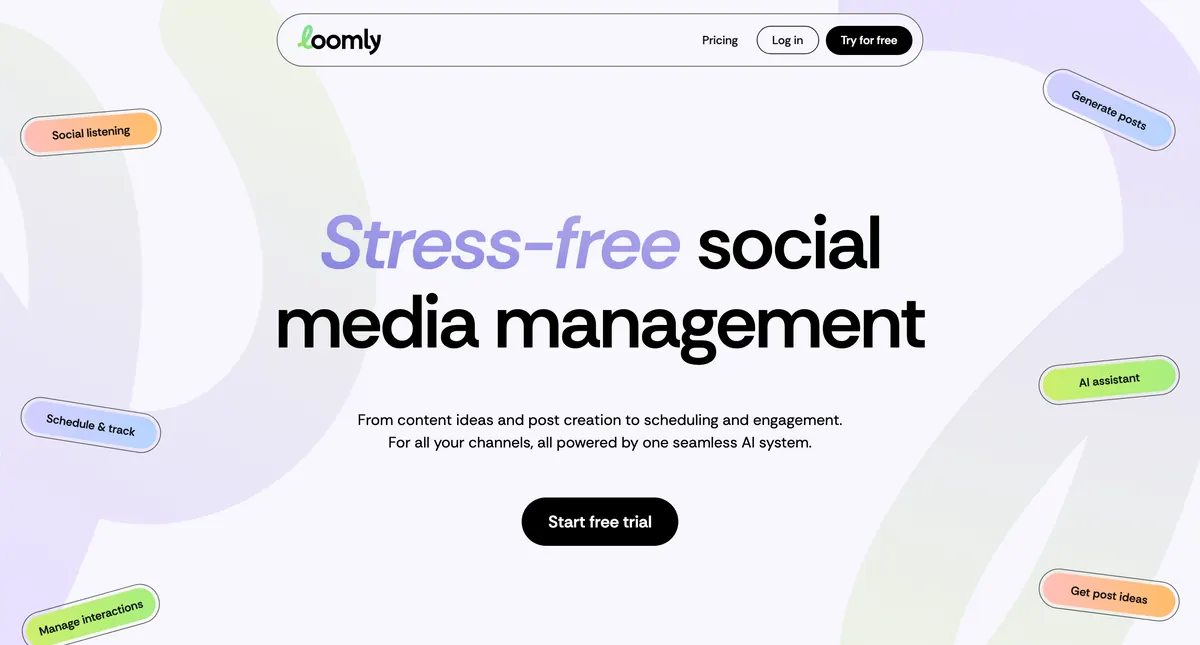
Loomly is a social media management platform that markets itself as a 'brand success platform.' Its defining strength is collaboration: multi-step approval workflows with comments, mockups, and version history, built for teams and agencies that need sign-off before posts go live. Around that it offers a Post Builder with per-network optimization tips, Post Ideas from RSS feeds and trending topics, calendar scheduling and auto-posting, basic analytics, an asset Studio for light image edits, and ad-post support across a broad set of networks. It added an AI Post Generator that writes caption text and variations. What Loomly is not is a content creation tool. It guides you through building a post, but it can't generate a carousel, has no native AI image generation, and reviewers specifically note there's no built-in carousel/PDF builder — those posts have to be designed elsewhere and uploaded as files.
Why People Look for Loomly Alternatives
The most common reasons people search for Loomly alternatives: 1. Price for teams — Loomly starts at $65/mo with no free plan, and the jump from Starter to the $332/mo Beyond tier is steep, a frequent complaint after recent price hikes. 2. No content creation — Loomly helps you build and approve a post, but you still need Canva or a designer to make the visuals. 3. No native AI images or carousels — it lags AI-native tools; the AI is caption text only. 4. Support — help is chatbot-only, with no phone or human desk, which frustrates users on higher-priced plans.
How WaveGen Compares to Loomly
Loomly and WaveGen sit on opposite sides of the social workflow. Loomly owns collaboration — multi-step approvals, comments, mockups, versioning, and post-building guidance. If your process depends on client or manager sign-off before anything ships, that depth is genuinely valuable. WaveGen owns creation — paste a blog URL or an idea and it generates carousels, captions, slideshows, and quote cards, all brand-matched and platform-sized, then schedules them. The honest split: if your bottleneck is approvals and team coordination, Loomly is built for that. If your bottleneck is producing enough good content to post consistently — without Canva or a designer — WaveGen makes the posts Loomly only helps you review. WaveGen does not try to replace Loomly's approval workflows.
“Now I can turn a long-form article into multiple posts ready for publishing within minutes. It's like having an assistant who understands both law and marketing.”
Cleo Song
Attorney / Law Firm Partner
Who Should Switch from Loomly to WaveGen?
WaveGen is the better choice if you: • Spend more time making posts than approving them — WaveGen's AI repurposing is its core strength. • Want carousels and slideshows generated for you, not designed in a separate tool. • Have blog posts, newsletters, or articles to turn into social content. • Find Loomly's $65+ entry price hard to justify for a solo creator or small team. Loomly may still be better if you: • Depend on multi-step approval workflows and client sign-off • Need collaboration with comments, mockups, and version history • Want per-network post-building optimization tips • Already have a team or designer producing the creative
How to Switch from Loomly to WaveGen
List what you actually use in Loomly — if it's mostly scheduling, you're paying approval-workflow prices for a queue.
Set up your brand kit first so every AI-generated post matches your identity from day one.
Repurpose your best-performing blog posts first — turn 3-5 top articles into carousels before anything else.
Use Autopilot to replace manual post-idea research — add the sources you already read and let WaveGen surface and generate ideas.
Keep Loomly for approvals if your team needs them, and use WaveGen purely for content creation — they're not mutually exclusive.
Loomly Alternative FAQs
Make the switch to WaveGen
Turn your articles into carousels, captions, and slideshows — then publish to LinkedIn, Instagram, TikTok, Facebook, YouTube, and Pinterest. Free to start.
Try WaveGen freeMore comparisons
Other tools in the same category, compared to WaveGen.

WaveGen vs Taplio
LinkedIn-only growth tool. WaveGen does 6 platforms with the same content.

WaveGen vs Buffer
Buffer schedules. WaveGen makes the post AND schedules it.

WaveGen vs Hootsuite
Hootsuite killed its free plan and assumes you already have the posts. WaveGen is free to start — and makes them.

WaveGen vs Sprout Social
Sprout Social starts at ~$249 a seat. WaveGen starts at $49 — and makes the content.

WaveGen vs Later
Later plans the posts you upload. WaveGen creates them from your writing.

WaveGen vs Metricool
Metricool analyzes and schedules your posts. WaveGen makes them.

WaveGen vs Publer
Publer schedules your posts and writes captions. WaveGen makes the whole post.

WaveGen vs SocialBee
SocialBee organizes and recycles your posts. WaveGen makes them.