Buffer Alternative
WaveGen vs Buffer
The Best Buffer Alternative for AI Content Creation
Buffer is a great scheduler, but it doesn't create content for you. WaveGen turns your blog posts and articles into ready-to-publish carousels, captions, and slideshows — then schedules them across LinkedIn, Instagram, TikTok, Facebook, YouTube, and Pinterest.
Last updated: September 2026
Try it free: Create your first AI-powered post in 2 minutes →



Trusted by 1000+ businesses
★★★★★Quick Verdict
If you already have content (blog posts, newsletters, articles) and want to turn it into social media posts automatically, WaveGen is the better fit. Buffer is stronger if you need 11-platform scheduling with community inbox and analytics.
Choose Buffer if you...
You need scheduling on platforms WaveGen does not support, such as X, Threads, Bluesky, or Google Business
You want a community inbox for managing comments across platforms
You need analytics and reporting features
You already have a content creation workflow and just need a scheduler
Choose WaveGen if you...
You have blog posts or articles you want to turn into social media content
You currently use Buffer + Canva and want one tool instead of two
You need visual content formats — carousels, slideshows, and quote cards
You want a brand kit to keep every post on-brand automatically
WaveGen vs Buffer: Feature Comparison
WaveGen leads on 6 features, Buffer leads on 5
| Feature | WaveGen | Buffer |
|---|---|---|
AI content creation | Full repurposing: paste a URL, get carousels, captions, and slideshows | AI Assistant: refine text, adjust tone, expand/shorten — no visual content creation |
Carousel creator | Yes — multi-platform, AI-generated from articles | Not available |
Slideshows & quote cards | Yes — TikTok slideshows and branded quote cards | Not available |
Brand kit | Colors, fonts, logos, brand images, and a customizable brand voice (define it yourself or auto-draft from your website, then edit) | Not available (hashtag manager only) |
Content autopilot | Monitors RSS/blog sources daily, AI extracts post ideas, one-click generation | Not available |
Platforms supported | LinkedIn, Instagram, Facebook, TikTok, YouTube, Pinterest (6) | 11 platforms (incl. Pinterest, Threads, Bluesky, Mastodon, Google Business) |
Scheduling | Queue-based auto-scheduling + manual date/time | Queue-based auto-scheduling + manual date/time |
First comment | Yes — all plans | Yes — paid plans only |
Analytics | Not available | Post performance, audience demographics, custom reports (paid plans) |
Community inbox | Not available | Comment management across 8 platforms with AI reply suggestions |
Free plan | 10 AI-generated posts, 1 brand kit, 1 account | 3 channels, 10 posts/channel queue, basic features |
AI content creation
WaveGen
Full repurposing: paste a URL, get carousels, captions, and slideshows
Buffer
AI Assistant: refine text, adjust tone, expand/shorten — no visual content creation
Carousel creator
WaveGen
Yes — multi-platform, AI-generated from articles
Buffer
Not available
Slideshows & quote cards
WaveGen
Yes — TikTok slideshows and branded quote cards
Buffer
Not available
Brand kit
WaveGen
Colors, fonts, logos, brand images, and a customizable brand voice (define it yourself or auto-draft from your website, then edit)
Buffer
Not available (hashtag manager only)
Content autopilot
WaveGen
Monitors RSS/blog sources daily, AI extracts post ideas, one-click generation
Buffer
Not available
Platforms supported
WaveGen
LinkedIn, Instagram, Facebook, TikTok, YouTube, Pinterest (6)
Buffer
11 platforms (incl. Pinterest, Threads, Bluesky, Mastodon, Google Business)
Scheduling
WaveGen
Queue-based auto-scheduling + manual date/time
Buffer
Queue-based auto-scheduling + manual date/time
First comment
WaveGen
Yes — all plans
Buffer
Yes — paid plans only
Analytics
WaveGen
Not available
Buffer
Post performance, audience demographics, custom reports (paid plans)
Community inbox
WaveGen
Not available
Buffer
Comment management across 8 platforms with AI reply suggestions
Free plan
WaveGen
10 AI-generated posts, 1 brand kit, 1 account
Buffer
3 channels, 10 posts/channel queue, basic features
See the difference for yourself
Try WaveGen free and compare it side-by-side with Buffer.
Pricing Comparison
| Scenario | WaveGen | Buffer |
|---|---|---|
Free plan | $0 (10 posts, 1 account) | $0 (3 channels, 10 posts/channel) |
Solo creator (3 channels) | $49/mo (Starter — 5 accounts) | $18/mo (Essentials) |
Small team (5 channels) | $49/mo (Starter — 5 accounts) | $30/mo (Essentials) |
Growing brand (10 channels) | $99/mo (Growth — 10 accounts) | $60–120/mo (Essentials–Team) |
Agency (20 channels) | $199/mo (Pro — 20 accounts) or Business | $150–300/mo (Essentials–Team) |
Free plan
$0 (10 posts, 1 account)
$0 (3 channels, 10 posts/channel)
Solo creator (3 channels)
$49/mo (Starter — 5 accounts)
$18/mo (Essentials)
Small team (5 channels)
$49/mo (Starter — 5 accounts)
$30/mo (Essentials)
Growing brand (10 channels)
$99/mo (Growth — 10 accounts)
$60–120/mo (Essentials–Team)
Agency (20 channels)
$199/mo (Pro — 20 accounts) or Business
$150–300/mo (Essentials–Team)
WaveGen
Free; $49–199/mo
Starter ($49/mo): 30 generated posts, 5 accounts, 2 brand kits. Growth ($99/mo): 60 posts, 10 accounts, 5 brand kits. Pro ($199/mo): 120 posts, 20 accounts, 10 brand kits. Free plan available with 10 posts.
Buffer
$6 – $12/mo per channel
Essentials: $6/mo per channel. Team: $12/mo per channel. 5 channels on Essentials = $30/mo. Costs scale with channel count. Free plan with 3 channels.
Pros & Cons
WaveGen
Pros
AI content creation: turns articles into carousels, captions, slideshows
Full brand kit with a customizable brand voice (define or auto-draft from your website)
Autopilot monitors sources and delivers daily content ideas
Flat-rate pricing — no per-channel scaling
First comment feature on all plans
Replaces Buffer + Canva with one tool
Cons
6 platforms vs Buffer's 11 (no X, Threads, Bluesky, Mastodon, Google Business)
No community inbox for comment management
No analytics or reporting
No link-in-bio / Start Page feature
Buffer
Pros
11 platforms — broadest coverage including Pinterest, Threads, Bluesky
Community inbox for managing comments across 8 platforms
Analytics and reporting on paid plans
Start Page (link-in-bio) included free
Established since 2010 — proven reliability
Cons
No content creation — can't make carousels, slideshows, or visual content
No brand kit for visual or voice consistency
Per-channel pricing scales quickly (10 channels = $60–120/mo)
AI limited to text refinement — no visual content generation
No content discovery or ideation features
Why Switch from Buffer to WaveGen?
Create content, not just schedule it
Buffer schedules posts you've already written. WaveGen creates them — paste a blog URL and get carousels, captions, slideshows, and quote cards, all brand-matched and sized for each platform.
Stop designing in one tool, scheduling in another
Buffer users typically create visuals in Canva, then upload to Buffer for scheduling. WaveGen combines both steps: AI generates the visual content and schedules it — one tool, one workflow.
AI that goes beyond text refinement
Buffer's AI Assistant helps polish captions — tone adjustment, expanding, shortening. WaveGen's AI repurposes entire articles into visual content formats (carousels, slideshows, quote cards) ready to publish.
Brand consistency built in
Buffer doesn't offer a brand kit. WaveGen manages your colors, fonts, logos, brand images, and voice — every generated post looks and sounds like your brand without manual tweaking.
Content ideas delivered daily
WaveGen's Autopilot monitors your favorite blogs and industry sources, extracts post-worthy ideas, and queues them for one-click generation. Buffer has no content discovery or ideation features.
Predictable pricing
Buffer charges per channel — managing 10 channels costs $60-120/mo. WaveGen charges a flat rate: $49/mo covers 5 accounts, $99/mo covers 10, and $199/mo covers 20 — regardless of how many platforms you connect per account.
What Our Users Say
Trusted by 1000+ businesses and creators
“WaveGen has been a huge time save for my content creation! Now I get multiple ready to post videos when I finish a new blog post.”

Tim Rohling
Consultant
“It takes now ~10 hours to schedule nearly 300 pieces of content for the month across platforms. I've tried many tools and nothing comes close.”

Pio Scelina
Growth Marketer
“WaveGen can revolutionize and speed up your production work, especially if you want to grow your brand by effectively generating content that's valuable and shareable.”

Timelessaim
Consultancy
Ready to try WaveGen?
Create your first AI-powered carousel in 2 minutes — free, no credit card required.
What Is Buffer?
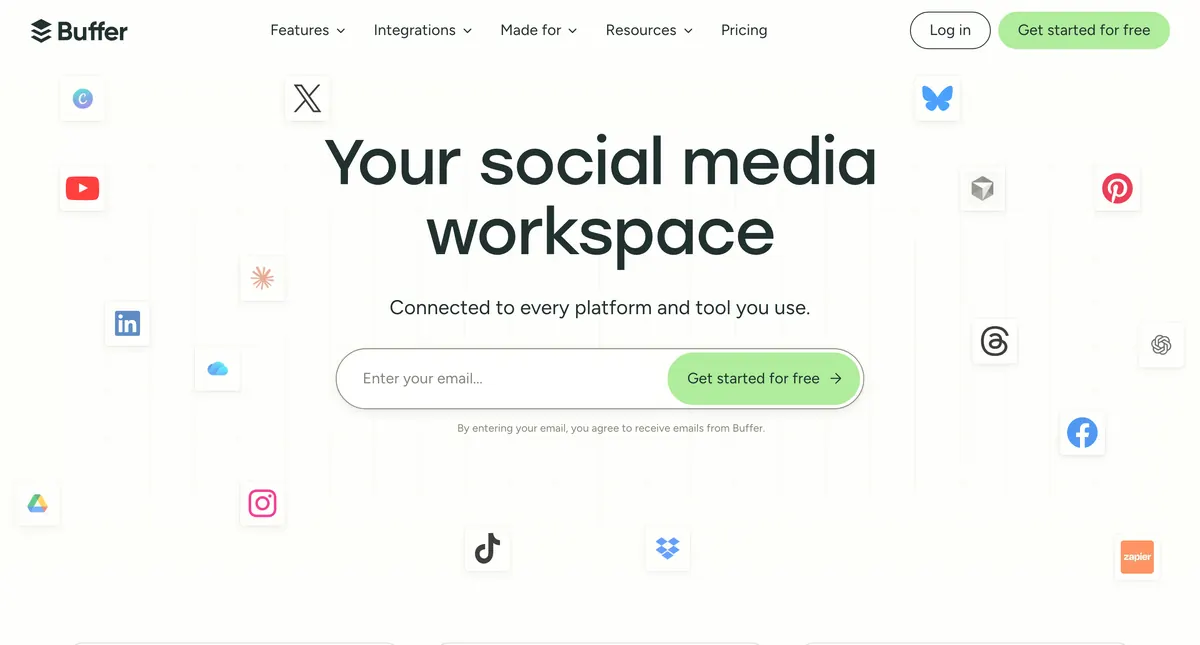
Buffer is one of the original social media scheduling tools, launched in 2010. It supports publishing to 11 platforms including Facebook, Instagram, X/Twitter, LinkedIn, TikTok, Pinterest, YouTube Shorts, Threads, Bluesky, Mastodon, and Google Business Profile. Buffer is known for its clean, simple interface and affordable per-channel pricing. It includes an AI Assistant for text refinement, a community inbox for comment management, basic analytics on paid plans, and a Start Page (link-in-bio) feature. However, Buffer is primarily a scheduling tool — it helps you distribute content you've already created but doesn't help you create it. There's no carousel maker, no slideshow creator, no visual content generation.
Why Creators Look for Buffer Alternatives
The most common reasons people search for Buffer alternatives: 1. No content creation tools — Buffer schedules posts but can't create carousels, slideshows, or visual content. You need a separate design tool like Canva, which adds friction and cost to your workflow. 2. Per-channel pricing adds up — At $6/mo per channel on Essentials, managing 10 channels costs $60/mo. Agencies managing 20+ channels face costs exceeding $200/mo for what's essentially a scheduling tool. 3. Basic AI capabilities — Buffer's AI Assistant helps rephrase or polish text captions but can't generate visual content, repurpose articles, or create platform-specific formats like carousels. 4. No brand kit — There's no centralized place to manage brand colors, fonts, logos, or voice. Every post requires manual brand consistency checks. 5. Limited analytics on free plan — Free users get only a 30-day sent-posts report. Meaningful analytics require a paid plan.
How WaveGen Compares to Buffer
Buffer and WaveGen solve different halves of the social media workflow: Buffer excels at distribution — it supports 11 platforms, offers a community inbox for comment management, provides analytics on paid plans, and has a simple, proven scheduling interface. WaveGen excels at creation — paste a blog URL and it generates carousels, captions, slideshows, and quote cards, all sized and styled for each platform. Then it schedules them automatically. The key difference: with Buffer, you create content elsewhere (Canva, ChatGPT, Google Docs) and bring it to Buffer to schedule. With WaveGen, you bring your source content (articles, blog posts, ideas) and WaveGen handles both creation and scheduling. Where Buffer wins: broader platform support (11 vs 6), community inbox for comment management, analytics/reporting, and a longer track record as a reliable scheduling tool. If you already have a content creation workflow and need maximum platform coverage, Buffer may be the better choice.
“Now I can turn a long-form article into multiple posts ready for publishing within minutes. It's like having an assistant who understands both law and marketing.”

Cleo Song
Attorney / Law Firm Partner
Who Should Switch from Buffer to WaveGen?
WaveGen is the better choice if you: • Have blog posts, newsletters, or articles you want to turn into social content — WaveGen's AI repurposing is its core strength. • Currently use Buffer + Canva (or another design tool) — WaveGen replaces both with a single workflow. • Want visual content formats — carousels, slideshows, and quote cards that Buffer can't create. • Need brand consistency — a centralized brand kit keeps every post on-brand without manual effort. • Want content ideas — Autopilot monitors industry sources and suggests post ideas daily. Buffer may still be better if you: • Need platforms WaveGen does not support, such as X, Threads, Bluesky, or Google Business Profile • Want a community inbox for managing comments across platforms • Need analytics and reporting features • Manage a large number of channels and want per-channel flexibility • Already have a content creation workflow you're happy with
How to Switch from Buffer to WaveGen
Start by connecting the same accounts you had in Buffer — WaveGen supports LinkedIn, Instagram, Facebook, TikTok, YouTube, and Pinterest.
Set up your brand kit before creating content — import your colors, fonts, and logo so AI-generated posts match your existing visual identity from day one.
Repurpose your best-performing blog posts first — take 3-5 articles that drove the most traffic and turn them into carousel content with WaveGen.
Set up your posting calendar to match your Buffer schedule — WaveGen's queue-based scheduling works the same way.
Use Autopilot to replace your manual content research — add the blogs and sources you were reading manually, and let WaveGen surface post ideas for you.
Try the first comment feature for CTAs — if you were manually adding comments on LinkedIn posts, WaveGen can automate this.
Buffer Alternative FAQs
Make the switch to WaveGen
Turn your articles into carousels, captions, and slideshows — then publish to LinkedIn, Instagram, TikTok, Facebook, YouTube, and Pinterest. Free to start.
Try WaveGen freeMore comparisons
Other tools in the same category, compared to WaveGen.

WaveGen vs Taplio
LinkedIn-only growth tool. WaveGen does 6 platforms with the same content.

WaveGen vs Hootsuite
Hootsuite killed its free plan and assumes you already have the posts. WaveGen is free to start — and makes them.

WaveGen vs Sprout Social
Sprout Social starts at ~$249 a seat. WaveGen starts at $49 — and makes the content.

WaveGen vs Later
Later plans the posts you upload. WaveGen creates them from your writing.

WaveGen vs Metricool
Metricool analyzes and schedules your posts. WaveGen makes them.

WaveGen vs Publer
Publer schedules your posts and writes captions. WaveGen makes the whole post.

WaveGen vs SocialBee
SocialBee organizes and recycles your posts. WaveGen makes them.

WaveGen vs Loomly
Loomly helps you build and approve posts. WaveGen makes them.