Turn a listing into a just-listed video.
Paste the listing link or the description. WaveGen puts the photos, price and features on slides, then turns them into a short vertical video you can edit and schedule to Reels, TikTok and Facebook.
GENERATED WITH WAVEGEN · DEMO
From a listing page to a 17-second just-listed video.
WaveGen turned a listing page with the sample description and four photos into slides, then into the video below with Video in the editor. The listing and photos are made up for this demo. No brand kit was applied. Shown without sound; WaveGen adds a music track you can change or mute.
THE LISTING PAGE
418 Alder Lane, Santa Cruz | Just listed
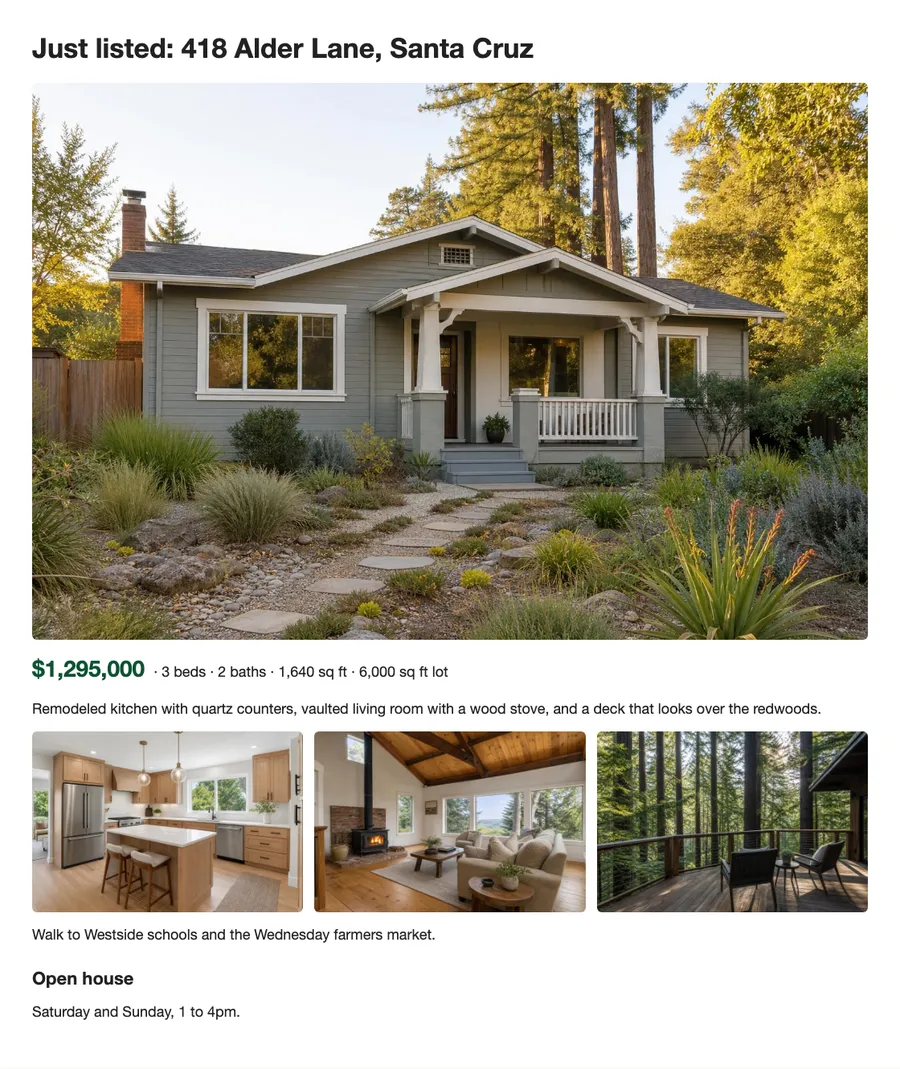
Price and photos first
The video opens on the house with the address, price, beds and baths, then moves through the kitchen, living room and deck.
Open house at the end
The last scene holds the open house days and times long enough to read.
Read the example caption
Just listed! Welcome to your new home at 418 Alder Lane in beautiful Santa Cruz. Offered at $1,295,000, this stunning property features 3 bedrooms, 2 bathrooms, and 1,640 square feet of comfortable living space on a generous 6,000 square foot lot. Step inside to find a beautifully remodeled kitchen complete with sleek quartz counters. The vaulted living room offers a warm, inviting atmosphere with its classic wood stove. Step outside onto the expansive deck and take in the serene views of the surrounding redwoods. Location is everything! You can easily walk to Westside schools and enjoy fresh local produce at the Wednesday farmers market. Don't miss your chance to see this incredible property in person. Join us for our open house this weekend, Saturday and Sunday from 1 to 4pm. #SantaCruzRealEstate #JustListed #DreamHome #HouseHunting #SantaCruzLiving #OpenHouse
How to make a listing video
01
Add the listing
Paste the listing link, or the description if your listing site blocks other sites.
02
Generate the slides
WaveGen puts the price, photos and features on slides, ending with how to see the home.
03
Switch to Video and schedule
In the editor, switch the post to Video. Check the price and dates, then schedule it or download the MP4.
Show the home in the format people watch.
Reels and TikTok reach people who aren't following you yet. A short listing video with the price up front gets the home in front of them.
Price and area first
Put what buyers filter on in the opening second, so the right people keep watching.
One room per scene
Your best photo of each room, with a few words on what makes it stand out.
End with how to see it
Open house times or how to book a showing belong on the last screen and in the caption.
Listing to Video FAQs
What did you just list?
Paste the listing and turn it into a video.