Turn a PDF into a short video.
Upload a guide, report or handout. WaveGen picks the key points, designs a slide for each, and turns the slides into a short vertical video with animated text that you can edit and schedule.
GENERATED WITH WAVEGEN · DEMO
From a one-page PDF guide to a 27-second video.
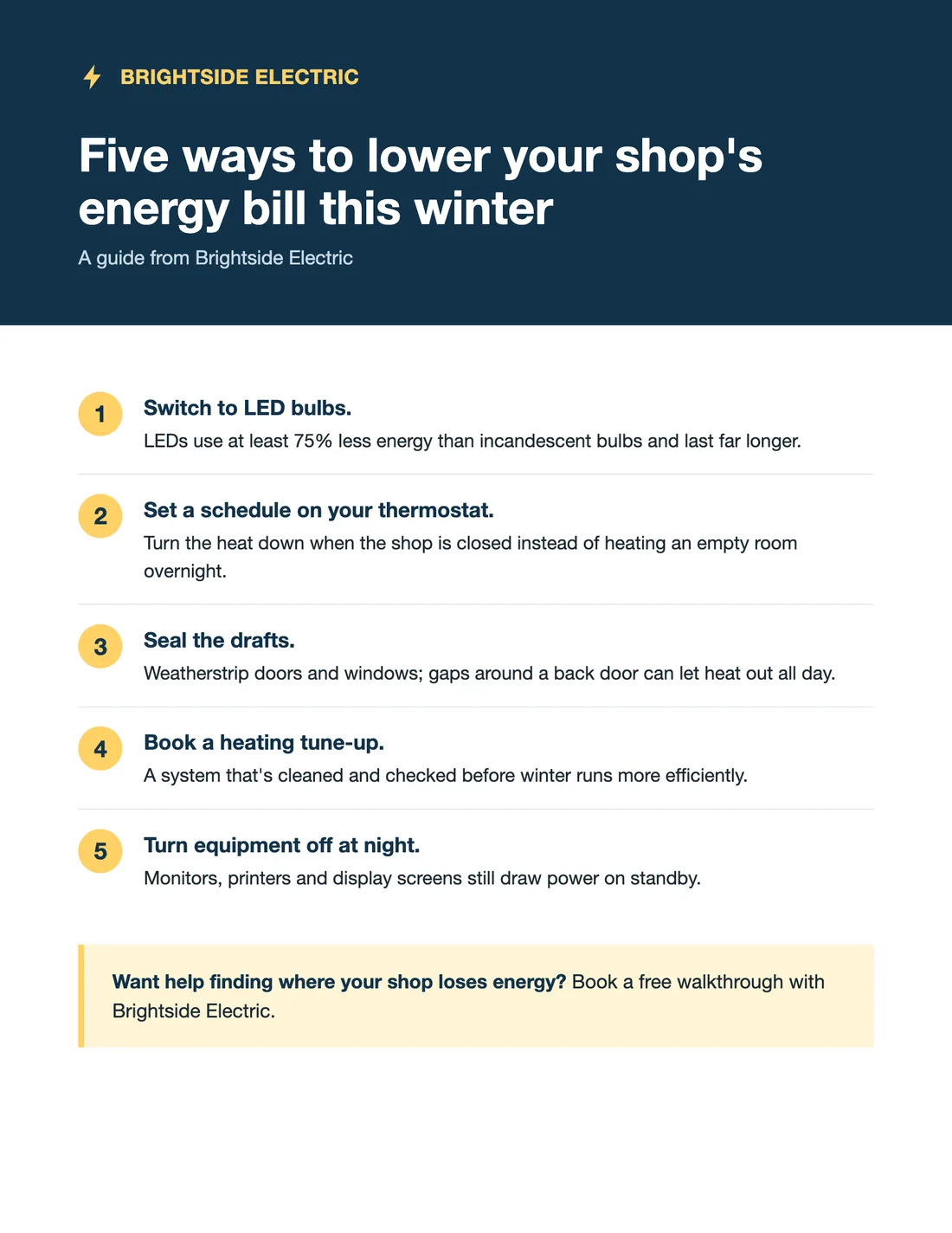
We uploaded this PDF on this page. WaveGen made seven slides from it, then turned them into the video below with Video in the editor. The guide is made up for this demo, and no brand kit was applied. Shown without sound; WaveGen adds a music track you can change or mute.
THE PDF
brightside-energy-guide.pdf
1 page
One tip per scene
Each of the guide's five tips gets its own scene, with the key words highlighted as they appear, and the 75% figure kept exactly.
Ends with the offer
The last scene carries the guide's call to action, so the video points viewers to the next step.
Read the example caption
Winter can be tough on a small business's bottom line, especially when energy costs start to climb. But you don't have to just accept a higher bill. Brightside Electric has put together five practical ways to lower your shop's energy bill this season. Start by switching out old lighting for LED bulbs, which use at least 75% less energy. Then, make sure you aren't paying to heat an empty room by setting a schedule on your thermostat to lower the temperature overnight. Don't let that heat escape, either. Weatherstripping doors and windows seals up drafty gaps. To maximize your savings, book a heating tune-up so your system runs efficiently, and remember to turn off monitors, printers, and display screens that silently draw power on standby. Want help finding exactly where your shop loses energy? Reach out to Brightside Electric to book a free walkthrough today. #BrightsideElectric #EnergySavings #SmallBusinessTips #WinterPrep #EnergyEfficiency #ShopLocal
How to turn a PDF into a video
01
Upload your PDF
Upload the PDF, or paste a link to it.
02
Generate the slides
WaveGen picks the key points and designs one slide for each, with a caption.
03
Switch to Video
In the editor, switch the post to Video. WaveGen animates the text slide by slide; check it, then schedule it or download the MP4.
Get your PDF watched, not just downloaded.
Guides and reports take work to make, and most people never open them. A short video puts the key points where people already scroll.
One point per scene
A short line per slide is readable in the second or two it's on screen. The detail stays in the PDF.
Lead with the promise
Open with what the viewer gets, like a number or an outcome, then show how.
Point to the full PDF
Put the download link in the caption so people who want the detail can get it.
PDF to Video FAQs
Which PDF should people actually see?
Upload it and turn the key points into a short video.