July 14, 2026
21 min read
What to Post on LinkedIn: 10 Ideas for 2026
Struggling with what to post on LinkedIn? Get 10 actionable ideas with templates and examples for consultants, creators, and marketers. Boost engagement.
Staring at a blank LinkedIn post editor again? Knowing you should post is easy. Knowing what to post is the actual problem, especially when you're busy serving clients, running campaigns, or trying to turn expertise into demand.
Most advice on LinkedIn content is too vague to use. “Share value.” “Be authentic.” “Post consistently.” None of that helps when you need to publish something useful by 9 AM.
This guide fixes that. It gives you 10 practical post types that work for consultants, advisors, coaches, marketers, and creators who want a system, not random inspiration. You'll get concrete angles, headline ideas, simple templates, and a repeatable repurposing workflow for each one.
The biggest mistake I see is treating LinkedIn like a stream of isolated posts. Strong creators don't invent from scratch every day. They extract, reframe, and package what they already know into formats people engage with. That matters even more now that document posts are the highest-performing format on LinkedIn, averaging 6.60% engagement in 2026, according to LinkedIn statistics and format benchmarks.
If you've been wondering what to post on LinkedIn, start here. Pick two or three formats from this list, build a simple cadence, and reuse your best ideas in multiple ways instead of chasing novelty.
Table of Contents
- 1. Industry Insights & Trend Analysis
- 2. Client Success Stories & Case Studies
- 3. Personal Lessons & Failures Turned Wins
- 4. Educational Content & How-To Posts
- 5. Controversial Takes & Contrarian Opinions
- 6. Industry News Commentary & Reactions
- 7. Behind-the-Scenes & Day-in-the-Life Content
- 8. Polls & Interactive Questions
- 9. Micro-Content Series & Thread Posts
- 10. Gratitude & Milestone Celebrations
- 10 LinkedIn Post Types Comparison
- From Ideas to Impact Your LinkedIn Content System
1. Industry Insights & Trend Analysis
If you know your market well, this is one of the easiest ways to earn authority. Don't just repost an article and say “interesting.” Add interpretation. Explain what changed, why it matters, and who should act on it now.
A financial advisor might break down a policy shift and explain what clients are misunderstanding. A B2B marketer might point out why a channel everyone chased last year is losing practical value. An HR consultant might connect hiring patterns to what leaders should change in team planning.

Find the angle, not just the topic
The strongest version of this post isn't “Here are trends.” It's “Here's what many are missing about this trend.”
Try headlines like these:
- Direct insight: Three shifts changing how buyers evaluate consultants this quarter
- Contrarian angle: Everyone is watching the headline trend. I'm watching the second-order effect
- Audience-specific: What this industry update means for small in-house marketing teams
Practical rule: If your post could be copied by anyone in your industry, it isn't specific enough yet.
One useful way to deepen this format is to turn a longer article, report summary, or newsletter issue into a document post. If you publish thought leadership regularly, this guide on building thought leadership content is a solid match for that workflow.
WaveGen.ai workflow
Start with one source asset, such as a market commentary email or blog post. Then turn it into:
- Carousel: one trend per slide with a final “what to do now” slide
- Text post: one sharp take with a short opinion-led caption
- Quote card: one statement that challenges consensus
Ask a closing question that invites expertise, not applause. “Are you seeing this shift too?” is weak. “Which of these changes is most affecting your sales cycle right now?” is better.
2. Client Success Stories & Case Studies
Many approach case studies badly. They make them sound like self-congratulation, or they strip out the details that make them believable. A good LinkedIn case study reads like evidence. It shows the problem, the decision points, the work, and the result without turning into a sales brochure.
This works well for consultants, agencies, coaches, legal advisors, and service businesses because buyers want to see how you think under real conditions. Even when you can't share private numbers, you can still explain the context, the constraints, and the strategic shift that changed the outcome.
Tell the before and after clearly
Use a simple structure:
- Before: what the client was struggling with
- Change: what you adjusted or rebuilt
- After: what improved qualitatively or operationally
- Lesson: what others can apply
A marketing consultant could describe how a lead generation process looked busy but produced weak-fit inquiries. A coach could share how a client stopped chasing too many offers and built one clear positioning statement. A contract advisor could explain how simplifying language reduced back-and-forth and sped up decisions.
What doesn't work is a vague victory lap. “So proud of this client” tells the reader nothing. “We cut friction by removing three approval bottlenecks” gives people something they can understand and trust.
WaveGen.ai workflow
Case studies are ideal for carousels because each slide can carry one part of the story. Break one client story into:
- Slide 1: the problem in plain language
- Slide 2: the hidden mistake
- Slide 3: the change you made
- Slide 4: the outcome
- Slide 5: the takeaway for others
If you have client permission, add a testimonial snippet or screenshot. If you don't, anonymize aggressively. Protecting confidentiality always matters more than squeezing a post out of a project.
3. Personal Lessons & Failures Turned Wins
This format works because it feels human without needing to become oversharing. LinkedIn is full of polished wins. A post about something that went wrong stands out when it teaches a useful lesson instead of fishing for sympathy.
A coach can talk about losing an early client because expectations were never set properly. A consultant can explain a failed proposal that exposed weak messaging. A creator can describe publishing consistently for months before their positioning finally clicked.
What makes this work
The line between strong vulnerability and sloppy posting is simple. Keep the story in service of the reader.
A reliable structure is:
- Challenge: what happened
- Mistake: where your judgment failed
- Lesson: what changed in your thinking
- Application: what you do differently now
I'd rather read a specific mistake with a useful correction than a polished success story with no lesson.
Good headline examples:
- I lost a client for a reason that had nothing to do with results
- The pitch failed. The underlying problem showed up two days earlier
- A mistake I made early in my consulting business that I won't repeat
WaveGen.ai workflow
Longer reflective posts can be repurposed into quote cards or lesson-based carousels. Pull out three to five sharp lines, such as the mistake, the turning point, and the corrected principle. That gives you one reflective text post and one visual post from the same story.
End by opening the door for others. Ask, “What's a professional mistake that improved how you work?” That usually gets better discussion than a generic “thoughts?”
4. Educational Content & How-To Posts
If you're unsure what to post on LinkedIn, start here. Educational content is the safest, most repeatable option because it turns your expertise into something immediately useful. People save it, share it internally, and remember who made their work easier.
LinkedIn's algorithm increasingly rewards native content, and document posts perform especially well. In 2025 to 2026, native document posts reached a 7.00% engagement rate, and a save on these documents was worth 5x more algorithmic reach than a like, according to LinkedIn benchmark data on documents, dwell time, and saves.
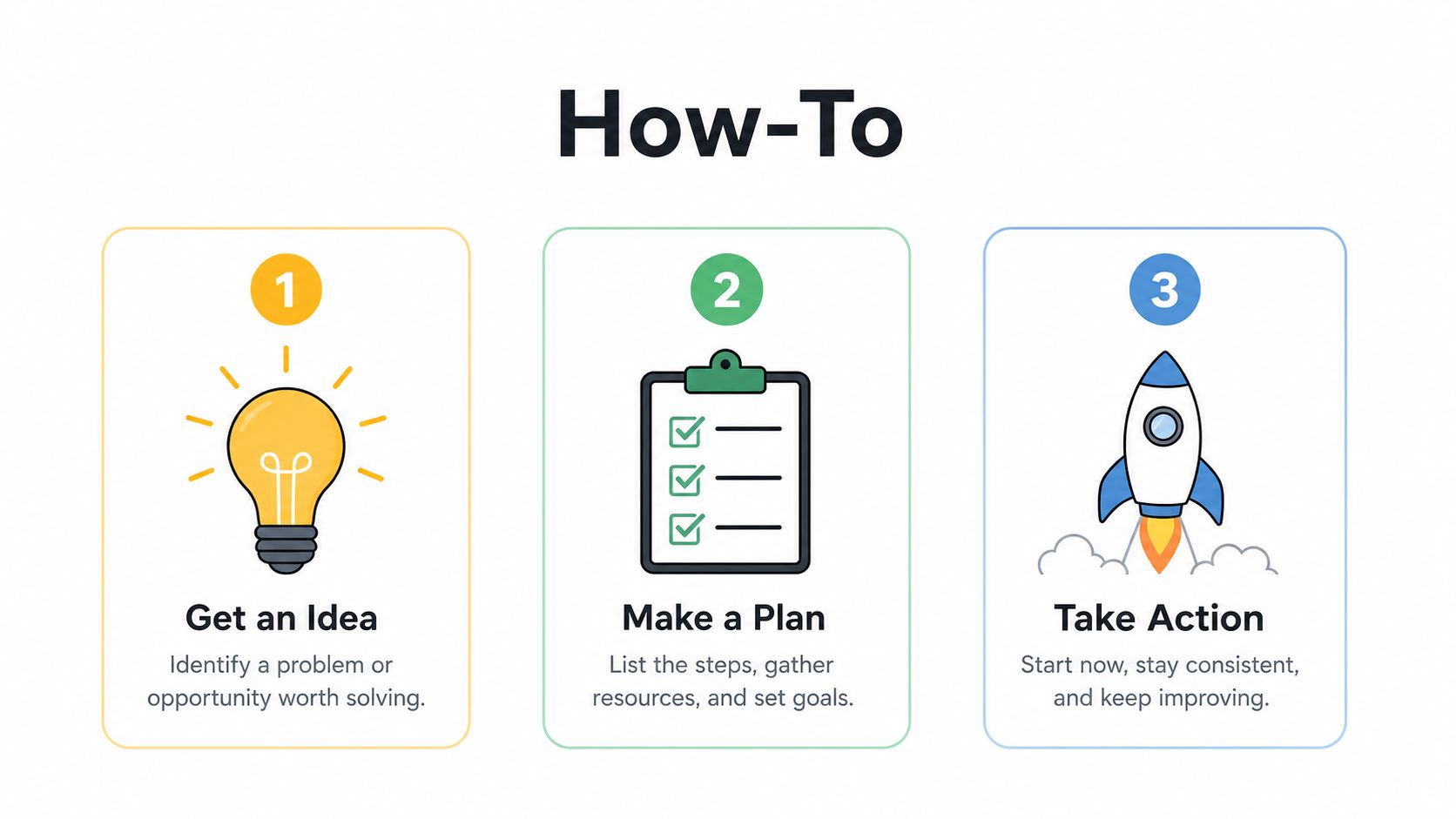
Teach one useful outcome
Don't try to explain everything you know in one post. Teach one task.
Strong examples:
- A financial advisor explains how to organize retirement questions before a planning call
- A marketer shares a simple framework for writing stronger hooks
- A coach outlines the first steps for validating a new offer
Here's the format I recommend:
- Hook: name the problem clearly
- Steps: keep them short and concrete
- Example: show what good looks like
- CTA: invite people to save or discuss
If you already organize your content by themes, this article on social media content pillars helps you keep educational posts tied to a bigger strategy.
For teams working from webinars or recorded training, it also helps to create YouTube video summaries first, then turn the strongest sections into LinkedIn how-to posts.
Here's a useful example of the format in video form:
WaveGen.ai workflow
Take one blog post, podcast transcript, or workshop outline and split it into:
- Carousel: each slide is one step
- Text post: one mistake and one fix
- Short video script: one-minute explanation of the framework
The trade-off is simple. Educational posts usually build more trust than hype, but they require clarity. If the reader can't apply the advice today, the post is too abstract.
5. Controversial Takes & Contrarian Opinions
A good contrarian post creates discussion. A bad one creates noise. The difference is whether you're challenging a lazy idea or just trying to provoke attention.
This format works when you have enough experience to explain why the common advice breaks down in practice. A business coach might argue that some productivity systems create more guilt than progress. A marketer might challenge the obsession with reach when positioning is the core issue. An educator might say networking advice often rewards performative activity over actual relationships.
Good contrarian posts do one thing well
They make a narrow claim and support it.
Use prompts like:
- Unpopular opinion. Individuals often don't need more content. They need a clearer point of view
- Hot take. Your offer isn't underpriced. It's underexplained
- I disagree with common advice in my field for one reason
What doesn't work:
- vague outrage
- bait without proof
- attacking people instead of ideas
Counterpoint that works: Challenge the method, then offer a better one.
WaveGen.ai workflow
Start with a longer opinion draft. Pull out the thesis and three supporting arguments. That becomes either a swipeable carousel or a punchy text post followed by a comment where you add nuance.
If you use this format, stay in the comments. Disagreement is part of the value here, but only if you respond like a professional and not like you're trying to win a debate thread.
6. Industry News Commentary & Reactions
What should you post when big news hits your industry and everyone is rushing to say the same thing?
Use the news as a trigger, not the whole post. The value is your interpretation. Readers can get the announcement anywhere. They follow practitioners to understand what changes in real work.
A reaction post earns attention when it answers a practical question fast. What does this mean for budget, process, hiring, reporting, client expectations, or risk? If you cannot answer one of those, wait. A late useful take will outperform a fast empty one for the right audience.
A simple structure works well:
- What happened: one clear sentence
- What changes: the operational or strategic consequence
- What to do now: one recommendation, test, or warning
That framing keeps the post useful instead of turning it into a recap.
Examples:
- A tech consultant explains how a new AI release affects implementation scope and procurement questions
- A marketing lead reacts to a platform update by identifying which content format is now worth testing first
- A finance advisor comments on policy news by translating it into cash flow pressure, hiring caution, or planning scenarios
The trade-off is speed versus clarity. Posting in the first hour can help you join the initial conversation, but weak analysis gets ignored just as quickly. I usually tell clients to publish only after they can state a position in one sentence and back it up with one real implication. That takes a few minutes longer and improves the post.
Headline templates that get clicked
Use headlines that signal judgment, not just awareness:
- What [news event] changes for [audience]
- My take on [announcement]. The impact is [specific consequence]
- Everyone is talking about [topic]. Here's what matters if you work in [field]
- [News item] is getting attention. The bigger issue is [second-order effect]
WaveGen.ai workflow
This is one of the easiest post types to repurpose with WaveGen.ai because the structure is already tight.
Start with a 150 to 250 word text post built around your point of view. Then turn it into a short carousel or video script:
- Slide 1: the news headline
- Slide 2: the common reaction
- Slide 3: your interpretation
- Slide 4: the next step for your audience
If the post performs well, use the same draft to create a follow-up comment, a short thread, and a quick talking-head video. One reaction can become a small content system instead of a one-off post that disappears by tomorrow.
7. Behind-the-Scenes & Day-in-the-Life Content
People don't just buy expertise. They buy confidence in how you work. That's why behind-the-scenes posts can be effective. They make your process visible.
This format is especially useful for solo consultants, coaches, creators, and small teams. A founder can show how they prepare for strategy calls. A copywriter can share their research setup. A coach can show what a planning day looks like between calls, notes, and follow-ups.
Show the process, not just the aesthetics
The mistake here is posting a desk photo with no substance. The image isn't the point. The workflow is.
Useful angles:
- what happens before a client session
- how you review a campaign or proposal
- what tools or documents you rely on daily
- how you reset when your calendar gets overloaded
A simple caption template: “Today's work looked ordinary, but this part matters most. [specific process]. This is what it improves for clients.”
You don't need polished production. One honest photo, one screenshot, or a simple multi-slide story is enough if the takeaway is clear.
WaveGen.ai workflow
Turn one week of working notes into a short behind-the-scenes carousel:
- Slide 1: what the day was for
- Slide 2: the process
- Slide 3: the hard part
- Slide 4: the lesson for clients or peers
These posts won't always be your biggest traffic drivers. They do something different. They make your expertise feel real and consistent.
8. Polls & Interactive Questions
Need a faster way to find out what your audience cares about?
Polls and interactive questions do that well because they reduce guesswork. Instead of posting another opinion into the feed, you can ask one focused question, collect real responses, and turn that input into your next few posts. Used this way, polls are a research tool first and a reach format second.
The quality of the question decides the quality of the post.
A weak poll is broad and easy to ignore: “Do you like remote work?”
A useful poll gives people a specific problem to react to: “What slows B2B content production most on your team?”
- approvals
- unclear messaging
- lack of design support
- no repurposing system
That structure works because each answer points to a follow-up angle. If “approvals” wins, write a post on faster review cycles. If “unclear messaging” wins, share a positioning framework. If the answers split evenly, you have a short series.
Interactive questions can go further than polls when nuance matters. Ask for lived experience, not abstract opinions. “What part of your sales process breaks after the first call?” will usually get better comments than “What's your biggest sales challenge?”
Good use cases:
- Research: test which pain point deserves a full post, newsletter, or webinar
- Segmentation: see whether founders, marketers, and operators are stuck on different problems
- Conversation: publish a follow-up post that explains the result and adds your point of view
WaveGen.ai workflow
Treat the poll as raw material. Once responses come in, use WaveGen.ai to turn the result into assets you can publish over the next week.
A simple workflow:
- Post 1: the poll itself
- Post 2: a text post with the winning response, why it showed up, and one practical fix
- Post 3: a carousel that breaks down each answer choice and what to do next. This guide to building stronger LinkedIn carousel posts fits well here
- Post 4: a comment-led post using two or three audience responses as examples
Here are headline formats that work:
- “I asked 500 B2B marketers what slows content down most. The top answer wasn't budget.”
- “Poll result: approvals beat design as the biggest bottleneck. Here's how I'd fix it.”
- “Your responses split almost evenly. That usually means the core issue starts earlier.”
Polls save time when they feed a system. Ask one sharp question, study the answers, then reuse the signal across text posts, carousels, and comment threads. That second and third post usually create more business value than the poll itself.
9. Micro-Content Series & Thread Posts
If you post randomly, people may like individual updates but forget your body of work. A recurring series fixes that. It creates continuity and helps your audience associate you with a specific topic.
This works especially well for consultants, educators, and creators who already have long-form content. One lawyer might run a weekly “contract mistake of the week.” A coach might publish “Monday positioning notes.” A marketer might do a recurring teardown series on landing pages or hooks.
Series beat random posting
The best series are narrow enough to be memorable and broad enough to sustain. That's the balance.
Try structures like:
- Weekly lesson: one recurring mistake and one correction
- Mini-thread: five short points on one problem
- Ongoing breakdowns: one framework applied to different scenarios
Long-form text posts can be useful here too. Posts in the 1,800 to 2,100 character range generate 18% more engagement than short posts when they use a bold hook and a soft CTA, according to the benchmark data cited earlier.
If your series includes visual posts, this guide on building better social media carousels fits naturally into the process.
WaveGen.ai workflow
One article can become a week-long series:
- Post 1: the core thesis
- Post 2: one example
- Post 3: one mistake to avoid
- Post 4: one tool or template
- Post 5: one contrarian takeaway
Keep the title style consistent so readers recognize the format in the feed. Consistency reduces friction for both you and your audience.
10. Gratitude & Milestone Celebrations
Milestone posts can work, but only when they're grounded and specific. Generic self-congratulation gets skimmed. Gratitude with context gets read.
The best version of this post thanks the people involved and shares what the milestone taught you. A consultant can mark an anniversary by naming the lesson that changed their client work. A coach can celebrate a certification and explain how it improves their methodology. A creator can reflect on a publishing streak by sharing what became easier and what didn't.
Make milestones useful to the reader
Good prompts:
- what this milestone changed in how I work
- three lessons from a year of posting consistently
- one thing I'd repeat and one thing I'd stop
Examples of stronger framing:
- “Five years in business taught me to stop selling custom work before the problem is defined.”
- “I'm grateful for every client who trusted me early, especially when my process was still rough.”
- “This milestone matters because it forced better systems, not because it looks impressive.”
Gratitude posts work best when the reader leaves with a lesson, not just awareness that you achieved something.
WaveGen.ai workflow
Turn a milestone into a timeline-style carousel:
- Slide 1: the milestone
- Slide 2: what was harder than expected
- Slide 3: what improved
- Slide 4: what you'd tell someone earlier in the path
This format builds warmth, but it shouldn't dominate your feed. Use it to strengthen connection between more substantive educational, analytical, or opinion-led posts.
10 LinkedIn Post Types Comparison
| Item | 🔄 Implementation complexity | ⚡ Resource & speed | 📊 Expected outcomes | 💡 Ideal use cases | ⭐ Key advantages |
|---|---|---|---|---|---|
| Industry Insights & Trend Analysis | Medium–High: ongoing research + analysis | Moderate resources; moderate speed (data collection) | High engagement, thought‑leader positioning | Thought leadership, market positioning, attracting expert clients | Builds credibility; repurposable; sparks discussion |
| Client Success Stories & Case Studies | High: needs client data, permission, careful storytelling | Resource‑intensive; slower to produce but high ROI | Very high conversion and social proof | Lead generation, sales conversations, demonstrating capability | Concrete proof of results; trust and credibility |
| Personal Lessons & Failures Turned Wins | Low–Medium: requires honest framing and restraint | Low resources; quick to create but sensitive | Deep emotional engagement and loyalty | Personal branding, community building, authenticity drives | High authenticity; strong comment activity |
| Educational Content & How‑To Posts | Medium: needs clear structure and testing | Moderate resources; efficient when templated or batched | High saves/shares; establishes expertise; lead magnets | Teaching, templates, onboarding, resource capture | Actionable value; reusable assets; high perceived value |
| Controversial Takes & Contrarian Opinions | Medium: requires strong evidence and careful tone | Low resources; fast to post but higher moderation needs | Very high visibility and debate; polarizing outcomes | Positioning as bold thinker; sparking debate | Attention‑grabbing; differentiates brand |
| Industry News Commentary & Reactions | Low–Medium: quick analysis + verification | Low resources; very fast turnaround required | Increased visibility and topical authority; short shelf‑life | Real‑time thought leadership, reacting to announcements | Timely relevance; algorithm boost |
| Behind‑the‑Scenes & Day‑in‑the‑Life Content | Low: simple production, candid content | Low resources; quick and frequent | Builds relatability and community engagement | Solo creators, service providers, humanizing brand | Authentic connection; strong engagement and relatability |
| Polls & Interactive Questions | Low: easy setup with native tools | Very low resources; immediate engagement | Extremely high engagement; useful audience insights | Market research, sparking conversation, content ideas | Rapid feedback; boosts reach with minimal effort |
| Micro‑Content Series & Thread Posts | Medium: planning, consistency and formatting | Moderate resources; efficient when batched | Builds loyalty and recurring engagement; deeper storytelling | Serialized education, progressive storytelling, habit‑building | Audience retention; recognizable format; repurposable |
| Gratitude & Milestone Celebrations | Low: straightforward to craft authentically | Low resources; quick to publish | Positive engagement, goodwill, community strengthening | Community appreciation, recruitment, PR moments | Boosts goodwill; humanizes brand; encourages positive comments |
From Ideas to Impact Your LinkedIn Content System
The answer to what to post on LinkedIn isn't “be more creative.” It's “build a system that makes posting easier.” That's what separates professionals who stay visible from those who disappear for three weeks and come back with another generic update.
You don't need 10 different post types every week. You need a small mix you can sustain. A practical approach suggests starting with three lanes: one educational post, one opinion or insight post, and one proof-based post such as a case study, lesson learned, or milestone reflection. That's enough variety to stay interesting without turning content into a second full-time job.
A simple rhythm works better than overplanning. Pick one source asset each week. That might be a client question, a newsletter issue, a webinar transcript, a blog post, or even notes from a strategy session. Then repurpose it into multiple formats. One strong idea can become a text post, a carousel, a poll, and a short behind-the-scenes follow-up.
This is significant as LinkedIn performance is increasingly shaped by depth signals, not just light engagement. Comments are weighted 15x more than likes, and teams are advised to evaluate posts over 28 to 42 day windows because traction can build over multiple weeks, according to LinkedIn performance guidance on engagement signals and slow-burn measurement. That should change how you judge your content. Don't kill a good format because it didn't explode in a day.
It should also change how you write. Posts that invite discussion usually outperform updates that merely announce something. Native formats tend to beat external links. Stronger hooks create more dwell time. Better comment follow-up extends the life of the post. None of that requires gimmicks. It requires clear ideas packaged in the right format.
If you want a practical starting point, choose two recurring series from this list and commit to them for the next month. For example:
- one weekly how-to carousel
- one weekly industry take
- one case study or lesson learned every other week
That's enough to learn what your audience responds to without overwhelming your schedule.
Tools can help if they reduce friction instead of adding more steps. WaveGen.ai is one option for turning articles, newsletters, transcripts, and other long-form assets into LinkedIn-ready formats like carousels, quote cards, captions, and short videos. Used well, that supports the workflow this article is built around. Start with one real idea, then distribute it in several useful forms.
Publishing consistently will always matter more than waiting for the perfect post. If you've been stuck wondering what to post on LinkedIn, stop trying to invent something brilliant every day. Teach what you know. Share what you're seeing. Document what you're learning. Show proof when you have it. Repeat.
For more profile-side improvements alongside your content strategy, this AiHeadshots guide to LinkedIn success is a useful companion read.
If you already have blog posts, newsletters, webinars, or podcast transcripts sitting unused, WaveGen.ai can help you turn them into LinkedIn carousels, text posts, quote cards, and short videos without rebuilding everything from scratch.
what to post on linkedin
linkedin content ideas
linkedin marketing
content strategy
personal branding
Turn this kind of writing into a week of social content.
Paste a blog post, newsletter, or rough draft — WaveGen turns it into publish-ready carousels, captions, and slideshows for every channel.
No credit card · First posts in 2min