July 15, 2026
23 min read
10 Best Software for Marketing Agencies in 2026
Discover the top 10 software for marketing agencies. Our expert guide covers CRM, SEO, and automation tools to help you scale and streamline operations in 2026.
You're probably in the same spot most agency owners hit sooner or later. The team is doing solid client work, but the stack behind it is messy. Leads live in one tool, briefs live in another, SEO reporting sits somewhere else, and social content still depends on someone manually resizing graphics at the end of the week.
That setup works for a while. Then client count grows, service lines expand, and small inefficiencies start eating margin. Reporting takes too long. Account managers chase approvals in Slack and email. Content teams reuse ideas across clients by hand, which means they either burn hours or skip repurposing entirely. That gap matters because agencies still lose time on repetitive content work that should be automated, a pain point highlighted in Funnel's look at marketing agency tools.
The bigger shift is that agency software has moved from “nice to have” to core infrastructure. The market for marketing and advertising agency software is projected to reach $105.33 billion by 2025, with a 17.81% CAGR according to Data Insights Market research on agency software. In practice, that reflects what operators already know. Agencies need systems that centralize client data, automate routine delivery, and help small teams perform like much larger ones.
This guide keeps it practical. Instead of a random top-10 list, the tools are grouped by actual agency function: CRM, SEO, content, project management, reporting, and social. I'll also call out starter stacks for small, mid-size, and larger agencies so you can build software for marketing agencies as a system, not a pile of subscriptions.
Table of Contents
- 1. WaveGen.ai
- 2. HighLevel
- 3. HubSpot Marketing Hub
- 4. Semrush
- 6. AgencyAnalytics
- 6. AgencyAnalytics
- 7. Whatagraph
- 8. Sprout Social
- 9. Sendible
- 10. monday.com
- Top 10 Marketing Agency Software Comparison
- Final Thoughts
1. WaveGen.ai
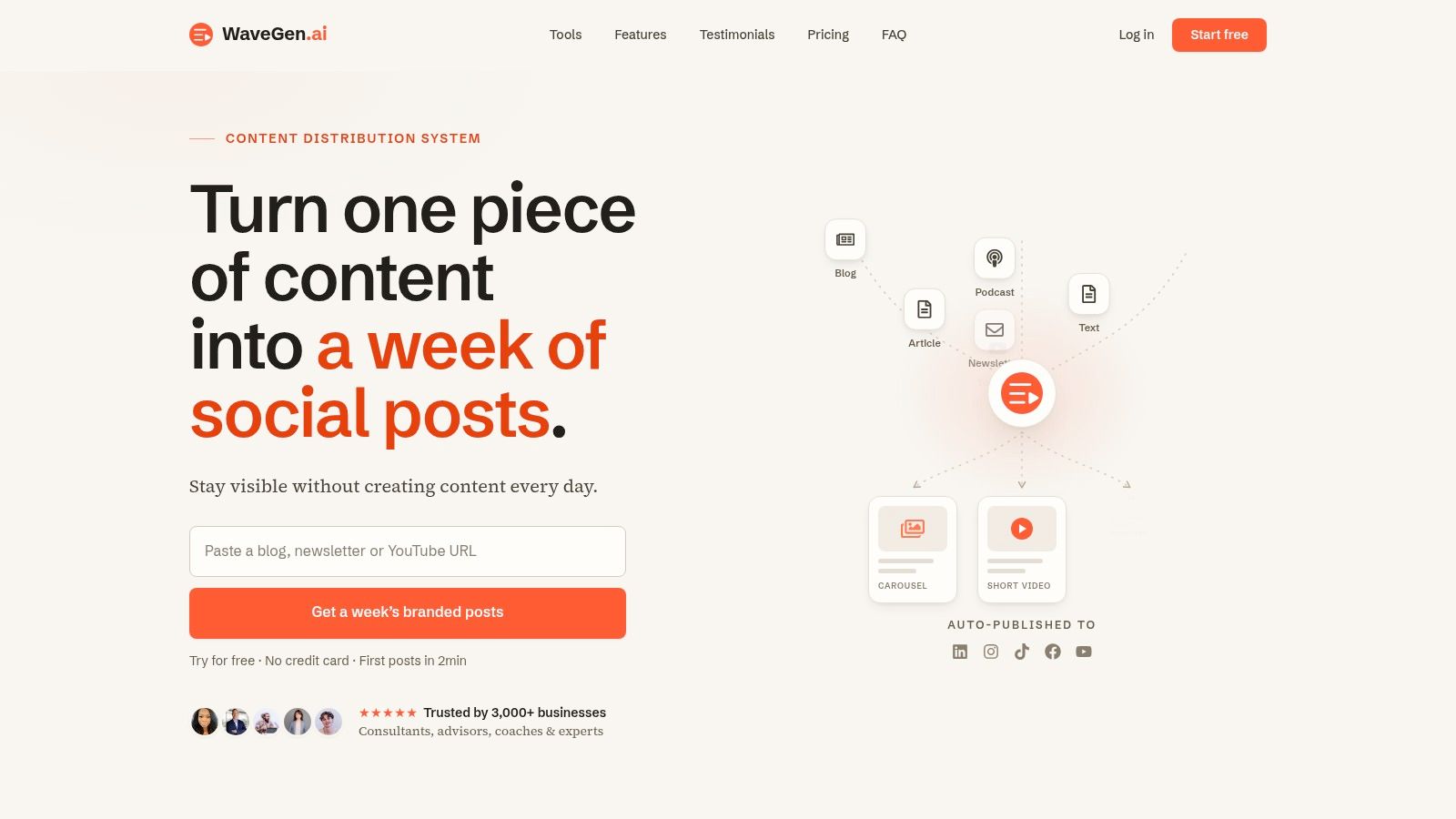
WaveGen.ai is the most interesting content tool on this list for one reason. It solves a problem most agency software roundups barely touch. Turning one strong source asset into a consistent week of client-ready social content without sending a designer back into the queue.
That matters more than most agency owners realize. Existing software advice tends to over-focus on workflow and under-focus on multi-client repurposing, even though many agencies are trying to scale on-brand output across many accounts at once. Teamwork's analysis of the category points to a recurring question agencies still don't get answered well: how to keep brand consistency across 10+ client accounts without a dedicated design team, as covered in Teamwork's marketing agency software guide.
Where WaveGen.ai fits
WaveGen starts from your own long-form material. That can be an article, newsletter, blog post, podcast script, or YouTube transcript. It then turns that source into platform-ready social assets such as carousels, short videos, quote cards, and captions, while applying a saved brand kit for colors, fonts, logo, and voice.
For agencies, that's the key distinction. It isn't just a caption generator or a scheduler. It's a repurposing engine with a visual editor, publishing workflow, built-in scheduling, cross-posting, and an RSS autopilot that keeps content moving without a daily manual lift.
Practical rule: If your team already produces useful long-form thinking for clients, the bottleneck usually isn't ideas. It's packaging and distribution.
WaveGen also has real traction behind it. The platform says it's trusted by 3,000+ businesses and has generated 10,000+ posts for customers. Those numbers don't make it automatically better, but they do suggest it's being used in real publishing workflows rather than sitting as an experimental AI add-on.
What it does better than most content tools
The strongest operational advantage is brand enforcement. You set the kit once, generate drafts from source content, tweak them in the visual editor, and publish across Instagram, TikTok, LinkedIn, YouTube, and Facebook. Pinterest is on the roadmap, so agencies with heavy Pinterest work may still need a secondary workflow.
The other advantage is speed. The broader shift in AI-powered agency tools has cut content creation processes from 4 to 6 hours down to about 45 minutes according to Digital Applied's guide to AI marketing agency tools. WaveGen fits that pattern well because it removes the repetitive formatting and design work that usually slows repurposing down.
If you want a broader look at how these systems are changing production, WaveGen's own guide to AI content creation tools is worth reviewing alongside a trial.
A few practical notes matter before buying:
- Best for agencies with source content: If your clients publish blogs, newsletters, podcasts, webinars, or video transcripts, WaveGen has much more to work with.
- Less ideal for blank-page social strategy: If clients have no source content and expect every post to be created from scratch, you'll still need heavier strategy input.
- Pricing is straightforward: There's a free trial with 10 free posts, one social connection, and no credit card. Paid plans run from Starter to Pro, with enterprise options for larger teams.
- Trial policy is clear but strict: The refund window is limited, so it's smart to test one real client workflow before rolling it out broadly.
For a small agency starter stack, I'd pair WaveGen with one CRM, one PM tool, and one reporting tool before adding anything else. It handles a surprisingly large chunk of the content production burden on its own.
2. HighLevel
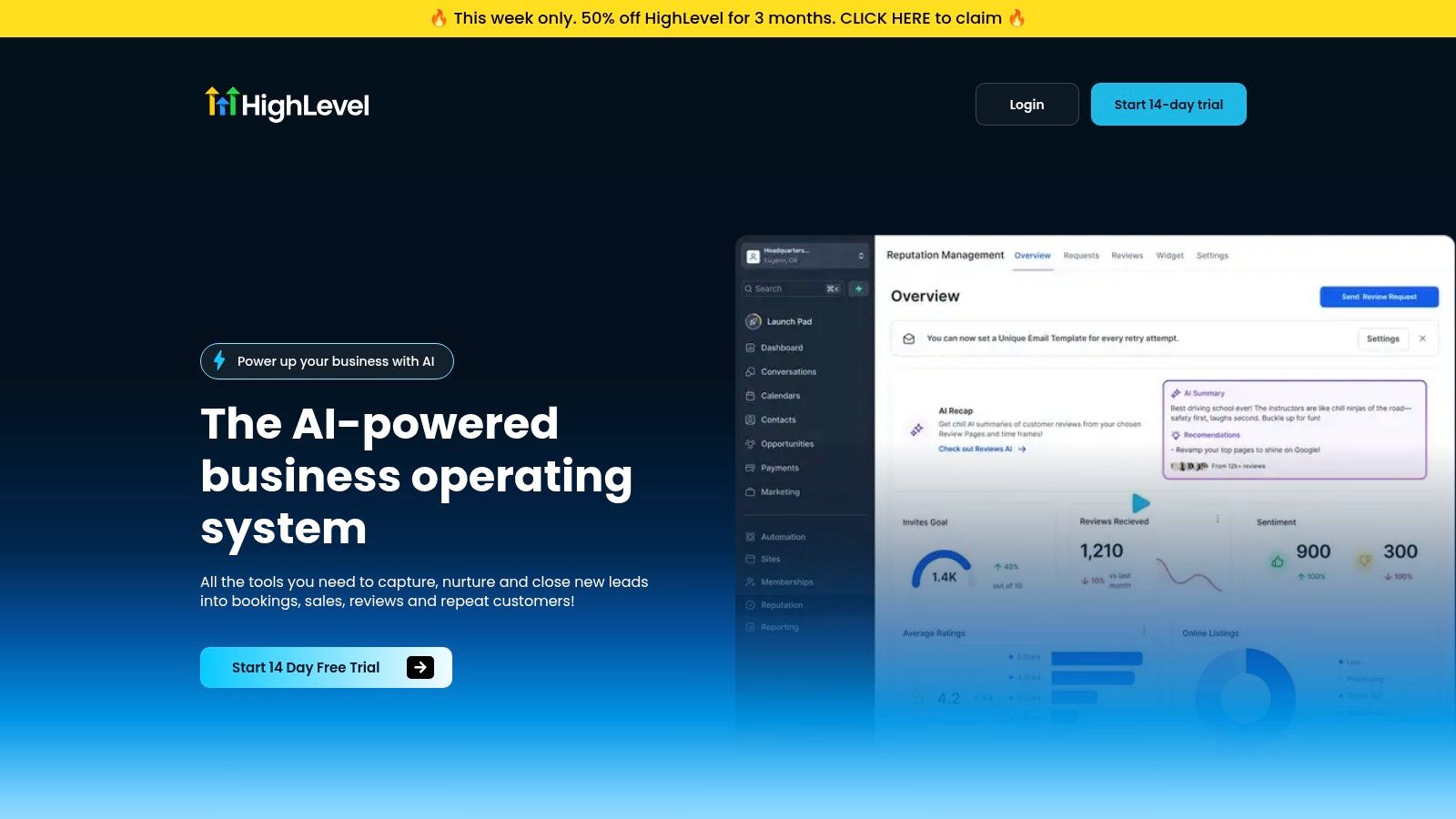
HighLevel is what many agencies buy when they're tired of stitching together CRM, email automation, funnel pages, SMS, forms, calendars, and client portals across five different tools. It's broad by design, and that breadth is both the appeal and the headache.
For lead generation shops, local service agencies, and performance teams that want to manage multiple client accounts in one environment, HighLevel can replace a lot of software at once. The white-label angle is also real. If you want clients logging into “your platform” instead of a patchwork of third-party tools, HighLevel gives you that option.
Best use case
HighLevel works best when the agency is trying to standardize service delivery. One sub-account structure per client. Common pipeline stages. Shared automation templates. Consistent funnel builds. Centralized texting, reviews, and appointment workflows.
It's also useful if you want to rebill usage costs and package software into your retainer. That changes the economics a bit. The platform becomes part delivery tool, part revenue layer.
HighLevel is rarely the “best single tool” in each category. It's often the most convenient toolset for agencies that want fewer moving parts.
Trade-offs to expect
The main trade-off is implementation effort. Agencies buy HighLevel expecting instant simplification, then realize they still need someone to define lifecycle stages, automation rules, naming conventions, permissions, and telecom compliance settings. Without that groundwork, you just moved the mess into one login.
A few points to weigh:
- Great for standardized fulfillment: Especially if your agency repeats the same funnel or nurture playbook across many clients.
- Less great for deep specialization: Teams doing advanced enterprise CRM architecture or highly custom reporting often outgrow the built-in layers.
- Compliance matters: If you plan to lean on SMS and email, setup quality affects deliverability and reliability.
For a lean starter stack, HighLevel can serve as the CRM plus automation core. I'd only add separate tools where your agency has a clear service-line need, such as deeper SEO or stronger reporting.
3. HubSpot Marketing Hub
HubSpot Marketing Hub is the opposite of a scrappy all-in-one. It's structured, mature, and much better when multiple teams need shared data, governance, and cleaner handoffs between marketing, sales, and service.
Agencies usually adopt HubSpot for one of two reasons. Either client work already revolves around HubSpot, or the agency wants a CRM and marketing automation backbone that clients recognize and trust. That matters more in mid-market and enterprise accounts than many operators admit.
When HubSpot is the right backbone
HubSpot shines when your agency runs inbound programs, lead nurturing, forms, landing pages, lifecycle automation, and reporting inside one system. The integration between its hubs is the draw. Marketing activity doesn't have to live in a silo from pipeline and service data.
This is also one of the safer recommendations for agencies with cross-functional client stakeholders. If marketing managers, sales leaders, and operators all need visibility, HubSpot's structure usually holds up better than lighter tools.
Where agencies get caught
The issue isn't whether HubSpot is good. It is. The issue is cost planning and adoption discipline. Pricing tiers, usage models, and add-ons can create surprises if the agency doesn't define what belongs inside HubSpot and what stays outside.
A few practical realities:
- Strong for multi-team governance: Better fit than many tools when approvals, attribution, and lifecycle reporting matter.
- Overkill for some small accounts: If a client just needs simple nurture flows and basic lead capture, HubSpot can be more platform than they need.
- Partner-friendly: Agencies that build repeatable HubSpot services can turn it into a clean operating system for retainers.
For a mid-size agency stack, HubSpot often works well as the CRM and automation core, with Semrush or Ahrefs for search, WaveGen for content repurposing, and a dedicated reporting layer for client dashboards.
4. Semrush
Semrush remains one of the easiest SEO tools to justify when an agency needs breadth. It covers keyword research, competitive intelligence, site audits, content ideation, and paid search support in a user-friendly manner that requires little ramp-up.
If your agency pitches SEO regularly, Semrush helps before the retainer even starts. It's a strong research and presentation tool. Clients understand the outputs, strategists can move quickly, and junior team members usually get productive fast.
Why agencies still buy Semrush
Depth is part of it, but familiarity matters too. Hiring markets know it. Clients have heard of it. Account teams can pull competitive views and turn them into recommendations quickly.
Semrush also works well for agencies that don't want to juggle multiple niche SEO subscriptions. You can cover a lot of search work in one platform, especially for small and mid-market clients.
- Best for broad search programs: SEO, content, and even some PPC research can sit in one workflow.
- Helpful in sales: Prospecting and competitive snapshots are straightforward to pull.
- Good training value: Teams can standardize core search processes more easily.
Where it can frustrate teams
As agencies grow, usage limits and add-ons become the pain point. Large client rosters, multiple strategists, and heavy reporting needs can force careful plan management. That doesn't make Semrush a bad buy. It just means it's rarely the final word in the stack.
For many agencies, the better question is not “Semrush or everything else.” It's “Semrush plus what?” If your search operation is broad and your social or content teams need separate systems, Semrush fits best as the SEO layer inside a larger stack.
6. AgencyAnalytics
AgencyAnalytics fits agencies that have outgrown manual reporting but do not want to build a reporting operation around spreadsheets and custom Looker Studio work. If account managers are still copying numbers into slide decks at month-end, this is usually one of the first tools worth testing.
Its value is simple. It was built for recurring client reporting, not adapted from a general BI product. That changes the day-to-day work for SEO, PPC, and retention teams that need dashboards, scheduled reports, and white-label delivery without a lot of setup.
Why agencies adopt it
AgencyAnalytics reduces the hours spent assembling the same report every month. Templates, client portals, permissions, and scheduled sends are the core product, and that matters more than flashy visualization for many agency owners. Clients want clear reporting delivered on time. Teams want a process junior staff can run without constant QA.
It also fits the reporting layer in a function-based agency stack. A small agency might pair HighLevel for CRM, Semrush or Ahrefs for SEO, monday.com for project management, and AgencyAnalytics for client-facing reporting. Mid-size agencies often get even more value because standardization starts to matter once several account managers are delivering reports in parallel.
Where it works well, and where it does not
AgencyAnalytics is strongest when the reporting job is repeatable. Monthly SEO reports, PPC pacing updates, local marketing dashboards, and executive summaries for retained clients are a good fit. Agencies that sell clarity and responsiveness often get a faster payoff here than agencies chasing highly customized analytics work.
The trade-off is flexibility. If your team needs highly specific attribution models, custom data blending, or board-level dashboards built from unusual sources, AgencyAnalytics can feel constrained compared with a more configurable BI setup. That is not a flaw. It is a product decision.
A useful outside perspective is this roundup of Oviond's 2026 reporting tools list.
Best fit by agency size
For small agencies, AgencyAnalytics is often a sensible starter-stack reporting tool because it gets client reporting under control without hiring a data specialist.
For mid-size agencies, it helps standardize delivery across teams and protects margins by cutting reporting labor.
For larger agencies, it usually works best as the standardized reporting layer for certain service lines, not the only analytics system in the business.
6. AgencyAnalytics
AgencyAnalytics is one of the clearest examples of software for marketing agencies that was specifically built around agency reporting instead of adapted into it later. That sounds like a small distinction, but it changes daily operations.
The category itself is moving fast. As of early 2025, platforms like AgencyAnalytics and Google Looker Studio were helping define the reporting standard by offering roughly 75 to 85+ integrations, making it easier for agencies to aggregate data from major sources quickly according to Data Insights Market research on agency reporting platforms. AgencyAnalytics sits directly in that trend.
Why reporting teams like it
The product is built around white-label dashboards, scheduled reports, templating, and client permissions. In plain terms, it handles the repetitive reporting work agencies hate charging for but can't avoid doing.
That makes it attractive for SEO, PPC, and multi-channel agencies with recurring monthly deliverables. You can templatize much of the client-facing output and spend more time on interpretation instead of assembly.
A useful outside perspective is this roundup of Oviond's 2026 reporting tools list, which helps frame where AgencyAnalytics fits relative to other reporting-first products.
Where process still matters
No reporting platform completely fixes messy internal operations. If your campaign naming is inconsistent or different account managers define KPIs differently, the dashboards will expose the chaos rather than solve it.
Keep these trade-offs in mind:
- Excellent for productized reporting: Especially when many clients need a similar dashboard structure.
- White-label presentation is strong: That helps smaller agencies look more polished.
- Still needs reporting governance: Templates work best when your underlying service model is standardized.
For most small and mid-size agencies, AgencyAnalytics is the easiest reporting layer to recommend if client-ready dashboards are a weekly pain point.
7. Whatagraph
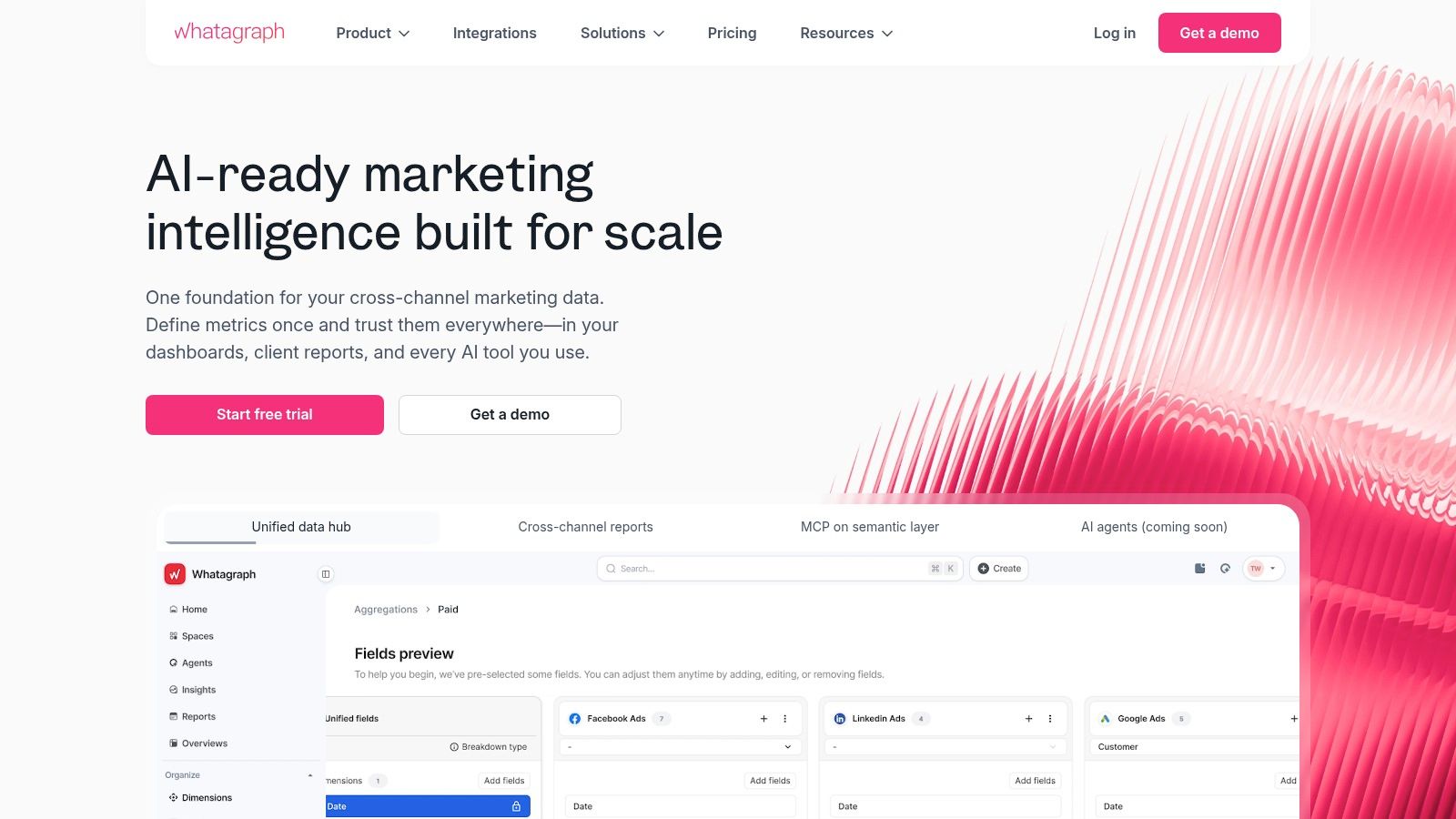
Whatagraph is usually the better fit when the agency cares a lot about presentation quality and executive-style rollups. The dashboards and reports are visually polished, and that matters when client stakeholders skim more than they study.
This is one reason Whatagraph often lands well with agencies serving marketing managers, founders, and leadership teams who want a clear multi-channel summary without digging through platform-native dashboards.
Best fit for Whatagraph
Whatagraph is strong for agencies that productize reporting as part of the client experience. Pre-built templates, drag-and-drop widgets, scheduled delivery, and shareable dashboards make it easier to hand junior team members a repeatable process.
It's also useful when one report needs to pull together paid media, social, email, and web analytics into one narrative. That executive-summary use case is where it often feels stronger than more utilitarian tools.
Where BI still wins
The limitation shows up when reporting gets highly customized. If your agency needs unusual calculations, warehouse-level joins, or very specific business logic, Whatagraph may not be enough on its own. At that point, a dedicated BI setup starts to make more sense.
Use Whatagraph when:
- Clients value clear visuals: Especially if reports are reviewed by non-specialists.
- You want report production to be easier to delegate: Templates help.
- Your analytics model is standard enough: Without needing a custom data architecture.
For a mid-market stack, Whatagraph pairs well with HubSpot or HighLevel on the CRM side and Semrush or Ahrefs on the SEO side.
8. Sprout Social
Sprout Social is the social management platform I'd put in front of agencies with complex approval flows, larger teams, and clients who care about governance as much as scheduling. It's not the cheapest option, and that's the point. It's built for control.
Agencies usually outgrow lighter social tools when three things happen. More stakeholders want approvals, the inbox gets busier, and reporting expectations rise. That's where Sprout starts to justify itself.
What makes it strong
Cross-network publishing is table stakes. Sprout's real value is the combination of shared calendars, approvals, unified engagement, social CRM notes, analytics, and optional listening. For larger client rosters, those layers matter because social execution stops being just “schedule posts.”
If your team is still evaluating schedulers, this comparison of social media scheduling apps is a useful companion read before committing to a heavier platform.
Sprout is usually not the first social tool an agency buys. It's the tool they buy after lighter tools stop holding process together.
What to watch before buying
Seat-based pricing changes the math fast. Agencies need to be honest about who needs access versus who just wants occasional visibility. Listening capabilities can also require additional spend, so don't assume everything is bundled the way your team needs.
Sprout makes the most sense when:
- Approval workflows are complex: Especially for regulated or high-visibility brands.
- You need stronger collaboration: Across strategists, community managers, and client reviewers.
- Reporting and engagement are both core deliverables: Not just publishing.
For larger agencies, Sprout is often the social command center inside a broader stack rather than the only social-related tool.
9. Sendible
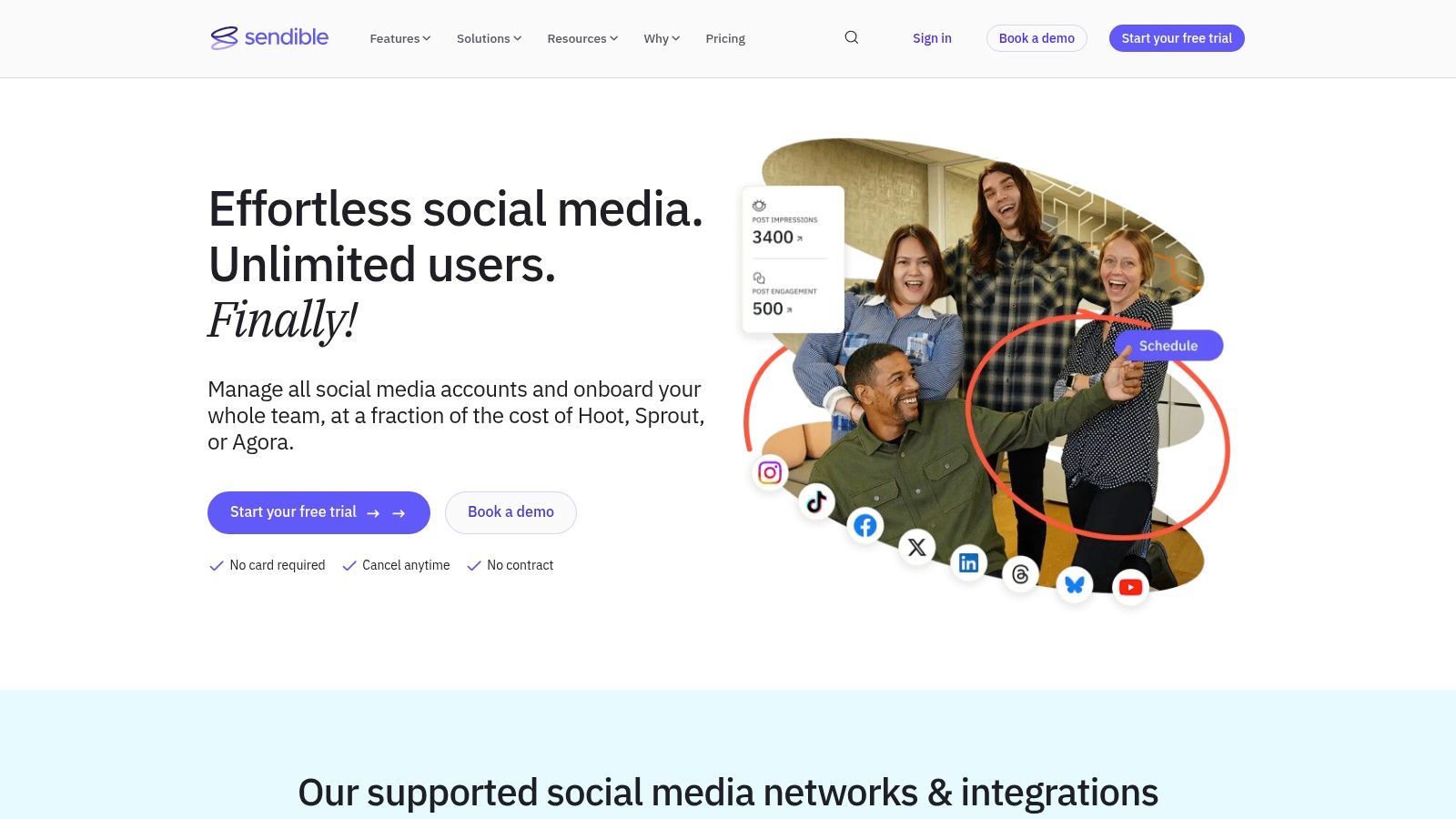
Sendible is what I'd call the practical agency social tool. It's not trying to be enterprise software. It's trying to give agencies client workspaces, approvals, scheduling, and reporting without forcing enterprise-level cost or complexity.
That positioning makes it attractive for smaller firms and growing agencies that manage multiple brands but don't need the heavier governance layers found in Sprout Social.
Why smaller agencies like it
The workspace structure is useful. It keeps client boundaries clear, supports approvals, and makes collaboration easier without requiring a giant implementation project. Teams can usually get productive quickly.
It also hits a better cost-to-capability balance for agencies that mainly need scheduling, client calendars, templated reports, and a manageable review process.
Where it stops short
The trade-off is depth. If your agency depends on advanced social listening, broader analytics, or large-team governance, Sendible can feel lighter than you want. That doesn't make it weak. It just means it's built for a different operating model.
Choose Sendible when:
- You want agency-shaped social software: Without moving into enterprise pricing.
- The team values simplicity: Over deep analytics complexity.
- Client approvals matter: But don't require elaborate chains of command.
For a small agency starter stack, Sendible plus WaveGen is a strong social-content combination. One handles repurposing and asset generation. The other handles collaborative publishing and approvals.
10. monday.com
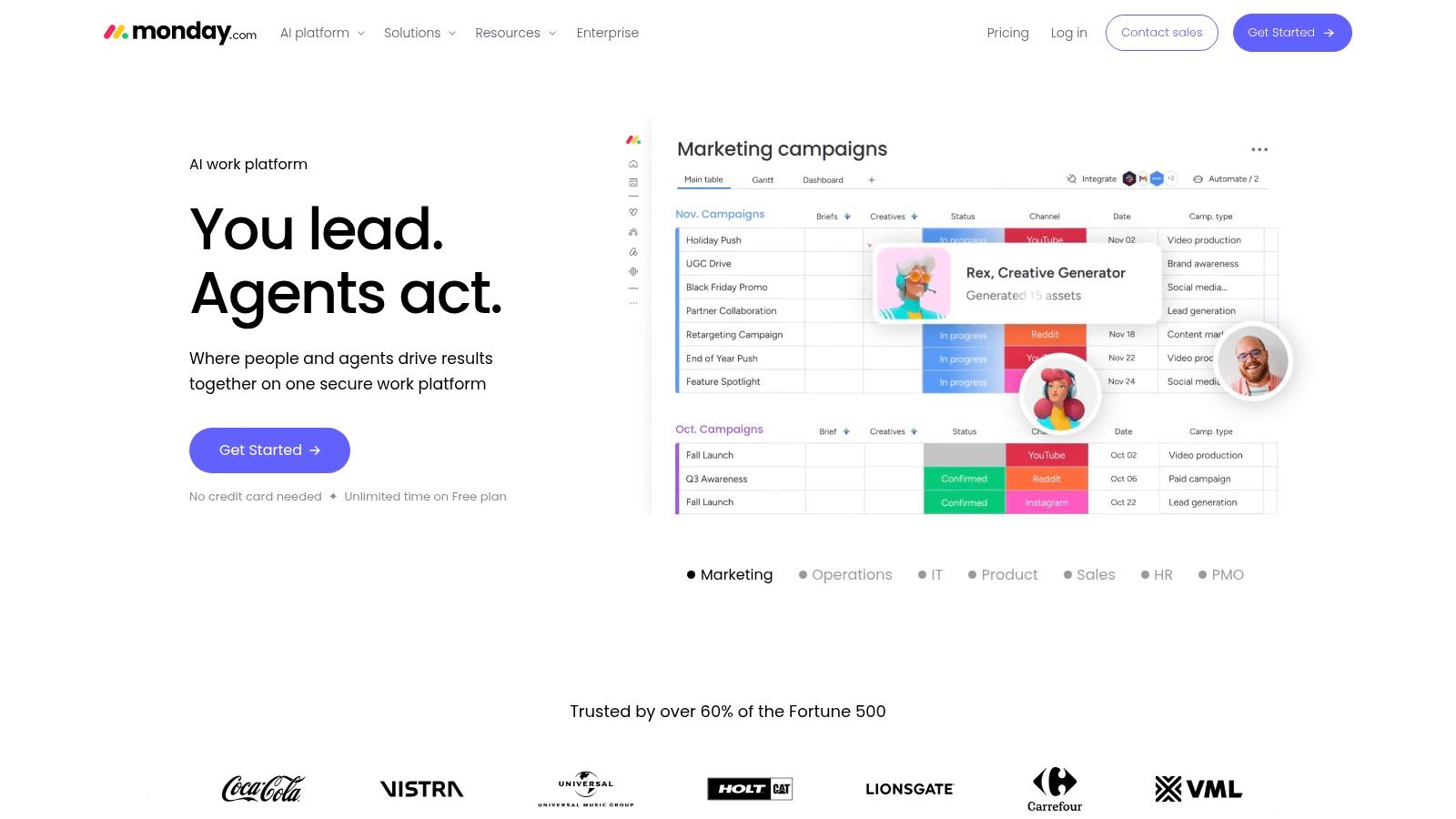
monday.com is the PM system many agencies choose when they want flexibility more than agency-specific opinionation. It can support campaign planning, creative production, media workflows, client intake, approvals, and internal handoffs. But it only works well if someone owns the structure.
That's the recurring theme with monday.com. It's powerful because it's adaptable. It's also risky for the same reason.
Where monday.com earns its keep
If your agency runs multiple work types, such as strategy, content, design, paid media, and web production, monday.com can give everyone a shared operating layer. Boards, automations, forms, proofing, workload views, and integrations help standardize delivery.
It's especially useful for agencies that need one planning system across many departments, not just one service line. Teams that want a better editorial rhythm should also review tools focused on content calendar software, because monday.com often works best when paired with a clear publishing process.
A broader perspective on workflow automation is in this guide to AI project management, which is helpful if your team is trying to automate production admin instead of only tracking tasks.
Where agencies need discipline
monday.com won't enforce good process by itself. Agencies need naming conventions, board templates, ownership rules, and cleanup habits. Without that, the system turns into a colorful backlog of half-maintained boards.
A few realities to keep in view:
- Excellent for custom delivery models: Especially when no single agency-specific PM platform fits all teams.
- Can scale well: If governance is assigned early.
- Costs rise with seats and add-ons: So map actual use before expanding access widely.
For larger agencies, monday.com often becomes the production spine, while CRM, reporting, SEO, and content tools sit around it as specialists.
Top 10 Marketing Agency Software Comparison
A comparison table is useful, but agency owners usually make better software decisions by mapping tools to the job they need done. CRM, SEO, content production, reporting, social management, and project operations solve different bottlenecks. The right stack depends less on feature volume and more on where your team loses time, where handoffs break, and how many clients you need to support without adding admin overhead.
| Tool | Primary agency function | Best fit in the stack | UX / Quality ★ | Value & Pricing 💰 | Target audience 👥 | Practical edge |
|---|---|---|---|---|---|---|
| WaveGen.ai 🏆 | Content repurposing and publishing | Content layer | ★★★★☆ | 💰 $20–$70/mo tiers; free trial; rolling credits | 👥 Creators, consultants, agencies, professionals | Turns source content into publishable social assets with brand controls and scheduling |
| HighLevel (GoHighLevel) | CRM, automation, funnels | CRM and client ops layer | ★★★☆☆ | 💰 Mid–high (agency plans; white-label revenue) | 👥 Agencies reselling SaaS / multi-client managers | Good fit for agencies that want client accounts, automations, and white-label resale in one system |
| HubSpot Marketing Hub | CRM, lifecycle marketing, automation | CRM for growth and retention | ★★★★☆ | 💰 High; modular/add-ons; enterprise pricing | 👥 SMB → Enterprise, agency partners | Better for agencies that need deeper pipeline visibility and stronger marketing-sales coordination |
| Semrush | SEO research and competitive planning | Search strategy layer | ★★★★☆ | 💰 Mid (seat/usage limits; add-ons) | 👥 SEO teams, agencies, digital strategists | Broad toolkit for research, audits, and planning across multiple client campaigns |
| Ahrefs | Backlinks, research, site audits | Search analysis layer | ★★★★☆ | 💰 Mid–high (plan/credit model; no traditional trial) | 👥 SEO specialists, agencies, technical teams | Often stronger for backlink work and quick competitive analysis |
| AgencyAnalytics | Client dashboards and recurring reports | Reporting layer | ★★★★☆ | 💰 Mid (bulk pricing; money-back guarantee) | 👥 Agencies focused on client reporting | Built for agencies that need white-label reporting without much setup friction |
| Whatagraph | Visual reporting and presentation | Reporting for presentation-heavy accounts | ★★★★☆ | 💰 Mid (pricing varies by data sources) | 👥 Agencies offering reporting-as-a-service | Better presentation polish for agencies that sell reporting as a visible client deliverable |
| Sprout Social | Social publishing, approvals, analytics | Social ops for larger teams | ★★★★☆ | 💰 High (per-seat pricing; add-ons) | 👥 Enterprise / large agencies with complex workflows | Strong approval flows and governance for teams with many stakeholders |
| Sendible | Social scheduling and client collaboration | Social layer for smaller teams | ★★★☆☆ | 💰 Budget-friendly (agency packaging) | 👥 Small → mid agencies and freelancers | Easier to roll out for agencies that need practical client-facing social workflows |
| monday.com | Project and production management | Delivery operations layer | ★★★★☆ | 💰 Mid (seat-based; apps/add-ons increase cost) | 👥 Creative, production & project teams in agencies | Flexible enough to run cross-functional delivery if you build good templates and rules |
The more useful comparison is category by category.
For a small agency, the starter stack usually needs one relationship tool, one reporting tool, one content or social tool, and one delivery system if work is getting messy. A practical setup is HighLevel or HubSpot for CRM, WaveGen.ai or Sendible for content and social execution, AgencyAnalytics for reporting, and monday.com only if client volume is high enough to justify the extra process layer.
Mid-size agencies usually need specialists. Search work often pushes the stack toward Semrush or Ahrefs. Reporting needs become more client-specific, which is where AgencyAnalytics or Whatagraph starts to matter. At this stage, overlap becomes expensive. If HubSpot owns lifecycle data, don't let reporting or PM tools become shadow CRMs.
Large agencies need cleaner ownership across functions. Sprout Social fits social governance better than lighter scheduling tools. HubSpot tends to make more sense than lighter CRM options when multiple teams depend on shared contact, campaign, and attribution data. monday.com often becomes the operating system for delivery, while SEO, content, reporting, and CRM tools stay in their own lanes.
That is the trade-off across this list. Some tools are broader. Some are better at one job. Agencies usually get better results by choosing software that fits a clear function, then building a starter stack that matches their size, service mix, and tolerance for process overhead.
Final Thoughts
The mistake most agencies make isn't choosing the “wrong” tool. It's buying software one problem at a time until the stack becomes harder to manage than the work itself.
A better way to think about software for marketing agencies is by function and operating maturity. Small agencies usually need a lean starter stack that covers content, client management, task flow, and reporting without too much overlap. A practical version looks like this: WaveGen.ai for content repurposing, HighLevel for CRM and automation, Sendible for social collaboration if needed, and AgencyAnalytics for reporting. That setup keeps the footprint small while covering the jobs that most often drain time.
Mid-size agencies usually need more specialization. At that stage, I'd look at HubSpot or HighLevel as the relationship core, Semrush or Ahrefs for search, WaveGen.ai for scalable client content output, Whatagraph or AgencyAnalytics for reporting, and monday.com for production management. The main goal is clarity. Each tool should own a job. If two tools overlap too much, one of them usually becomes shelfware.
Larger agencies have a different problem. They need governance, permissions, cleaner handoffs, and reporting that doesn't break when more stakeholders get involved. A stronger enterprise-leaning stack might be HubSpot for CRM and lifecycle data, monday.com for operations, Sprout Social for social governance, Semrush or Ahrefs for search, WaveGen.ai for on-brand repurposing at scale, and a reporting layer that matches the complexity of the client base. At that level, standardization matters more than squeezing every possible feature from each subscription.
There's also a broader adoption gap worth paying attention to. As of 2025, 58% of marketing agencies globally had implemented AI automation, but only 31% had moved beyond basic scheduling and reporting, according to OS for Your Business coverage of AI adoption in agencies. That lines up with what many teams are experiencing on the ground. Agencies are buying AI tools, but many still haven't integrated them fully into content operations, campaign workflows, and delivery systems.
That's why content repurposing deserves more attention than it gets. Too many software lists are full of CRMs, PM boards, and analytics tools, while the production bottleneck remains untouched. If your agency creates strong source content and then fails to distribute it consistently across channels, you're leaving value on the table every week. In many cases, the fastest operational win isn't another dashboard. It's removing the manual packaging work between idea and publish-ready asset.
One final point. Tool count isn't the scoreboard. The best stack is the one your team can run well. If a simpler system gives you cleaner handoffs, faster content production, and more reliable client reporting, it will outperform a bloated stack every time. The same logic applies when evaluating adjacent infrastructure choices like choosing an FFmpeg API. The best option is the one that fits the workflow you really have, not the one with the longest feature page.
If your agency already produces blogs, newsletters, podcast scripts, webinars, or video transcripts, WaveGen.ai is one of the fastest ways to turn that existing work into consistent, on-brand social output without adding more manual design steps. It's a smart place to start if content repurposing is still happening through copy-paste, Canva cleanup, and last-minute scheduling.
software for marketing agencies
marketing agency tools
agency software stack
crm for agencies
seo software
Turn this kind of writing into a week of social content.
Paste a blog post, newsletter, or rough draft — WaveGen turns it into publish-ready carousels, captions, and slideshows for every channel.
No credit card · First posts in 2min