June 17, 2026
16 min read
Best Content Calendar Software Guide 2026
Find the best content calendar software for your team. Our 2026 guide covers features, pricing, workflows, & pitfalls to avoid. Plan, create, publish better.

Your content calendar probably started as a simple spreadsheet. One tab held blog ideas. Another tracked social posts. Someone kept deadlines in Asana. Final images lived in a shared drive. Feedback showed up in Slack, email, and comment threads nobody could fully reconstruct later.
Then the team grew.
Now a blog post becomes a newsletter, three LinkedIn posts, short-form video notes, and sales enablement collateral. Someone changes a publish date, but the social team doesn't see it. A designer updates a graphic, but the writer is still linking the old version. An approver thinks a post is waiting on legal, while legal thinks marketing already shipped it.
That's the moment when a spreadsheet stops being a planning tool and starts becoming a risk surface. Content calendar software exists to fix that. Not just by putting content on a calendar, but by giving your team one shared operating system for planning, producing, approving, publishing, and repurposing content.
Table of Contents
- Beyond Spreadsheets Why Your Content Needs a Central Hub
- What Is Content Calendar Software Really
- Unpacking the Core Features You Actually Need
- How to Choose the Right Content Calendar Software
- From Planning to Repurposing Advanced Workflows
- Pricing Models and Pitfalls to Avoid
- Frequently Asked Questions About Content Calendar Software
Beyond Spreadsheets Why Your Content Needs a Central Hub
A growing team usually doesn't notice the problem all at once. It shows up in small failures.
A post misses its publish date because the due date changed in one file but not another. The email team promotes a webinar using a headline that the social team already replaced. A manager asks for a status update, and three people give three different answers. Nobody is incompetent. The system is.
That's why the move from spreadsheet planning to a central hub matters. The issue isn't whether a spreadsheet can hold dates. It can. The issue is whether it can hold the full context around a piece of content once more people, more channels, and more approvals get involved.
What breaks first
The first thing that breaks is usually visibility. A spreadsheet can show rows and dates, but it struggles to show what's blocked, what's ready, what needs review, and what belongs to which campaign.
Then version control breaks. Teams start duplicating work because they can't tell which brief, asset, or caption is current.
Finally, ownership breaks. If your blog editor, social manager, designer, and founder each use a different tool, nobody sees the whole lifecycle.
Practical rule: If your team regularly asks “Who owns this?” or “What version are we using?” your problem isn't planning discipline alone. It's system design.
A central hub changes that. Instead of treating content as isolated tasks, it treats each asset as a living record with dates, owners, files, comments, status, and channel plans attached.
Why stronger teams formalize this process
There's also a strategic reason to make the switch. A 2024 Sprout Social survey on content calendars found that 64% of the most successful companies have a documented content strategy that explicitly includes a content calendar, and 76% of respondents use tools for calendaring, collaboration, or workflow in their content marketing activities.
That doesn't mean software guarantees strong content. It means successful teams rarely rely on memory and scattered files.
A central hub gives you a few practical gains:
- Clearer planning: You can see what's publishing, where, and when.
- Faster handoffs: Writers, designers, and approvers work from the same record.
- Less rework: Comments and status updates stay attached to the content item.
- Better reuse: When one strong asset performs well, your team can turn it into more formats instead of starting over.
That last point matters more than many teams realize. The key value of content calendar software isn't just shipping on time. It's creating a repeatable system that turns one idea into many useful outputs.
What Is Content Calendar Software Really
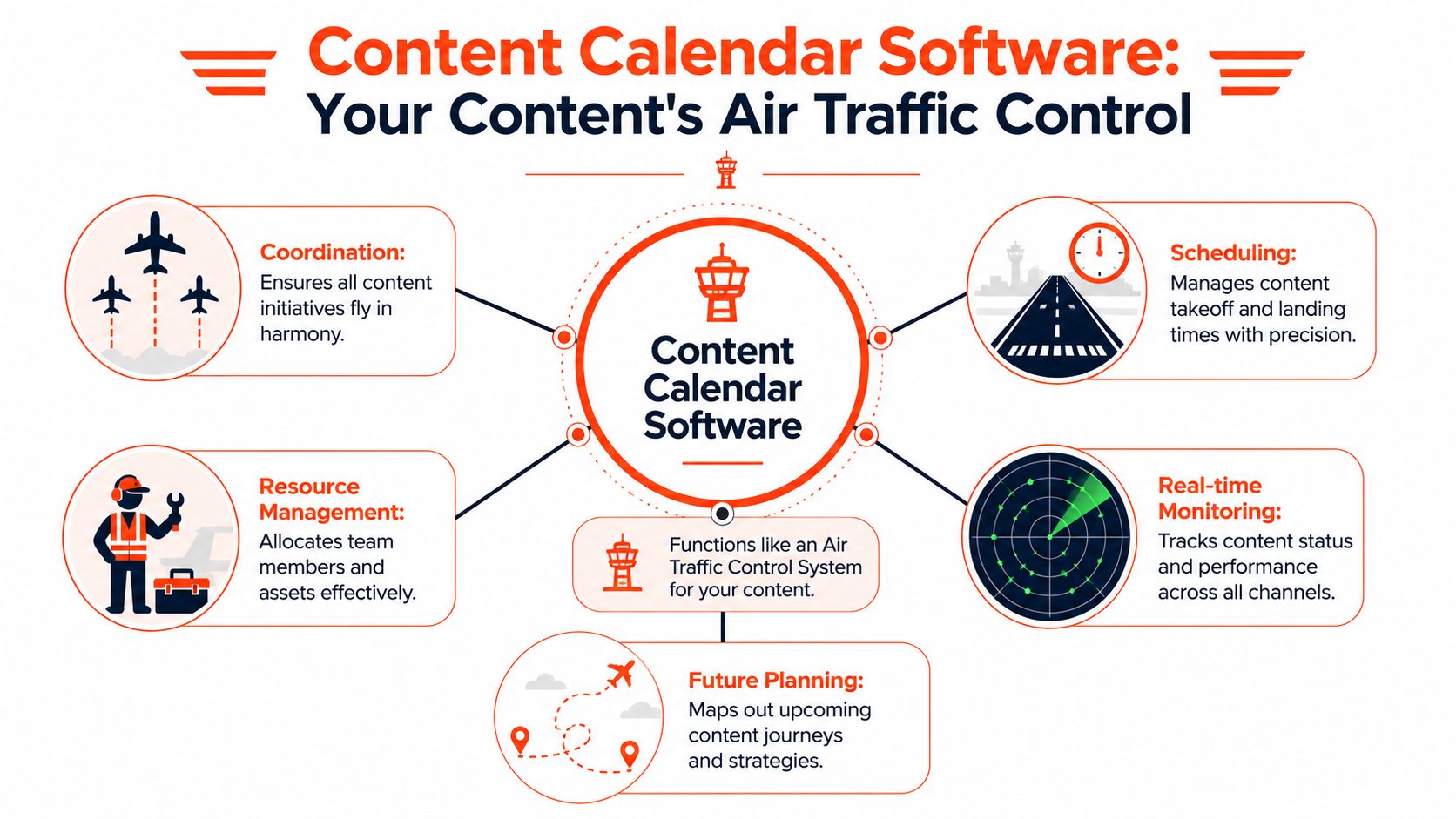
A wall calendar tells you when something happens. Content calendar software tells you what is happening, who is doing it, what it depends on, whether it's approved, where it will publish, and what should happen next.
That's why I like the air traffic control comparison. A runway schedule alone doesn't keep flights moving. Someone has to coordinate timing, sequence, clearance, and communication across many moving parts. Content teams face the same problem.
More than a publishing calendar
By 2026, mainstream content calendar software had evolved into a broader content operations category rather than a simple publishing calendar, according to this industry guide on content calendar software. The category is described as combining visual planning, scheduling, collaboration, analytics, and publishing across channels from one place.
That evolution makes sense. Modern teams aren't just asking, “What goes live on Thursday?” They're asking:
- Which campaign does this belong to?
- Has legal approved the copy?
- Which version fits LinkedIn versus Instagram?
- Do we already have creative for this?
- Can we reuse the webinar transcript for email and social?
- What else is going live that week?
A basic calendar can't answer those questions. An operations platform can.
What lives inside the system
A strong setup usually connects several layers of work:
| Layer | What it holds | Why it matters |
|---|---|---|
| Planning | Topics, campaigns, dates, channel mix | Keeps the team aligned on priorities |
| Production | Briefs, drafts, assets, owners | Reduces back-and-forth during creation |
| Review | Comments, approvals, permissions | Prevents accidental publishing and unclear signoff |
| Distribution | Scheduling, platform formatting, publishing | Helps each channel get the right version |
| Learning | Reporting, labels, reusable patterns | Improves the next cycle of content |
Many readers often find themselves confused. They think content calendar software is either a social scheduler or a project tool with dates. In practice, the stronger platforms sit between those categories. They give marketers a planning view, creators a production workflow, and managers a system for operational control.
A useful test is simple. If a tool only shows due dates, it's a calendar. If it also manages approvals, assets, channel-specific publishing, and reuse, it's part of your content operations stack.
That's the lens to use when evaluating tools. Don't ask whether it replaces a wall calendar. Ask whether it can run your content lifecycle without forcing the team to rebuild the process in five other apps.
Unpacking the Core Features You Actually Need
Feature lists can be misleading because vendors often present everything as equally important. It isn't. What matters is whether a feature solves a recurring operational problem for your team.
Start with the visual layer. If people can't see the plan clearly, they can't manage it.
Features that prevent common failures
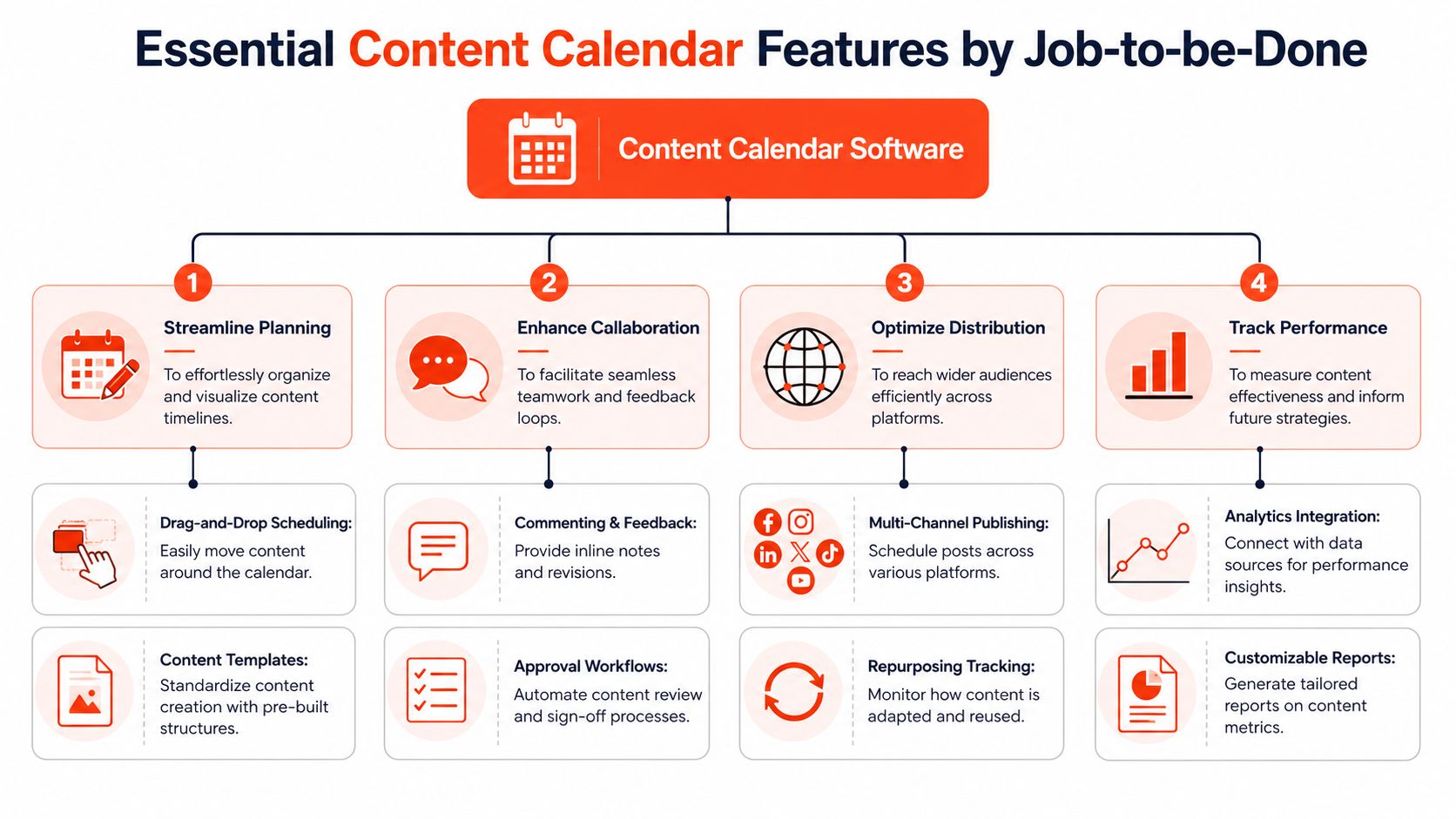
A drag-and-drop calendar matters because content plans change constantly. Campaign timing shifts. A subject matter expert misses a deadline. A launch moves. Teams need to reschedule without rebuilding the whole plan manually.
Inline comments and collaboration matter because feedback attached to the asset is easier to act on than feedback scattered across Slack and email. When a designer can reply under the exact post draft, confusion drops fast.
Approval workflows matter because they create publishing control. A junior marketer shouldn't be able to push a sensitive announcement live before the right reviewer signs off. Even simple approval stages can protect the brand from avoidable errors.
A centralized asset library matters because content work is rarely text-only. Teams need quick access to thumbnails, graphics, transcripts, links, briefs, and prior versions without hunting through folders.
Later in the workflow, publishing integrations matter because hand-copying finished content into each destination creates friction and mistakes.
Here's a useful way to evaluate core features:
- For planners: Calendar views, campaign labels, content templates
- For creators: Draft storage, attachments, comments, task ownership
- For approvers: Review states, signoff routing, permissions
- For operators: Scheduling, integrations, reporting, status visibility
Why multiple views matter more than teams expect
Different roles need different views of the same work. Editors often want a list. Social managers may prefer a feed or grid. Operations leads may need Kanban or Gantt to spot bottlenecks.
Airtable notes that dynamic views can visualize the same content data in calendars, grids, galleries, Kanban, Gantt, and forms, while Planable exposes calendar, feed, list, and grid views with drag-and-drop rescheduling in this guide to content calendar software views. The key operational point is that the same underlying record can appear in multiple synchronized views, which reduces version drift.
That matters in daily work. One team changes a status once, and everyone sees the update in the format that makes sense for them.
If your team duplicates the same content item across a spreadsheet, project board, and social scheduler, you don't have multiple views. You have multiple sources of confusion.
This becomes even more important once you pair planning with creation tools. Teams often connect calendars with drafting, design, or automation platforms. If you're building that broader stack, it helps to understand how AI content creation tools fit into modern workflows.
A short walkthrough helps make these feature decisions more concrete:
The goal isn't to buy the most feature-rich platform. It's to buy the system that removes the most friction from planning through publishing.
How to Choose the Right Content Calendar Software
Many organizations choose too early. They compare tool screenshots before they've defined the job the tool needs to do.
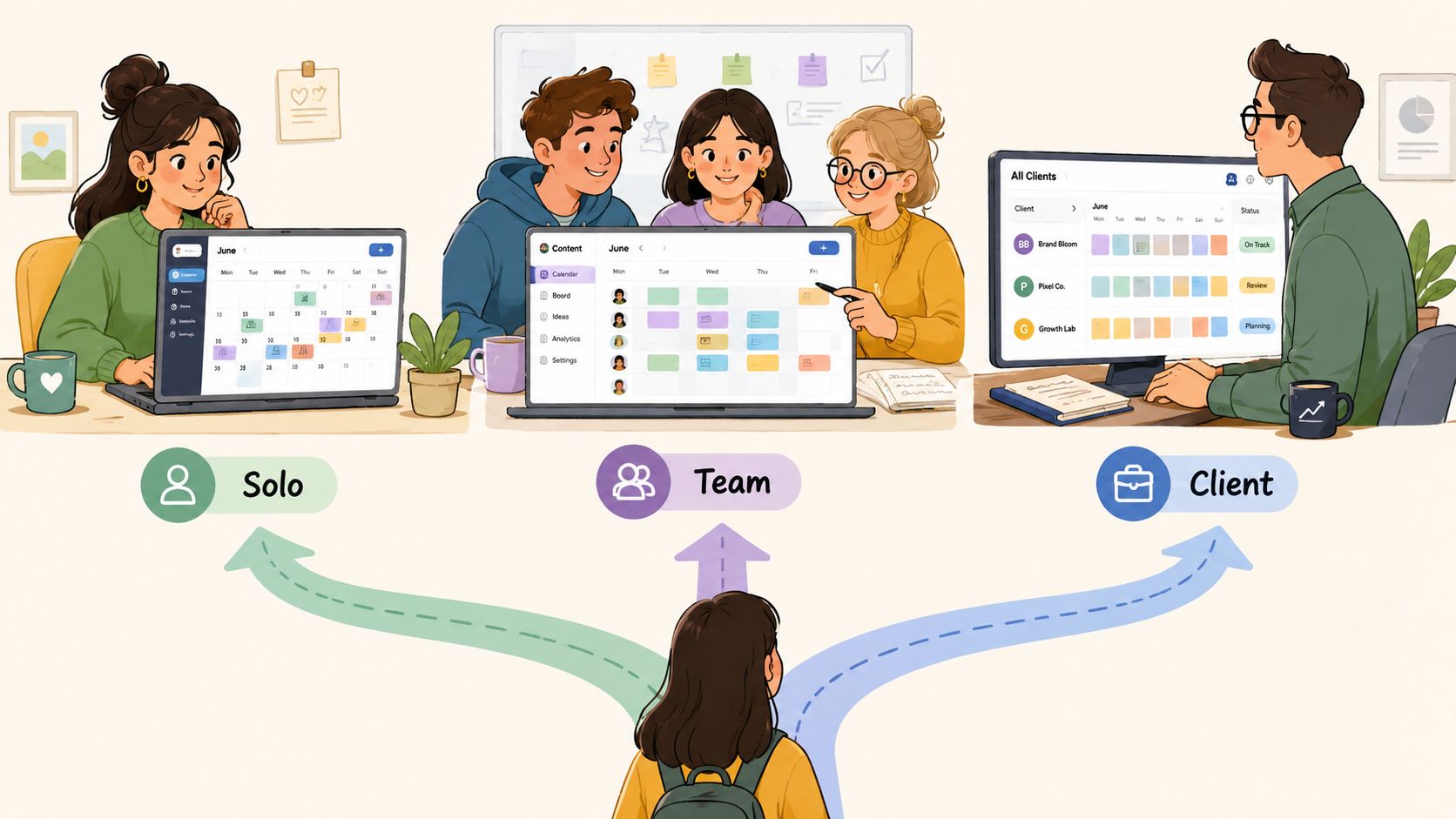
A better approach is to choose based on operating context. A solo creator has a very different problem from an agency managing multiple brands and approval chains.
Three common buyer profiles
Solo creator or consultant
This buyer needs low friction. They usually care about capturing ideas, assigning publish dates, reusing themes, and scheduling to a few channels without opening a complex operations suite. Simplicity matters more than layered permissions.
Good fit criteria include:
- Quick setup: You should be able to start planning the same day
- Light automation: Recurring content and basic publishing save time
- Clear visibility: A calendar and list view are usually enough
Small business marketing team
This team needs more structure because several people touch the same content. One person writes, another designs, another reviews, another publishes. The software should support collaboration without becoming a project management maze.
Look for:
- Role clarity: Owners, due dates, status fields
- Approval control: At least a basic review process
- Cross-channel planning: Blog, email, and social in one place
Agency or multi-brand manager
This buyer needs separation and governance. One client shouldn't see another client's work. Approval routes differ by account. Publishing volume is higher, and integration depth matters more.
For that use case, the critical technical requirement is workspace and permission isolation plus automated publishing depth. Monday.com describes content calendar software as supporting multi-brand operations through workspace separation and custom permissions in this overview of social media content calendar requirements.
A practical decision filter
Instead of asking “Which tool is best?” ask these questions in order:
| Question | Why it matters |
|---|---|
| How many people touch one content item before it ships? | Reveals approval complexity |
| Do you publish across blog, email, and social, or mostly social? | Shapes integration needs |
| Do you manage one brand or many? | Determines whether workspace isolation matters |
| Do you need campaign planning or only post scheduling? | Distinguishes strategy tools from publishing tools |
| Can your team maintain a customizable system? | Helps you choose between flexibility and simplicity |
Selection advice: Choose the simplest tool that can handle your next stage of complexity, not just your current one.
If your process is still loose, start by mapping it on paper. Define statuses, handoffs, and recurring content types first. Then compare tools against that workflow. Teams that need a starting point often find it helpful to work from an editorial calendar template before committing to software.
That sequence matters. When teams skip workflow design, they often blame the tool for problems the tool was never configured to solve.
From Planning to Repurposing Advanced Workflows
Teams often underuse content calendar software because they treat publishing as the finish line. It's better to treat publishing as the midpoint.
A calendar becomes more valuable when it tracks what should happen before and after launch. Before launch, it keeps work organized. After launch, it helps the team turn one strong asset into many related pieces.
Workflow one from idea to approved asset
Take a single webinar topic.
It starts as a planning card with a working title, target audience, campaign label, owner, and tentative date. Once approved, that same record can hold the brief, speaker notes, draft promo copy, design requests, and review status. As work progresses, the date may stay the same while the status changes from idea to draft to review to scheduled.
Nothing gets lost because the team isn't recreating the item at every stage. They're moving one record through a lifecycle.
A simple lifecycle might look like this:
- Idea captured: Topic, audience, goal, owner
- Brief approved: Angle, outline, required assets
- Production in motion: Drafting, design, video, review
- Distribution prepared: Channel-specific versions linked
- Published and tagged: Final assets stored for reuse
That last step is where mature teams separate themselves. They don't let a finished asset disappear into an archive.
Workflow two turning one asset into a repurposing engine
Suppose your team publishes a detailed article. In a weak system, the article gets marked “done” and the team moves on.
In a stronger system, the content calendar marks that article as a source asset. The team then creates linked follow-on tasks for social posts, email highlights, quote cards, short video clips, and carousels. The calendar shows the relationship between the original piece and the derivative content.
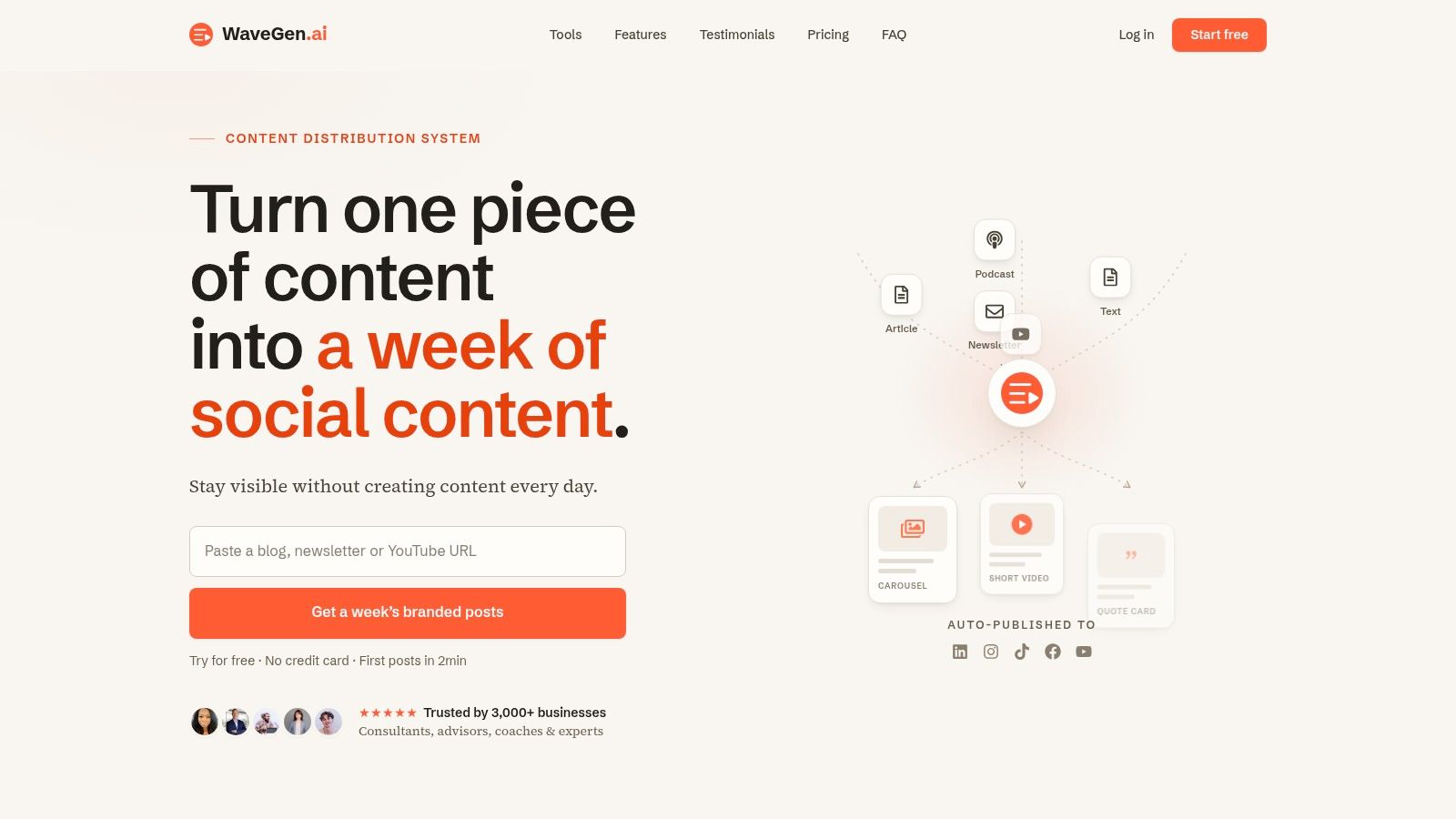
Here's where distribution tools can fit naturally. One option is WaveGen.ai's AI content repurposing workflow, which turns a single article, newsletter, podcast script, or transcript into platform-specific social assets such as carousels, short videos, quote cards, and captions. In that setup, the calendar acts as the control layer, while the repurposing tool handles asset generation and formatting.
This visual helps illustrate that shift from planning to distribution:
What repurposing changes operationally
Repurposing isn't just a productivity trick. It changes how teams plan content from the start.
When you know a webinar can feed blog, email, and social, you plan better source material. You capture stronger quotes. You write more reusable headlines. You record transcripts intentionally. The calendar becomes a map of content relationships, not a row of disconnected deadlines.
Treat your calendar as a content supply chain. One strong source asset should feed multiple downstream formats.
That's also how content connects more directly to business outcomes. A team that repurposes intentionally can stay visible across channels with more consistency, reinforce the same message in multiple formats, and get more use from each approved idea. The calendar isn't just documenting output. It's orchestrating multiplication.
Pricing Models and Pitfalls to Avoid
Pricing pages make content calendar software look straightforward. In practice, the bill often depends on how the vendor packages users, workspaces, social profiles, approvals, analytics, or publishing access.
The most common pricing structures fall into three categories:
- Per-user pricing: Costs rise as more writers, editors, clients, or approvers need access
- Feature-tier pricing: Lower plans may exclude approvals, analytics, or automation
- Usage-based pricing: Limits may depend on workspaces, brands, or connected channels
That's the surface-level cost. The bigger cost is choosing a tool that doesn't solve the operational problem you have.
Where teams waste money
A small team often overbuys. They purchase an advanced platform with enterprise governance they won't use for a long time.
A larger team often underbuys. They choose a cheap, lightweight scheduler and then rebuild missing features through manual review steps, duplicate records, and workarounds.
There's also an adoption trap. A tool can look perfect in a demo and still fail if the team doesn't understand status rules, naming conventions, or approval paths.
The harder question to ask vendors
One underserved angle in this category is whether the software improves business outcomes, rather than just scheduling hygiene. Most coverage frames the category around planning views and coordination, but not around measurable ROI such as pipeline, lead quality, or conversion lift, as noted in this discussion of content calendar software ROI gaps.
That creates a better buying question: not “Does it have every feature?” but “What decisions will this help us make better?”
Ask vendors things like:
- What downstream metrics can we connect to content records?
- Can we track which campaign or source asset generated follow-on content?
- How easily can we compare planned output with published output?
- Does this reduce review time, missed handoffs, or duplicate work?
If a tool only makes your schedule prettier, it may still help. But if it helps your team plan, publish, reuse, and learn from content more consistently, that's closer to a real return.
Frequently Asked Questions About Content Calendar Software
Can't I just use Asana, Trello, or Notion
Yes, you can. Many teams do.
The tradeoff is that general project tools usually need customization before they feel like content systems. You may miss content-specific capabilities such as post previews, channel-aware workflows, publishing integrations, asset relationships, or synchronized views designed for editorial work. If your team already runs everything in a general work tool, it may be enough. If content is becoming a core growth function, dedicated software usually fits better.
Is content calendar software only for social media teams
No. Social teams use it heavily, but the category is broader than social scheduling.
A strong setup can coordinate blog posts, newsletters, webinars, landing pages, podcasts, launch campaigns, and repurposed assets from one source piece. That's especially helpful when one content idea needs to move across several channels over time.
What should a content record include
At minimum, each record should hold the topic, owner, status, target publish date, destination channel, and working asset links.
As the team grows, most benefit from adding campaign labels, approval state, format type, source asset references, and notes about repurposing opportunities. The point is to reduce the amount of context people need to reconstruct from memory.
How long does setup usually take
That depends on how complex your workflow is.
A solo creator can often begin quickly with a simple status system and recurring content templates. A team with multiple approvers, channels, and brands usually needs more planning because naming conventions, permissions, and workflow stages need to be defined before the tool feels useful.
What's the biggest mistake teams make
They buy software before agreeing on process.
If your team hasn't defined stages like idea, draft, review, scheduled, published, and repurposed, the tool won't create clarity on its own. It will just hold messy work in a more expensive place.
How do I know if we've outgrown spreadsheets
You've probably outgrown them if your team regularly deals with missing context, duplicate updates, unclear ownership, or scattered feedback.
Another sign is when publishing one asset creates several follow-on tasks that aren't tracked together. At that point, your issue isn't just planning dates. It's managing a content lifecycle.
If you're publishing long-form content and want a simpler way to turn each piece into a coordinated stream of social assets, WaveGen.ai can fit into that workflow. It converts source content like articles, newsletters, podcast scripts, and transcripts into platform-specific posts, which can help teams connect their content calendar to a repeatable repurposing process.
content calendar software
content marketing tools
social media calendar
editorial calendar
marketing automation
Turn this kind of writing into a week of social content.
Paste a blog post, newsletter, or rough draft — WaveGen turns it into publish-ready carousels, captions, and slideshows for every channel.
No credit card · First posts in 2min