July 23, 2026
11 min read
How to Edit a TikTok Video: A 2026 Engagement Guide
Learn how to edit a TikTok video that captivates audiences. Our step-by-step 2026 guide covers everything from basic trims to advanced effects and repurposing.
You've got the clips, the idea is solid, and the deadline is probably closer than you'd like. Then you open TikTok's editor and suddenly every button feels like a decision you could get wrong. That's normal. The fastest way to make a better TikTok isn't memorizing every feature, it's editing with retention in mind, so the first few seconds feel intentional, the pacing stays tight, and the final post can work as both a native TikTok and a reusable asset for other platforms.
Table of Contents
- From Raw Idea to Viral Potential
- Preparing Your Footage for a Clean Edit
- Mastering the Core TikTok Editing Toolkit
- Adding Layers for Polish and Clarity
- Optimizing Your Video for Engagement and Reach
- Beyond TikTok Repurposing Your Content for Maximum Impact
From Raw Idea to Viral Potential
A strong TikTok idea can still stall once it reaches the edit because the app gives you several ways to start and too many choices can blur the goal. TikTok is no longer just a trim-and-post tool. It has grown from a short-form app into a broader editor where videos can run from 15 seconds to 10 minutes, and where auto-generated captions and post-publication editing make the workflow more repeatable Buffer's guide to editing TikTok videos.
That shift changes the editor's job. You are shaping where attention lands first, where the viewer needs a reset, and what gets removed before interest drops. For a social team, the edit has to support the message, the brand, and the distribution plan, not just the footage.
When editors make choices based on social media trend analysis, the cut starts to reflect what viewers already respond to. That does not mean chasing every trend. It means using trend signals to decide whether a hook needs speed, a payoff needs more setup, or a recurring format should be kept tight enough to fit how people watch.
Start with the outcome, not the timeline
The fastest way to shape a TikTok edit is to decide what the viewer should feel at the start, in the middle, and at the end. If the video teaches something, remove every pause that slows comprehension. If it aims to entertain, keep motion, reaction, and visual change moving often enough that the viewer stays with it.
Practical rule: if the raw footage only works when the viewer is already patient, the edit is not doing enough.
That is why editing has strategic value. TikTok distribution rewards watch behavior, so the cut has to earn time instead of assuming it. Treat editing as a production workflow, not a button-pushing exercise, and you get better pacing, cleaner storytelling, and a video that can be reused later without being rebuilt from scratch.
Preparing Your Footage for a Clean Edit
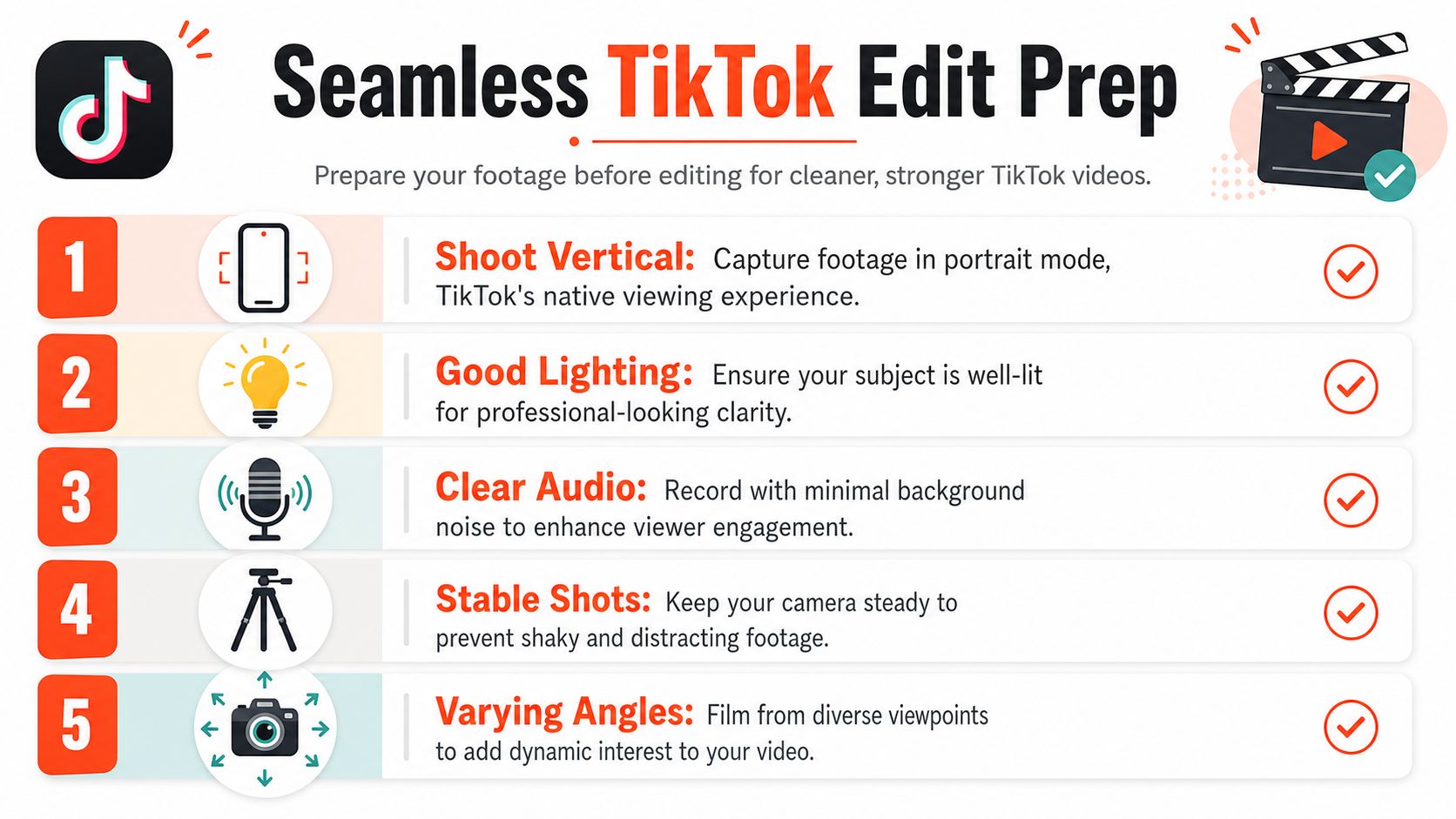
The cleanest TikTok edits usually happen before the editor opens. The biggest beginner mistake is shooting everything in one continuous take and hoping trimming will fix it later. It usually does not, because dead air stays dead air, and awkward camera movement is still awkward camera movement after you cut around it.
Shoot for editability
Leave brief pauses between lines when you record. Those small gaps make it easier to cut cleanly without making your speech feel chopped up. Capture more B-roll than you think you need, too, because extra angles, product close-ups, and reaction shots give you room to hide cuts and keep the screen visually active.
A vertical frame is standard practice for TikTok. The standard export format is 1080×1920, and many creators work at 30 fps for a standard look or 60 fps for smoother motion-heavy clips edicionvideopro.com. If you want a quick reference for that format, this TikTok video size guide is useful. Those settings are not magic, but they make the edit easier to manage and keep the final file aligned with TikTok's mobile-first viewing experience. For teams reusing footage across channels, that resolution also gives you a clean base for downstream crops and reposts.
Organize before you import
Name or group your clips in your phone gallery by scene, setup, or talking point. If you have ever lost ten minutes scrolling for “the shot where I looked to the left and smiled,” you already know why this matters. Clean organization speeds up the import process and helps you spot the best hook clip before you get buried in options.
Keep the most promising opener in a separate folder. That small habit saves time and usually leads to a stronger first cut.
A useful benchmark during this stage is retention, not perfection. Auralume AI's free video software insights can help teams compare editing workflows when they are choosing tools for faster rough cuts and cleaner organization. One widely used editing guide treats average watch time above 60% as excellent, with lower performance suggesting the hook or pacing needs work edicionvideopro.com. You will not hit that number by accident. You get there by making the source footage easy to cut, easy to scan, and easy to reshape before the main editing starts.
Mastering the Core TikTok Editing Toolkit
A TikTok edit wins or loses attention in the first few seconds. The core tools are simple, but each trim changes how long someone keeps watching and whether the clip feels intentional or dragged out. Open with a 1- to 3-second hook, then cut hard enough that the viewer always knows what the video is doing Social Revver's TikTok editing guide.
Trim and split for momentum
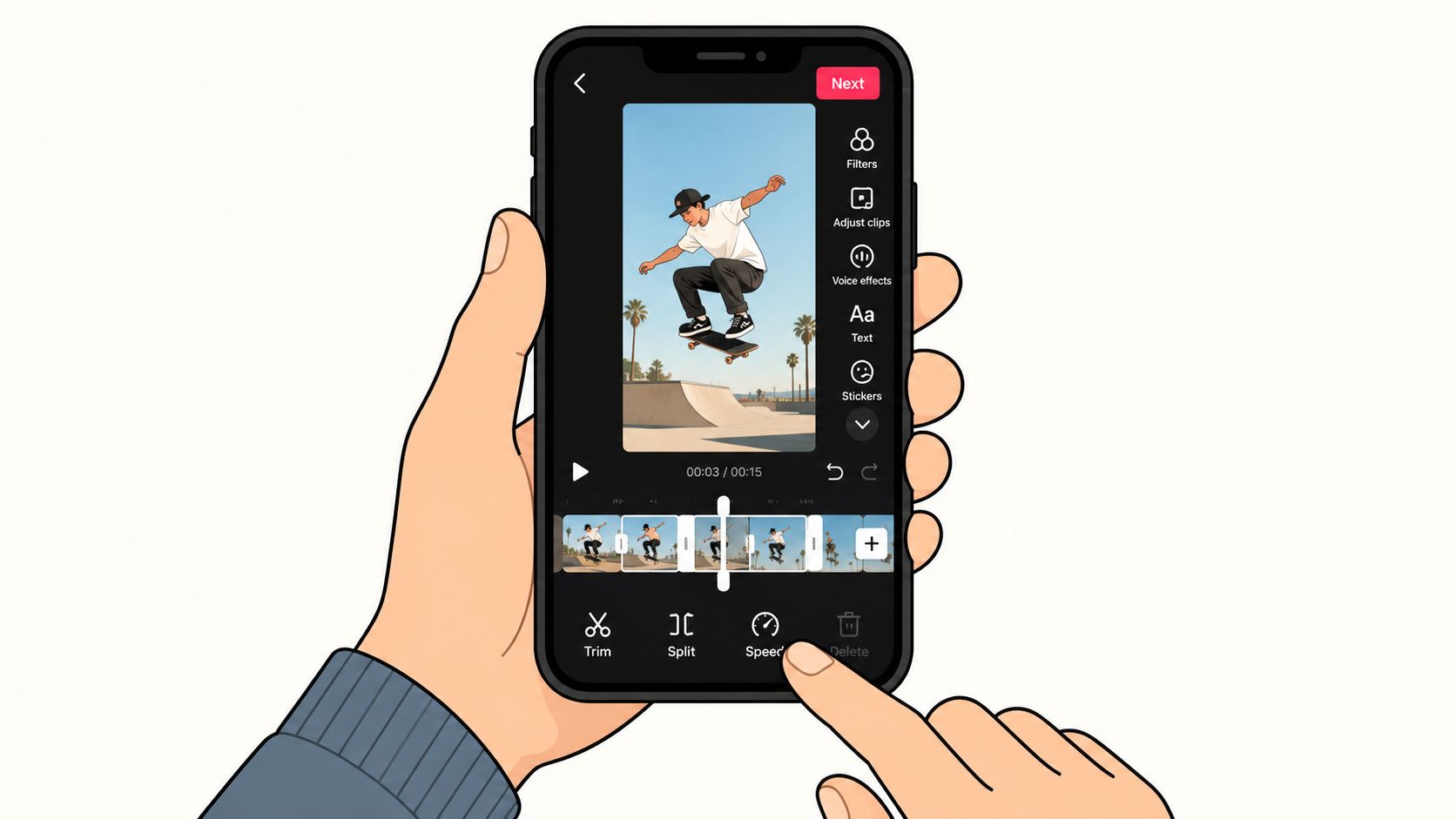
Trim is the cleanup tool, but it also sets the pace. Use it to remove breathy starts, extra setup, and any line that repeats what the viewer already picked up. Split goes further, because it lets you cut out the middle of a sentence or jump to the next beat without keeping the whole clip intact.
That's where jump cuts create the momentum. A strong TikTok edit often uses jump cuts every 2 to 3 seconds in the first 15 seconds, then can stretch to 4 to 5 seconds once the viewer is already committed Social Revver's TikTok editing guide. The goal is not to make the video frantic. The goal is to keep the rhythm moving so the viewer does not get enough pause to swipe away.
Use speed, effects, and transitions with restraint
Speed controls help when a clip drags or when a repetitive action needs to be compressed. Slow motion can emphasize a reaction or reveal, while a faster segment can turn a routine sequence into a quick payoff. The trade-off is clarity. If speed changes make speech hard to follow, the edit is helping style more than story.
Effects and filters should support mood, not compete with the footage. A subtle visual treatment can make a product demo or outfit change feel more coherent, but too many overlays make the frame busy and weaken the message. Transitions work the same way. Clean cuts usually beat flashy transitions unless the transition itself is the point of the video.
If a transition makes the viewer notice the editing more than the content, it's probably too much.
For teams comparing editors and workflows, Auralume AI's free video software insights can help you judge which tools keep the process fast without making the cut harder to read. The best tool is the one that lets you move quickly while keeping the story clear.
Adding Layers for Polish and Clarity
The raw cut gives you structure. The layers on top give the viewer context, accessibility, and a reason to keep watching with sound off or sound on. Good text and audio choices do more than decorate the frame, they direct attention.
Build captions and text that actually help
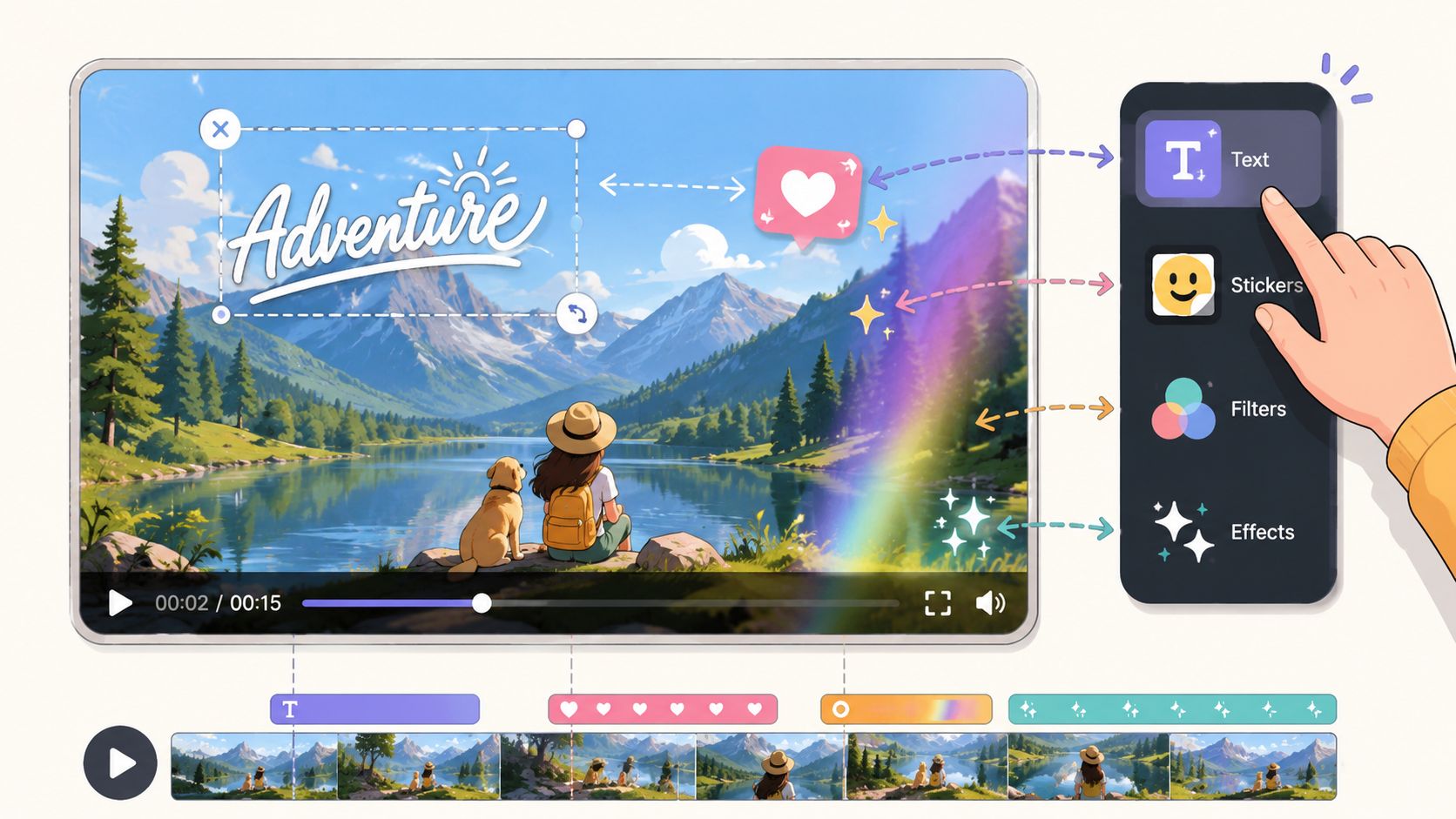
On-screen text should do one of three things, clarify, emphasize, or guide the viewer to the next beat. Keep it short, place it where it won't block the subject, and time it to the moment it matters. Auto-captions help a lot here, but they still need cleanup because names, jargon, and brand terms often need manual correction.
Captions are especially important for accessibility and silent viewing. They also give your video a second layer of structure, which matters when your spoken delivery is fast or the visual context changes quickly. If the text repeats the audio exactly, it can feel redundant. If it reinforces the key idea with a slight simplification, it usually works better.
Use stickers, GIFs, and sound as support, not decoration
Stickers and GIFs work best when they add quick emotional context. A small visual cue can make a joke land or highlight a reaction, but clutter pushes attention away from the subject. Keep them selective. The frame should still feel like the main event.
Audio does even more work. The best TikTok edits balance voice, music, and effects so the viewer never has to strain to hear the message. Trending sounds can help a video feel current, but the cleanest result usually comes from making sure the voice stays intelligible and the background track doesn't swallow the hook.
Here's a useful way to think about it. The visual layer carries the message, but the sound layer controls the pace of how the message lands.
When you're editing speech-heavy content, sound design is often the difference between a post that feels polished and one that feels rushed. Small adjustments to volume and timing can make the whole video easier to follow, especially when the viewer is deciding whether to stay past the first few seconds.
Optimizing Your Video for Engagement and Reach
A strong edit still needs packaging. TikTok doesn't just judge what's inside the video, it responds to the signals around it, including the first frame, the caption, and the tags you choose. Those pieces work together like a handshake between the content and the platform.
Make the hook visible before the viewer taps play
The hook should exist in two places, visually and textually. On screen, that might be a bold statement, a question, or the outcome shown first. In the caption, it should reinforce the same idea rather than introducing a separate topic. That consistency helps the viewer understand the video before they commit to the full watch.
A good cover image matters here too. It should read clearly on a profile grid and hint at the value of the clip without requiring explanation. If your cover and opening frame feel disconnected, the video has to work harder to earn the tap.
Write for response, not just description
Captions should do more than summarize what's happening. They can invite comments, frame a debate, or give the viewer a reason to share the clip with someone else. Hashtags work best when they're mixed deliberately, with broad discovery terms, niche topic tags, and community-specific labels that match the audience you want.
If you're pulling spoken content into written form for captions, descriptions, or repurposed posts, get text from TikTok content is a useful reference for turning a video's audio into editable copy. That kind of workflow is especially helpful when a post's value lives in the words as much as the visuals.
The key is consistency between the edit and the metadata. A sharp hook loses impact if the caption sends a different message. A strong cover image underperforms if the first few seconds feel unrelated. When all three point in the same direction, the video is easier to understand, easier to click, and easier to keep watching.
Beyond TikTok Repurposing Your Content for Maximum Impact
A TikTok edit should do more than leave the app cleanly. If the clip is structured with reuse in mind, one vertical cut can become the base for Reels, Shorts, LinkedIn posts, and other formats. That makes the export step more than a technical finish. It is often the point where a good edit either stays useful or gets trapped in one platform.
Export once, reuse everywhere
The strongest repurposing workflow starts with a clean export and a file you can rely on later. Keep the video vertical, but also make sure it still looks sharp if another platform crops it, adds subtitles, or displays it in a different feed. Save a version that lives outside the TikTok interface, so you are not forced to rebuild the asset every time you want to post it again.
For a team, a key value is consistency. A single edit can support multiple posts without changing the core message, which matters when different channels need the same idea presented in slightly different ways. If the structure, captions, and visual emphasis are planned well, the clip becomes a reusable asset instead of a one-time upload.
Build a distribution habit around the edit
Editing works better when it is tied to distribution from the start. If the team already has a repeatable way to turn one video into supporting social assets, publishing does not become the end of the process. It becomes the first step in a wider rollout, which is exactly how stronger content systems keep momentum after the initial post goes live.
That approach is spelled out well in WaveGen.ai's video content strategy guide, because it treats the edited video as the source asset rather than the final output. For creators and marketers who need a post to travel across channels, that model usually makes more sense than treating each platform as a separate project.
The practical takeaway is straightforward. Edit the TikTok for attention, then keep the file and the message flexible enough to earn another round of reach on the next platform.
If your workflow is built around editing once and distributing across multiple channels, WaveGen.ai can handle the repurposing side. It turns a finished TikTok into a week of on-brand social content, so you can stay focused on the edit instead of repeating the same reformatting work.
how to edit a tiktok video
tiktok editing
video editing guide
tiktok for business
content repurposing
Turn this kind of writing into a week of social content.
Paste a blog post, newsletter, or rough draft — WaveGen turns it into publish-ready carousels, captions, and slideshows for every channel.
No credit card · First posts in 2min