July 12, 2026
12 min read
Facebook Caption Generator: A Guide to High Engagement
Learn to use a Facebook caption generator for more than just ideas. This guide covers tone, length, hashtags, and how to automate your workflow with WaveGen.ai.
You've got the visual ready. The post idea is solid. The offer is clear. Then the cursor starts blinking in the Facebook caption box, and everything slows down.
That's where one might reach for a Facebook caption generator. And that's not a bad instinct. The mistake is treating the tool like the strategy. A generator can give you language quickly, but it can't decide what kind of response you want from the post, what tone fits the brand, or whether the draft is appropriately built for Facebook behavior.
A better approach is to treat caption writing like a lightweight production workflow. Strategy comes first. Generation comes second. Refinement is where performance is won. Automation is what makes the whole thing sustainable.
Table of Contents
- Beyond the Blank Box The Modern Caption Workflow
- Mastering the Three Pillars of a Great Facebook Caption
- How to Prompt an AI for a Powerful First Draft
- Editing AI Captions for Brand Voice and Performance
- Automate and Scale Your Caption Workflow with WaveGen.ai
- Your Path to Consistent High Quality Content
Beyond the Blank Box The Modern Caption Workflow
The blank caption field isn't really the problem. Uncertainty is the problem. You're trying to compress a message, a brand voice, a platform norm, and a business goal into a few lines of text without wasting time.
That's why free caption tools have spread so widely. Many major platforms position their Facebook caption generators as free, web-based tools with no login or payment required, including Birdeye, Planable, Kontentino, Vaizle, and OneUp, which lowers the barrier to quick experimentation and fast drafting through a browser-based workflow on Birdeye's Facebook caption generator page.
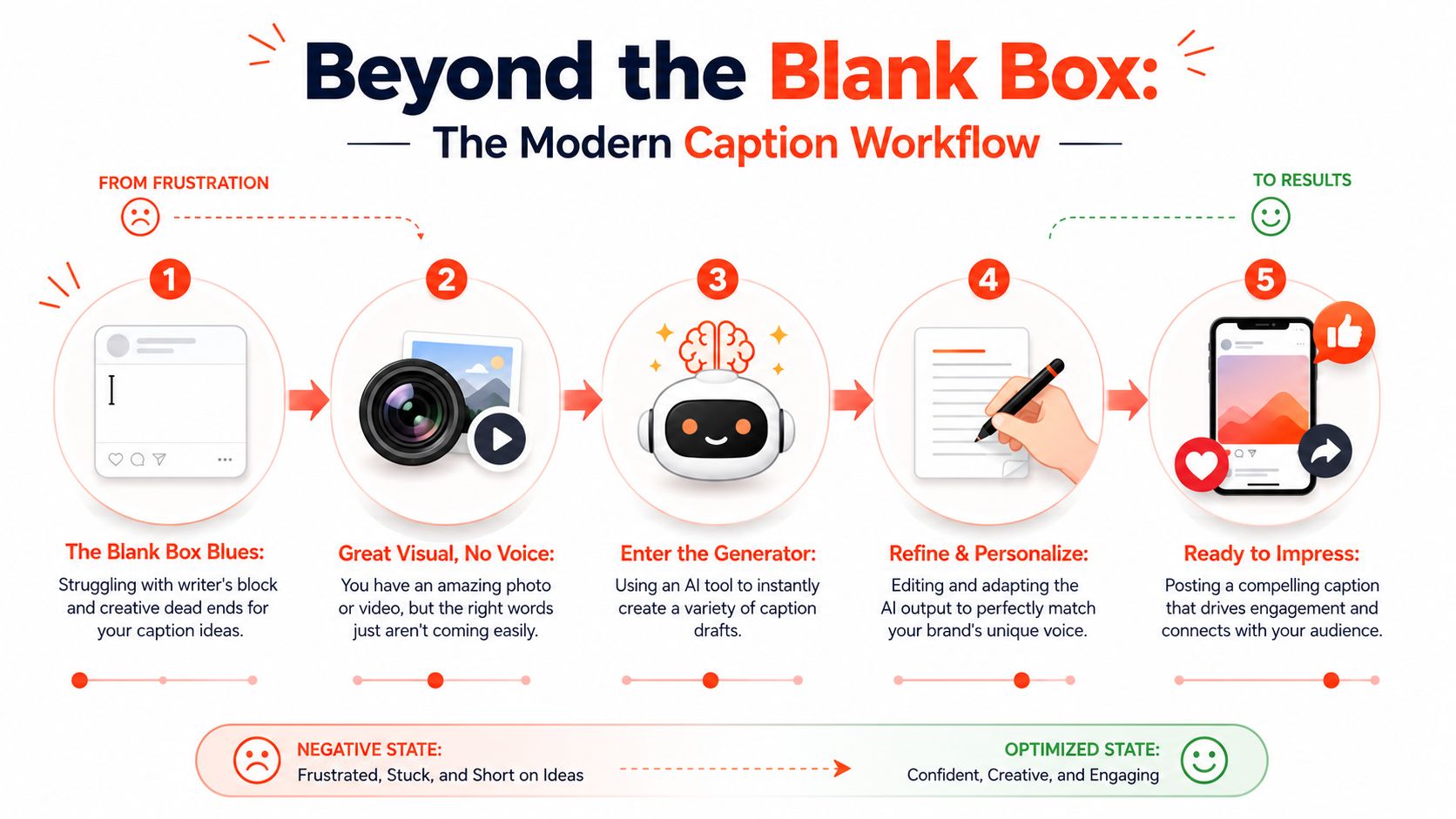
The useful shift is to stop thinking in terms of “write a caption” and start thinking in terms of a repeatable workflow.
The four working stages
Strategy first
Decide the job of the caption before you generate anything. Is this post trying to earn comments, drive clicks, support a launch, or make the brand feel more human?Generation second
Use a Facebook caption generator to create options, not final copy. The first draft should save time, not replace judgment.Refinement third Edit for clarity, voice, pacing, and platform fit. At this point, the generic draft becomes usable.
Automation last
Once you know what good looks like, systemize it. That's how teams maintain output without rewriting every post from zero.
Practical rule: AI should remove friction from drafting. It shouldn't remove thinking from publishing.
This matters even more when you're publishing at pace. A weekly content system falls apart if every caption depends on fresh inspiration. Teams that plan from themes, campaigns, and source content usually write better captions because they're not improvising under deadline pressure. That's also why a content calendar matters before the generator comes into play, especially if you're building around a documented social media content plan.
Mastering the Three Pillars of a Great Facebook Caption
A strong Facebook caption does three jobs in sequence. It stops the scroll. It rewards attention. It tells the reader what to do next.
When those three parts are missing, even polished copy feels soft. It may read well, but it doesn't move.
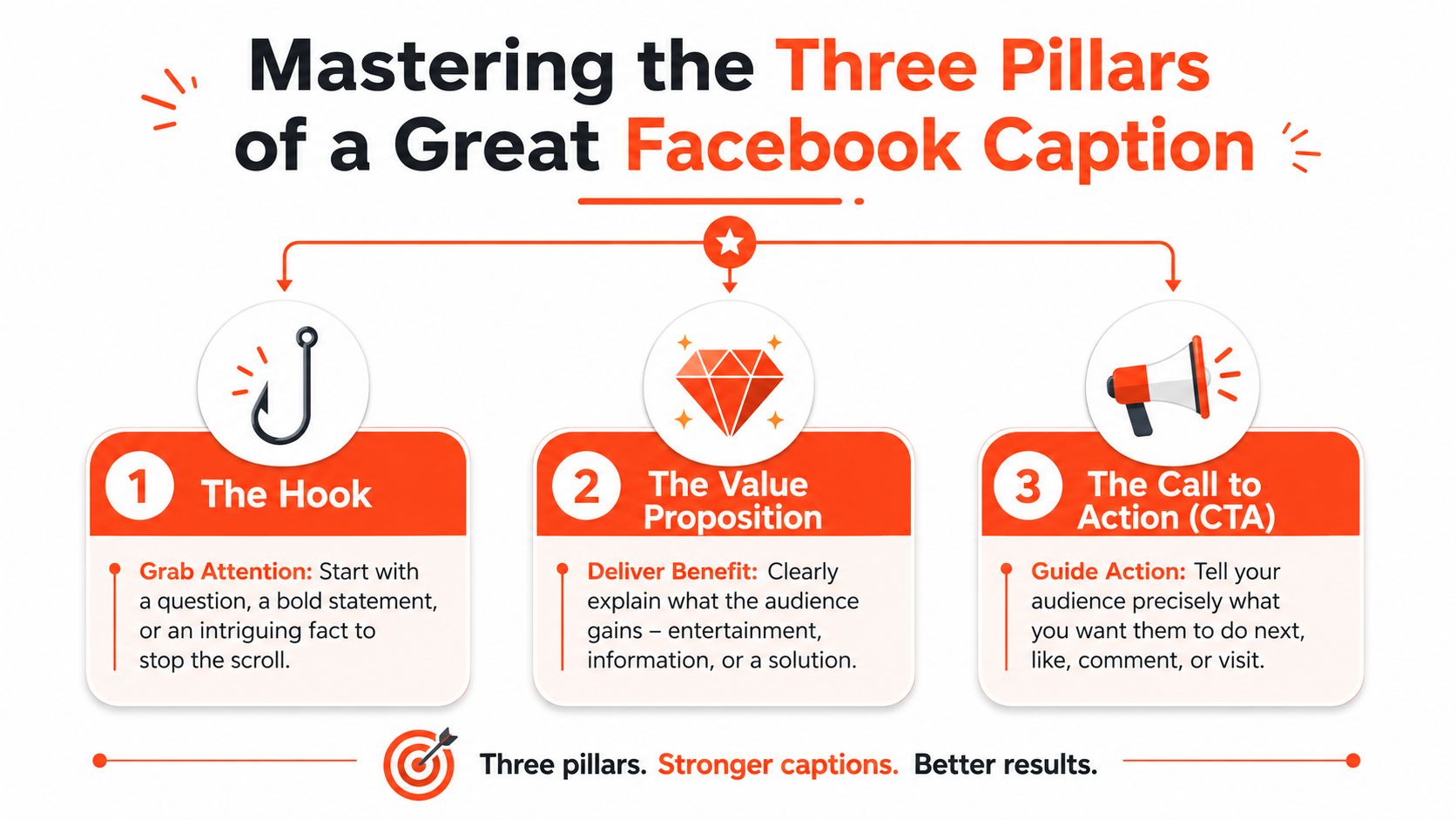
Start with the hook
The first line carries more weight than is often recognized. Cloud Campaign notes that optimal Facebook caption length for maximum engagement is 200 to 250 characters, and the first 125 characters are prime real estate for hooks, with longer formats helping comment depth and save rates on Cloud Campaign's caption length guide.
That tells you two things. First, the opening has to do real work. Second, longer captions aren't automatically bad if they earn the extra space.
Useful hook patterns include:
- A sharp question that mirrors a real pain point
- A direct claim that creates tension or curiosity
- A short contrast between what people assume and what works
- A specific observation pulled from the visual or offer
Weak hooks usually fail because they start too wide. “Happy Monday” doesn't create momentum. “Most Facebook captions fail in the first line” at least gives the reader a reason to continue.
A quick visual walkthrough can help if you want to study caption structure in action.
Add context people can use
After the hook, the middle of the caption should answer one silent question: why should anyone care?
Many generated captions often become fluffy. They repeat the obvious, restate the image, or use generic motivational language. Better captions add either value or framing. They explain the takeaway, provide a useful detail, or make the visual more meaningful.
A simple structure works well:
| Part | Job |
|---|---|
| Hook | Earn the stop |
| Context | Deliver the value |
| Prompt | Trigger the response |
For many brands, the middle works best in short bursts rather than one dense block. Two or three short paragraphs are easier to scan, especially on mobile.
Close with a clear next step
The caption shouldn't end by fading out. It should direct behavior.
That doesn't mean every post needs a hard sell. A low-friction close often performs better on Facebook. Ask for an opinion. Invite a small story. Prompt a simple choice. If the post is promotional, make the next action obvious and easy.
If your team needs help sharpening this skill, reviewing examples of copywriting for social media is often more useful than reading generic caption tips because you can see how hooks, body copy, and prompts work together.
The best captions feel conversational, but they're built with intention.
How to Prompt an AI for a Powerful First Draft
Most bad AI captions start with bad instructions. If you tell the tool, “write a Facebook caption for a coffee shop,” you'll usually get smooth, forgettable copy that could belong to anyone.
The free tools are still useful. They're fast, easy to access, and good for brainstorming. But low-friction tools also tend to forget everything between sessions. As noted earlier from Birdeye's model, many no-login generators are designed for rapid experimentation, which is convenient but often means they won't retain the depth needed for brand-specific output unless you provide a detailed prompt every time.
What strong prompts include
Treat the generator like a junior copywriter who hasn't seen the brief yet. It needs enough direction to produce a draft with shape.
A solid prompt usually includes:
Primary keywords
Add the topic words that should naturally appear in the caption so the draft stays relevant to the post.Core message
State the one thing the audience should understand after reading.Tone details
Don't say “friendly” unless that's all you need. “Direct, warm, and slightly witty” produces better results.Audience definition
Write for a specific reader, not “everyone.” A caption for local gym members won't sound like a caption for B2B founders.Desired action
Tell the model whether the post should drive comments, clicks, shares, or simple awareness.
Give the AI constraints and it gets sharper. Give it vague intent and it falls back on clichés.
A prompt template that produces better drafts
Here's a practical prompt formula:
“Write 3 Facebook caption options for a post about [topic]. Audience is [specific audience]. The goal is [engagement goal]. Use a [tone] voice. Include these keywords naturally: [keywords]. Mention [offer, insight, or takeaway]. End with a CTA that asks readers to [desired action]. Avoid sounding generic or overly promotional.”
That's enough to get a workable first pass in most tools.
If the output still feels stiff, the issue is often rhythm and phrasing rather than content. In that case, it helps to study techniques for humanize GPT text so you can smooth out repetitive sentence patterns before the draft goes into review.
A Facebook caption generator works best when you ask for variations, not one answer. Request multiple angles. One version can be concise. Another can lean story-first. A third can open with a question. The comparison is often more valuable than the first result.
Editing AI Captions for Brand Voice and Performance
This is the step often rushed, and it's the step that decides whether the post sounds real or disposable.
An AI draft can give you speed. It can't know whether your brand uses dry humor, avoids hype, prefers plain language, or never asks more than one question in a post. Editing is where you restore judgment.
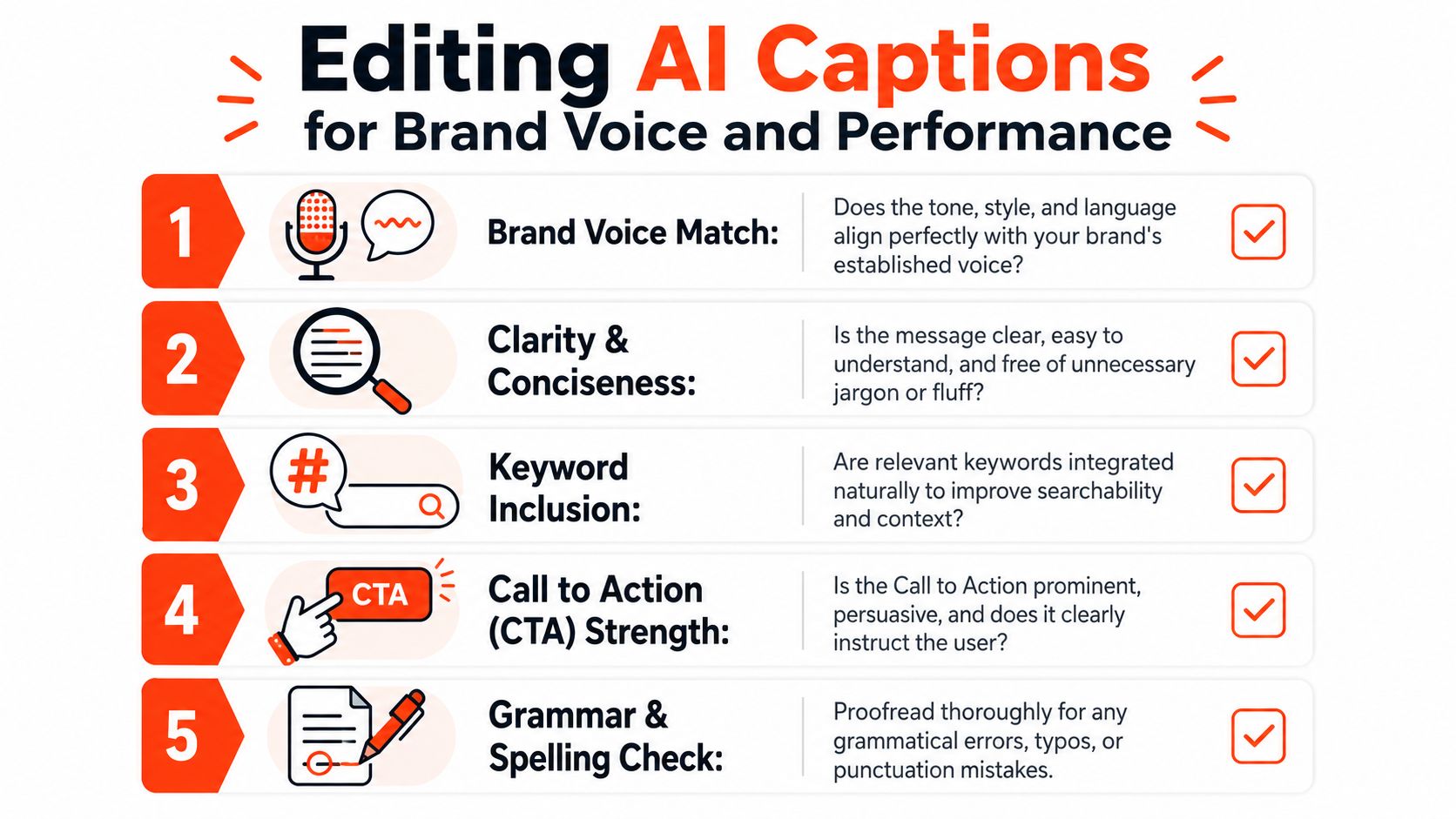
Use a practical editing checklist
Hootsuite advises keeping organic Facebook posts to a maximum of 80 characters for punchier copy in its AI caption guidance on Hootsuite's social media caption generator page. That doesn't mean every post should be ultra-short. It means brevity is often an advantage when the goal is immediate readability.
Then layer in the tactical checks that affect response. DevOpsSchool reports that captions without explicit CTAs see a 28% lower engagement rate, that 2 to 3 hashtags maximize reach, and that exceeding 5 hashtags can reduce engagement by 15% on its comparison of caption generator features and practices at DevOpsSchool's social caption generator roundup.
Use that data as an editing filter:
Brand voice check Replace generic verbs and filler phrases with words your brand uses. If your company sounds concise in emails and landing pages, the caption shouldn't suddenly become theatrical.
Length check
Decide whether this post needs compact punch or a little more room. Tighten anything that meanders before it earns attention.CTA check
Add a clear action. “Comment below” is stronger than ending with a statement and hoping people react.Hashtag check
Keep hashtags relevant and restrained. Too many makes the caption look automated.Emoji check
Use them to signal tone or break up text, not to decorate every line.
What weak edits usually miss
The biggest failure is preserving surface polish while leaving strategic problems untouched. The grammar is fine, but the post still doesn't sound like the brand. Or the message is clear, but there's no action. Or the CTA exists, but it's too broad to invite a response.
A second issue is over-cleaning. Some teams edit AI copy until it sounds sterile. Facebook usually responds better to captions that feel spoken, provided they're still precise.
A good test is to read the final version out loud. If it sounds like something a real person on your team would say, you're close. If it sounds like polished generic internet copy, keep editing.
For teams trying to make AI-assisted writing feel more natural on social platforms, the examples in Lumi Humanizer for LinkedIn are useful because the core challenge is the same: remove stiffness without losing clarity.
Another fix is documentation. The fewer decisions editors have to reinvent, the better the output stays across campaigns and contributors. A simple set of brand guidelines helps define vocabulary, tone boundaries, CTA style, and formatting preferences before the caption ever reaches final review.
Edit for recognition, not just readability. People should recognize the brand in the caption before they see the logo.
Automate and Scale Your Caption Workflow with WaveGen.ai
A junior marketer opens the caption tool five times before lunch. By the end of the day, they have five posts, five slightly different tones, and no clear record of what worked. That is usually the point where caption writing stops being a copy task and starts becoming an operations problem.
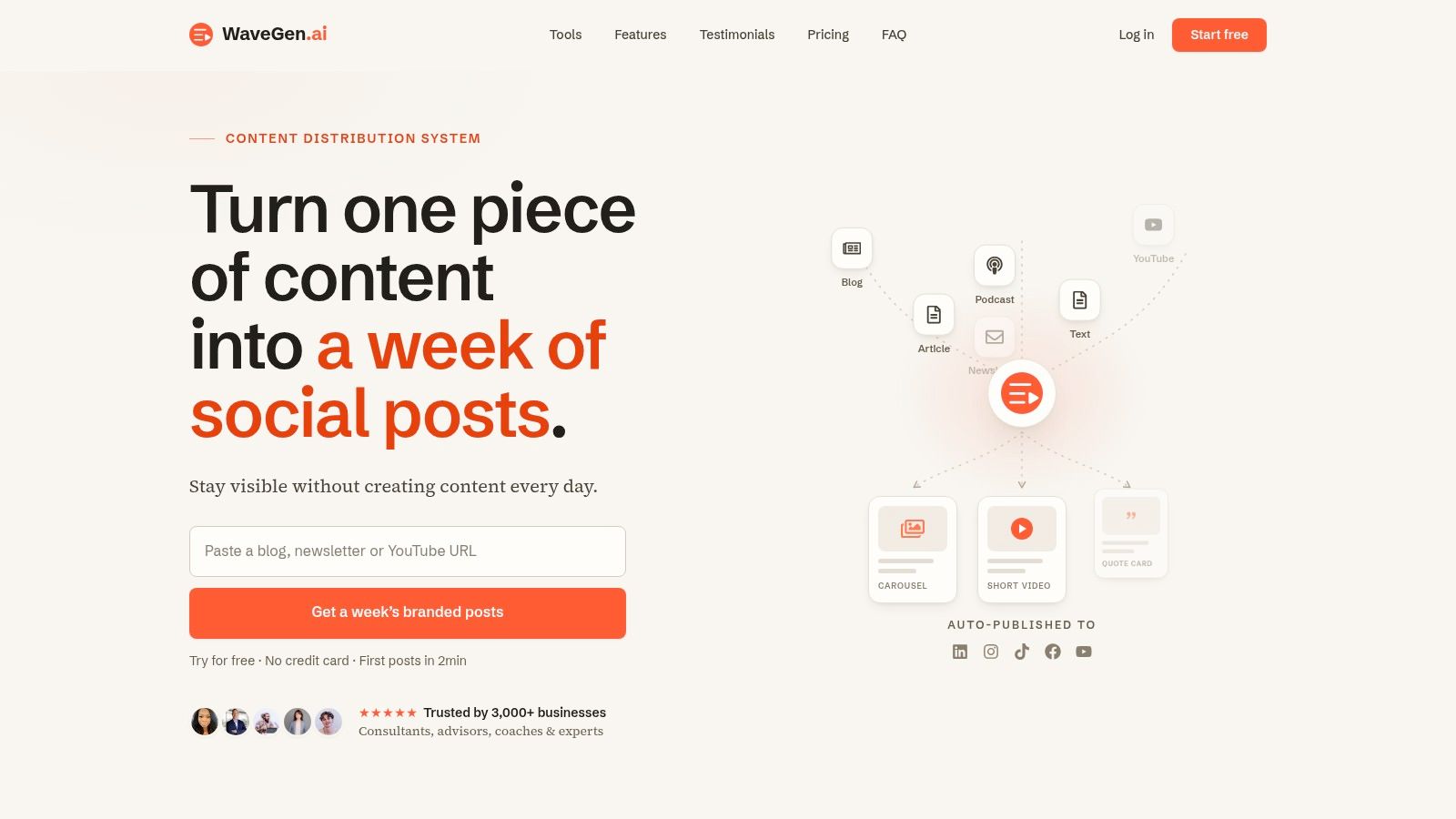
Move from one post at a time to source based publishing
The stronger workflow starts before the caption draft. Use a source asset first: a blog post, newsletter, webinar transcript, podcast outline, or campaign brief.
Then extract several usable angles from that source. One idea may fit a short opinion caption. Another may support a quote graphic. A third may work better as a carousel intro. This keeps the caption tied to a real message instead of asking the team to invent fresh copy for every slot on the calendar.
That shift matters because scale creates a trade-off. Writing each post by hand can produce sharp copy, but it burns time and often breaks consistency across campaigns. Building from source material gives teams a repeatable input, which makes review faster and output more stable.
Where automation helps
Automation earns its place in repeatable work that still benefits from editorial control.
| Workflow step | Manual approach | Automated approach |
|---|---|---|
| Source review | Read and summarize each time | Pull reusable angles from one source |
| Draft creation | Write each caption from scratch | Generate multiple caption-ready variants |
| Brand consistency | Reapply tone manually | Use stored brand inputs and templates |
| Publishing flow | Copy, paste, format, schedule | Review, edit, and queue in one system |
WaveGen.ai fits this part of the workflow. It takes an article, newsletter, transcript, or script and turns it into a batch of social assets, including captions, visual formats, and platform-specific variations after you set your brand kit once.
The gain is not fewer decisions. It is better placement of decisions.
Editors still choose the angle, sharpen the hook, and approve the final version. The system handles the repetitive conversion work that slows down consultants, agencies, and lean content teams. That setup makes it easier to publish at volume without letting tone drift or forcing someone to start from a blank box every time.
Your Path to Consistent High Quality Content
A Facebook caption generator is useful, but it's only one part of the job. The main advantage comes from the workflow around it.
Strong captions start with strategy. They get faster with structured prompting. They get sharper during editing. They become sustainable when you build automation around source content instead of starting from a blank field every day.
That's the difference between generating captions and crafting them for performance.
If you want more consistency, don't ask AI to replace the marketer. Ask it to support the marketer. Let the tool handle the first draft, the variation, and the repetitive formatting. Keep the decisions about message, voice, and audience in human hands. That's the setup that produces captions people read, respond to, and remember.
If you want a simpler way to turn your existing articles, newsletters, podcasts, and videos into a steady flow of Facebook captions and other social assets, take a look at WaveGen.ai. It's built for teams and creators who want a repeatable content distribution system instead of another blank box.
facebook caption generator
ai content creation
social media marketing
facebook marketing
wavegen.ai
Turn this kind of writing into a week of social content.
Paste a blog post, newsletter, or rough draft — WaveGen turns it into publish-ready carousels, captions, and slideshows for every channel.
No credit card · First posts in 2min