June 12, 2026
18 min read
10 Top Social Media Content Ideas for 2026
Stuck for what to post? Explore 10 actionable social media content ideas for 2026, with templates and examples for consultants, creators, and agencies.
Staring at a blank content calendar again? Most advice about social media content ideas gives you more formats, more trends, and more pressure to invent something new every day. That's the wrong bottleneck for many teams.
The problem usually isn't idea scarcity. It's turning one strong insight into a repeatable week of posts without burning out, diluting your message, or publishing the same thing everywhere with minor cosmetic changes. In a market where social media reached an estimated 5.24 billion users worldwide in 2025, about 64% of the global population, with people spending an average of 2 hours and 21 minutes per day across an average of 6.83 platforms each month, posting once and moving on isn't enough. Your content has to travel well.
That's why a repurposing-first system works better than a never-ending brainstorm. Start with one useful source asset: a newsletter, blog post, podcast transcript, webinar, client memo, or YouTube script. Then break it into formats that match how people consume content on each platform.
Table of Contents
- 1. Carousel Posts
- 2. Quote Cards
- 3. Short-Form Video Content
- 4. Educational Threading and Thought Leadership Posts
- 5. Behind-the-Scenes Content
- 6. User-Generated Content and Community Posts
- 7. Interactive Content
- 8. Case Studies and Success Stories
- 9. Data-Driven Insights and Industry Statistics Posts
- 10. Newsletter Repurposing and Blog Post Excerpts
- Top 10 Social Media Content Ideas Comparison
- Build Your Content Engine, Not Just a Post
1. Carousel Posts
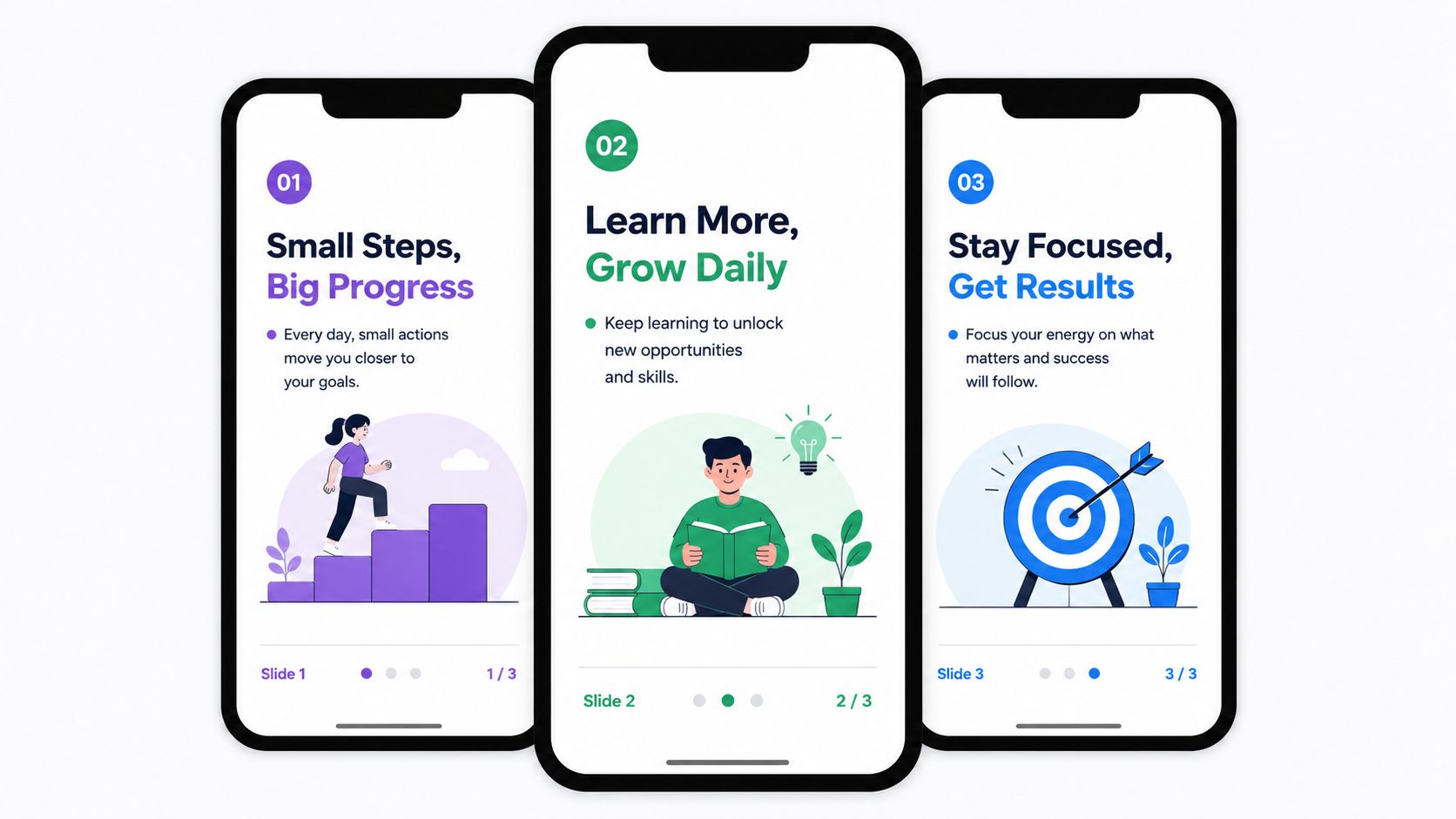
Carousels work when you have a real idea that unfolds step by step. That's why they're one of the best social media content ideas for consultants, coaches, and B2B teams. A strong article section becomes a hook slide, three to seven proof or teaching slides, and a final CTA slide that points people to the full piece.
I use carousels for material that needs sequencing. Frameworks, mistakes, before-and-after thinking, client lessons, and process breakdowns all fit naturally. HubSpot-style educational tips on LinkedIn, financial explainers, and consultant trend breakdowns all follow the same structure: one idea, sliced into clean visual beats.
Turn one article into a swipe sequence
Start with the part of your long-form content that already has tension. Maybe it's “why most firms publish too much and say too little” or “the three errors that make onboarding content hard to follow.” That becomes slide one.
Then build the rest like this:
- Hook slide: Lead with a specific promise or friction point.
- Middle slides: Keep each slide focused on one point only.
- Final slide: Ask for a save, share, comment, or click to the original piece.
Practical rule: If a slide tries to explain two ideas, split it.
What doesn't work is stuffing mini-blog posts into each frame. Mobile readers won't tolerate dense copy. Keep the wording tight, maintain one visual system, and test shorter versus longer decks based on your audience.
If you want to speed up production, a dedicated AI carousel generator can turn article sections into branded slides faster than designing each one manually.
2. Quote Cards
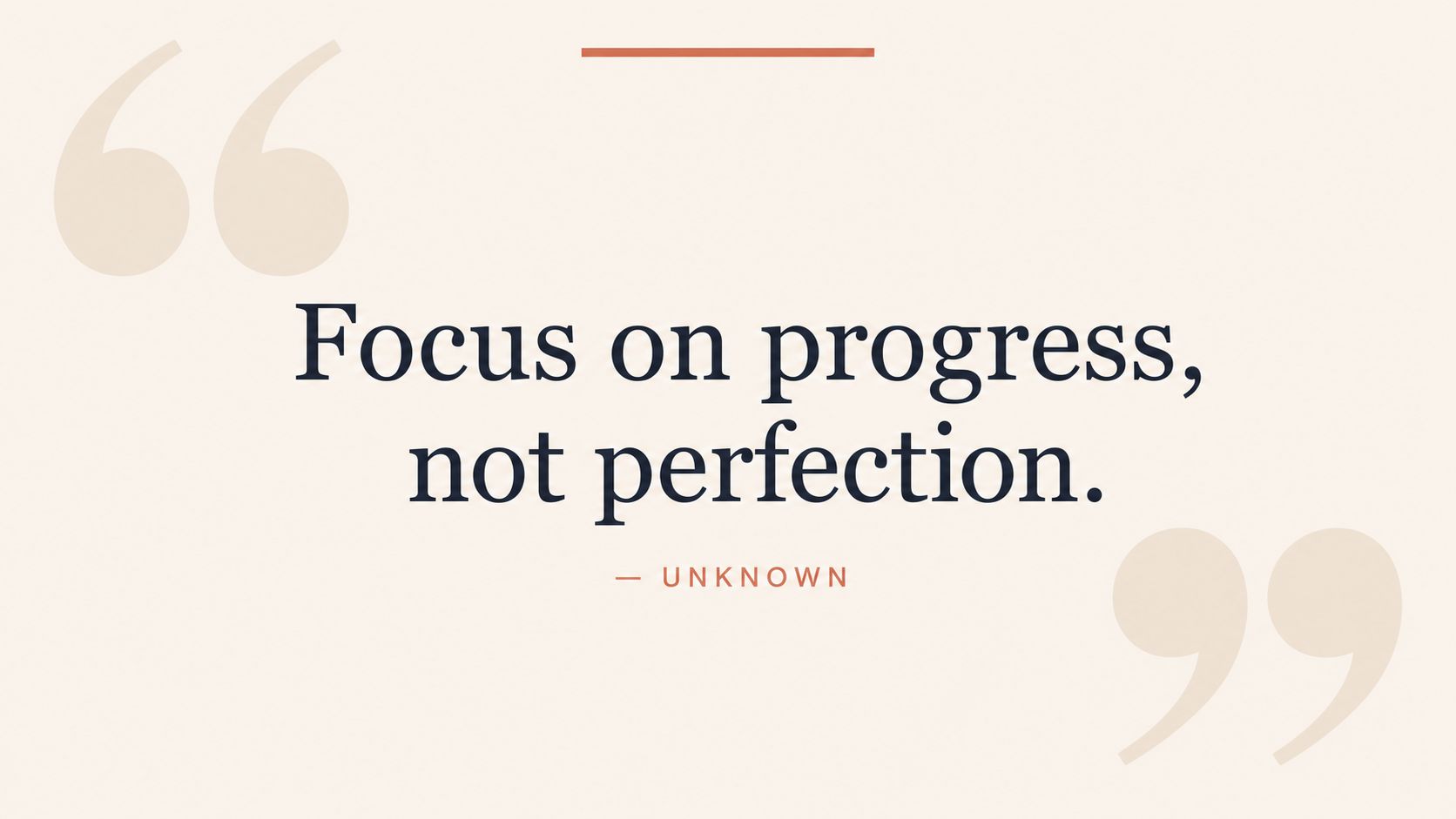
What line from your last article, webinar, or podcast could stand on its own and still make someone stop scrolling?
That is the test for a strong quote card. Quote cards work best as extracted arguments, not decoration. A single sentence can carry a contrarian belief, a sharp client lesson, or a useful reframe. That makes this format one of the fastest ways to turn long-form content into a steady stream of social posts without writing from scratch each time.
I treat quote cards as a filtering exercise. The goal is not to find the nicest sentence. The goal is to find the sentence doing the most strategic work in the original piece. If a blog post has ten paragraphs and only one line makes the reader reconsider a problem, that line becomes the card.
Pull the sentence that can survive on its own
Strong quote cards usually come from these source moments:
- Belief shifts: “You do not need more content. You need better source material.”
- Clear observations: “Consistency gets easier once the format is decided in advance.”
- Client-safe lessons: “The draft was not the problem. The angle was.”
This format earns its place in a repurposing system because it gives you more than one post. A quote card can become a LinkedIn image post, an Instagram graphic, a Pinterest pin, or the opening frame of a slideshow. If you already have a sentence library from transcripts or article drafts, WaveGen.ai can help turn those lines into branded assets faster, including formats built for visual reposting like this TikTok slideshow template for quote-based posts.
The trade-off is precision. Generic inspiration gets impressions and weakens positioning. Specific language gets fewer vanity likes in some niches, but it attracts the right saves, shares, and replies because it sounds like a real point of view. If the card could be posted by a fitness coach, a SaaS founder, and a real estate agent with no changes, it is too vague.
Keep the design restrained. One idea. One visual hierarchy. One branded system your team can reuse in batches. That is how quote cards stop being filler and start functioning as durable output from your content engine.
3. Short-Form Video Content

Short-form video is where many teams freeze. They assume every post needs a trend, a studio setup, and polished editing. It doesn't. Most useful short videos begin as spoken versions of ideas you already wrote somewhere else.
That's why I treat Reels, TikToks, and Shorts as compression formats. A blog post becomes three punchy claims. A podcast transcript becomes a quick myth-versus-reality clip. A newsletter intro becomes a direct-to-camera hook. Lawyers, advisors, therapists, and educators do well here because they usually have strong raw material even if they don't think of themselves as creators.
Start with spoken ideas, not filming pressure
Use a simple pattern:
- Opening line: Ask a question or challenge a common assumption.
- Middle: Give one takeaway, not five.
- Close: Tell viewers what to do next.
Recent practitioner guidance summarized by IQfluence points to short-form micro stories, serialized content, creator-led UGC, and raw behind-the-scenes material as formats that are working in 2026, while older advice still leans on broader evergreen tactics like generic contests and inspiration posts. Their takeaway is that format fit and reuse matter more than novelty for many teams, especially smaller ones managing limited production time, as outlined in their review of social media post ideas.
Raw, clear, and useful often beats polished but forgettable.
If you're repurposing written content into video, a TikTok slideshow template can help bridge the gap between “I have an idea” and “I have something publishable.”
4. Educational Threading and Thought Leadership Posts
Text-first posts still work, especially on LinkedIn and X, when the thinking is sharp. They fail when people write like they're drafting an essay in public. The best threads and long captions read like guided notes from someone who's already solved the problem.
This format is ideal for frameworks, lessons learned, contrarian takes, and commentary on industry changes. Product strategists use it to explain decision models. Consultants use it to break down what they see in client work. Educators use it to simplify jargon-heavy topics without sounding simplistic.
Write for skim readers
A strong thread usually starts with a tension line, not a title. “Most content teams don't have an idea problem” is stronger than “Thoughts on content planning.” Then each post advances one step of the argument.
Keep these practical:
- Number the sequence: Readers need to know there's a path.
- Trim each point: One idea per post is enough.
- Leave breathing room: White space matters on mobile.
Buffer's analysis highlights an important gap in most advice about social media content ideas. Teams aren't short on prompts. They're short on a method for choosing what's worth making. That's why framework-based ideation and turning one strong insight into several brand-safe assets beats endless topic lists, as discussed in Buffer's guide to discovering content ideas.
What doesn't work is turning every thread into vague personal branding. If there's no clear lesson, readers won't save it, and they definitely won't trust it.
5. Behind-the-Scenes Content
Behind-the-scenes content works because it lowers the distance between your audience and your work. Not every post should look polished. In many categories, polished can feel evasive.
A consultant can show the research stack behind a client brief. A creator can film part of a recording session. A coach can share how they prepare for a workshop. An agency can show rounds of revision, message testing, or team review. Those moments are often more persuasive than finished graphics because they show judgment in action.
A simple example of BTS-style storytelling in motion is below.
Show the work, not just the result
The strongest BTS content has one of three angles:
- Process: How you build something.
- Decision-making: Why you changed direction.
- Reality: What went wrong and what you learned.
I'd avoid fake candor. Audiences can tell when “behind the scenes” is just another polished ad with a handheld filter. What works is showing useful friction: messy notes, first drafts, rejected versions, setup problems, and trade-offs.
If your team publishes on multiple channels, film BTS once and cut it into Stories, Shorts, Reels, and simple captioned clips. One honest recording session can produce several assets if you capture enough raw moments.
6. User-Generated Content and Community Posts
UGC isn't just for ecommerce brands. Service businesses can use it too. Testimonials, client screenshots, workshop feedback, newsletter replies, event photos, and customer-created videos all count if they reflect real experience.
This format does two jobs at once. It reduces your creation load, and it introduces outside proof into a feed that might otherwise sound self-referential. For coaches, advisors, agencies, and SaaS teams, that outside voice matters because trust rarely comes from saying “we're great” more often.
Turn audience response into publishable assets
The cleanest workflow looks like this:
- Collect consistently: Save positive replies, DMs, comments, and emails in one place.
- Request permission: Get written approval before reposting anything identifiable.
- Repackage smartly: One testimonial can become a quote card, a caption post, and a short video.
A lot of teams over-edit UGC until it feels like brand copy. That weakens the point. Keep the original language intact when possible. Light cleanup is fine. Rewriting a client's voice into polished marketing language usually strips out the credibility.
Community content works best when the brand acts like an editor, not a ventriloquist.
You'll also get better results if you mix UGC with your own expert content instead of dumping all social proof into one campaign window.
7. Interactive Content
What if your next few social posts came from your audience instead of another brainstorm doc?
Polls, quizzes, question boxes, and lightweight challenges work best as input channels. They show you what people are confused about, what they want explained next, and which angle earns a response without forcing you to guess. That makes them useful well beyond engagement.
With product discovery happening inside social feeds, interactive posts play a direct role in how people assess your brand. A good poll or prompt can surface pain points, objections, and language you can reuse across the rest of your content engine.
Turn responses into your next batch of content
Keep the format simple and the question specific.
- Binary polls: Use them to test clear trade-offs, such as “more traffic” versus “better conversion.”
- Topic voting: Let followers choose the next tutorial, breakdown, or myth to address.
- Short challenges: Ask people to share a workflow, result, or opinion you can analyze later.
The quality of the question determines the quality of the content you get back. “What do you think?” is too open-ended to produce useful direction. “Which part of your content workflow slows you down most: ideation, writing, design, or editing?” gives you structured feedback you can use.
A repurposing-first system saves time. A strong podcast episode, webinar, blog post, or newsletter can be split into five to ten interactive prompts. WaveGen.ai can help turn those long-form assets into poll questions, story prompts, caption variants, and short clips, so the research and publishing happen in the same workflow.
Then close the loop. If poll responses point to one recurring problem, build the next carousel around it. If a challenge surfaces repeated mistakes, turn them into a short video or text post. Interactive content earns its place when it feeds the next asset instead of disappearing after 24 hours.
8. Case Studies and Success Stories
Case studies are among the most useful social media content ideas because they combine narrative, proof, and positioning. But most social case studies fail for one reason: they read like sanitized portfolio entries.
What people want is the decision path. What was broken, what changed, what resistance showed up, and what lesson someone else can apply? That's true whether you're a lawyer explaining a client scenario in anonymized form, a coach sharing a transformation journey with permission, or an agency unpacking campaign strategy.
Specificity beats polish
The structure is simple:
- Challenge: What problem existed?
- Approach: What did you change?
- Outcome: What happened next?
- Lesson: Why should the audience care?
You've got to be careful here because unsupported numbers can undermine credibility fast. If you have approved metrics from a real client, use them responsibly. If you don't, don't force precision. Qualitative detail is still useful. “The client kept publishing but had no clear content hierarchy” is stronger than vague hype and safer than invented performance lifts.
A single case study can become a carousel, a talking-head clip, a text thread, and several quote cards. That's exactly why this format belongs in a repurposing-first system.
9. Data-Driven Insights and Industry Statistics Posts
Data posts work when they help your audience interpret a shift, not just admire a number. Most brands publish charts with no argument. That creates activity, not authority.
A better use of data is to connect one verified fact to a practical implication. If social is now a mass-market attention channel, then format choice matters more. If customer response expectations are high, then service content matters as much as promotional content. If users spread attention across multiple platforms, then repurposing becomes operationally necessary.
Use data to sharpen positioning
One 2026 synthesis cited by Digital Applied notes that social media usage estimates now sit at either 5.24 billion users globally, equal to 64.8% of the world's population, or 5.41 billion users, equal to 68.5% penetration, depending on the source. You don't need to argue over the exact estimate to get the strategic point. Social is mainstream global attention, not a side channel.
That changes how I'd use data-driven posts. Instead of posting “interesting stats,” post interpretation:
- What changed: Explain the shift.
- Why it matters: Tie it to audience behavior.
- What to do next: Give one action.
Data becomes persuasive when you translate it into a decision.
For marketers, advisors, and consultants, that's the core value. Numbers alone rarely earn trust. Clear judgment about what the numbers mean does.
10. Newsletter Repurposing and Blog Post Excerpts
How many social posts are sitting inside your last newsletter or blog article, unused?
For teams already producing long-form content, this is usually the highest-efficiency format in the article. The research is done. The point of view is clear. The examples, objections, and phrasing are already on the page. The job is no longer ideation. The job is extraction.
That matters because consistent publishing breaks down at the production stage, not the strategy stage. A weekly newsletter can supply several days of social content if you structure it like a source asset instead of a one-time send.
Build the weekly engine from one source asset
A practical workflow looks like this:
- One core piece: Newsletter, article, transcript, or webinar notes.
- One teaching carousel: Turn the main argument into slides.
- Two or three quote cards: Pull short lines, frameworks, or contrarian takes.
- One or two short videos: Record the strongest point as a direct explanation.
- One thread or caption post: Rewrite the central logic for a text-native platform.
The trade-off is straightforward. Repurposing saves time, but lazy copy-paste usually performs poorly. A newsletter paragraph often reads too dense for social. Blog introductions are usually too slow. Good repurposing keeps the idea and rebuilds the packaging for the platform.
I use a simple filter. Pull one insight, one proof point, and one next step from the long-form piece. That gives you a post with structure instead of an excerpt that feels incomplete.
If you want help turning that workflow into repeatable output, AI content repurposing tools for turning one source asset into multiple formats can reduce the manual rewrite work and keep messaging aligned across posts.
Top 10 Social Media Content Ideas Comparison
| Content Format | Implementation Complexity 🔄 | Resource Requirements ⚡ | Expected Outcomes 📊 | Ideal Use Cases 💡 | Key Advantages ⭐ |
|---|---|---|---|---|---|
| Carousel Posts (Multi-Slide Educational Content) | Medium 🔄🔄, design + sequencing | Medium ⚡⚡, visuals, copy, templates | High engagement & time-on-post 📊 ⭐⭐⭐ | Repurposing long-form, step-by-step education, B2B posts | Storytelling, algorithm boost, multi-slide depth |
| Quote Cards (Shareable Inspirational Design) | Low 🔄, simple design + copy | Low ⚡, single-image templates | Good shareability & brand recall 📊 ⭐⭐ | Daily inspiration, thought leadership, quick social posts | Fast to create, highly shareable, brandable |
| Short-Form Video (15–60s Reels & TikToks) | High 🔄🔄🔄, scripting + editing + trends | Medium–High ⚡⚡⚡, recording, editing, sound rights | Massive reach & virality potential 📊 ⭐⭐⭐ | Awareness, personality-driven content, younger audiences | Algorithm prioritization, high memorability |
| Educational Threading & Thought Leadership Posts | Medium–High 🔄🔄, structured writing | Low–Medium ⚡⚡, strong writing time | Strong authority & follower growth 📊 ⭐⭐⭐ | B2B, consultants, deep dives, long-form repurposing | Establishes expertise, durable engagement |
| Behind-the-Scenes (BTS) Content | Low 🔄, casual capture | Low ⚡, mobile footage, light editing | High authenticity and loyalty 📊 ⭐⭐⭐ | Humanizing brands, creators, small teams | Builds trust, low production overhead |
| User-Generated Content (UGC) & Community Posts | Low–Medium 🔄🔄, curation & rights | Low ⚡, community sourcing, permissions | Highest trust & social proof 📊 ⭐⭐⭐ | Brands with engaged customers, testimonials | Cost-effective social proof, community growth |
| Interactive Content (Polls, Quizzes, Challenges) | Low–Medium 🔄🔄, question design | Low ⚡, platform tools, minimal production | Significantly higher engagement + insights 📊 ⭐⭐⭐ | Audience research, engagement campaigns, story features | Drives participation, gathers audience data |
| Case Studies & Success Stories | High 🔄🔄🔄, data gathering & storytelling | High ⚡⚡⚡, client cooperation, visuals | Strong credibility and lead generation 📊 ⭐⭐⭐ | B2B sales, consulting, high-ticket services | Demonstrates ROI, trust-building evidence |
| Data-Driven Insights & Industry Statistics Posts | High 🔄🔄, research + visualization | High ⚡⚡, data sources, design/analysis | Authority, backlinks, media interest 📊 ⭐⭐⭐ | Thought leadership, PR, analyst audiences | Research-backed credibility, shareable insights |
| Newsletter Repurposing & Blog Post Excerpts | Low–Medium 🔄🔄, extraction & formatting | Low ⚡, original content exists; automation helps | Highest efficiency and consistent pipeline 📊 ⭐⭐⭐ | Busy creators, agencies, regular content schedules | Maximize ROI, scalable with automation (WaveGen) |
Build Your Content Engine, Not Just a Post
The biggest shift I'd make in 2026 is this: stop treating content as a pile of isolated posts. Build a source-driven system instead.
That change matters because the old model breaks fast. A team brainstorms fresh topics, chases whatever format looks hot that week, publishes inconsistently, and then wonders why the feed feels fragmented. The problem usually isn't effort. It's that every post starts from zero. That makes consistency expensive and quality fragile.
A better system starts upstream. Choose one strong input each week: a newsletter, article, transcript, webinar outline, or client lesson. Then extract the pieces that naturally fit different channels. The argument becomes a thread. The framework becomes a carousel. The sharpest sentence becomes a quote card. The easiest spoken takeaway becomes a short video. The client lesson becomes a case-study post. Instead of forcing novelty, you're extending a useful idea across formats people already prefer.
That approach also matches how audiences behave now. People move across multiple platforms, consume content in different modes, and often discover brands through social before they ever visit a website. So the goal isn't to say something completely new on every channel. It's to say the same valuable thing in a format that fits the feed, the moment, and the audience expectation.
There are trade-offs. Repurposing doesn't mean cloning. A LinkedIn post shouldn't be pasted into Instagram and called strategy. A carousel needs sequencing. A Reel needs a fast hook. A quote card needs a line that can stand on its own. A case study needs enough context to feel credible. The source asset stays the same, but the packaging has to change.
That's where process helps more than inspiration. Once your team knows how one long-form piece gets broken into repeatable asset types, publishing gets easier. The brand voice stays tighter. The content quality rises because you're refining the same idea, not scattering your attention across ten unrelated ones.
WaveGen.ai is one option built around that repurposing workflow. If you already publish articles, newsletters, scripts, or transcripts, tools like that can help turn a single source into branded social assets faster and with less manual formatting.
The practical move is simple. Pick one strong piece of long-form content you already have. Don't ask how to promote it once. Ask how to turn it into a week of useful posts.
If you want a faster way to turn one article, newsletter, podcast script, or transcript into carousels, quote cards, short videos, and captions, take a look at WaveGen.ai. It's built for repurposing your own ideas into platform-specific social content without rebuilding the workflow from scratch each time.
social media content ideas
content strategy
social media marketing
content repurposing
Turn this kind of writing into a week of social content.
Paste a blog post, newsletter, or rough draft — WaveGen turns it into publish-ready carousels, captions, and slideshows for every channel.
No credit card · First posts in 2min