June 16, 2026
10 min read
LinkedIn Private Mode: A Complete Guide
Master LinkedIn private mode to view profiles anonymously. Learn how to enable it, discover strategic uses, and understand its analytics impact.
You're probably here because you want to look someone up on LinkedIn without broadcasting that you did it. Maybe it's a prospect you haven't contacted yet. Maybe it's a competitor's new hire. Maybe it's a former client whose company just changed direction. On LinkedIn, even a profile visit can send a signal, and sometimes that signal helps. Sometimes it gets in the way.
That's where LinkedIn Private Mode becomes useful. Not as a novelty setting, but as a professional tool. Used well, it lets you research discreetly. Used carelessly, it can cut you off from signals you need, especially if you rely on profile-view data for networking or lead generation.
If your LinkedIn profile is part of your professional positioning, the decision isn't just “private or public.” It's about timing, context, and what you're willing to trade for anonymity. If you're also refining the front door people see when you do browse publicly, a strong LinkedIn headline matters just as much as your visibility settings.
Table of Contents
- The Professional's Dilemma Anonymous Research on LinkedIn
- What LinkedIn Private Mode Is and How It Works
- How to Turn On LinkedIn Private Mode Step by Step
- The Strategic Trade-Offs of Anonymous Browsing
- When to Use LinkedIn Private Mode and When to Avoid It
- Frequently Asked Questions About Private Mode
The Professional's Dilemma Anonymous Research on LinkedIn
A consultant gets introduced to a potential client and wants context before the first call. A recruiter sees a promising candidate and wants to review their background before reaching out. A founder notices a competitor hired a new sales leader and wants to understand what changed. In all three cases, the same tension shows up. You need information, but you may not want to announce your interest yet.
That's the primary use case for LinkedIn Private Mode. It isn't about hiding from the platform entirely. It's about controlling the signal your profile visit sends to the other person.
The professionals who use it well usually think in sequences. First, they conduct their research. Then they decide whether to engage openly. That matters because a visible profile view can create curiosity, but it can also feel premature or overly direct, especially in sales, recruiting, or competitive analysis.
Practical rule: If the profile visit is part of exploration, private mode often makes sense. If the visit is part of relationship-building, visibility usually works better.
The mistake is treating the setting as either always on or always off. That's too blunt for how LinkedIn works in practice. Users don't need a permanent privacy stance. They need a situational one.
What LinkedIn Private Mode Is and How It Works
LinkedIn Private Mode is one of LinkedIn's three profile-viewing visibility settings. The other two are Your name and headline and Private profile characteristics. In full private mode, the person whose profile you visit sees only “Anonymous LinkedIn member” instead of your name or headline, as described in LinkedHelper's overview of LinkedIn private mode.
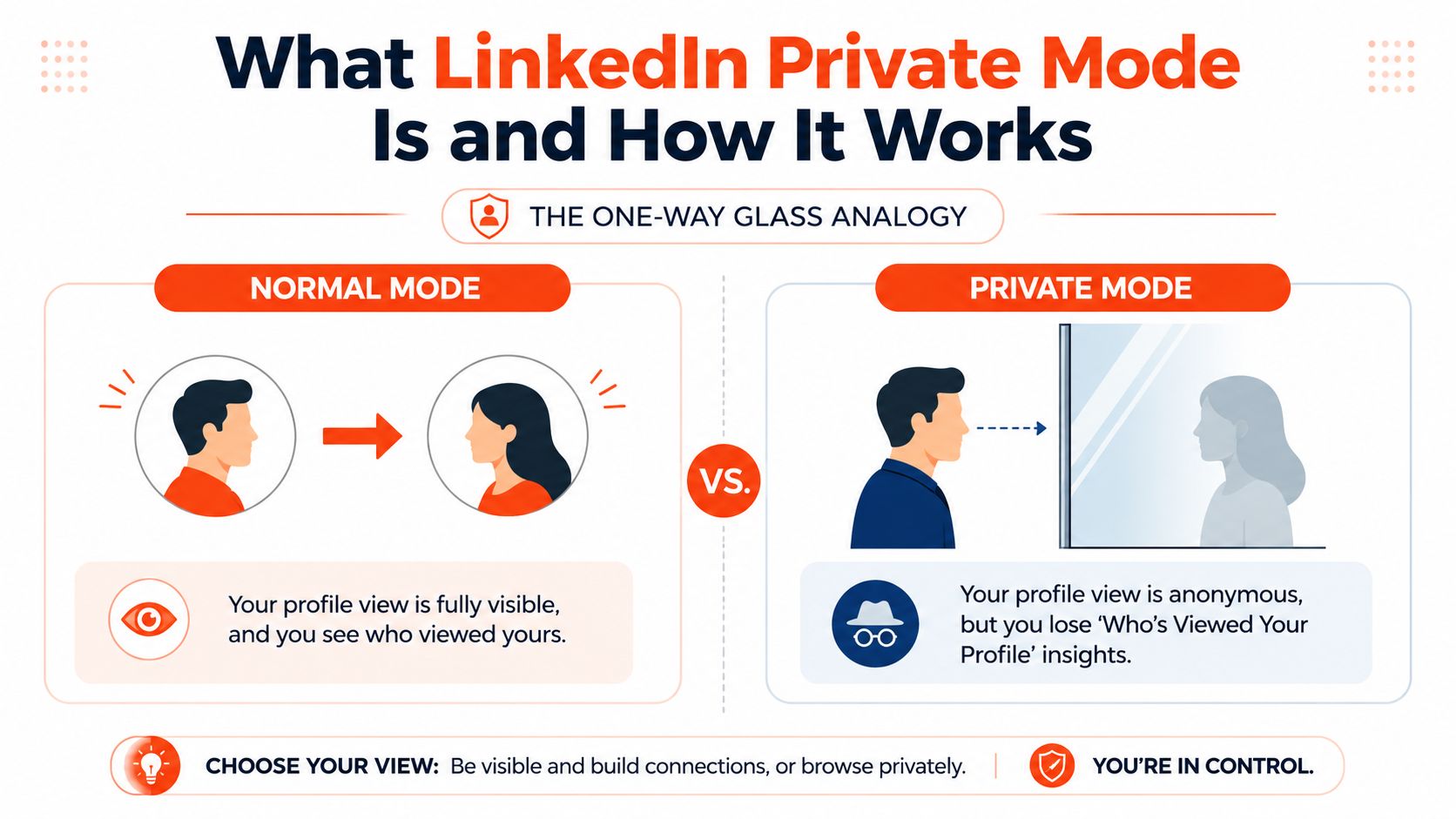
The three profile viewing settings
Think of the setting like a one-way glass.
With Your name and headline, you walk through the glass fully visible. The other person knows exactly who looked.
With Private profile characteristics, you're partly obscured. LinkedIn shows limited identity details rather than your full public profile presentation.
With Private Mode, you're behind the glass completely. The visit still happens, but the person on the other side doesn't get your identity.
That design matters. LinkedIn didn't treat anonymous viewing like a workaround. It built it as a formal product setting inside the Visibility menu on desktop and mobile, which makes it a deliberate part of how the platform balances identity with privacy.
LinkedIn profile viewing options compared
| Setting | What the Other Person Sees | Best For |
|---|---|---|
| Your name and headline | Your identity is visible | Networking, warm outreach, job search |
| Private profile characteristics | Limited details about you | Softer visibility when full disclosure feels unnecessary |
| Private Mode | Anonymous LinkedIn member | Quiet research, competitor review, early-stage prospecting |
One detail many people miss is timing. Changing the setting affects future profile visits. It doesn't go backward and erase visibility from visits that already happened.
That's why this setting works best when you decide before you start browsing. If you look first and toggle later, the earlier signal may already be out there.
Private mode is useful because it's simple. It's limited because it only governs profile-view identity, not every other visibility setting tied to your account.
How to Turn On LinkedIn Private Mode Step by Step
The setting is easy to find once you know where LinkedIn keeps it. The fastest path is through Settings & Privacy, then Visibility, then Profile viewing options.
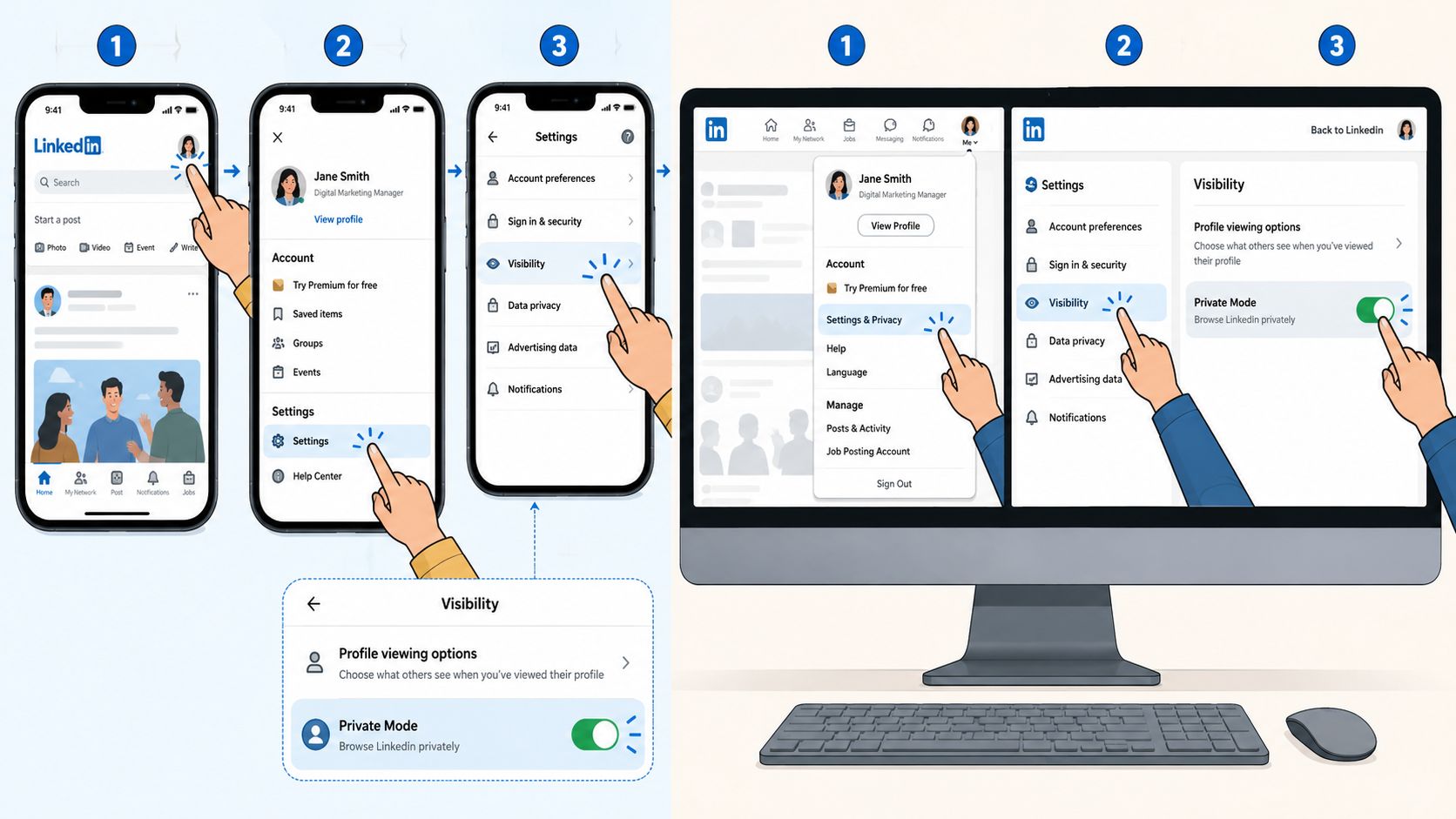
On desktop
- Click your Me icon at the top of LinkedIn.
- Select Settings & Privacy.
- Open the Visibility section.
- Click Profile viewing options.
- Choose Private Mode.
That change applies to the profile visits you make after the setting is updated. If you're about to research several people in a row, switch first and then browse.
On mobile app
- Open the LinkedIn app.
- Tap your profile picture.
- Go to Settings.
- Tap Visibility.
- Open Profile viewing options.
- Select Private Mode.
The mobile flow is close to the desktop version, just compressed into the app menu. If you bounce between devices, it's worth checking the setting before a research session so you don't assume the wrong mode is active.
Some people prefer a visual walkthrough before changing account settings. This quick video helps if you want to confirm the path in the interface.
A practical habit helps here. Don't just toggle it and forget it. Tie the setting to the task. Turn it on for quiet research. Turn it off when you want your profile views to support outreach, recruiting, or relationship-building.
The Strategic Trade-Offs of Anonymous Browsing
The upside of LinkedIn Private Mode is obvious. You can research without attaching your name to the visit. The downside is where professionals often get caught. Anonymous browsing costs you visibility into your own profile-view activity.
According to Straight In's explanation of LinkedIn private mode, LinkedIn profile-view behavior typically works on a rolling 90-day window, and enabling private mode prevents you from seeing who has viewed your own profile. The same guide notes that when you turn private mode off, it can take up to 24 hours for the Who's viewed your profile feature to repopulate with new views. Premium users still retain access to visitor analytics for the last 90 days, but private mode still changes what you can see while browsing privately.
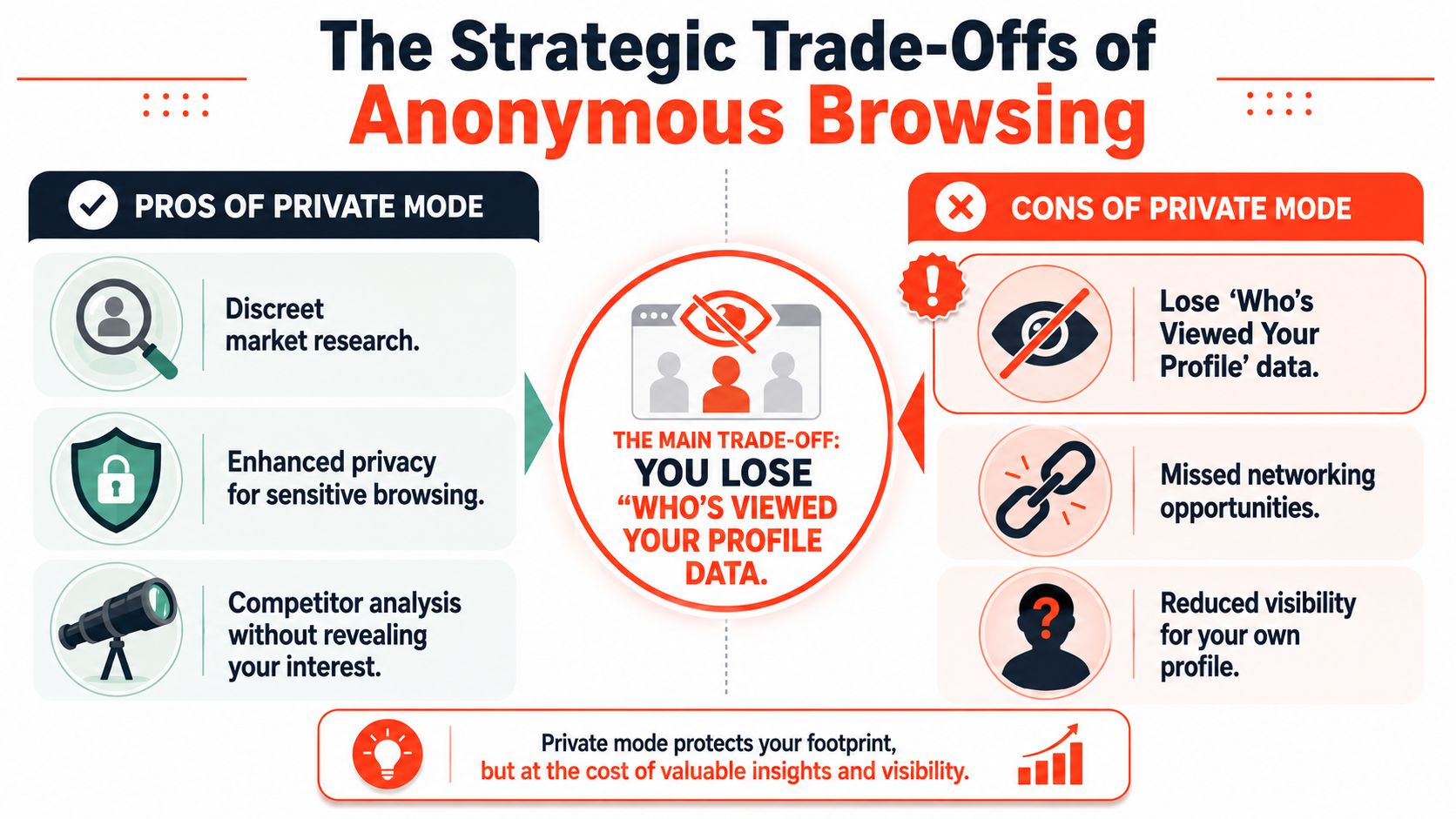
What you gain
Private mode is strongest when discretion creates an advantage.
- Prospecting space: You can review a buyer, founder, or hiring manager before making contact.
- Competitive research: You can study team structure, content themes, and role changes without flagging your interest.
- Sensitive browsing: You can look into companies, people, or partnerships that aren't ready for open discussion.
For marketers and consultants, this is often a timing advantage. You get to understand the room before you walk into it. If you track broader LinkedIn impressions, that kind of quiet research can help you shape outreach and content more intentionally.
What you give up
The cost is opportunity data.
If you use profile views as a soft intent signal, private mode gets expensive fast. You won't see who checked you out while the setting is active. That matters for solo consultants, agency owners, coaches, recruiters, and anyone who treats profile visits as the first hint of inbound interest.
Here's what that looks like in practice:
- Fewer warm clues: You can't easily spot people who found you through content, referrals, or search.
- Weaker follow-up timing: A visible profile viewer list often helps you decide who to message and when.
- Lower networking serendipity: Some relationships start because one person notices the other looked first.
Strategic takeaway: Private mode is best for research phases, not relationship phases.
There's also a behavior cost. When people stay in private mode all the time, they often forget that LinkedIn is partly a signaling platform. A profile view isn't always noise. Sometimes it's the nudge that starts the conversation.
When to Use LinkedIn Private Mode and When to Avoid It
The right way to use LinkedIn Private Mode isn't ideological. It's situational. Keep it tied to your objective.
Good times to turn it on
If your goal is information gathering, private mode usually earns its place.
- Competitor analysis: Review a rival's leadership team, hiring pattern, or posting style without putting your name into their notifications or profile-view context.
- Early sales research: Check a prospect's background before outreach, especially if you're still deciding whether the account fits.
- Candidate screening: Recruiters and hiring managers can discreetly scan experience and positioning before moving the conversation forward.
This is also the mode I'd use when researching multiple adjacent accounts in the same market. A cluster of visible profile views from the same person can create a pattern you didn't intend to reveal.
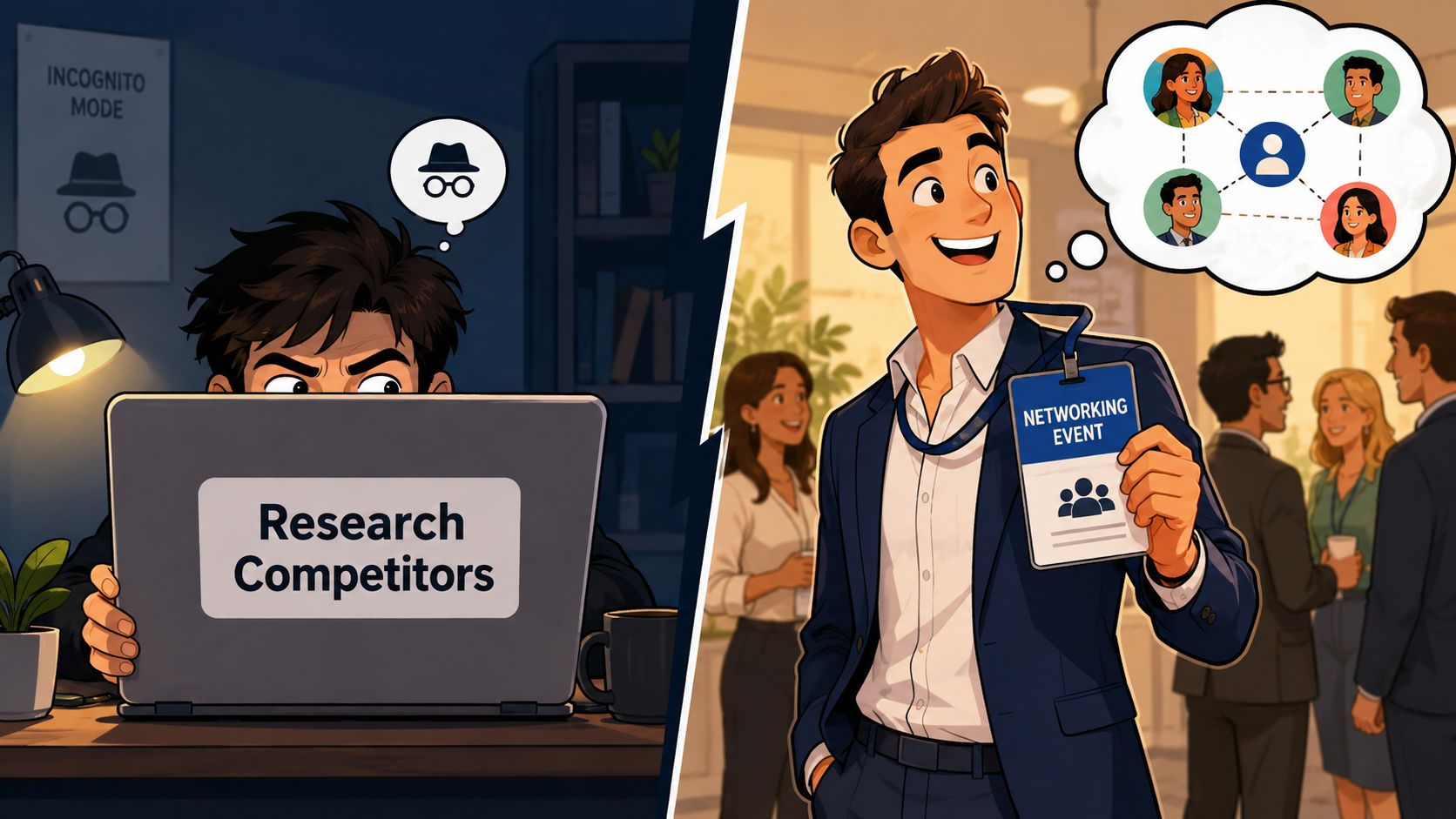
Better times to leave it off
If your goal is connection, visibility often works harder for you than privacy.
- Active job search: Recruiters may notice your profile visit and click back.
- Post-event networking: After a conference, webinar, or introduction, a visible visit can reinforce recognition.
- Inbound lead generation: If you use profile views as a warm-signal channel, stay public enough to keep that signal alive.
Content teams and personal brands should think the same way. If you publish regularly and want your profile activity to support discoverability, full-time private mode can work against that. Your posting cadence matters too, which is why tools and guides around the best time to post on LinkedIn are often more useful when your visibility settings align with your networking goals.
For people managing content operations, there are workflow tools that support the visible side of LinkedIn strategy. For example, WaveGen.ai can turn one source asset into LinkedIn-ready formats and schedule publishing, which is useful when your goal is to attract profile visits rather than conceal your own.
Use private mode when you're gathering intelligence. Turn it off when you want your activity to help open doors.
Frequently Asked Questions About Private Mode
Is LinkedIn Private Mode a master privacy switch
No. It only hides your identity from the other person's Who's Viewed Your Profile area. As explained in The Lime article on what LinkedIn private mode doesn't cover, LinkedIn also has separate settings for Page Visit Visibility and public profile visibility, so you may still reveal activity to organizations or remain searchable unless those controls are changed too.
Does private mode hide visits I already made
No. It affects future visits, not earlier ones.
Does the other person get notified
They won't see your identity from the profile view when private mode is active. They may still see that an anonymous person viewed the profile.
Do you need LinkedIn Premium to use it
No. Private mode is available without a paid subscription.
Should you leave it on all the time
Usually not. Most professionals get better results by toggling it based on the task. Permanent anonymity is convenient, but it can cut off useful networking and profile-view signals.
If LinkedIn is part of your client acquisition or content strategy, WaveGen.ai can help you turn one article, newsletter, or script into multiple social assets and keep your publishing consistent across channels. That's useful when you want your LinkedIn presence to create more intentional visibility, instead of relying on random activity.
linkedin private mode
linkedin privacy
anonymous linkedin
linkedin profile views
social media strategy
Turn this kind of writing into a week of social content.
Paste a blog post, newsletter, or rough draft — WaveGen turns it into publish-ready carousels, captions, and slideshows for every channel.
No credit card · First posts in 2min